3 Best Combo Laser Printers for 2027
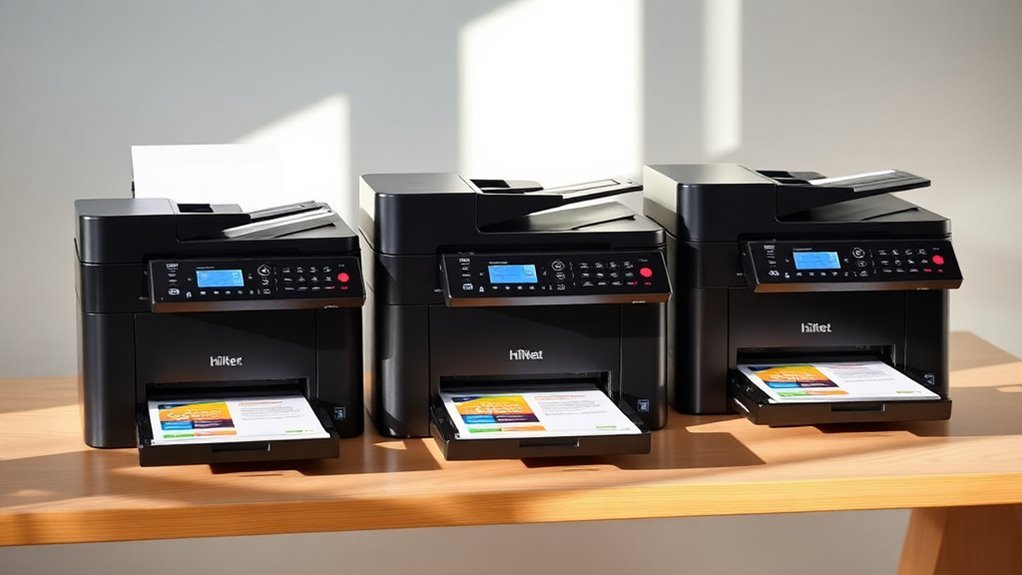
For 2027, the top three combo laser printers bring you speed, reliability, and versatility to meet all your office printing needs. Whether you’re tackling high-volume black-and-white documents or vibrant color projects, these printers have got you covered.
The HP LaserJet Pro 3105sdw offers fast monochrome all-in-one printing with smart connectivity features that make your workflow smoother.
Brother’s DCP-L2640DW is perfect if you want quick, energy-efficient black-and-white printing, plus it comes with a handy 50-page automatic document feeder.
And when it’s time for color tasks, the HP Color LaserJet Pro 3204dw delivers sharp prints and duplex functionality to save paper. Keep exploring to see which model fits your workflow perfectly!
| Image | Name | Editor's Rating | Price |
|---|---|---|---|

|
|
||

|
|
HP LaserJet Pro 3105sdw Monochrome Laser Printer | All-in-One
No products found.
The HP LaserJet Pro 3105sdw is designed to support busy workgroups with reliable and efficient performance. It handles printing, copying, scanning, and faxing, all in one device. This all-in-one monochrome laser printer helps reduce clutter and streamlines office tasks.
With printing speeds of up to 33 pages per minute and automatic duplex printing, it saves time and paper. Its connectivity options, including Wi-Fi, Ethernet, and USB, allow easy sharing among up to seven users. The HP app offers convenient remote control and monitoring from a smartphone.
Maintenance is straightforward with a single paper tray that holds up to 250 sheets. While it only prints in black and white, it delivers sharp, professional-quality documents. Firmware restrictions require original HP cartridges, ensuring consistent print quality and device protection.
Built-in AI features fine-tune workflows and enhance security, guarding sensitive data effectively. The compact design fits well in small to medium offices, making daily printing tasks smooth and manageable.
Best for: Small to medium businesses and teams needing a dependable all-in-one monochrome laser printer with smart connectivity and professional results.
What We Like:
- Fast print speed with duplex two-sided printing
- Multifunctional: print, copy, scan, fax
- Convenient app-based control and connectivity
- AI-driven workflow optimization and security
- Compact design suitable for tight office spaces
Specification:
| Feature | Details |
|---|---|
| Manufacturer | HP |
| Dimensions (W×D×H) | Approx. 16.5 × 14.4 × 11.8 in (41.9 × 36.5 × 30 cm) |
| Weight | Approx. 18.7 lb (8.5 kg) |
| Printing Technology | Monochrome Laser |
| Paper Tray Capacity | 250 sheets |
| Connectivity | Wi-Fi, Ethernet, USB |
Brother DCP-L2640DW Wireless Monochrome Printer
- BEST FOR SMALL BUSINESSES – Engineered for extraordinary productivity, the Brother DCP-L2640DW Monochrome (Black & White) 3-in-1 combines laser printer, scanner, copier...
- FAST PRINTER WITH EFFICIENT SCANNING – Produces documents quickly with print speeds up to 36 ppm(2) and scan speeds up to 23.6/7.9 ipm(3) (black/color). A 50-page auto...
- FLEXIBLE CONNECTION OPTIONS – Easily navigate the changing demands of your business with secure multi-device connectivity via built-in dual-band wireless (2.4GHz...
- BROTHER MOBILE CONNECT APP – Print, scan, and manage your wireless printer anytime, from almost anywhere from your mobile device. Order Brother Genuine Supplies, track...
- CHOOSE BROTHER GENUINE TONER – When it’s time to replace your toner, be sure to choose Brother Genuine TN830 or TN830XL replacement toner. And with Refresh EZ Print...

Experience efficient and reliable monochrome printing with the Brother DCP-L2640DW. Designed for small businesses and home offices, this compact laser printer streamlines your workflow by quickly printing, scanning, and copying documents. Its fast print speed keeps up with busy workdays, helping you complete tasks without delay.
The printer’s 50-page auto document feeder and 250-sheet paper tray minimize interruptions, supporting high-volume jobs with ease. Wireless and Ethernet connectivity options offer flexible placement and remote management through the Brother Mobile Connect app, enhancing convenience and control.
Maintenance is straightforward with a toner save mode that extends cartridge life and automatic duplex printing that reduces paper waste. While it handles monochrome printing only, its energy-efficient design meets ENERGY STAR standards, making it a practical choice for eco-conscious users.
This model balances performance and simplicity, fitting well in tight spaces while meeting essential office needs.
Best for: Small businesses and home offices requiring fast, reliable black-and-white printing with multifunction capabilities in a compact, energy-efficient device.
What We Like:
- Fast print and copy speed up to 36 ppm for efficient document handling
- Multiple connectivity options including dual-band wireless and Ethernet
- Automatic duplex printing saves paper and supports eco-friendly use
- 50-page auto document feeder and 250-sheet tray reduce frequent refills
Specification:
| Feature | Detail |
|---|---|
| Manufacturer | Brother |
| Dimensions (W×D×H) | Compact size (exact size not provided) |
| Weight | Not specified |
| Color Options | Monochrome (black and white) |
| Connectivity | Wireless (dual-band), Ethernet, USB |
HP Color LaserJet Pro 3204dw | Color Laser Printer | Duplex
- FROM AMERICA'S MOST TRUSTED PRINTER BRAND – Perfect for office teams creating professional-quality color documents and reports; auto 2-sided printing; perfect for up to...
- OPTIMIZE PRINT FORMATTING WITH HP AI – Print web pages and emails with precision—no wasted pages or awkward layouts; HP AI easily removes unwanted content, so your...
- BLAZING FAST COLOR – Up to 26 color pages per minute, with sharp details and incredible color
- STAYS CONNECTED – Reliable Wi-Fi automatically reconnects to stay online and ready to print
- PROTECTS YOUR DATA – Includes HP Wolf Pro Security with customizable settings so your printer and information are always secure
The HP Color LaserJet Pro 3204dw delivers fast and reliable color printing designed to meet the demands of small teams and home offices. Its automatic duplex feature saves time and paper by printing on both sides without manual effort. With crisp 600 x 600 dpi resolution, your documents and presentations look sharp and professional every time.
This printer handles a variety of media types and sizes, from everyday plain paper to glossy brochures, making it versatile for different printing needs. Connectivity is straightforward, supporting Ethernet, USB, and Wi-Fi, plus seamless mobile printing via the HP app or AirPrint. This flexibility keeps your workflow smooth whether in the office or on the go.
Maintenance is simple, but the printer requires original HP cartridges, which helps ensure consistent quality but may raise operating costs. Its compact design fits well in limited spaces, and it supports up to seven users, making it ideal for small groups. Security is robust with HP Wolf Pro Security and AI-driven print optimization that reduces waste and protects sensitive data.
Best for: Small teams and home offices requiring efficient, high-quality color printing with automatic duplex and versatile media handling.
What We Like:
- Fast printing speed of up to 26 pages per minute with sharp color output
- Multiple connectivity options including Ethernet, USB, Wi-Fi, and mobile printing
- Strong security features with HP Wolf Pro Security and AI print optimization
- Supports duplex printing to save time and reduce paper use
- Compact design suitable for limited workspace environments
Specification:
| Feature | Details |
|---|---|
| Manufacturer | HP |
| Model | Color LaserJet Pro 3204dw |
| Print Speed | Up to 26 pages per minute |
| Print Resolution | 600 x 600 dpi |
| Connectivity | Ethernet, USB, Wi-Fi, Mobile App |
| Media Handling | Various sizes and types (plain to glossy) |
| Duplex Printing | Automatic |
| Maximum Paper Capacity | 250 sheets (two trays) |
| Security Features | HP Wolf Pro Security, AI optimization |
| Recommended Users | Up to 7 |
| Power Consumption | 415 watts |
| Dimensions (W x D x H) | Approx. 16.3 x 15.5 x 11.1 inches |
| Weight | Approx. 21.4 lbs (9.7 kg) |
Factors to Consider When Choosing a Combo Laser Printer
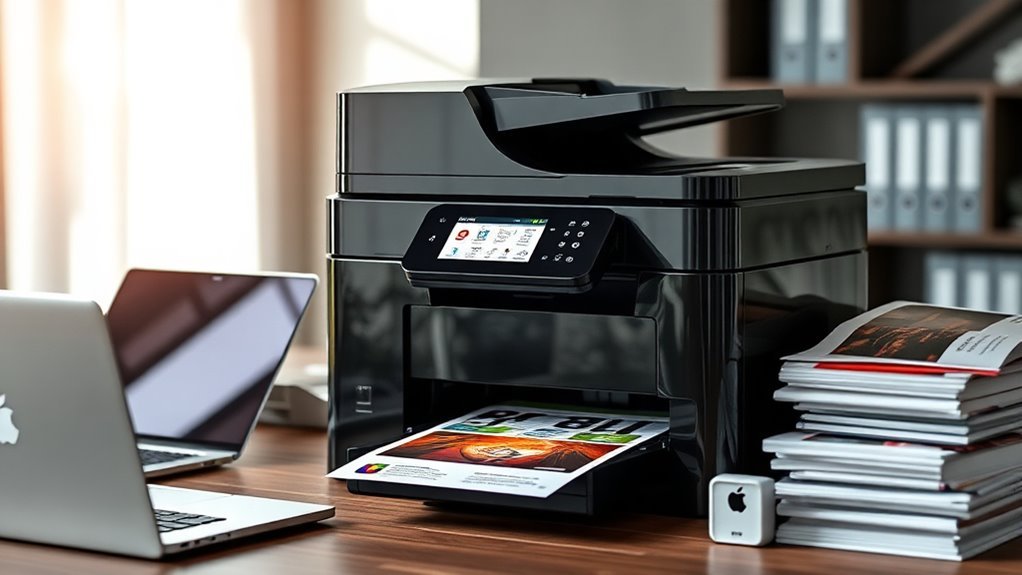
When choosing a combo laser printer, you’ll want to compare print speeds to match your workflow. Check the connectivity options to make certain it fits your devices.
Don’t overlook print quality and multifunction features. Also, consider paper handling capacity to avoid constant refills during busy jobs.
It’s all about finding a printer that keeps up with your pace and fits seamlessly into your setup.
Print Speed Comparison
Choosing a combo laser printer means weighing several key speed factors to match your workflow needs. Print speed, measured in pages per minute (ppm), directly impacts how fast you get single-sided documents.
If you handle high-volume tasks, higher ppm is a must. First-page-out time matters too, especially for quick, frequent print jobs—it tells you how fast the printer starts delivering the first sheet.
Don’t forget copy and scan speeds; slower rates here can bottleneck your multifunction workflow. Duplex printing saves time on double-sided jobs but may slightly reduce ppm compared to single-sided printing.
Keep in mind, manufacturer speed ratings come from standardized tests. Real-world speeds depend on document complexity, print quality, network load, and warm-up times.
Choose a printer that balances all these for your specific demands.
Connectivity Options Available
Among the most important factors you’ll want to take into account in a combo laser printer is its connectivity options, as these determine how easily you can integrate the device into your workflow. Make sure the printer supports both wired (Ethernet, USB) and wireless (Wi‑Fi 2.4/5 GHz, Wi‑Fi Direct) connections, giving you flexibility for reliable network access or direct device printing.
Look for mobile printing protocols like Apple AirPrint and Mopria, plus app-based print/scan control, so you can print from smartphones and tablets without installing drivers. Dual-band Wi‑Fi and automatic reconnection improve wireless stability, especially in busy environments.
If multiple users share the printer, confirm Ethernet/network readiness and remote management support. Don’t forget USB ports and print-from-USB features for offline use, plus scanner cloud or scan-to-email functions over these connections.
Print Quality Standards
Although print speed matters, you shouldn’t overlook the quality standards that determine how crisp and clear your documents and graphics appear. Start by checking the printer’s resolution, measured in dots per inch (dpi).
Typical laser printers offer 600 x 600 dpi for sharp text, while 1200 x 1200 dpi delivers finer details and smoother graphics. Pay attention to halftoning and toner dot size since smaller toner particles produce smoother grayscale and photo-like quality even in black-and-white prints.
Review print modes—draft, normal, best—and their impact on speed, as higher quality often slows printing. For office use, guarantee clear text legibility down to 6–8 point fonts and quick first-page output.
If you want color, evaluate color gamut and registration accuracy to avoid banding and color shifts on charts and images. It really makes a difference when your visuals look spot on.
Multifunction Capabilities Included
Explore the multifunction features that can transform your combo laser printer into a versatile office hub. First, confirm which functions you actually need—print, copy, scan, and fax. Most all-in-one models cover print, copy, and scan, with fax often available via app or a dedicated line.
Check if the scanner includes both a flatbed and an automatic document feeder (ADF). This helps handle books and multi-page jobs efficiently.
Make sure your printer supports duplex printing and two-sided scanning to save paper and streamline tasks. It’s a great way to keep things eco-friendly and efficient.
Consider copy features like speed, resolution, and maximum copies per run. You want these to match your workload so you’re not waiting around.
Lastly, verify mobile and app-based controls support remote scanning, emailing, cloud uploads, or faxing. This gives you convenient access from anywhere, making your work life much easier.
Paper Handling Capacity
After ensuring your combo laser printer has the multifunction features you need, it’s important to think about how much paper it can handle. Check the main tray capacity—usually 150–250 sheets for small office models. This helps match your daily print volume and cuts down on refills.
Look for extra trays or multi-purpose feeds, like a 50-sheet automatic document feeder or an additional 250-sheet tray. These support mixed media and higher workloads, making your printing smoother.
Make sure the printer offers automatic duplex printing and two-sided scanning. This saves paper and makes double-sided tasks easier to manage.
Also, double-check the maximum paper sizes and types supported, including envelopes and cardstock. You want to be sure it works with all your projects.
Finally, consider output capacity and the recommended monthly duty cycle. This helps avoid jams or overflow during heavy print runs and keeps everything running smoothly.
Security Features Offered
When choosing a combo laser printer, you’ll want to prioritize robust security features to protect sensitive data and prevent unauthorized access. Look for built-in firmware security like secure boot and signed updates to block malicious code.
Network protections such as WPA3/WPA2 encryption, 802.1x authentication, and Ethernet port controls help secure connections from intruders. These features keep your printer safely connected without unwanted guests.
User authentication options—PIN codes, LDAP/Active Directory, or card-based logins—and role-based access control limit who can print or change settings. This way, only authorized users get access.
Data protection features like hardware encryption for stored jobs, secure erase for internal storage, and TLS/SSL for data in transit reduce leakage risks. It’s all about keeping your information safe, no matter where it is.
Finally, audit logging, event alerts, and remote management let you monitor activity, respond quickly to incidents, and enforce security policies across all devices. That makes managing security easier and more effective.
Frequently Asked Questions
How Do Laser Printers Compare to Inkjet Printers in Print Speed?
You’ll find laser printers generally print much faster than inkjets, especially for large volumes. They handle text and simple graphics swiftly,
while inkjets take more time due to their slower ink-droplet process. It’s kind of like comparing a race car to a bicycle when it comes to speed. So, if you need quick prints, laser is usually the way to go.
Can Combo Laser Printers Connect to Mobile Devices via Bluetooth?
You’re in luck—many combo laser printers do offer Bluetooth connectivity, making it a breeze to print from your mobile devices.
This handy feature lets you skip cables and share documents effortlessly, keeping your workflow smooth and modern. It’s super convenient when you’re on the go or just want to avoid the mess of wires.
What Is the Average Lifespan of Laser Printer Toner Cartridges?
You can expect laser printer toner cartridges to last between 2,000 and 5,000 pages on average.
How long they actually last depends on a few things like print density, cartridge quality, and how often you print. So, your results might be different.
Are Combo Laser Printers Compatible With Mac and Windows Operating Systems?
You’ll find combo laser printers almost always compatible with both Mac and Windows—like a universal translator for your tech!
Just check the specs before buying, and you won’t face any driver or connectivity headaches.
How Energy-Efficient Are Combo Laser Printers Compared to Other Printers?
You’ll find combo laser printers generally more energy-efficient than inkjets, especially during heavy use. They consume less power per page, helping you save on electricity while maintaining fast, high-quality printing and copying.
It’s pretty neat how they manage to keep the energy costs down without slowing you down. So, if you’re printing a lot, combo laser printers can be a smart choice for both your wallet and the environment.
Conclusion
Choosing the right combo laser printer isn’t just about specs—it’s about finding a partner that fits your workflow like a glove. Whether you need the sleek efficiency of the HP LaserJet Pro 3105sdw or the wireless convenience of the Brother DCP-L2640DW, you’ve got options.
If vibrant color is what you’re after, the HP Color LaserJet Pro 3204dw has you covered. Each of these printers brings something unique to the table.
Remember, the perfect printer is more than just a machine—it’s the key to unleashing your productivity’s full potential. With the best combo laser printers for 2027, you’ll get reliable performance, seamless connectivity, and sharp print quality that keeps up with your busy life. Ready to print your success? Choose wisely, and watch your productivity soar!