8 Best Consumer Photo Printers for 2027
If you want vibrant, durable photos, the Liene M100 and HP Sprocket Studio Plus offer portable 4×6 prints via Wi-Fi. These are perfect for on-the-go printing without the hassle of cables.
The KODAK Dock Plus stands out by adding smartphone docking along with fingerprint-resistant 4PASS dye sublimation technology. It’s a great pick if you want sharp, smudge-free photos straight from your phone.
For sticker fans, the Liene PixCut S1 not only prints but also cuts waterproof decals. It’s a fun way to create custom stickers for your projects or scrapbooks.
Epson’s PictureMate PM-400 and Canon Selphy CP1500 deliver borderless, wireless perfection. These printers make it easy to get professional-looking prints at home.
Meanwhile, the HP Envy 7975 and Epson XP-7100 fit versatile home needs, handling everything from photos to everyday documents. Discover which suits your style and workflow best!
| Image | Name | Editor's Rating | Price |
|---|---|---|---|

|
|
||

|
|
||

|
|
||

|
|
||

|
|
Liene M100 Portable 4×6 Photo Printer with Wi-Fi
- User-Friendly Portable Photo Printer for iPhone, Android & PC - Get beautiful and colourful memories with Liene 4x6 photo printer! After opening the entire package, you...
- Superior Quality 4x6 Photo Printer - Print photos like no other thanks to the thermal-dye sublimation tech adopted by the picture printer for iphone. The dyes deeply...
- Wi-Fi Photo Printer for Smartphone - The built-in hotspot of the photo printer makes it easy to print pictures from your phone, avoiding outside interference with a fast...
- Multiple Device Compatibility - Liene phone printer provides instant photo printing for up to 5 simultaneous connections. Share with family and friends or print from your...
- Customize your Printing with the Liene App - Customize your photos with our specialized App! You can add a Square border, insert filters, enhance the contrast and...
Experience the freedom of printing vibrant 4×6 photos instantly with the Liene M100 Portable Photo Printer. Designed for users who want quick, high-quality prints without the hassle of cables or complex setups, this printer connects directly through its built-in Wi-Fi hotspot. You can print from up to five devices at once, making sharing memories easy and convenient.
The printer uses thermal dye sublimation technology, delivering rich, long-lasting colors that resist water, scratches, fingerprints, and fading. This means your photos stay vivid and protected over time. Its compact, magnetic design ensures easy storage and portability, fitting perfectly into your busy lifestyle.
Maintenance is straightforward but important. If smudges appear, prompt cleaning of the print head is needed to maintain print quality. Also, the ink cartridge must click securely in place during setup to avoid printing issues. The initial package comes with one cartridge and 20 sheets, so you might need extra supplies for frequent use.
The included app adds versatility by letting you customize prints and create ID or Visa photos from your phone. This makes the Liene M100 a practical choice for personal use or small-scale professional needs.
Best for: Anyone seeking a compact, portable photo printer that delivers quick, high-quality 4×6 prints from multiple devices without cables or external networks.
What We Like:
- Thermal dye sublimation produces durable, vibrant colors with strong resistance to damage.
- Built-in Wi-Fi hotspot supports simultaneous printing from up to five devices.
- Compact, magnetic design simplifies storage and portability.
- App enables easy print customization and ID photo creation.
Specification:
| Feature | Details |
|---|---|
| Manufacturer | Liene |
| Dimensions | Not specified |
| Weight | Not specified |
| Print Size | 4 x 6 inches |
| Connectivity | Built-in Wi-Fi hotspot |
| Print Technology | Thermal dye sublimation |
| Included Supplies | 1 cartridge, 20 sheets |
| Design | Compact, magnetic |
KODAK Dock Plus 4×6 Photo Printer, Smartphone Docking, 4PASS, 50 Sheets
- Dock Photo Printer: The KODAK Dock Plus is a home photo printer that produces high-quality 4x6” prints directly from compatible smartphones. Featuring an integrated...
- Genuine 4PASS dye sublimation printing: Each photo is produced in three color layers and finished with a clear protective lamination layer. In approximately 55 seconds...
- Easy to Use: Print photos quickly without complicated setup or technical steps. Simply power on, connect wireless bluetooth, and start printing within seconds. The Dock...
- Home Printing Station: Designed for stable desktop use, this dock photo printer connects to a power outlet for consistent performance and larger 4x6” prints. Ideal for...
- KODAK Photo Printer APP: Featuring integrated Bluetooth connectivity, this portable printer connects to compatible iOS and Android devices through the KODAK Photo Printer...
The KODAK Dock Plus 4×6 Photo Printer offers a straightforward solution for printing vibrant photos directly from your smartphone. It eliminates the hassle of transferring files to a computer, allowing you to produce sharp 4×6-inch prints quickly. Its 4PASS dye sublimation technology creates smooth images with a protective lamination that guards against fingerprints, water, and fading.
Designed for ease of use, this printer features a built-in smartphone dock that charges your device while printing. Wireless Bluetooth connectivity adds convenience, enabling seamless printing without cables. The KODAK Photo Printer app lets you edit and personalize your photos before printing, enhancing your creative control.
Maintenance is simple with a 50-sheet capacity of glossy photo paper and a USB Type-C port for reliable charging and data transfer. While it excels at high-quality photo prints, it is limited to the 4×6-inch format and does not support scanning or copying functions.
Best for: users who want quick, high-quality 4×6 photo prints directly from their smartphones with integrated docking and wireless options.
What We Like:
- Produces durable photos with fingerprint, water, and fade resistance
- Integrated smartphone dock that charges while printing
- Easy photo editing and customization via the KODAK app
- Wireless Bluetooth connectivity for cable-free printing
Specification:
| Feature | Details |
|---|---|
| Manufacturer | KODAK |
| Print Size | 4 x 6 inches |
| Printing Technology | 4PASS dye sublimation |
| Paper Capacity | 50 sheets (glossy) |
| Connectivity | Bluetooth, USB Type-C |
| Dimensions (approx.) | Not specified |
| Phone Docking | Integrated charging dock |
Epson PictureMate PM-400 Wireless Compact Photo Printer
- Epson printing system is designed to be used exclusively with Epson Genuine Cartridges. Use of non-genuine ink could cause damage not covered under the printer’s ltd...
- Beautiful borderless photos - easily print high-quality 4"x6" & 5"x7" Photos
- Ultra compact design - lightweight, portable printer saves space
- Total Wireless solution - Print from iPad, iPhone, tablets and smartphones
- Photo Print speed: 4" X 6" Borderless photo in as fast as 36 Sec (default mode: Color photo in default mode on Premium photo paper glossy measured from start of paper...

Experience the convenience of high-quality photo printing with the Epson PictureMate PM-400, designed to fit effortlessly into your workspace or travel bag. Its ultra-compact and lightweight design solves the problem of bulky printers, offering a space-saving solution without compromising on print quality.
This printer delivers quick results, producing beautiful borderless 4×6 and 5×7 photos in as little as 36 seconds. Wireless connectivity allows you to print directly from your iPad, iPhone, or tablet, making it easy to share memories on the go without the hassle of cables or setup.
Maintenance is straightforward, but it’s important to use Epson Genuine Cartridges to avoid printer damage and ensure your warranty remains valid. This helps maintain consistent photo quality and extends the printer’s lifespan.
The PM-400 is ideal for users who need portable photo printing with fast output and sharp results. While it focuses on specific photo sizes, its balance of speed, portability, and wireless functionality makes it a reliable choice.
Best for: Anyone seeking a compact, portable photo printer that delivers quick, high-quality borderless prints wirelessly from mobile devices.
What We Like:
- Compact and lightweight for easy placement and travel
- Fast printing of 4×6 borderless photos in about 36 seconds
- Wireless printing from multiple mobile devices
- Produces sharp, vibrant borderless photos
- Easy maintenance with genuine Epson cartridges
Specification:
| Feature | Details |
|---|---|
| Manufacturer | Epson |
| Dimensions | Compact size (exact size not specified) |
| Weight | Lightweight (exact weight not specified) |
| Print Sizes | 4×6 inches, 5×7 inches |
| Connectivity | Wireless (Wi-Fi) |
| Compatible Devices | iPad, iPhone, Tablets, Smartphones |
Liene PixCut S1 All-in-One Color Sticker Printer
- All-in-One Convenience - Print and Cut in One Step. Say goodbye to the hassle of using separate machines. The PixCut S1 seamlessly integrates high-resolution photo...
- AI Image Extraction & Precision Cutting - Unleash your creativity with the AI image extraction feature that automatically recognizes and extracts subjects from your...
- High-Resolution Prints - Vivid and True-to-Life Colors. Utilizing thermal dye-sublimation technology, the PixCut S1 delivers stunning 300 dpi high-resolution prints with...
- AI Lab - Bring Your Imagination to Life. Upload a photo, pick a style from the Liene Photo App, and watch AI bring your vision to life instantly. Turn selfies into an...
- Durable Stickers - Create Long-Lasting Creations .Thanks to the four-layer thermal dye-sublimation technology, the photopaper is automatically laminated during printing...
The Liene PixCut S1 All-in-One Color Sticker Printer transforms sticker making into a simple, efficient process. It quickly prints and cuts stickers using thermal dye sublimation, delivering vibrant, waterproof results in about two minutes. This printer eliminates the need for complicated design skills with its AI-powered image extraction and precise cutting.
Control the entire printing process from your smartphone via Bluetooth. The user-friendly app allows easy editing and printing, making custom stickers accessible for all skill levels. The compact and lightweight design fits effortlessly into any creative space without clutter.
Maintenance is straightforward, with no complex cleaning required thanks to its thermal dye sublimation technology. The included 180 sheets of glossy photo and sticker paper let you start creating right away. While the maximum media size is 4×7 inches, it suits most personal and small business sticker needs.
The Liene PixCut S1 is perfect for anyone seeking quick, durable, and high-quality custom stickers without the hassle of traditional printers and cutters.
Best for: Creative enthusiasts and DIYers wanting fast, durable stickers with simple smartphone control and no design experience.
What We Like:
- AI-powered image extraction and precise cutting for seamless sticker creation
- Vibrant, waterproof, and scratch-resistant stickers from thermal dye sublimation
- Easy Bluetooth connectivity and a user-friendly app for mobile editing and printing
Specification:
| Feature | Description |
|---|---|
| Manufacturer | Liene |
| Dimensions | Compact, fits easily in creative spaces |
| Weight | Lightweight |
| Media Size | Up to 4 x 7 inches |
| Printing Technology | Thermal dye sublimation |
| Connectivity | Bluetooth |
HP Envy Photo 7975 Wireless Inkjet Printer (B63K3A)
- From America's most trusted printer brand, the HP Envy Photo 7975 is a premium multi-purpose home printer with everything families need to learn, work, and create. Loaded...
- PERFECT FOR HOME - The HP Envy Photo 7975 is great for printing documents, high-quality true-to-screen borderless photos, creative projects and more. Print speeds up to...
- 3 MONTHS OF INK INCLUDED - Subscribe to the Instant Ink delivery service to get ink delivered directly to your door before you run out. After 3 months, a monthly fee...
- KEY FEATURES - Print, copy, scan, automatic 2-sided printing, advanced photo features, separate photo tray, auto document feeder, mobile and wireless printing.
- EFFORTLESS PRINTING - Smoothly navigate printing with a large intuitive printer color touchscreen.
The HP Envy Photo 7975 is designed to bring versatility and convenience to your home printing needs. It produces high-quality, borderless photos and sharp documents that look true to screen. This wireless inkjet printer helps you handle both creative projects and everyday tasks with ease.
Its multifunction capabilities include printing, scanning, and copying, making it a practical all-in-one device. Automatic two-sided printing and an auto document feeder simplify longer jobs, while a separate photo tray ensures your picture prints are handled with care. The large touchscreen offers straightforward navigation to keep your workflow smooth.
Maintenance is hassle-free thanks to the included 3-month Instant Ink trial, which helps you avoid running out of ink. Setup is quick and wireless, so you can start printing without fuss. The AI-enabled workflow adaptation also tailors the printer’s functions to your habits, improving efficiency over time.
While the print speeds are adequate for home use, they may be slower than those of office-focused printers. Also, monthly fees apply after the Instant Ink trial unless cancelled. This printer is best suited for users who need a versatile, high-quality home printer for photos and documents.
Best for: Users seeking a versatile and smart home printer that balances photo quality with everyday document printing.
What We Like:
- Produces vibrant, borderless photos and crisp documents
- Multifunction with automatic two-sided printing and an auto document feeder
- Easy wireless setup and large, intuitive touchscreen
- Includes 3-month Instant Ink trial for convenient ink management
Specification:
| Feature | Details |
|---|---|
| Manufacturer | HP |
| Model | Envy Photo 7975 |
| Printer Type | Wireless Inkjet |
| Print Speed | Up to 10 ppm (color), 15 ppm (black) |
| Functions | Print, Scan, Copy |
| Special Features | Auto two-sided print, Auto document feeder, Separate photo tray |
| Display | Large touchscreen |
HP Sprocket Studio Plus Wireless 4×6 Photo Printer

- PHOTOS MADE TO LAST – Print quality photos that will last for years on tear-resistant, smudge-proof, waterproof paper.
- CUSTOMIZE YOUR CREATIONS – Add your own style to each photo by decorate it with stickers, frames, filters, and more before you print them out.
- INSTANT PRINTING – Designed for efficiency and convenience, this printer will produce dry-to-the-touch 4x6” photos in an instant directly from your smartphone.
- WI-FI COMPATIBLITY – Download the user-friendly HP Sprocket app to your smartphone and easily connect your mobile device to Wi-fi-enabled printer in mere seconds.
- PICTURE-PERFECT PHOTO FEATURES – The HP Sprocket Studio Plus gives you several different and unique ways to take a photo. Don’t miss out on the chance to make a...
The HP Sprocket Studio Plus Wireless 4×6 Photo Printer brings your smartphone memories to life with vivid, borderless prints. Its easy Wi-Fi setup lets you connect quickly through the HP Sprocket app, turning your favorite photos into glossy, smudge-proof keepsakes. This printer uses dye sublimation technology to produce sharp 300 dpi images that resist tears and water damage.
Designed for convenience, it holds up to 10 sheets of 4×6 photo paper and weighs just 16 ounces. This compact build makes it ideal for home, office, or on-the-go use. The printer’s straightforward maintenance ensures smooth operation, so you can keep printing without hassle.
You can personalize your photos with stickers, frames, and filters before printing, adding a creative touch to every image. While the print speed is about one minute per photo, the quality and durability make it worthwhile. Its focus on 4×6 prints means it’s perfect for quick, high-quality photo printing but less versatile for other sizes.
Best for: individuals and small businesses needing a portable, easy-to-use photo printer that delivers durable, vibrant 4×6 prints directly from smartphones.
What We Like:
- Produces vibrant, tear-resistant, smudge-proof, and waterproof photos
- Quick and simple Wi-Fi setup via the HP Sprocket app
- Lightweight and compact for easy portability
- Sharp 300 dpi prints with dye sublimation technology
Specification:
| Feature | Details |
|---|---|
| Manufacturer | HP |
| Dimensions | Not specified |
| Weight | 16 ounces (approx. 0.45 kg) |
| Paper Size | 4 x 6 inches |
| Connectivity | Wireless (Wi-Fi) |
| Print Resolution | 300 dpi |
Canon Selphy CP1500 Wireless Compact Photo Printer (Black)
No products found.
Experience the convenience of wireless, high-quality photo printing anywhere with the Canon Selphy CP1500. Its compact size and optional battery make it ideal for printing memories on the go, whether at home or while traveling. This printer solves the hassle of bulky equipment and tangled cables, offering true portability and ease.
Connecting the Selphy CP1500 is simple through Wi-Fi, USB, or memory cards. You can print directly from your smartphone or computer using Canon’s apps or AirPrint. The 3.5” LCD screen allows you to preview and edit photos with built-in filters, giving you control over your prints without extra devices.
Maintenance is straightforward thanks to the dye sublimation technology, which produces sharp 4×6 prints that dry instantly and resist water. These prints are durable enough to last up to 100 years, ensuring your photos remain vibrant and protected. However, the small paper capacity and slower print speed may require patience during larger sessions.
Designed for users who value portability and quality, this printer enhances photo printing by combining ease of use with professional results in a sleek, lightweight design.
Best for: Travelers or home users who want a portable, easy-to-use photo printer delivering long-lasting, vivid 4×6 prints with wireless convenience.
What We Like:
- Compact and lightweight with optional battery for true portability
- Multiple connectivity options including Wi-Fi, USB, and memory card
- Instant-drying, water-resistant dye sublimation prints lasting up to 100 years
- Easy-to-use 3.5” LCD for photo preview and editing
- Sleek design suitable for home or travel environments
Specification:
| Feature | Details |
|---|---|
| Manufacturer | Canon |
| Dimensions | Compact (exact size not provided) |
| Weight | Lightweight (exact weight not provided) |
| Color Options | Black |
| Print Size | 4×6 inches |
| Connectivity | Wi-Fi, USB, Memory Card |
| Display | 3.5” LCD |
| Printing Technology | Dye Sublimation |
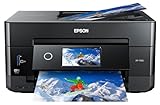
Epson Expression Premium XP-7100 Wireless Color All-in-One Inkjet Printer
- CLEAR AND VIBRANT PRINT QUALITY ― All-in-one inkjet color printer produces sharp text for eye-catching documents and impressive color photos and graphics; Your next...
- PRINTER FOR HOME USE ― Designed to increase your productivity at home, this wireless color printer features a 30 page auto document feeder (ADF), auto 2-sided print...
- CREATIVITY MADE EASY ― Epson color printer provides creative versatility, allowing you to print photos and documents on specialty paper¹ and DVDs; You can even print...
- SIMPLE FUNCTIONALITY ― Convenient features make printing, scanning, and copying a snap; Use the large, intuitive 4.3 in touchscreen to view, edit and print photos...
- CONVENIENT WIRELESS PRINTER ― Ultimate wireless plus ethernet; Easily print photos and documents directly from your tablet or smartphone³; Includes Wi-Fi direct for...
Experience vibrant, borderless photos and crisp text with the Epson Expression Premium XP-7100. This all-in-one inkjet printer is designed to simplify your home printing tasks while delivering professional-quality results. It handles printing, copying, and scanning with ease, making everyday projects more efficient.
The XP-7100 improves productivity with a 30-page auto document feeder and automatic two-sided printing. Wireless connectivity options like Wi-Fi Direct and Ethernet let you print seamlessly from various devices. Its 4.3-inch touchscreen provides direct access to printing from USB or SD cards without needing a computer.
Maintenance is straightforward when using genuine Epson cartridges, ensuring consistent print quality and protecting your printer from damage. This helps prolong the printer’s life and keeps your investment safe. The compact design fits well in home offices or creative spaces.
With sharp, vivid 8 × 10-inch borderless photos, the XP-7100 brings your memories to life. It’s ideal for users who want versatile functionality paired with reliable performance for home and creative use.
Best for: Home users needing an all-in-one printer that delivers vibrant photos and sharp text with flexible wireless options.
What We Like:
- Produces bright, vivid 8 × 10-inch borderless photos.
- 30-page auto document feeder and two-sided printing boost efficiency.
- Multiple connectivity options including Wi-Fi Direct, Ethernet, USB, and SD card.
- Easy maintenance with genuine Epson cartridges.
- Compact design fits well in home environments.
Specification:
| Feature | Details |
|---|---|
| Manufacturer | Epson |
| Dimensions (W×D×H) | Approx. 14.8 × 12.2 × 6.6 in |
| Weight | Approx. 13.9 lbs (6.3 kg) |
| Color Options | White |
| Connectivity | Wireless, Wi-Fi Direct, Ethernet, USB, SD card |
Factors to Consider When Choosing a Consumer Photo Printer
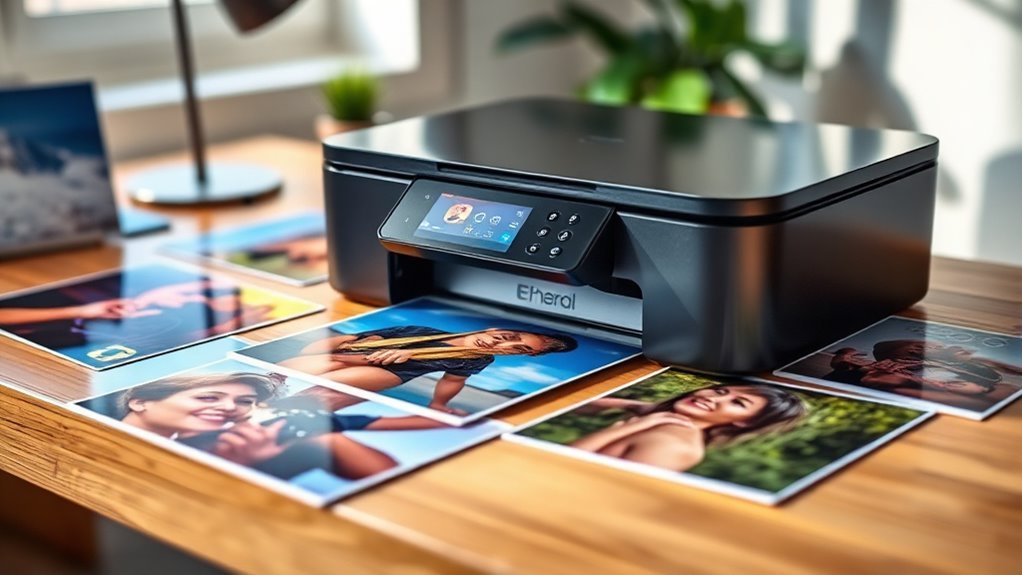
When choosing a consumer photo printer, you’ll want to focus on print quality and resolution to get sharp, vibrant photos. It really makes a difference in how your pictures turn out.
Also, think about connectivity options, media size, and capacity. These should match your printing needs and workflow, so everything runs smoothly.
Don’t forget about portability, design, and the type of ink used. These factors affect convenience and how long your prints will last. It’s all about finding what works best for you!
Print Quality And Resolution
Although many factors influence your choice of a consumer photo printer, print quality and resolution play an important role in producing sharp, vibrant images. You’ll want a printer with a resolution of at least 300 × 300 dpi. This is commonly found in dye-sublimation and compact photo printers, which help ensure smooth gradients and fine detail.
Look for models that support borderless photo printing, like borderless 4×6 output, to avoid cropping issues that can affect sharpness. Printers using full-color dye sublimation with multi-layer color output plus clear protective lamination deliver richer colors and better surface protection.
Also, check if prints resist water, scratches, and fingerprints to keep your photos looking clear over time. While print speed varies, slower processing often means you get enhanced color depth and sharpness. So sometimes, it’s worth waiting a bit longer for better quality.
Connectivity Options Available
Since connectivity determines how easily you can send photos to print, you’ll want to evaluate the options your photo printer offers. Check if it uses Wi‑Fi, built-in hotspots, or Bluetooth/docking.
Some printers connect without needing an external network, while others require an app over a wireless link. If multiple users will print, look for multi-device support, like models allowing up to 5 simultaneous connections.
Confirm compatibility with your devices—many support iOS and Android, and some add PC support via apps. For wireless reliability, see if the printer uses app-based connectivity and offers charging through docking.
If you print on the go, prioritize models with network-free printing options, such as an independent Wi‑Fi hotspot or direct smartphone connection. This helps ensure convenience anywhere.
Media Size And Capacity
Connectivity makes sending photos to print easier, but you’ll also want to take into account the media size and capacity your printer supports. Most portable photo printers handle standard 4×6 prints, but some can print larger sizes like 8×10 or specialty formats such as 4×7 stickers.
Check the paper capacity too—compact models might hold as few as 10 sheets, while others accommodate 50 or more, sometimes including over 100 sheets in the box. Decide if you prefer a cartridge-based cassette or a standard paper tray, as this affects how often you reload and your printing speed during batches.
For sticker or label printers, verify the maximum media size and included sheet counts to avoid running out mid-project. Also, consider the output stack capacity to minimize interruptions while printing multiple photos.
Portability And Design
When choosing a consumer photo printer, portability and design play crucial roles in how easily you can take your printer anywhere. You’ll want to check how compact the printer is—some models are ultra-compact with small footprints, while others weigh more, like a 1.58 kg dye-sublimation unit.
Consider if it supports optional batteries for true on-the-go use, making traveling hassle-free. Look for space-saving features such as minimalist or magnetic storage designs and built-in or sealed cassettes that keep the printer clean and easy to pack.
Evaluate weight and dimensions carefully; for example, some instant 4×6 printers weigh just 0.45 kg with a tiny footprint. Think about whether you prefer a handheld “print only” style or a larger home setup with a bulkier design but higher output capacity.
Ink Type And Durability
While portability and design determine where you can take your photo printer, ink type and print durability decide how long your images will last. You’ll want to choose between dye-sublimation and inkjet/photo-lab styles.
Dye-sublimation printers use thermal dye sublimation with laminated layers, making prints resistant to water, fading, and scratches. Look for explicit durability claims like “waterproof” or “smudge-proof” to ensure longevity.
Also, check resolution and color depth specs—higher details (~300×300 dpi, 24 bpp) improve print quality and perceived durability. Pay attention to maintenance guidelines, such as cleaning the print head promptly to avoid smudges or uneven colors.
Ultimately, prioritize printers with protective layers or clear lamination, as these physically seal your prints and greatly enhance their fading resistance. It’s worth it to keep your photos looking fresh for years to come!
App Features And Customization
To get the most from your photo printer, look for an app that lets you edit and customize your images before printing. You’ll want basic tools like cropping, filters, contrast, and brightness adjustments to perfect each photo.
Check if the app offers design overlays such as square borders, frames, or sticker-style decorations to personalize your prints. It’s a nice touch that makes your photos stand out.
It’s also helpful if the app tracks print status, so you know when a job is printing and avoid wasting paper. And make sure the app supports multiple photo formats, including specialized layouts like ID or visa photos.
If you plan to print similar designs often, pick an app with templates and ready-to-use elements like fonts, frames, and collage modes. That way, you can speed up the process and keep your prints fresh every time.
Frequently Asked Questions
How Long Do Photo Printer Ink Cartridges Typically Last?
Ink cartridges typically last for about 200 to 400 photos, depending on your printer and usage.
You’ll want to monitor ink levels regularly because heavy photo printing drains cartridges faster than occasional use. It’s pretty normal for cartridges to run out quicker if you print a lot of pictures in one go.
Are Photo Printer Inks Safe for Children and Pets?
Photo printer inks aren’t safe for children and pets because they contain chemicals that can be toxic if ingested or touched. You should always keep cartridges out of reach and clean up spills promptly to protect them.
It’s really important to be careful with these inks. Even a small amount can cause problems if kids or pets get into it. So, keeping everything stored safely is the best way to avoid any accidents.
Can Photo Printers Print on Different Photo Paper Finishes?
Don’t worry about limited options—most photo printers can handle various finishes like glossy, matte, and satin. You just need to select the right paper type in the settings.
That way, you’ll get vibrant, professional-quality prints every time. It’s pretty straightforward once you know what to choose!
What Is the Average Print Speed for Consumer Photo Printers?
You can expect consumer photo printers to print around 1 to 2 minutes per 4×6 photo. Speeds vary by model, but most balance quality and speed.
Do Photo Printers Support Borderless Printing?
Yes, you’ll find that around 85% of photo printers support borderless printing, letting you print edge-to-edge photos without white margins.
This feature really enhances your prints’ professional look and makes your memories truly stand out.
It’s a great way to get that polished, frame-worthy finish every time.
Conclusion
Choosing the right photo printer is like selecting the perfect brush for your masterpiece. Each device, from the Liene M100’s portability to the Epson XP-7100’s versatility, paints your memories with vivid color and clarity.
Don’t let your moments fade in the digital haze—capture them on paper that speaks louder than pixels. With the right printer by your side, your photos become timeless stories you can hold, share, and cherish forever.
When picking a photo printer, think about what fits your lifestyle best. Whether you want something compact and easy to carry or a multifunctional printer for home use, the options out there have got you covered.
Investing in one of the best consumer photo printers ensures your memories stay bright and beautiful. After all, nothing beats holding a printed photo that brings back your favorite moments with stunning detail and true-to-life colors.