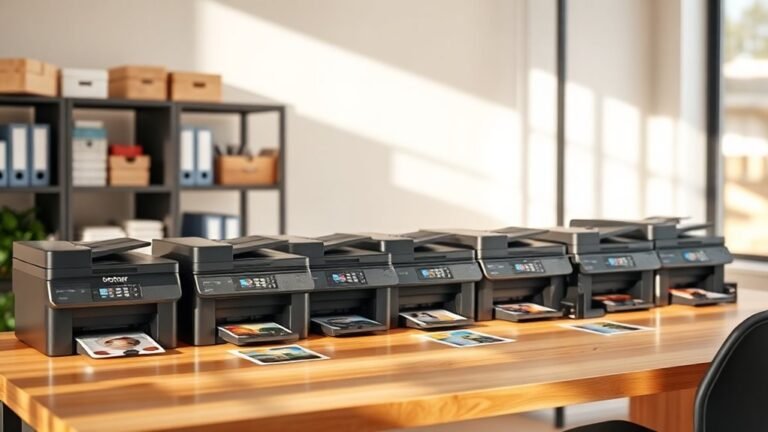
9 Best Colour Printers for Office Use in 2027
You want a reliable, fast colour printer that handles duplex printing and connects easily in your office. Finding the right colour printer for office use in 2027 means balancing speed, quality, and connectivity. The Canon imageCLASS MF753Cdw II and HP Color LaserJet Pro 3204dw offer sharp output with solid speeds.
For versatile all-in-one options, consider HP OfficeJet Pro 8125 or Brother MFC-L8930CDW. Both are designed to keep busy teams productive and efficient.
If you need cost-effective high-volume printing, the Canon MegaTank G3270 stands out. Explore these choices to find the perfect fit for your office’s productivity and quality needs.
| Image | Name | Editor's Rating | Price |
|---|---|---|---|

|
|
||

|
|
||

|
|
||

|
|
||

|
|
Canon Color imageCLASS MF753Cdw II – All-in-One Color Duplex Laser Printer
- Color, Wireless, Duplex 4-in-1: Print, scan, copy, fax.

The Canon Color imageCLASS MF753Cdw II is designed to streamline your office tasks with reliable all-in-one functionality. It handles printing, scanning, copying, and faxing efficiently, making it ideal for busy small offices or hybrid work environments. This printer tackles everyday workloads while maintaining sharp, professional-quality output.
With fast print speeds reaching up to 35 ppm and crisp 1200 x 1200 dpi resolution, your documents come out clear and detailed. The 50-sheet duplex automatic document feeder and automatic two-sided printing reduce manual effort, saving you time and increasing productivity during multi-page jobs.
Maintenance is straightforward, though the standard paper capacity of 250 sheets plus a 50-sheet multipurpose tray may require regular refills. Its sturdy construction weighs about 50 pounds, so it’s built for a fixed office setup rather than portability. Starter toner yields are moderate, meaning you might need to replace toner more often when printing high volumes.
Connectivity options are versatile, including Ethernet, USB, Wi-Fi, and mobile printing support. This ensures seamless integration with various devices and networks, simplifying your workflow and keeping your team connected.
Best for: Small offices and hybrid work environments needing a fast, reliable all-in-one color duplex laser printer with versatile connectivity and consistent output quality.
What We Like:
- Fast printing up to 35 ppm with sharp 1200 x 1200 dpi resolution
- Efficient duplex scanning and one-pass two-sided printing
- Multiple connectivity options: Ethernet, USB, Wi-Fi, and mobile printing
- Compact design suitable for office spaces with moderate maintenance requirements
Specification:
| Feature | Details |
|---|---|
| Manufacturer | Canon |
| Dimensions (W×D×H) | Approx. 18.5 × 18.5 × 18.5 in (47 × 47 × 47 cm) |
| Weight | 50 lb (22.7 kg) |
| Print Speed | Up to 35 ppm |
| Print Resolution | 1200 x 1200 dpi |
| Paper Capacity | 250 sheets + 50-sheet multipurpose tray |
| Connectivity | Ethernet, USB, Wi-Fi, Mobile printing |
HP OfficeJet Pro 8125 Wireless All-in-One Printer
- FROM AMERICA'S MOST TRUSTED PRINTER BRAND – The OfficeJet Pro 8125 is perfect for home offices printing professional-quality color documents like business documents...
- 3 MONTH TRIAL OF INSTANT INK INCLUDED – Subscribe to the Instant Ink delivery service to get ink delivered directly to your door before you run out, and you save up to...
- KEY FEATURES – Fast color printing, scan, copy, auto 2-sided printing, auto document feeder, and a 225-sheet input tray
- 2.7-INCH TOUCHSCREEN – Quickly navigate your printer with a large color touchscreen and a phone-like user interface
- WIRELESS PRINTING – Stay connected with our most reliable dual-band Wi-Fi, which automatically detects and resolves connection issues
The HP OfficeJet Pro 8125 is designed to meet the demands of busy home offices and small businesses. It delivers sharp, professional-quality color prints at speeds that keep your workflow moving—up to 20 pages per minute in black and 10 in color. Automatic duplex printing helps reduce paper use and saves time on double-sided documents.
This all-in-one printer simplifies your tasks by combining printing, scanning, copying, and faxing into one device. You can easily control these functions through the HP Smart app and a user-friendly 2.7-inch color touchscreen. The printer supports both flatbed and automatic document feeder scanning, enhancing productivity.
Connectivity is reliable with dual-band Wi-Fi and Ethernet options. Built-in HP Wolf Essential Security safeguards your network from potential threats. Maintenance is straightforward with cartridges that feature original HP chips, ensuring consistent print quality, though this limits the use of third-party cartridges.
Best for: Busy home offices and small businesses needing fast, professional-quality color printing with versatile all-in-one functionality.
What We Like:
- Fast print speeds with automatic duplexing
- Comprehensive all-in-one features controlled via app
- Reliable dual-band Wi-Fi and Ethernet connectivity
- Network protection through HP Wolf Essential Security
- Consistent print quality using original HP chip cartridges
Specification:
| Feature | Details |
|---|---|
| Manufacturer | HP |
| Dimensions | 16.5 x 15.7 x 9.7 inches |
| Weight | 19.2 lbs (8.7 kg) |
| Color Options | White with black accents |
| Connectivity | Dual-band Wi-Fi, Ethernet |
| Touchscreen | 2.7-inch color display |
HP Color LaserJet Pro 3204dw | Color Laser Printer | Duplex
- FROM AMERICA'S MOST TRUSTED PRINTER BRAND – Perfect for office teams creating professional-quality color documents and reports; auto 2-sided printing; perfect for up to...
- OPTIMIZE PRINT FORMATTING WITH HP AI – Print web pages and emails with precision—no wasted pages or awkward layouts; HP AI easily removes unwanted content, so your...
- BLAZING FAST COLOR – Up to 26 color pages per minute, with sharp details and incredible color
- STAYS CONNECTED – Reliable Wi-Fi automatically reconnects to stay online and ready to print
- PROTECTS YOUR DATA – Includes HP Wolf Pro Security with customizable settings so your printer and information are always secure
Experience efficient, high-quality color printing designed to meet the demands of small teams. The HP Color LaserJet Pro 3204dw delivers sharp prints at 600 x 600 dpi with speeds up to 25 pages per minute, helping you complete tasks quickly without sacrificing clarity. Its automatic duplex feature cuts paper use by printing on both sides.
This printer supports various media types and sizes, holding up to 250 sheets across two trays. It’s built to handle everyday office needs, reducing interruptions for refills. Connectivity options like Wi-Fi, Ethernet, USB, and mobile printing through Apple AirPrint and the HP app keep you connected and productive from multiple devices.
Maintenance is straightforward with original HP cartridges ensuring consistent print quality, though exclusive cartridge use may affect ongoing costs. HP’s AI technology enhances print layouts to minimize waste, supporting sustainability efforts while securing your data with robust protection features.
Best for: Small work teams or home offices needing fast, reliable color printing with versatile media handling and secure connectivity.
What We Like:
- Fast color printing at 25 pages per minute with clear 600 x 600 dpi resolution
- Automatic two-sided printing reduces paper use and costs
- Wide connectivity options including Wi-Fi, Ethernet, and mobile printing
- AI-optimized layouts help reduce paper waste
- Easy maintenance with original HP cartridges for consistent results
Specification:
| Feature | Details |
|---|---|
| Manufacturer | HP |
| Model | Color LaserJet Pro 3204dw |
| Print Resolution | 600 x 600 dpi |
| Print Speed | Up to 25 pages per minute |
| Paper Capacity | 250 sheets (two trays) |
| Connectivity | Wi-Fi, Ethernet, USB, AirPrint |
| Duplex Printing | Automatic two-sided printing |
| Power Consumption | 415 watts |
Canon imageCLASS LBP646Cdw Wireless Laser Printer
- Single-Function, Color, Wireless, Duplex Printer: Print only. — No Scanning, Copying, or Faxing
- Fast Print Speeds: Print up to 26 ppm in both color and monochrome and spend less time waiting with a quick first print time of approximately 10.3 seconds.
- Easy Wireless Setup: Setup your wireless connection and get up and running in just a few steps.
- 5-inch LCD Screen: Navigate through all the features using the 5-line LCD screen.
- Mobile Device Printing: Print from your compatible mobile devices using the free Canon PRINT app, Apple AirPrint and Mopria Print Service.
Experience efficient and vibrant printing with the Canon imageCLASS LBP646Cdw, designed to meet the demands of small or hybrid offices. This wireless laser printer delivers crisp, high-quality color prints at a speed of up to 26 pages per minute, helping you complete tasks promptly without sacrificing detail.
Its automatic duplex printing and versatile paper handling, including legal-size support, streamline your workflow while reducing paper waste. The intuitive 5-inch LCD makes navigation straightforward, keeping your printing process smooth and hassle-free.
Maintenance is simple thanks to Canon Genuine Toner cartridges that offer high yields, minimizing the frequency of replacements. Wireless setup is quick and flexible via the Canon PRINT app, AirPrint, or Mopria, allowing seamless integration with various devices and enhancing productivity.
Energy Star certification ensures an eco-friendly operation, balancing power use with reliable performance. However, note that the printer’s power consumption reaches up to 1080 watts during heavy use, and its single-function design means it does not support scanning or copying.
Best for: Small or hybrid office users needing fast, high-quality wireless printing with efficient paper handling and easy maintenance.
What We Like:
- Sharp 1200 x 1200 dpi resolution for vibrant color and monochrome prints
- Automatic duplex printing and large 251-sheet capacity for varied paper sizes
- Easy wireless setup including Canon PRINT app, AirPrint, and Mopria compatibility
- Energy Star certified for eco-conscious operation
Specification:
| Feature | Details |
|---|---|
| Manufacturer | Canon |
| Dimensions (W×D×H) | 16.5 × 18.7 × 15.5 inches |
| Weight | 36.4 lb (16.5 kg) |
| Print Speed | Up to 26 ppm |
| Resolution | 1200 x 1200 dpi |
| Paper Capacity | 251 sheets |
| Connectivity | Wireless (Wi-Fi), USB |
| Display | 5-inch LCD |
HP Color LaserJet Pro 3304fdw | Color Laser Printer | Wireless | All-in-One
- FROM AMERICA'S MOST TRUSTED PRINTER BRAND – Perfect for office teams creating professional-quality color documents and reports. Auto 2-sided printing/scanning, auto...
- SIMPLIFY SCAN TO EMAIL – Save time when scanning documents to email. HP AI automatically generates smart subject lines, file names, and actionable summaries to...
- BLAZING FAST COLOR – Up to 26 color pages per minute, with sharp details and incredible color
- STAYS CONNECTED – Reliable Wi-Fi automatically reconnects to stay online and ready to print
- PROTECTS YOUR DATA – Includes HP Wolf Pro Security with customizable settings so your printer and information are always secure
Experience efficient and professional printing with the HP Color LaserJet Pro 3304fdw. Designed for office teams, this all-in-one color laser printer helps you produce sharp, vibrant documents quickly. Its fast print speed reduces wait times, keeping your workflow smooth and uninterrupted.
The printer simplifies multitasking with scanning, copying, and faxing capabilities, thanks to the auto document feeder. Wireless connectivity and the HP app allow you to manage tasks directly from your smartphone, making printing convenient and flexible. This setup is ideal for busy environments where mobility and speed matter.
Maintenance is straightforward but requires original HP cartridges with embedded chips to ensure optimal performance. This keeps print quality consistent and protects your investment in the device. Firmware updates enhance security, giving peace of mind when handling sensitive data.
While best suited for teams of up to seven, the HP Color LaserJet Pro 3304fdw balances functionality with compact design. Its security features and reliable wireless connection make it a practical choice for small to medium office settings.
Best for: Office teams of up to seven needing fast, professional-quality color printing with wireless convenience and multifunction features.
What We Like:
- Quick color printing at up to 26 pages per minute with auto two-sided printing
- Integrated scanning, copying, and faxing with an auto document feeder
- Secure printing supported by HP Wolf Pro Security and regular firmware updates
- Wireless printing and management via the HP app for smartphone convenience
Specification:
| Feature | Details |
|---|---|
| Manufacturer | HP |
| Dimensions | 16.5 x 15.4 x 15.1 inches |
| Weight | 33.3 lbs |
| Color Options | White with black accents |
| Connectivity | Wireless (Wi-Fi) |
| Functions | Print, Scan, Copy, Fax |
HP OfficeJet Pro 9125 Wireless All-in-One Printer
No products found.
Experience seamless productivity with the HP OfficeJet Pro 9125 Wireless All-in-One Printer. Designed to streamline office tasks, it combines printing, scanning, copying, and faxing in one compact machine. This multifunction device helps reduce clutter and keeps your workspace organized.
The printer delivers fast output, with speeds up to 22 pages per minute in black and 18 in color. Duplex printing and scanning features save both time and paper, supporting efficient document handling. The 2.7-inch color touchscreen offers a simple, phone-like interface, making navigation quick and intuitive.
Connectivity is versatile, including Wi-Fi, Ethernet, and USB options. Enhanced security through HP Wolf Pro Security protects your sensitive data during wireless printing. Maintenance is straightforward, though the single 250-sheet input tray may require frequent refills in busy environments.
Using original HP 936 series cartridges ensures quality but can raise supply costs due to proprietary chips. The initial page out time averages around 11 seconds, which is adequate for most small to medium business needs.
Best for: Small to medium businesses and office users needing a reliable, multifunction wireless printer with solid performance and eco-conscious design.
What We Like:
- Fast black and color print speeds with duplex capabilities
- Intuitive 2.7-inch color touchscreen interface
- Multiple secure connectivity options including Wi-Fi and Ethernet
- Eco-friendly design with over 40% recycled plastic content
Specification:
| Feature | Details |
|---|---|
| Manufacturer | HP |
| Dimensions | Not specified |
| Weight | Not specified |
| Color Options | Not specified |
| Input Tray | Single 250-sheet capacity |
| Print Speed | Up to 22 ppm black, 18 ppm color |
| Touchscreen Size | 2.7 inches, color |
| Connectivity | Wi-Fi, Ethernet, USB |
Canon MegaTank G3270 All-in-One Wireless Color Printer

- Wireless Print/Copy/Scan
- Up to 2 years of ink included (2)
- Print up to 6,000 black & white / 7,700 color pages using a single set of inks! (1)
- Save up to $1,000 on ink (1)
- 1.35” Square LCD display
The Canon MegaTank G3270 is designed to simplify high-volume color printing with a cost-effective refillable ink system. It helps reduce frequent cartridge replacements, making it ideal for home offices focused on productivity and savings. This printer handles print, copy, and scan tasks seamlessly, enhancing everyday workflow.
Its wireless connectivity and smartphone app control provide easy access and management from virtually anywhere. The clear 1.35″ LCD screen offers straightforward navigation, minimizing setup time. With borderless printing and sharp 4800 × 1200 dpi resolution, it delivers vibrant documents and photos that stand out.
Maintenance is hassle-free thanks to the MegaTank system, which yields up to 7,700 color pages per refill. This not only cuts running costs but also reduces interruptions during busy work sessions. The compact design fits neatly into limited spaces without sacrificing performance.
While it supports only single-sided printing and has a 100-sheet paper tray, it accommodates various paper types and sizes, offering versatility for different projects. The printer’s energy-efficient operation further suits eco-conscious users.
Best for: Home offices and users needing cost-effective, high-volume color printing with versatile functionality and wireless convenience.
What We Like:
- High page yield with refillable tanks reducing ink costs.
- Easy wireless and app-based control for flexible use.
- Sharp, borderless color printing for professional results.
- Compact design that fits well in small workspaces.
Specification:
| Feature | Details |
|---|---|
| Manufacturer | Canon |
| Dimensions (W×D×H) | Approx. 15.7 × 12.9 × 6.1 in (39.9 × 32.8 × 15.5 cm) |
| Weight | Approx. 9.3 lbs (4.2 kg) |
| Color Options | Black |
| Connectivity | Wireless (Wi-Fi), USB 2.0 |
| Display | 1.35-inch LCD |
| Print Resolution | Up to 4800 × 1200 dpi |
| Paper Capacity | 100 sheets |
Brother MFC-L8930CDW Color Laser All-in-One Printer

- Updated design, professional results. High-quality output with sharp color and black printing. Fast print and copy speeds up to 33ppm(1) help boost productivity. Reliable...
- Maximize printing budgets. Offers built-in value with included Brother Genuine 3,000-page black and 1,800-page color standard yield toner cartridges. Help lower printing...
- Advanced scanning. High-speed, two-sided scanning up to 104ipm(3) with 80-page auto document feeder(4) and legal-size glass. Scan to cloud, email, SharePoint, and more...
- Productivity-enhancing features. Flexible connectivity, including built-in dual-band (2.4GHz / 5GHz) wireless networking and Gigabit Ethernet networking. 7” color...
- Triple Layer Security. Advanced security features to help keep devices secure, protect documents in transit to and from print devices, and safeguard networks. Includes an...
Experience sharp, vibrant color printing and seamless two-sided scanning with the Brother MFC-L8930CDW. This all-in-one printer is designed to handle the demands of busy offices, helping you save time and reduce paper waste with its fast output of up to 33 pages per minute and automatic duplex printing.
Its compact design fits easily into tight spaces without sacrificing functionality. The multipurpose tray supports various media types, making it flexible for different printing needs. Scanning is quick and efficient, with an 80-page automatic feeder that processes up to 104 images per minute.
Maintenance is straightforward thanks to high-yield toner options that lower printing costs and minimize the frequency of replacements. The 7-inch touchscreen offers direct scanning to cloud services or email, streamlining your workflow while the robust security features protect sensitive data.
Connectivity is versatile, including dual-band Wi-Fi, Gigabit Ethernet, and NFC authentication, ensuring smooth integration into your office network. While the touchscreen may take some getting used to, and paper capacity is limited compared to larger models, this printer delivers strong performance in a compact package.
Best for: Busy offices and professionals needing fast, high-quality color printing, efficient two-sided scanning, and secure, cost-effective document management.
What We Like:
- Fast print and scan speeds with duplex and 80-page automatic document feeder
- Multiple connectivity options including dual-band Wi-Fi and NFC
- High-yield toner options for low-cost printing
- Robust security features to protect sensitive information
- Compact design fits well in limited office spaces
Specification:
| Feature | Details |
|---|---|
| Manufacturer | Brother |
| Dimensions (W x D x H) | Approx. 17.3 x 19.1 x 15 inches (44 x 48.5 x 38 cm) |
| Weight | Approx. 44 lbs (20 kg) |
| Material | Durable plastic housing |
| Color Options | White and gray |
HP Color LaserJet Pro MFP 4301fdw | Color Printer | Wireless | All-in-One

- EVERYTHING SMALL TEAMS NEED – Print, scan and copy professional-quality color documents and reports plus fax. Auto 2-sided printing and auto document feeder for fast...
- BLAZING FAST COLOR – Up to 35 color pages per minute, with sharp details and incredible color
- STAYS CONNECTED – Intelligent Wi-Fi looks for the best connection to stay online and ready to print
- PROTECTS YOUR DATA – Includes HP Wolf Pro Security with customizable settings so your printer and information are always secure
- PRINT FROM ANY DEVICE – Wireless printing from any mobile device, PC or tablet. Ethernet and Bluetooth included. Works with Microsoft, Mac, AirPrint, Android...
Experience efficient color printing with the HP Color LaserJet Pro MFP 4301fdw, designed to meet the demands of small teams and home offices. This versatile all-in-one printer handles printing, scanning, copying, and faxing, streamlining your workflow and reducing the need for multiple devices. Its fast print speed of up to 33 pages per minute helps you complete tasks quickly without sacrificing quality.
The printer supports automatic two-sided printing, saving paper and cutting costs. Connectivity options like Wi-Fi, Bluetooth, and mobile printing make it easy to connect from laptops, smartphones, or tablets. This flexibility enhances productivity, especially in dynamic work environments.
With a 300-sheet capacity spread across two trays, handling various media sizes is simple, reducing frequent paper refills. The compact white design fits neatly into any workspace, while HP Wolf Pro Security safeguards your data against cyber threats, offering peace of mind.
Maintenance is straightforward, but keep in mind the printer requires original HP cartridges due to firmware-enforced compatibility, which may affect consumable costs. The maximum media size is 8.5 x 14 inches, limiting larger format printing.
Best for: Small teams and home office users needing a reliable, fast, and versatile all-in-one color laser printer with wireless connectivity and robust security.
What We Like:
- Fast print speeds up to 33 color pages per minute with duplex printing
- All-in-one functionality for print, scan, copy, and fax
- Multiple wireless connectivity options including Wi-Fi and Bluetooth
- Large 300-sheet input capacity with dual trays
- Enhanced security through HP Wolf Pro Security
Specification:
| Feature | Details |
|---|---|
| Manufacturer | HP |
| Dimensions | Not specified |
| Weight | 45 lb (20.4 kg) |
| Color Options | White |
| Media Size | Up to 8.5 x 14 inches |
Factors to Consider When Choosing a Colour Printer for Office

When choosing a colour printer for your office, you’ll want to contemplate print speed and quality to meet your daily demands. Check the connectivity options and paper handling capacity to guarantee smooth workflow.
Also, think about whether you need built-in scanner and copier functions to save space and boost productivity. It’s all about finding what fits your office needs best!
Print Speed Requirements
Consider how print speed directly impacts your office’s productivity when choosing a colour printer. Match the printer’s pages-per-minute (ppm) rating to your daily volume: select 20–30+ ppm for moderate use and 30–35+ ppm for high-volume teams to prevent print backlogs.
Don’t overlook first-page-out time—aim for under 10 seconds to keep short tasks responsive. Remember, duplex printing often runs slower than single-sided, so factor that in for two-sided reports.
If your work is color-heavy, note that colour laser printers usually match black-and-white speeds, while some inkjets slow down markedly in color mode. Finally, balance peak speed with monthly duty cycle and paper handling capabilities; a high ppm means little if the printer can’t sustain heavy use or handle large paper loads efficiently.
Print Quality Standards
Although print speed is important, you’ll want to prioritize print quality standards to guarantee your office documents look professional and vibrant. Choose printers with native resolutions of at least 1200 x 1200 dpi to secure crisp text and smooth color gradients.
For photo-quality prints, look for devices supporting higher optimized resolutions, like 4800 x 1200 dpi, with excellent color depth and tonal gradation. Make sure the printer maintains consistent quality even at rated speeds and during duplex printing.
If your work involves scanning or copying, check for high scanner resolution and one-pass duplex capability to preserve color accuracy across pages. Also, confirm the printer handles various media types—such as legal-size, cardstock, or glossy paper—without sacrificing resolution or color fidelity.
Connectivity Options Available
Print quality matters, but your printer also needs to connect seamlessly to your office environment. Make sure it supports both wired Ethernet and dual-band Wi‑Fi (2.4/5 GHz) to join networks reliably and handle multiple users.
USB ports for direct PC or thumb-drive connections are essential, alongside USB‑on‑the‑go or NFC for quick walk-up printing. Mobile printing support like AirPrint, Mopria, and vendor apps guarantees smooth workflows from smartphones and tablets.
If remote printing is a must, look for secure cloud features such as print-anywhere, email-to-print, or VPN compatibility. Larger offices should prioritize Gigabit Ethernet, Wi‑Fi Direct for guest access, and network authentication support (LDAP/Active Directory, 802.1X) to fit into existing IT security protocols without hassle.
Paper Handling Capacity
Evaluate the paper handling capacity carefully to match your office’s daily workload and avoid frequent interruptions. Start by checking the standard input capacity—many printers hold around 250 sheets in the primary cassette.
If your printing demands are higher, consider models with expandable trays that scale up to 850+ sheets for longer unattended runs. Make sure the printer can handle various paper sizes through multiple sources like the main cassette, multipurpose tray, and ADF.
This way, you can accommodate everything from small cards to legal sheets. Don’t overlook output bin capacity, typically about 250 sheets, plus finishing features such as stapling and collation to streamline job management.
Also, confirm the automatic document feeder’s capacity and duplex capability align with your scanning needs. This ensures smooth handling of multi-page documents without any hassle.
Scanner And Copier Functions
When choosing a colour printer for your office, you’ll want to take into account the scanner and copier functions carefully to boost productivity. Check if the scanner includes a duplex automatic document feeder (ADF) with a high sheet capacity, like a 50-sheet duplex ADF, to speed up two-sided scanning without flipping pages manually.
Also, compare scan resolution and color depth—aim for at least 1200 x 1200 dpi to guarantee clear, detailed scans. It’s a good idea to evaluate scan throughput and confirm the ADF supports one-pass duplex scanning for efficiency with large jobs.
On the copier side, look for fast copy speeds around 35 ppm and high resolution to maintain quality. Don’t forget to verify supported paper sizes and thicknesses, such as legal-size documents or cardstock, to guarantee compatibility with your typical office needs.
Consumables And Running Costs
Many factors influence the ongoing costs of running a colour printer in your office, with consumables playing a major role. You should compare the cost per page (CPP) for black and colour by dividing cartridge or toner prices by their rated page yields.
Remember, starter cartridges often have lower yields, increasing initial costs compared to full-size replacements. Don’t overlook additional consumables like drums, fusers, and maintenance kits, which add to your total expenses over time.
Also, consider how print technology and media type affect ink or toner use—photo or glossy prints consume much more than plain office documents. To get a realistic picture, estimate your monthly printing volume, multiply it by CPP, and add periodic maintenance costs before choosing your ideal printer.
Security Features Included
Beyond costs and consumables, securing your office’s colour printer is equally important to protect sensitive information and maintain smooth operations. You’ll want a printer with secure boot and firmware integrity checks to block unauthorized firmware.
Network security features like TLS/SSL encryption, secure SNMP, and WPA3 or enterprise-grade Wi-Fi keep print jobs and admin access safe. User authentication options—PIN, card/NFC, or LDAP/Active Directory—plus role-based access control help you restrict functions like printing or scanning.
Also, make certain data-at-rest protections such as drive encryption and automatic secure erase prevent sensitive data leaks. Finally, look for secure printing workflows like hold-and-release and audit logging to track user activity and support compliance.
This way, you get full control over your office printing security.
Device Size And Weight
Choosing the right colour printer means paying close attention to its size and weight to guarantee it fits your office space and workflow. Measure your available space carefully, ensuring the printer’s footprint and height allow clearance for vents, trays, and easy access for maintenance.
Don’t forget to factor in extra room for optional paper cassettes and output stacking, as extended trays increase the total depth and width. Check the unit’s weight too—heavier laser multifunction printers can exceed 50 pounds, requiring a sturdy surface and possibly two people to move safely.
Balance size and weight against your printing needs: larger, heavier models handle higher volume and robust duty cycles, while compact, lightweight options suit tight spaces with lower demands. This way, you’ll pick a printer that fits both physically and functionally.
Frequently Asked Questions
How Long Do Colour Printer Cartridges Typically Last?
Colour printer cartridges typically last between 200 to 1,000 pages, depending on usage and printer type.
You’ll want to keep an eye on your print volume and replace cartridges promptly. This helps maintain vibrant, consistent colour quality in your prints.
Can These Printers Connect to Mobile Devices via Bluetooth?
Bluetooth connectivity is the cherry on top; yes, most colour printers now connect seamlessly to your mobile devices.
You’ll print wirelessly, avoiding cables, making your workflow smoother and more flexible, wherever you are in the office.
What Maintenance Is Required to Keep Colour Printers Running Smoothly?
You’ll need to regularly clean print heads, replace ink or toner cartridges, update firmware, and keep paper trays free of dust.
Doing these will help your colour printer run smoothly and avoid jams or poor print quality.
It’s not difficult, really, just a bit of regular care goes a long way.
Keeping on top of these tasks means fewer headaches and better prints every time.
Are There Eco-Friendly Colour Printing Options Available?
Eco-friendly colour printing options are available, like a gust of revitalizing air for your office. You can choose printers with energy-saving modes, use recycled paper, and opt for cartridges designed to be refilled or recycled.
It’s really about making small changes that add up. Switching to these options not only helps the environment but can also save you money in the long run. Pretty neat, right?
How Do Print Speeds Vary Between Different Paper Types?
Print speeds usually slow down on thicker or specialty papers because your printer needs more time to handle them carefully. Standard paper prints fastest, while glossy or textured sheets require slower, more precise printing to avoid jams or smudges.
It’s kind of like when you’re driving—smooth roads let you go faster, but bumpy ones make you slow down. So, if you’re using fancy paper, expect your printer to take its time to get things just right.
Conclusion
So, you want a printer that won’t turn your office into a paper-jammed war zone? Choosing the right colour printer doesn’t have to feel like rocket science or a treasure hunt.
Whether you want laser precision or ink that won’t ghost your documents, these top picks have you covered.
Just don’t be surprised if your new printer becomes the office celebrity—after all, who doesn’t love a machine that actually works when you need it?
Finding the best colour printer for office use means balancing speed, quality, and reliability. With the right model, you can boost productivity without breaking the bank or dealing with constant maintenance. So, if you’re aiming to upgrade your workspace in 2027, these printers will deliver sharp colours, smooth operation, and the durability your office demands. After all, a dependable colour printer is more than just a gadget—it’s an essential office companion that keeps your workflow seamless and stress-free.