5 Best Cheap Printers for Home Use in 2027
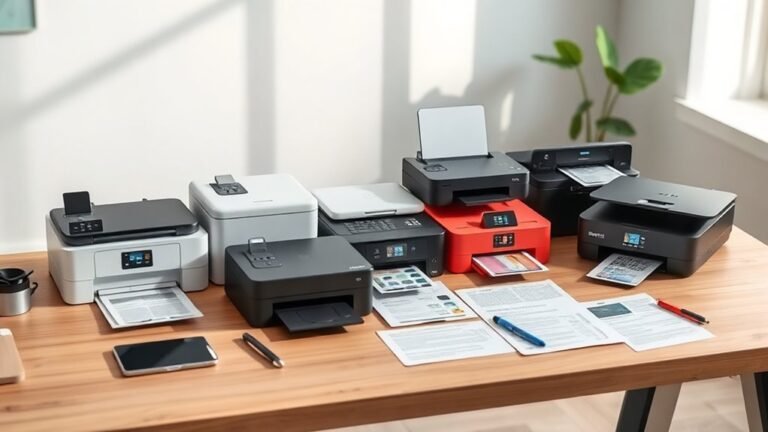
If you’re looking for affordable, compact printers perfect for home use in 2027, you’ve got some great options to consider. Whether you need something basic, versatile, or packed with features, there’s a printer that fits your budget and space. From budget-friendly models to those offering high-quality photo printing and smart features, the best cheap printers are designed to make your home printing easy and efficient.
For basic printing tasks, the HP DeskJet 2923 is a solid choice. If you want a printer that handles both photos and documents well, check out the Canon PIXMA TS4320. The Epson XP-4205 is excellent for high-quality photos and even supports voice control.
The eco-friendly HP Envy 6555 stands out by adding AI features and an automatic document feeder to simplify your workflow. Meanwhile, the HP Smart Tank 5003 offers a cost-effective solution with refillable ink tanks, saving you money in the long run. Keep these options in mind as you choose a printer that matches your needs and space.
| Image | Name | Editor's Rating | Price |
|---|---|---|---|

|
|
||

|
|
||

|
|
||

|
|
||
|
|
HP DeskJet 2923 Color Inkjet Printer | Wireless | All-in-One
- Perfect for basic printing needs – Print everyday color documents like to-do lists, letters, financial documents and recipes
- KEY FEATURES – Color print, copy, scan, and a 60-sheet input tray, plus mobile and wireless printing
- OPTIMIZE PRINT FORMATTING WITH HP AI – Print web pages and emails with precision—no wasted pages or awkward layouts; HP AI easily removes unwanted content, so your...
- ICON LCD – Print your basic documents with ease from the intuitive control panel
- PRINT SPEED – Up to 7.5 ppm black, 5.5 ppm color

If you’re looking for a space-saving printer that handles everyday tasks with ease, the HP DeskJet 2923 is designed to fit seamlessly into your home setup. This wireless all-in-one printer offers reliable color printing, copying, and scanning, perfect for managing documents and photos without clutter. Its compact design makes it ideal for small spaces, helping you keep your workspace organized.
Maintaining the printer is simple with its 60-sheet input tray and an intuitive icon LCD control panel. You can quickly navigate functions without hassle. Wireless printing via dual-band Wi-Fi lets you send jobs directly from your smartphone using the HP App, making printing more flexible and convenient.
The HP DeskJet 2923 also supports hassle-free ink management with a 6-month trial of Instant Ink, automatically replenishing ink before you run out. While its print speeds of up to 7.5 ppm in black and 5.5 ppm in color suit daily needs, larger print jobs may take longer. The printer’s environmentally friendly design uses recycled plastics and holds ENERGY STAR certification.
Best for: individuals and families needing an affordable, compact all-in-one printer for everyday color printing, copying, and scanning at home.
What We Like:
- Wireless printing and mobile app support for easy smartphone use
- 6-month Instant Ink trial for automatic ink delivery
- Compact design suited for small spaces
- User-friendly icon LCD control panel
- Environmentally conscious with recycled materials and ENERGY STAR rating
Specification:
| Feature | Details |
|---|---|
| Manufacturer | HP |
| Dimensions (W×D×H) | Compact size (exact size not specified) |
| Weight | Not specified |
| Color Options | Not specified |
| Paper Input Capacity | 60 sheets |
| Print Speed (Black) | Up to 7.5 pages per minute |
| Print Speed (Color) | Up to 5.5 pages per minute |
| Connectivity | Dual-band Wi-Fi |
Canon PIXMA TS4320 – Wireless Color Inkjet Printer with Print, Copy, Scan
- Affordable Versatility - A budget-friendly all-in-one printer perfect for both home users and hybrid workers, offering exceptional value
- Crisp, Vibrant Prints - Experience impressive print quality for both documents and photos, thanks to its 2-cartridge hybrid ink system that delivers sharp text and vivid...
- Effortless Setup & Use - Get started quickly with easy setup for your smartphone or computer, so you can print, scan, and copy without delay
- Reliable Wireless Connectivity - Enjoy stable and consistent connections with dual-band Wi-Fi (2.4GHz or 5GHz), ensuring smooth printing from anywhere in your home or...
- Scan & Copy Handling - Utilize the device’s integrated scanner for efficient scanning and copying operations
The Canon PIXMA TS4320 is designed to simplify your everyday printing tasks with reliable wireless connectivity and versatile media handling. Its compact and stylish design fits neatly into home offices or small spaces, helping you stay organized without clutter.
This all-in-one printer supports duplex printing, which reduces paper use and cuts down on waste. Whether you’re printing photos or documents, it handles various paper types including cardstock and glossy photo paper, making it easy to create professional-looking prints at home.
Maintenance is straightforward with this model, thanks to its efficient ink system and easy access to cartridges. The flatbed scanner captures clear images at 600 x 600 dpi, suitable for routine scanning and copying needs without overwhelming complexity.
The Canon PIXMA TS4320 focuses on convenience and functionality, making it ideal for homework, recipes, and occasional photo projects. Its dual-band Wi-Fi and mobile app compatibility allow quick printing from smartphones or tablets, streamlining your workflow.
Best for: Home users and hybrid workers needing a compact, versatile all-in-one printer for light, occasional tasks like homework, recipes, and photo printing.
What We Like:
- Compact design with a small footprint fits well in limited spaces.
- Dual-band Wi-Fi and mobile printing apps provide easy wireless connectivity.
- Duplex printing helps save paper and supports multiple media types.
- User-friendly maintenance with accessible ink cartridges.
- Versatile for printing documents, photos, and copies.
Specification:
| Feature | Details |
|---|---|
| Manufacturer | Canon |
| Dimensions (W×D×H) | 14.7 × 12.2 × 5.0 inches |
| Weight | 9.9 lbs (4.5 kg) |
| Printer Type | Wireless Color Inkjet |
| Print Speed | Up to 14 ppm (color/BW) |
| Scanner Resolution | 600 × 600 dpi |
| Paper Capacity | 100 sheets |
| Connectivity | Dual-band Wi-Fi, mobile app |
Epson Expression Home XP-4205 Wireless Color All-in-One Inkjet Printer
- Remarkable Print Quality for Home and Photo Printing — Epson’s leading-edge imaging technology produces crisp documents, vibrant borderless photos with rich colors...
- Stress-Free Setup and Operation — Large 2.4" color display for effortless navigation, plus easy installation and operation through your smartphone or tablet using the...
- Convenient Connectivity — Supports easy wireless connections and printing from Android or iOS devices (2)
- Engineered for Reliability — Consistently delivers high-quality prints with heat-free technology and a permanent printhead designed to last the life of the printer
- Easy, Affordable Printing — Individual ink cartridges make it easy to only replace the ink you need
Experience effortless printing with the Epson Expression Home XP-4205, designed to simplify your daily tasks. This all-in-one printer lets you print, scan, and copy with ease, making it ideal for both documents and vibrant photos. Its compact design fits neatly into any home office or workspace without taking up much room.
Setting up wireless connections is straightforward, allowing you to print directly from Android and iOS devices. You can also use voice commands through Alexa or Siri, enabling hands-free operation that saves time and adds convenience. The printer delivers sharp, detailed prints at resolutions up to 5760 x 1440 dpi, ideal for both text and images.
Maintenance is hassle-free when using Epson’s genuine Claria 232 ink cartridges, which ensure consistent quality and protect your device. The XP-4205 supports automatic duplex printing, reducing paper waste and increasing efficiency. It also produces borderless photos and searchable PDFs with Epson ScanSmart software, enhancing your productivity.
While the 100-sheet paper capacity suits typical home use, heavy printing may require frequent refills. Print speeds are moderate, so this model is best for users prioritizing quality and convenience over speed.
Best for: Home users seeking a compact, versatile all-in-one printer for everyday documents, photos, and wireless hands-free printing.
What We Like:
- High-quality printing up to 5760 x 1440 dpi with borderless photo support
- Wireless printing from Android, iOS, and voice commands via Alexa and Siri
- Automatic duplex printing and searchable PDF creation with Epson ScanSmart
- Compact and energy-efficient design fits small spaces
Specification:
| Feature | Details |
|---|---|
| Manufacturer | Epson |
| Dimensions (W×D×H) | Approx. 14.8 × 11.7 × 5.7 in |
| Weight | Approx. 8.8 lb (4.0 kg) |
| Ink Cartridge | Epson Claria 232 |
| Print Resolution | Up to 5760 x 1440 dpi |
| Paper Capacity | 100 sheets |
| Connectivity | Wireless (Wi-Fi), Voice (Alexa, Siri) |
HP Envy 6555 Wireless All-in-One Color Printer
- FROM AMERICA'S MOST TRUSTED PRINTER BRAND – The Envy 6555 is perfect for homes printing everyday high-quality color documents like homework and borderless photos. Print...
- 3 MONTH TRIAL OF INSTANT INK – Subscribe to the Instant Ink delivery service to get ink delivered directly to your door before you run out, and you save up to 50% on...
- KEY FEATURES – Color print, copy and scan, plus auto 2-sided printing, a 35-sheet auto document feeder and a 100-sheet input tray
- HP'S MOST INTUITIVE COLOR TOUCHSCREEN – Smoothly navigate your printer with the easy-to-use 2.4" touchscreen
- WIRELESS PRINTING – Stay connected with our most reliable dual-band Wi-Fi, which automatically detects and resolves connection issues
Experience seamless home printing with the HP Envy 6555 Wireless All-in-One Printer, designed to simplify your daily tasks. This versatile device handles printing, scanning, and copying with ease, making it ideal for busy households.
Its AI-driven features help optimize workflow by removing unwanted content, ensuring professional-quality results every time. You’ll enjoy true-to-screen color photo printing powered by P3 technology, while auto duplex printing saves paper and effort.
Maintenance is straightforward with a 35-sheet automatic document feeder (ADF) and a 100-sheet input tray that manage documents efficiently. The 2.4-inch touchscreen and HP app provide intuitive controls, including scan-to-email and cloud options for convenient access.
Built with 60% recycled plastic, the printer supports eco-friendly practices and offers subscription-based Instant Ink delivery to keep ink supply hassle-free. While print speeds reach up to 10 ppm in black and 7 ppm in color, it’s best suited for moderate home use rather than heavy-duty tasks.
Best for: users seeking a versatile, eco-conscious all-in-one printer with smart features for efficient home document management.
What We Like:
- AI-driven workflow enhances print quality and convenience
- True-to-screen color printing with P3 technology
- Efficient document handling with ADF and large input tray
- Eco-friendly design using recycled materials
- Easy control via touchscreen and mobile app
Specification:
| Feature | Details |
|---|---|
| Manufacturer | HP |
| Model | Envy 6555 |
| Dimensions (inches) | Approximately 17.3 x 14.5 x 5.7 |
| Weight (lbs) | Around 13.3 |
| Color Options | Black |
| Paper Capacity | 100-sheet input tray |
| Automatic Document Feeder | 35 sheets |
| Display | 2.4-inch touchscreen |
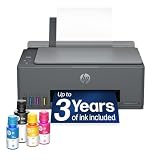
HP Smart Tank 5003 Ink Tank Printer | 3 Years of Ink Included | All-in-One
- THE LAST PRINTER YOU'LL EVER NEED – Set it up once and print with confidence; no complicated maintenance, just easy, reliable printing you can count on
- FULLY LOADED WITH SAVINGS – Best for low-cost, high-volume printing—up to 3 years of HP Ink included; get up to 6,000 color or black pages right out of the box
- KEY FEATURES – Print, copy and scan, plus borderless prints, mobile and wireless printing
- MESS-FREE REFILL – Replenish ink with HP's easy-access, mess-free refill system; simply plug the ink bottles into this cartridge-free ink tank and let them drain—no...
- BEST PRINT QUALITY, PERIOD – Sharper text, richer colors, only with HP Smart Tank
Experience hassle-free printing with the HP Smart Tank 5003 Ink Tank Printer, designed to save you time and money. This all-in-one device comes with up to three years of ink included, letting you print up to 6,000 pages right from the start. It’s ideal for those who need a reliable home or small office printer without worrying about frequent ink replacements.
The cartridge-free refillable tanks use mess-free bottles, making ink refills simple and clean. This reduces downtime and eliminates the frustration of replacing cartridges. The printer delivers sharp color prints at resolutions up to 4800 x 1200 dpi, ensuring your documents and photos look crisp and vibrant.
Thanks to wireless connectivity, you can print directly from your smartphone or tablet with ease. The compact design fits comfortably in any workspace and handles multiple media sizes, including borderless printing. Manual duplexing helps save paper but requires user involvement to print on both sides.
While print speeds are moderate, this printer meets everyday needs efficiently. Its single USB port and one paper tray offer straightforward connectivity but limit expansion options. The HP Smart Tank 5003 balances functionality and simplicity for budget-conscious users.
Best for: Home users or small offices seeking an economical, high-volume all-in-one printer with wireless and mobile printing features.
What We Like:
- Up to 3 years of ink included, supporting 6,000 pages from the start
- Cartridge-free refillable tanks with mess-free bottles for easy maintenance
- Wireless and mobile device printing with support for multiple media sizes
- Compact design ideal for limited space environments
Specification:
| Feature | Details |
|---|---|
| Manufacturer | HP |
| Dimensions | Compact (exact size not specified) |
| Weight | Not specified |
| Color Options | Not specified |
| Print Resolution | Up to 4800 x 1200 dpi |
| Print Speed | Up to 10 ppm (black), 5 ppm (color) |
| Connectivity | Wi-Fi, USB |
| Duplex Printing | Manual |
Factors to Consider When Choosing a Cheap Printer for Home
When choosing a cheap printer for home, you’ll want to think about how fast you need it to print and the quality you expect.
Consider connectivity options and how much the ink will cost over time. Also, make sure the printer fits comfortably in your space.
It’s all about finding the right balance between speed, quality, and cost. And don’t forget to check if it’s easy to use and maintain!
Printing Speed Needs
Although printing speed might not seem critical for occasional use, choosing a printer that matches your typical monthly page volume guarantees smoother performance. If you print around 5–10 pages per minute (ppm), a low-volume home printer will suffice.
For heavier workloads, aim for models rated above 10 ppm. Keep in mind, manufacturers measure speed using plain-text pages; real documents with photos or graphics take longer.
Also, consider first-page-out time—printers that start printing within 10–20 seconds feel faster during intermittent jobs. If you often print multi-page documents, look for features like auto-duplex and larger input trays to reduce manual intervention and total print time.
For occasional photo printing, prioritize print quality over speed since high-res color prints naturally slow down the process.
Print Quality Expectations
How sharp do you really need your prints to be? Basic home inkjet printers usually offer 300–1200 dpi, which is fine for clear text but might show banding or soft edges on small fonts at lower settings.
Photo quality depends on resolution and color gamut—cheap printers often have narrower gamuts, so photos may appear less vibrant with less natural skin tones. If you want better image smoothness, look for printers with separate CMYK cartridges and finer droplet sizes, which reduce posterization.
Keep in mind, faster economy modes sacrifice quality, so use “high” or “photo” settings for best results. Also, using higher-weight or coated paper can markedly boost sharpness and color vibrancy, making your prints look much better regardless of your printer’s price.
Connectivity Options Available
Why settle for limited connectivity when choosing a cheap home printer? You want a model supporting both 2.4 GHz and 5 GHz Wi‑Fi for reliable, fast connections with modern routers.
Check if it includes mobile printing standards like AirPrint or Mopria, or comes with an app, so you can print and scan directly from your smartphone or tablet without hassle.
For secure, speedy wired options, look for USB Type‑B or Type‑A ports. If multiple users or remote printing matters, prioritize cloud printing features and strong security protocols like WPA3.
Additional connectivity like Ethernet offers stable wired networking, while Bluetooth can be handy for quick local prints when Wi‑Fi isn’t available.
Picking a versatile printer keeps your home setup flexible and efficient.
Ink Cost Efficiency
When choosing a cheap printer for home use, you’ll want to focus on ink cost efficiency to keep expenses manageable over time. Start by comparing the cost per page—divide the price of replacement ink by the manufacturer’s stated page yield.
Look for printers with individual color cartridges or refillable ink tanks so you only replace what’s empty. This reduces waste and lowers costs compared to tri-color combos.
Check if the printer supports high-yield cartridges or bulk ink bottles, which often cut your $/page dramatically. Don’t overlook any subscription or refill services, since trial periods can hide higher long-term fees.
Finally, consider real-world page yields from user reviews. Heavy photo or color printing can spike ink use and increase your actual cost per page.
Printer Size Considerations
Although budget printers are designed to be compact, you’ll want to measure your available desk or shelf space carefully to make certain the printer fits comfortably. Most home inkjets range between 14–18 inches wide, 6–10 inches tall, and 9–23 inches deep.
Don’t forget to allow extra space for paper input and output trays, as well as a few inches of clearance on the top or rear for loading paper or accessing the scanner. If your space is tight, opt for compact all-in-one models without bulky external tanks or feeders.
Keep in mind that auto document feeders and large-capacity trays add height and depth, even folded. For multi-user homes, placing a slightly larger printer centrally can be more practical than squeezing a small one into a cramped corner.
Multi-Functionality Features
After making sure your printer fits well in your space, the next step is to think about what multi-function features it offers. Make sure the printer supports the core tasks you need—printing, scanning, and copying—since all-in-one units can differ in what they do.
If you often handle multi-page documents, check for an automatic document feeder (ADF) and its sheet capacity. Duplex printing is a must-have to save paper, so see if the printer supports automatic two-sided printing and scanning.
Also, consider the flatbed scanner’s resolution; a higher dpi, like 600 or more, is ideal for photos or detailed scans. These features guarantee versatility and efficiency, helping you tackle various home tasks without extra devices or hassle.
Mobile Printing Support
How easily can you print from your smartphone or tablet? When choosing a cheap home printer, make sure it supports common mobile standards like AirPrint for iOS or Mopria for Android, or offers a vendor app for direct printing.
Check for dual-band Wi-Fi (2.4 GHz and 5 GHz) to ascertain stable, fast connections, especially for large files. Look for handy features like scan-to-phone and mobile scanning, so you can send scanned documents directly to your device or cloud storage.
Also, verify if the printer allows printing from email or web links and supports remote printing when you’re away. Finally, confirm any mobile printing limits, including supported file types, borderless photo printing, and whether duplex or full-color printing works via your mobile device.
Energy Consumption Levels
When choosing a cheap home printer, you should pay close attention to its energy consumption levels to keep your electricity bills low and reduce environmental impact. Look for printers with low standby power (often 1–5 W) since devices spend most time idle.
Also, check the active printing power rating (usually 10–25 W for inkjets) and estimate monthly energy use based on your print volume. Choose models with automatic sleep or auto-off features and short sleep timers (5–10 minutes) to avoid wasted energy.
ENERGY STAR certification is a good indicator of efficient power management. While duplex printing saves paper, it can slightly increase per-page energy due to multiple passes, so balance your paper savings against this minor energy trade-off when making your choice.
Frequently Asked Questions
How Do I Recycle Printer Ink Cartridges Responsibly?
You can recycle printer ink cartridges responsibly by returning them to manufacturer programs, dropping them off at local recycling centers, or using mail-in recycling kits.
Don’t toss them in the trash, as they contain harmful chemicals. It’s really important to handle them properly to protect the environment.
Many manufacturers even offer incentives, like discounts on future purchases, when you send your cartridges back. So, it’s a win-win!
Can These Printers Connect to Smart Home Devices?
Yes, many budget-friendly printers can connect to smart home devices. You’ll find models compatible with voice assistants like Alexa or Google Assistant.
This lets you print hands-free and manage tasks more efficiently through your smart home setup. It’s pretty convenient once you get the hang of it!
What Are the Environmental Impacts of Inkjet vs. Laser Printers?
You’ll find inkjet printers use less power but create more waste with frequent cartridge changes.
On the other hand, laser printers consume more energy yet have longer-lasting toner.
Choosing wisely helps reduce your environmental footprint substantially.
Are These Printers Compatible With Linux Operating Systems?
Like choosing the right tool in a classic tale, you’ll find many printers compatible with Linux. Just check the manufacturer’s site or community forums, and you’ll easily connect your printer without a hitch on your Linux system.
It’s pretty straightforward once you know where to look. Plus, the Linux community is super helpful if you run into any bumps along the way. So go ahead, pick your printer and get printing!
How Do I Troubleshoot Common Wireless Printing Issues?
You’ll want to restart your printer and router. Also, make sure your device’s connected to the right Wi-Fi.
Updating your printer drivers is a good next step. Don’t forget to check for firmware updates too.
If you have a firewall, try disabling it temporarily to see if it’s blocking the connection.
Still having trouble? You might need to reset your network settings.
Conclusion
Choosing a cheap printer for home use doesn’t mean you have to sacrifice quality or features. You might worry that budget models won’t last long or handle all your needs, but options like the HP Smart Tank 5003 offer durability and included ink for years.
With wireless capabilities and all-in-one functions, these printers prove you can get reliable, versatile performance without breaking the bank. So go ahead—find the perfect fit for your home today.
When looking for the best cheap printers for home use, focus on features like wireless connectivity, print quality, and ink efficiency. Affordable printers now come packed with smart functions that make printing hassle-free. Whether you need to print documents, photos, or school projects, there’s a budget-friendly option that suits your needs perfectly.
In 2027, finding a cheap printer that delivers great performance and value is easier than ever. So don’t stress about cost—explore the best cheap printers for home use and enjoy quality printing without overspending.