5 Best Cheap Refillable Printers for 2027
If you want to save on ink in 2027, looking into cheap refillable printers is a smart move. These printers not only cut down on costly cartridges but also offer great value with high page yields and reliable performance. Models like the Canon MegaTank G3270 stand out for their impressive ink capacity, while the HP Smart Tank 5003 comes with up to 3 years of ink included, making it super convenient.
The Epson EcoTank ET-4800 is perfect if you want an all-in-one device with extras like faxing. Meanwhile, the Epson EcoTank ET-1913 is great for those who need a compact, energy-efficient option without sacrificing quality. And if you’re after a balance between quality and connectivity, the HP Smart Tank Plus 570 is worth checking out.
Each of these printers offers wireless convenience, solid page capacity, and reliable color quality. Take a closer look at their features to find the best fit for your needs.
| Image | Name | Editor's Rating | Price |
|---|---|---|---|

|
|
||

|
|
||

|
|
||

|
|
||

|
|
Canon MegaTank G3270 All-in-One Wireless Color Printer
- Wireless Print/Copy/Scan
- Up to 2 years of ink included (2)
- Print up to 6,000 black & white / 7,700 color pages using a single set of inks! (1)
- Save up to $1,000 on ink (1)
- 1.35” Square LCD display

The Canon MegaTank G3270 All-in-One Wireless Color Printer is designed to keep your printing affordable without compromising on quality. Its refillable MegaTank system delivers a high ink yield, printing up to 6,000 black and 7,700 color pages per refill. This feature reduces frequent cartridge changes and lowers your overall ink expenses.
This versatile printer handles printing, copying, and scanning tasks with ease. Wireless and USB connectivity options allow flexible use in home or small office settings. The 1.35″ LCD screen simplifies navigation, while mobile app support lets you manage print jobs directly from your smartphone or tablet.
Maintenance is straightforward thanks to the transparent ink tanks that make monitoring ink levels easy. The printer supports a variety of paper sizes and types, adapting well to different printing needs. However, it only offers single-sided printing, and the 100-sheet input/output capacity means you may need to reload paper more often during heavy use.
Copy speeds are moderate, with color copies printing at up to 6 pages per minute, which suits typical home or small office workloads. The Canon MegaTank G3270 balances functionality and cost-efficiency in a compact design.
Best for: Small home offices or individuals needing a reliable, budget-friendly color printer with wireless features and multi-function use.
What We Like:
- High ink yield with refillable MegaTank system
- Wireless and USB connectivity for flexible use
- Easy operation via LCD screen and mobile apps
- Supports multiple paper sizes and types
- Transparent ink tanks for simple maintenance
Specification:
| Feature | Details |
|---|---|
| Manufacturer | Canon |
| Dimensions | Approx. 17.7 x 13.7 x 7.1 in (45 x 34.8 x 18 cm) |
| Weight | Approx. 6.7 lb (3.04 kg) |
| Material | Plastic |
| Color Options | White with black accents |
HP Smart Tank 5003 Ink Tank Printer | 3 Years of Ink Included | All-in-One
- THE LAST PRINTER YOU'LL EVER NEED – Set it up once and print with confidence; no complicated maintenance, just easy, reliable printing you can count on
- FULLY LOADED WITH SAVINGS – Best for low-cost, high-volume printing—up to 3 years of HP Ink included; get up to 6,000 color or black pages right out of the box
- KEY FEATURES – Print, copy and scan, plus borderless prints, mobile and wireless printing
- MESS-FREE REFILL – Replenish ink with HP's easy-access, mess-free refill system; simply plug the ink bottles into this cartridge-free ink tank and let them drain—no...
- BEST PRINT QUALITY, PERIOD – Sharper text, richer colors, only with HP Smart Tank
Experience hassle-free, long-lasting printing with the HP Smart Tank 5003 Ink Tank Printer, designed to simplify your home or small office tasks. This all-in-one device lets you print, copy, and scan with ease, cutting down on frequent ink replacements and interruptions.
The printer includes up to 3 years of ink, allowing you to print as many as 6,000 color or black pages right away. Its cartridge-free ink tank system makes refilling clean and straightforward using HP’s original ink bottles, reducing mess and maintenance time.
Wireless connectivity and mobile support, including Apple AirPrint, make it simple to print from any device without cables. The printer delivers sharp print quality with borderless photos and supports media sizes up to legal, fitting various document needs.
While print speeds are moderate and manual duplex printing requires some effort, the compact design and efficient ink usage make this a cost-effective choice for high-volume printing. Its 100-sheet capacity suits light to moderate workloads but may need frequent refills in busier environments.
Best for: Users needing a reliable, affordable all-in-one printer with a generous ink supply for home or small office use.
What We Like:
- Up to 3 years of ink included for extended printing without worry
- Cartridge-free ink tank offers easy, mess-free refills
- Wireless and mobile printing support enhances convenience
- Borderless photo printing with sharp resolution
- Compact design fits well in limited spaces
Specification:
| Feature | Details |
|---|---|
| Manufacturer | HP |
| Dimensions | Not specified |
| Weight | Not specified |
| Ink System | Cartridge-free ink tanks |
| Included Ink Duration | Up to 3 years |
| Printing Capability | Print, Copy, Scan |
| Connectivity | Wireless, Mobile, AirPrint |
| Max Paper Capacity | 100 sheets |
| Max Print Resolution | Sharp, borderless photos |
| Max Media Size | Up to legal |
Epson EcoTank ET-4800 Wireless Color All-in-One Supertank Printer
- INNOVATIVE CARTRIDGE-FREE PRINTING — High-capacity ink tanks mean no more dealing with lots of tiny ink cartridges; Epson’s exclusive EcoFit ink bottles make filling...
- CLEAR AND VIBRANT PRINT QUALITY ― Create memorable prints and projects; Unique Micro Piezo Heat-Free Technology allows wireless color printer to produce sharp text and...
- ZERO CARTRIDGE WASTE — By using an Epson EcoTank printer you can help reduce the amount of cartridge waste ending up in landfills
- BUILT IN SCANNER AND COPIER ― All-In-One Epson EcoTank is more than a printer; High-resolution flatbed scanner and color display come together for easy document copying...
- LESS FREQUENT INK REPLACEMENT — Replacement ink bottles don't have to be changed nearly as often as ink cartridges¹; Printer, scanner and copier lets you print up to...
The Epson EcoTank ET-4800 is designed to eliminate the frustration of frequent ink cartridge replacements. Its cartridge-free ink tank system lets you print thousands of pages—up to 4,500 in black and 7,500 in color—before needing a refill. This means fewer interruptions and more time focused on your work or projects.
Refilling the ink tanks is straightforward with Epson’s EcoFit ink bottles, which reduce plastic waste and simplify maintenance. The printer uses Micro Piezo Heat-Free Technology, delivering sharp text and vibrant colors on a variety of paper types without heat, preserving print quality and saving energy.
This all-in-one printer combines printing, scanning, copying, and faxing with a user-friendly color display, making it a versatile choice for home offices and small businesses. Its wireless connectivity adds convenience, allowing multiple devices to print effortlessly.
While setup and initial ink filling require some attention, the long-term savings and efficiency benefits are significant. Just be sure to use genuine Epson ink to maintain print quality and protect your printer’s performance.
Best for: Individuals and small offices needing high-volume, cost-effective printing with minimal cartridge hassle.
What We Like:
- High-capacity ink tanks support extended printing without refills
- EcoFit ink bottles reduce waste and simplify ink replacement
- All-in-one functionality with scanner, copier, fax, and color display
- Wireless connectivity for flexible printing options
Specification:
| Feature | Details |
|---|---|
| Manufacturer | Epson |
| Dimensions (W×D×H) | 14.8 × 13.4 × 9.0 inches |
| Weight | 11.3 lb (5.1 kg) |
| Printing Technology | Cartridge-free Supertank |
| Connectivity | Wireless |
| Color Options | Yes (Color printing) |
Epson EcoTank ET-1913 Wireless Color Printer
- Epson EcoTank includes enough ink to last up to 3 years⁴.
- WORRY-FREE PRINTING — Epson EcoTank comes with enough ink to print up to 3,600 pages black/6,500 color⁹ for fewer out-of-ink frustrations. Each replacement ink bottle...
- SIMPLE INK REFILLING — Supersized ink tanks and uniquely keyed EcoFit bottles make refilling ink simple—no mess, no stress and no ink bottle mix-ups; fits in...
- THE WORLD’S #1 SELLING SUPERTANK PRINTER² — Epson invented EcoTank to revolutionize the way people print; we’ve sold 100 million EcoTanks worldwide⁷ and this is...
- OUR MOST AFFORDABLE SUPERTANK³ — 11 black/6 color ISO ppm print speeds with zero warmup time; 100-sheet paper tray
The Epson EcoTank ET-1913 is designed to simplify printing at home by eliminating frequent ink replacements. Its refillable EcoTank system uses large ink tanks with uniquely keyed bottles, making refills easy and mess-free. This setup provides enough ink to print up to 3,600 black or 6,500 color pages, reducing interruptions and saving money over time.
With wireless connectivity and compatibility with the Epson Smart Panel app, printing from computers or mobile devices is straightforward. The printer delivers sharp, high-resolution prints up to 5760 x 1440 dpi, including borderless photo printing on various paper sizes, ideal for vibrant home projects.
Compact and energy-efficient, the ET-1913 fits neatly into home offices or living spaces. While it only prints and lacks scanning or copying features, its moderate speeds (11 ppm black, 6 ppm color) suit everyday tasks rather than heavy workloads. A 100-sheet paper tray means occasional refills are necessary but manageable for typical home use.
Best for: Home users seeking an affordable, wireless color printer with long-lasting ink tanks and quality photo printing.
What We Like:
- Large EcoTank ink bottles provide up to three years of ink and high page yield
- Wireless printing with mobile device support via Epson Smart Panel app
- High-quality prints with up to 5760 x 1440 dpi and borderless photo capability
- Compact design that saves space and reduces energy consumption
Specification:
| Feature | Details |
|---|---|
| Manufacturer | Epson |
| Dimensions (W x D x H) | 14.8 x 11.4 x 5.7 inches |
| Weight | 9.7 lbs (4.4 kg) |
| Color Options | White |
| Connectivity | Wi-Fi |
| Print Resolution | Up to 5760 x 1440 dpi |
| Ink System | Refillable EcoTank |
| Paper Capacity | 100-sheet tray |
| Print Speed | 11 ppm black, 6 ppm color |
HP Smart Tank Plus 570 Tank Printer | 2 Years of Ink Included | All-in-One
- SET IT UP ONCE AND PRINT WITH CONFIDENCE. No complicated maintenance. Just easy, reliable printing you can count on.
- INK FOR YEARS. NOT MONTHS. Up to 2 years of ink included. Get thousands of pages of cartridge-free printing. More pages, less hassle
- KEEPS PRINTING WELL AFTER COMPETITORS HAVE QUIT. No complex maintenance. Sharper text, richer colors.[2] Only with HP Smart Tank
- INNOVATION YOU CAN TRUST. Cartridge-free printing that keeps you printing longer with fewer interruptions, powered by the trusted HP innovation you rely on today
- THE LAST PRINTER YOU'LL EVER NEED. Enjoy years of refillable, cartridge-free printing.[
Experience hassle-free printing with the HP Smart Tank Plus 570, designed to keep your ink costs low and your productivity high. This all-in-one printer offers a cartridge-free refill system that eliminates mess and interruptions. With up to two years of ink included, you can print thousands of pages without worrying about replacements.
Ideal for home or student use, the printer handles up to 8,000 color or 6,000 black-and-white pages straight out of the box. Its wireless capabilities let you print, scan, and copy with ease, while maintaining sharp, vibrant results up to 4800 x 1200 dpi.
Maintenance is simple thanks to the refillable ink tanks, reducing the hassle and expense of traditional cartridges. The compact design fits comfortably in small spaces and supports versatile connections via USB and Ethernet for flexible setups.
While the print speed is moderate and manual duplexing is required, this model offers a practical balance of volume and quality. The 100-sheet tray suits medium workloads but may need refilling for heavier use.
Best for: Students, home users, and anyone seeking an efficient, high-volume all-in-one printer with low ink costs and wireless functionality.
What We Like:
- Up to 2 years of included ink for high-volume printing
- Cartridge-free refill system for clean, affordable maintenance
- Wireless, USB, and Ethernet connectivity options
- Crisp color prints with up to 4800 x 1200 dpi resolution
Specification:
| Feature | Description |
|---|---|
| Manufacturer | HP |
| Dimensions | Compact design (specific size not provided) |
| Weight | Not specified |
| Ink System | Refillable ink tanks |
| Connectivity | Wireless, USB, Ethernet |
| Paper Capacity | 100 sheets |
| Print Resolution | Up to 4800 x 1200 dpi (color) |
Factors to Consider When Choosing a Cheap Refillable Printer
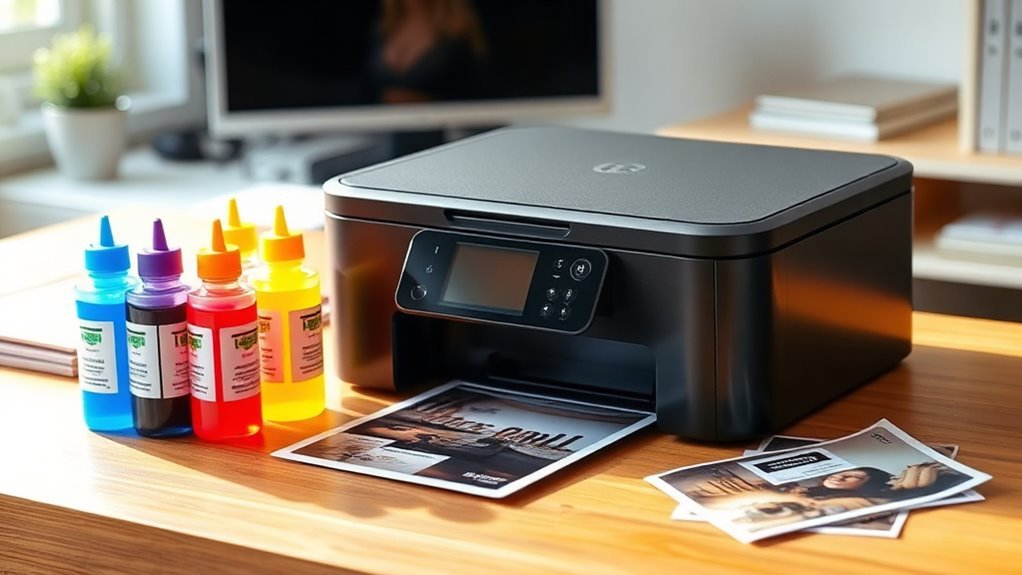
When choosing a cheap refillable printer, you’ll want to compare ink yield to get the best value. Make sure the print quality meets your standards and check the connectivity options for your devices.
Also, consider media compatibility and look into the warranty and support offered. These little details can make a big difference in the long run.
Ink Yield Comparison
To figure out the true cost of running a cheap refillable printer, you’ll want to break down the ink yield carefully. Start by comparing the stated page yields per full ink set, noting black and color yields separately. This helps estimate how often you’ll need replacements and the running cost.
Calculate your cost per page by dividing the refill bottle’s price by its advertised yield to see the real expense. Keep in mind manufacturers’ claims assume specific test conditions, so your actual yield may vary.
Also, factor in the starter ink included with the printer, often rated in thousands of pages or years, to understand initial longevity. This approach guarantees you pick a printer that matches your printing habits and budget efficiently.
Print Quality Standards
Understanding ink yield gives you a clearer picture of running costs, but print quality often determines if a printer meets your needs. Look for a high maximum print resolution—typically between 1200 and 4800 dpi for photos and color prints—to guarantee fine detail and smooth gradients.
Check color depth and output bit depth, aiming for 16- to 24-bit rendering for richer, more accurate colors. Different printer technologies matter too: pigment inks provide sharp, long-lasting text, while dye inks excel in vivid photos.
Also, consider how print quality holds up over long runs by reviewing print yields and independent tests for fading or banding. Finally, make sure the printer supports the media types and sizes you want, including borderless printing, for professional-looking photos and graphics.
Connectivity Options Available
How easily you connect your printer can make a big difference in your daily workflow. Make sure your cheap refillable printer supports Wi‑Fi for wireless printing from multiple devices and apps.
Wi‑Fi Direct is a bonus, letting you print directly without a router. Check if it supports mobile printing standards like AirPrint or Mopria to print effortlessly from your smartphone or tablet.
A USB port is essential for a reliable wired connection and troubleshooting. If you work in a networked office, choose a model with Ethernet for stable, secure shared access.
Also, consider printers that offer cloud or remote printing features, so you can print from anywhere. Finally, confirm your printer receives wireless security updates to keep your network safe.
Media Compatibility Range
When choosing a cheap refillable printer, you’ll want to check its media compatibility range to guarantee it handles all your printing needs. Start by confirming supported paper sizes like 4×6, 5×7, 8.5×11, A4, and legal, plus any specialty sizes you plan to use.
Also, look at the maximum media dimensions and sheet capacity to avoid constant refills or reloading. Verify the media types the printer supports—whether it’s plain paper, glossy photo paper, cardstock, envelopes, or labels.
Don’t forget to check the maximum media weight or thickness to prevent jams or damage. If you print photos or custom-sized documents, make certain the printer offers borderless printing and handles specific custom size ranges for full-bleed results.
This careful check helps you pick a versatile printer that fits your tasks perfectly. It’s all about making sure the printer works smoothly for whatever you need to print!
Warranty And Support
Although cheap refillable printers save you money upfront, you’ll want to carefully review their warranty and support to avoid costly issues later. Check the warranty length and scope—ideally, it should last at least a year and cover hardware and printhead failures.
Also, confirm if using third-party or refilled ink affects warranty validity. Some manufacturers void coverage if you don’t use genuine ink, so it’s good to be sure about that.
Make sure to verify spare parts availability and how long they’ll be supported. This helps guarantee repairs remain feasible down the line.
Understand any warranty limits, like page-count caps or time/usage tradeoffs. It’s important to know what qualifies as a defect versus normal wear.
Finally, evaluate how easy it is to get customer support via phone, chat, or local centers. And check whether firmware updates are provided to keep your printer reliable over time.
Frequently Asked Questions
How Do Refillable Printers Impact Environmental Sustainability?
You reduce plastic waste and landfill overflow when you use refillable printers. They let you reuse ink tanks, cutting cartridge production and disposal.
This choice actively supports environmental sustainability by lowering your carbon footprint and resource consumption. It’s a simple switch that makes a big difference!
Are Refillable Printers Compatible With Third-Party Ink Brands?
Oh, sure, third-party inks are your printer’s new best friends—until they suddenly aren’t.
You’ll find most refillable printers do play nice, but expect occasional drama, like clogged nozzles or error messages, just to keep life interesting.
What Is the Average Lifespan of Refillable Printer Cartridges?
You can expect refillable printer cartridges to last anywhere from 6 months to 2 years, depending on how often you print and maintain them.
Proper care and quality ink will help you maximize their lifespan. So, it really pays off to take good care of them!
Can Refillable Printers Connect to Smartphones via Bluetooth?
You’ll find that many refillable printers do connect to your smartphone via Bluetooth, letting you effortlessly send prints like magic from your pocket.
Just make sure the model supports wireless features before making your choice. That way, you won’t be stuck with a printer that can’t keep up with your on-the-go printing needs.
Do Refillable Printers Require Special Maintenance Routines?
Yes, refillable printers require regular maintenance like cleaning printheads and checking ink levels to avoid clogs. You’ll need to handle ink refills carefully.
Also, perform occasional software updates to keep everything running smoothly. It’s not too complicated, but staying on top of these tasks really helps.
Conclusion
Choosing the perfect cheap refillable printer isn’t just a smart move—it’s a game-changer! You’ll save buckets of cash, dodge endless ink cartridge trips, and watch your printing worries vanish like magic.
Whether you pick Canon, HP, or Epson, you’re grabbing a powerhouse that prints like a pro without breaking the bank. So, go ahead, snag one of these gems, and turn your printing chaos into smooth, nonstop productivity!
With the best cheap refillable printers for 2027, you get affordable, reliable printing without the constant hassle of buying cartridges. These printers offer high-quality output and easy refilling options, making them perfect for home or office use. Investing in a refillable printer means long-term savings and fewer interruptions. So, if you want to keep your printing costs low and your efficiency high, choosing a refillable printer from trusted brands like Canon, HP, or Epson is the way to go!