5 Best Cheap Printers with Fax for 2027
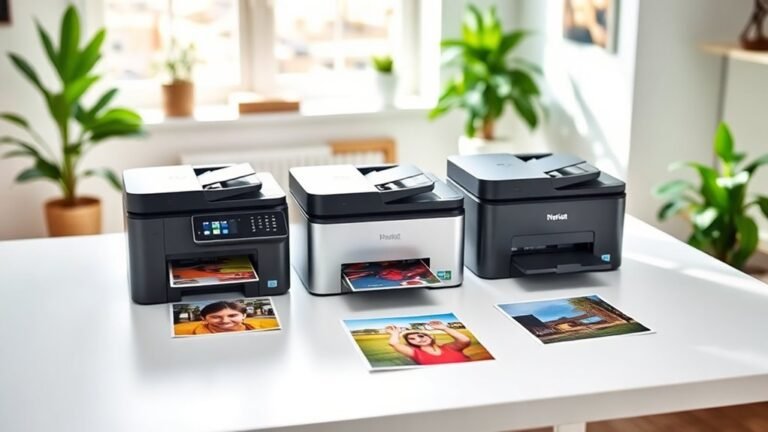
If you’re looking for the best cheap printers with fax for 2027, you’ve got some great options to consider. Affordable printers that include fax functionality can be a real lifesaver for both home and small office setups. They combine convenience with cost-effectiveness, making it easier to manage your documents without breaking the bank.
Take a look at the Canon PIXMA TR4720 and TR8620a. These models offer wireless convenience and decent paper capacity, perfect for everyday use. If speed and reliable Ethernet connectivity are what you need, the Epson Workforce WF-2990 is a solid choice.
The HP OfficeJet Pro 8135 shines when it comes to print quality and sustainability. Meanwhile, if you want to save on ink in the long run, the Epson EcoTank ET-4800’s cartridge-free design really stands out. Each of these printers fits well into home or small office environments, so exploring them further will help you find the one that suits your workflow best.
| Image | Name | Editor's Rating | Price |
|---|---|---|---|

|
|
||
|
|
||

|
|
||

|
|
||

|
|
Canon PIXMA TR4720 Wireless All-in-One Printer
- Wireless 4-in-1 (print | copy | scan | fax)..Power Consumption: 7W (0.8W Standby / 0.3W Off)
- Print speed up to: 4" x 6" Borderless Photo (PP-201): Approx. 65.0 Seconds / Black Document (Letter/Simplex): Approx. 8.8 ipm / Color Document (Letter/Simplex): Approx...
- Designed for easy ink cartridge installation and replacement.
- Auto 2-sided printing and auto document feeder.
- Produce quality documents, photos and boarderless prints up to 8.5" x 11".

The Canon PIXMA TR4720 is designed to simplify your printing tasks with reliable wireless connectivity and versatile functionality. It handles printing, scanning, copying, and faxing, making it ideal for both home and small office environments. Its compact design fits easily into tight spaces while offering seamless mobile and USB connections.
This all-in-one inkjet printer helps reduce manual effort with an auto document feeder and automatic duplex printing. These features save time on multi-page documents and double-sided printing, improving your workflow. The printer produces sharp text and vibrant photos, with borderless printing up to letter size for high-quality results.
Maintenance is straightforward, with smart ink management supported through mobile apps and Alexa integration for timely ink alerts. The 100-sheet paper tray minimizes frequent refills, helping you stay productive. Although print speeds are moderate and wired network options are limited, the PIXMA TR4720 balances convenience and performance well.
Best for: users needing an affordable, compact all-in-one printer with fax functionality and wireless printing for home or small office use.
What We Like:
- Wireless and mobile printing with Alexa support for easy ink monitoring
- Auto document feeder and duplex printing boost efficiency
- High-quality sharp text and vibrant color output with borderless photo printing
- Compact design fits comfortably in small spaces
Specification:
| Feature | Details |
|---|---|
| Manufacturer | Canon |
| Dimensions | 17.7 x 12.1 x 7.5 in |
| Weight | 11.3 lb (5.13 kg) |
| Print Technology | Inkjet |
| Connectivity | Wireless, USB |
| Duplex Printing | Automatic |
| Paper Tray Capacity | 100 sheets |
Epson Workforce WF-2990 Wireless All-in-One Printer
- Fast Professional-Quality Home Office Printing — Epson's leading-edge printing technology produces sharp text and clear, vibrant color graphics
- Our Fastest WorkForce Printer — Plus, a 150-sheet paper tray for convenient paper handling
- Convenient Operation — Large 2.4" color display for effortless navigation
- Engineered for Reliability — Consistently delivers high-quality prints with PrecisionCore Heat-Free technology and a permanent printhead designed to last the life of...
- Efficient, Economical Design — Automatic 2-sided printing helps you save paper and reduce paper waste
The Epson Workforce WF-2990 is designed to streamline your office tasks with ease and precision. It combines printing, scanning, copying, and faxing into one compact device. This all-in-one printer helps reduce paper waste with its automatic duplex printing and Auto Document Feeder, making multi-page jobs simpler and faster.
Maintenance is straightforward thanks to its four individual Claria 222 ink cartridges. You replace only the color that runs out, which minimizes waste and keeps running costs manageable. The 2.4″ color touchscreen offers intuitive control, while wireless options like Wi-Fi Direct and Ethernet provide flexible connectivity to fit your workspace.
With sharp print quality up to 4800 x 1200 dpi, this printer delivers professional-looking documents and vibrant color prints. Although its print speed is moderate, it suits small offices and home users handling daily printing needs. Its compact design and Energy Star rating make it an efficient, dependable choice.
Best for: Small offices and home users seeking a reliable, versatile all-in-one printer with fax and wireless connectivity.
What We Like:
- Automatic duplex printing and Auto Document Feeder for efficient multitasking
- High-quality color prints with individual ink cartridge replacement
- Multiple connectivity options including Wi-Fi Direct, Ethernet, and USB
- Compact design with Energy Star efficiency
Specification:
| Feature | Details |
|---|---|
| Manufacturer | Epson |
| Dimensions | 17.8 x 15.8 x 11.7 inches |
| Weight | 12.1 lbs (5.5 kg) |
| Ink Cartridges | Four Claria 222 individual cartridges |
| Print Resolution | Up to 4800 x 1200 dpi |
| Print Speed | 15.5 ppm (black), 8.5 ppm (color) |
| Paper Capacity | 150-sheet tray |
| Connectivity | Wi-Fi Direct, Ethernet, USB |
| Display | 2.4″ color touchscreen |
Canon PIXMA TR8620a All-in-One Printer
- Never run out of ink. Connect your printer to Alexa and receive notifications when you’re running low. Alexa can even place a smart reorder from Amazon on your behalf...
- Enrolling in Smart Reorders with Alexa ensures that you never have too much or too little ink supplies. No subscription needed.
- Wireless 4-in-1 (Print | Copy | Scan | Fax)
- 15 / 10 ipm Print Speed
- 200 Sheet Capacity (100 Cassette, 100 Rear Feed)
The Canon PIXMA TR8620a offers a streamlined solution for managing everyday office tasks. Combining printing, copying, scanning, and faxing in one device, it eliminates the need for multiple machines. Its auto document feeder and automatic double-sided printing save time and reduce paper waste.
Wireless connectivity simplifies printing from smartphones and tablets using AirPrint or Android. Integration with Alexa enables hands-free control and alerts you when ink levels are low. This helps maintain productivity without frequent interruptions.
With a 200-sheet paper capacity and a duty cycle of up to 1,000 pages per month, the printer is designed for light to moderate use. Its compact, sleek black design fits well in home office environments, balancing style with practicality.
Energy-efficient and eco-conscious, the PIXMA TR8620a holds ENERGY STAR certification and an EPEAT Silver rating. These features support sustainability efforts while meeting daily printing needs.
Best for: Small home offices and individuals requiring an all-in-one printer with wireless and voice-enabled functionality.
What We Like:
- Combines printing, copying, scanning, and faxing in one device
- Wireless printing with AirPrint, Android support, and Alexa voice control
- Efficient auto document feeder and duplex printing
- Eco-friendly with ENERGY STAR and EPEAT Silver certifications
Specification:
| Feature | Details |
|---|---|
| Manufacturer | Canon |
| Dimensions (W×D×H) | Approx. 14.5 × 12.7 × 7.1 inches (36.8 × 32.3 × 18 cm) |
| Weight | Approx. 14.3 lb (6.5 kg) |
| Color Options | Black |
HP OfficeJet Pro 8135 Wireless All-in-One Printer
- FROM AMERICA'S MOST TRUSTED PRINTER BRAND – The OfficeJet Pro 8135 is perfect for home offices printing professional-quality color documents like business documents...
- 3 MONTH TRIAL OF INSTANT INK INCLUDED – Subscribe to the Instant Ink delivery service to get ink delivered directly to your door before you run out, and you save up to...
- KEY FEATURES – Fast color printing, scan, copy, fax, auto 2-sided printing, auto document feeder, and a 225-sheet input tray
- 2.7-INCH TOUCHSCREEN – Quickly navigate your printer with a large color touchscreen and a phone-like user interface
- WIRELESS PRINTING – Stay connected with our most reliable dual-band Wi-Fi, which automatically detects and resolves connection issues
Experience smooth multitasking with the HP OfficeJet Pro 8135, designed to streamline your home or small office tasks. This all-in-one printer handles printing, scanning, copying, and faxing effortlessly. Its automatic document feeder and duplex printing help save time and reduce paper waste.
The printer delivers sharp black prints at up to 20 pages per minute and vibrant color quality with a resolution of up to 4800 x 1200 dpi. Navigating settings is simple via the 2.7-inch touchscreen. Stay connected with dual-band Wi-Fi, Ethernet, and the HP Smart app, which lets you print or fax directly from your smartphone.
Maintenance is straightforward, but note that initial ink cartridges have modest page yields. The printer only supports original HP cartridges with chips, and firmware updates may limit cartridge compatibility. Its eco-friendly design uses over 45% recycled plastic, making it a greener choice.
Best for: individuals and small businesses needing a versatile, wireless all-in-one printer that balances quality, convenience, and environmental responsibility.
What We Like:
- Multifunction capabilities with automatic document feeder and duplex printing
- High-resolution color printing and fast black print speeds
- User-friendly 2.7-inch touchscreen and strong wireless connectivity
- Eco-conscious design with recycled plastic materials
Specification:
| Feature | Details |
|---|---|
| Manufacturer | HP |
| Model | OfficeJet Pro 8135 |
| Functions | Print, Scan, Copy, Fax |
| Print Speed (Black) | Up to 20 ppm |
| Print Resolution | Up to 4800 x 1200 dpi |
| Touchscreen | 2.7 inches |
| Connectivity | Dual-band Wi-Fi, Ethernet |
| Paper Size Supported | Up to 8.5 x 11.7 inches |
| Recycled Plastic Usage | Over 45% |
Epson EcoTank ET-4800 Wireless Color All-in-One Supertank Printer
- INNOVATIVE CARTRIDGE-FREE PRINTING — High-capacity ink tanks mean no more dealing with lots of tiny ink cartridges; Epson’s exclusive EcoFit ink bottles make filling...
- CLEAR AND VIBRANT PRINT QUALITY ― Create memorable prints and projects; Unique Micro Piezo Heat-Free Technology allows wireless color printer to produce sharp text and...
- ZERO CARTRIDGE WASTE — By using an Epson EcoTank printer you can help reduce the amount of cartridge waste ending up in landfills
- BUILT IN SCANNER AND COPIER ― All-In-One Epson EcoTank is more than a printer; High-resolution flatbed scanner and color display come together for easy document copying...
- LESS FREQUENT INK REPLACEMENT — Replacement ink bottles don't have to be changed nearly as often as ink cartridges¹; Printer, scanner and copier lets you print up to...
The Epson EcoTank ET-4800 offers a smart solution for those tired of frequent ink cartridge replacements. Its cartridge-free ink system with high-capacity tanks allows you to print thousands of pages without interruption. This reduces both your printing costs and environmental impact, making it ideal for everyday use.
This all-in-one printer combines sharp text and vibrant color with Micro Piezo Heat-Free Technology, ensuring clear, professional-quality prints every time. It supports various paper types, so you can handle different printing tasks with ease.
Maintenance is straightforward—refilling ink is simple and eco-friendly with Epson EcoFit ink bottles. However, to maintain print quality and protect your investment, using genuine Epson ink is essential. The unit also includes a high-resolution scanner, copier, and fax, making it a versatile choice for home office needs.
While the initial cost and size may be higher than basic models, the long-term savings and multifunction capabilities offer excellent value. This printer is designed for users who want reliable, high-volume printing without constant interruptions.
Best for: Home office users and individuals seeking an economical, eco-friendly all-in-one printer with high page yields and versatile functions.
What We Like:
- Cartridge-free system with large ink tanks reduces waste and refill frequency
- Produces sharp text and vivid colors using advanced printing technology
- Includes scanning, copying, and faxing with a high-resolution flatbed scanner
- Easy, eco-friendly ink refills with Epson EcoFit bottles
- Supports multiple paper types for versatile printing needs
Specification:
| Feature | Details |
|---|---|
| Manufacturer | Epson |
| Dimensions | Approx. 14.8 x 13.7 x 9.8 in |
| Weight | Approx. 11.3 lbs (5.13 kg) |
| Color Options | White |
| Ink System | Cartridge-free Supertank |
Factors to Consider When Choosing a Cheap Printer With Fax
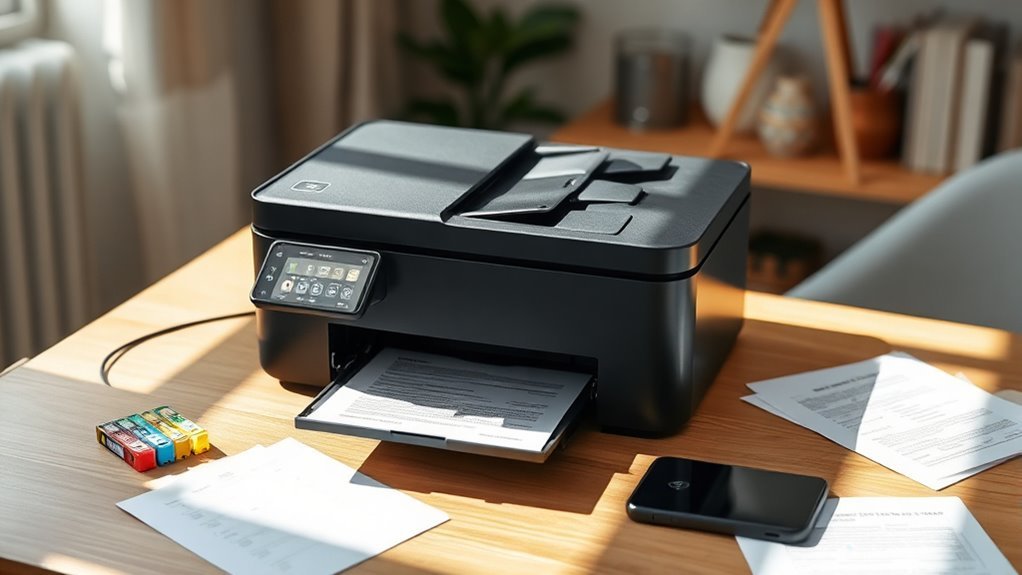
When choosing a cheap printer with fax, you’ll want to check the fax features to make sure they fit your needs. Consider how fast the printer works, what connectivity options it offers, and how much the ink will cost over time.
Don’t forget to look at the paper handling capacity to avoid frequent refills. It’s all about finding the right balance between price and functionality. That way, you get the best value without compromising on what you really need.
Fax Functionality Features
Although many printers advertise fax capabilities, you’ll want to confirm that the device supports both sending and receiving faxes, rather than just fax-ready features or fax-over-IP. Look for a dedicated fax handset or autodial for hands-free use.
An automatic document feeder (ADF) with duplex scanning or at least a high-capacity single-sided ADF (20–35 sheets) helps when faxing multipage documents. Check transmission speeds and protocols like ITU-T V.34/V.17 for reliability, and make certain the printer can store and forward faxes.
Verify the paper tray capacity and onboard memory to avoid dropped jobs. Finally, confirm compatibility with your phone line type—PSTN, VoIP with T.38, or analog adapters.
Also, consider features like junk-fax blocking, caller ID routing, and fax-to-email for easier management. These little extras can make a big difference in handling your faxes smoothly.
Printing Speed Importance
Beyond fax functionality features, printing speed plays a major role in how efficiently you handle documents. Higher print speeds, measured in pages per minute (ppm), cut down wait times for multi-page faxes and large print jobs—noticeable improvements come with just 5–10 ppm differences.
Since most faxes are black-and-white, prioritize black ppm over color for faster results. Also, consider duplex printing speeds; automatic two-sided printing markedly reduces paper handling time compared to manual duplexing, speeding up job completion.
Don’t overlook first-page-out time—shorter delays get single documents and fax confirmations done faster. Finally, scan and ADF throughput affect fax send/receive rates for multi-page documents, so faster ADF scanning means less total transmission time.
Paying attention to these factors guarantees smoother, quicker document handling. It’s all about making your workflow faster and less frustrating.
Connectivity Options Available
How do you guarantee your cheap printer with fax fits seamlessly into your workspace? Start by choosing one that supports both wired (USB, Ethernet) and wireless (Wi‑Fi, Wi‑Fi Direct) connections. This way, you can print from desktops, laptops, or mobiles without any hassle.
Make sure it supports mobile printing protocols like AirPrint or Mopria. Or, check if it offers manufacturer apps for easy printing and scanning from smartphones and tablets.
If remote printing or cloud workflows matter to you, verify cloud print services and SMTP/FTP support for document delivery. Also, confirm that duplex printing and ADF scanning work smoothly over network connections, especially if you handle multi-page fax or scan jobs regularly.
Finally, if you share your printer or care about security, look for Ethernet ports or strong Wi‑Fi security features like WPA2/WPA3 and guest networks. This will help ensure safe and reliable access for everyone.
Ink Cost Efficiency
Many factors influence the ink cost efficiency of a cheap printer with fax, and understanding them helps you save substantially over time. Choose printers with individual color cartridges or refillable tanks, so you only replace what’s empty. This way, you cut your per-page ink costs.
Always compare the manufacturer’s stated page yield and replacement ink costs. Divide the total ink cost by total pages to find the real cost per page.
Look for support of high-yield or XL cartridges, as they often lower costs compared to standard yields. Don’t forget to factor in automatic maintenance cycles and printhead replacements, which consume ink and add expenses.
If you consider third-party refills, weigh potential savings against risks like voided warranties or printhead damage. These issues could raise your long-term costs.
Paper Handling Capacity
When choosing a cheap printer with fax, you’ll want to check its paper handling capacity carefully to avoid frequent interruptions. Start by looking at the input tray capacity—budget models typically hold between 50 and 250 sheets. Make sure this fits your usual print volume so you’re not constantly refilling.
Next, check if it has an automatic document feeder (ADF) with a capacity of 20 to 50 pages for smooth multi-page faxing and scanning. Don’t forget the output tray; it should hold 50 to 150 sheets to prevent overflow during big jobs.
Also, confirm the printer supports multiple paper sizes and types without constant adjustments. Finally, consider rear or multipurpose single-sheet feeds for specialty media like envelopes to keep your main tray undisturbed.
Device Size And Portability
After making sure your printer can handle the right amount of paper, consider its size and portability to fit your workspace and lifestyle. Check the footprint by measuring width, depth, and height, and compare it to your desk or shelf space.
Compact models usually range from 12–18 inches deep and 16–18 inches wide, while bigger office units can exceed 20 inches wide. If you need to move the printer often, choose lightweight models under 15 pounds with built-in handles or rounded edges for easier carrying.
Also, make certain the design fits common surfaces and leaves clearance for the output tray and ADF. For travel or temporary setups, prioritize small, low-power printers that fit in vehicles and set up quickly without much rearrangement.
Frequently Asked Questions
Can These Printers Send Faxes Over a Mobile Network?
No, these printers typically don’t send faxes over a mobile network. You’ll need a traditional phone line or internet connection to fax.
Mobile faxing usually requires a separate app or service on your smartphone instead. It’s not something these printers can do on their own.
What Is the Average Fax Transmission Speed for These Models?
Fax transmission speeds usually hover around 3 to 6 seconds per page, like a steady heartbeat.
You’ll appreciate how these models balance speed and clarity, letting your messages flow swiftly without sacrificing quality.
Do These Printers Support Fax Broadcasting to Multiple Numbers?
Yes, these printers usually support fax broadcasting, letting you send the same fax to multiple numbers at once.
You’ll save time when sending documents to several recipients without dialing each number individually.
It’s pretty handy if you need to reach a bunch of people quickly. Just set it up, and you’re good to go!
Are There Any Subscription Fees for Fax Functionality?
You won’t face subscription fees for fax functionality on most cheap printers with built-in fax. They use your phone line, so you pay only standard call charges—no extra monthly costs or hidden fees involved.
It’s pretty straightforward. Just plug in your phone line, and you’re good to go. No need to worry about any sneaky charges popping up later.
Can These Printers Store Received Faxes Internally?
Don’t worry about losing important faxes—many cheap fax printers store received documents internally. You can easily access them later without needing paper copies.
This means you won’t miss anything critical or waste ink and paper unnecessarily. It’s a handy feature that keeps your fax documents safe and organized.
Conclusion
Choosing the right cheap printer with fax can save you time and money. Did you know that 60% of small businesses still rely on fax for secure document transmission?
Whether you want wireless convenience or supertank efficiency, options like the Canon PIXMA TR4720 or Epson EcoTank ET-4800 fit your needs without breaking the bank.
Keep your priorities in mind, and you’ll find a reliable printer that handles faxing and more with ease. When looking for the best cheap printer with fax, consider features like print quality, speed, and connectivity.
Affordable printers with fax capabilities are perfect for home offices or small businesses that need a dependable and cost-effective solution. So, whether you’re after wireless functionality or an ink-efficient supertank printer, there’s a budget-friendly model out there for you. Choosing the right cheap printer with fax means getting great value without sacrificing essential features.