12 Best High-Volume Business Printers for 2027 Efficiency
If you’re tackling large print volumes for your business, choosing the right high-volume business printer is key to maintaining efficiency and cutting costs. Printers like the Brother MFC-L6810DW or HL-L6210DW stand out for their speed and robust paper handling, making them perfect for busy office environments.
The Epson EcoTank ET-5800 is another great option, especially if you want to save on ink costs thanks to its refillable tanks. Meanwhile, the HP LaserJet Enterprise 6501dn offers fast, secure monochrome output that’s ideal for enterprises needing dependable performance.
Models equipped with duplex printing and large paper trays help reduce interruptions and minimize waste, keeping your workflow smooth. Plus, look for devices that offer wireless connectivity, NFC security features, and intuitive touchscreen controls. Explore these options to find the best fit for your high-efficiency business printing needs.
| Image | Name | Editor's Rating | Price |
|---|---|---|---|

|
|
||

|
|
||

|
|
||

|
|
||

|
|
Brother MFC-L5915DW Professional Laser Printer All-in-One
- FAST BUSINESS PRINTING AND COPYING: The Brother MFC-L5915DW business monochrome laser all-in-one printer delivers high-quality output and print and copy speeds of up to...
- LOW-COST OUTPUT: Help reduce operating costs by using the Brother Genuine TN920UXXL ultra high-yield 18,000-page replacement toner cartridge. Includes a Brother Genuine...
- FAST, HIGH-VOLUME SCANNING: The 70-page capacity(3) auto document feeder offers single-pass, two-sided scanning up to 56ipm(4). Features a large document glass for up to...
- FLEXIBLE CONNECTIVITY OPTIONS: Features built‐in Gigabit Ethernet and dual band wireless networking to seamlessly set up and share on your wired.

The Brother MFC-L5915DW is designed to streamline busy office workflows with fast, reliable monochrome printing and multifunction capabilities. It tackles high-volume print jobs with speeds up to 50 pages per minute, reducing wait times and boosting productivity. The quick first-page output ensures you get your documents promptly when deadlines loom.
Maintenance is simplified with a large 250-sheet paper tray and 70-sheet automatic document feeder, minimizing interruptions. The initial toner cartridge yields 3,000 pages, helping to keep running costs manageable. Automatic duplex printing not only saves paper but also supports eco-friendly office practices.
Its 5-inch color touchscreen offers intuitive control, making navigation straightforward for all users. Connectivity is versatile, featuring built-in Gigabit Ethernet and dual-band Wi-Fi, enabling seamless integration with multiple devices and mobile printing options.
Compact yet robust, this all-in-one printer handles printing, scanning, copying, and faxing, making it a valuable asset for small businesses and busy workgroups. While it prints only in monochrome and has a relatively large footprint, its efficiency and connectivity make it a solid choice for high-demand environments.
Best for: small businesses and busy offices needing fast, dependable monochrome printing with multifunction features.
What We Like:
- Rapid printing and copying at up to 50 ppm with quick first-page delivery
- Automatic duplex functionality reduces paper usage and manual handling
- Strong connectivity options including Gigabit Ethernet and dual-band Wi-Fi
- Large input capacity with 250-sheet tray and 70-sheet automatic document feeder
- User-friendly 5-inch color touchscreen for easy operation
Specification:
| Feature | Details |
|---|---|
| Manufacturer | Brother |
| Dimensions | Not specified |
| Weight | Not specified |
| Paper Tray Capacity | 250 sheets |
| Automatic Document Feeder | 70 sheets |
| Print Speed | Up to 50 pages per minute |
| First Page Out Time | 6.7 seconds |
| Connectivity | Gigabit Ethernet, Dual-band Wi-Fi |
| Display | 5-inch color touchscreen |
Brother Laser Printer, Monochrome Duplex Wireless Printer, HL-6210DW
- Professional Performance: Dominate your office printing tasks with this Brother Genuine laser office printer delivering an impressive 50 ppm output speed, ensuring your...
- Superior Capacity: Print business documents with this monochrome laser printer's robust 520-sheet main tray and 100-sheet multipurpose tray, expandable up to 1,660 sheets...
- Advanced Connectivity: Experience seamless integration with this Brother wireless printer's built-in Gigabit Ethernet and dual band wireless networking capabilities...
- Cost-efficient Printing: Maximize your printing budget with Brother Genuine ultra high-yield replacement toner cartridges for Brother printers delivering up to...
- Security Excellence: Safeguard your Brother Genuine business printer for daily office use with advanced Triple Layer Security features, ensuring comprehensive protection...
The Brother HL-L6210DW offers a practical solution for businesses needing fast, reliable monochrome printing. It delivers sharp prints at a speed of up to 50 pages per minute, helping to keep up with demanding workloads. With a high resolution of 1200 x 1200 dpi, your documents come out crisp and professional every time.
Designed for efficiency, this printer includes a large paper capacity of 520 sheets that can expand to 1,660 sheets. Automatic duplex printing reduces paper waste and cuts costs, making it an eco-friendly choice. Connectivity options such as Gigabit Ethernet and dual-band wireless support seamless integration into busy office environments.
Maintenance is straightforward with the TN920 toner cartridge, which yields 3,000 pages. For high-volume users, an ultra-high-yield cartridge option provides up to 18,000 pages, minimizing downtime and replacement frequency. The device is ENERGY STAR certified and features Triple Layer Security, protecting sensitive information.
Compact and secure, the Brother monochrome wireless printer fits well in office spaces where space and data protection matter. Its straightforward design focuses on functionality without unnecessary complexity.
Best for: offices and businesses requiring fast, high-volume monochrome printing with secure and flexible connectivity.
What We Like:
- Fast printing at 50 pages per minute with crisp 1200 x 1200 dpi resolution
- Large, expandable paper capacity supporting heavy workloads
- Automatic duplex printing for efficient paper use
- ENERGY STAR certified and equipped with advanced security features
- Flexible connectivity via Gigabit Ethernet and dual-band wireless
Specification:
| Feature | Details |
|---|---|
| Manufacturer | Brother |
| Model | HL-L6210DW |
| Print Speed | Up to 50 ppm |
| Print Resolution | 1200 x 1200 dpi |
| Paper Capacity | 520 sheets (standard), expandable to 1,660 sheets |
| Connectivity | Gigabit Ethernet, Dual-band Wireless |
| Toner Yield | 3,000 pages (standard), up to 18,000 pages (ultra-high-yield) |
| Duplex Printing | Automatic |
| Certification | ENERGY STAR |
Brother MFC-L6810DW Wireless Monochrome Laser Printer
- FAST BUSINESS PRINTING AND COPYING: The Brother MFC-L6810DW enterprise monochrome laser all-in-one printer delivers high-quality output and print and copy speeds up to...
- LIFETIME VALUE: Offers built-in value with an included Brother Genuine 8,000-page toner cartridge. For even lower cost printing, use the Brother Genuine TN920UXXL ultra...
- ENTERPRISE LEVEL SECURITY FEATURES: Triple Layer Security features help to safeguard your network, keep your devices secure, and protect documents in transit to and from...
- FAST, HIGH-VOLUME SCANNING: The 80-page capacity(3) auto document feeder offers single-pass, two-sided scanning up to 200ipm(4). Features a large document glass for up to...
- LARGE, EXPANDABLE PAPER CAPACITY: Spend less time refilling paper trays with the 520-sheet capacity paper tray, 100-sheet capacity multipurpose tray for printing on...
Experience reliable, high-speed printing designed to keep busy offices running smoothly. The Brother MFC-L6810DW Wireless Monochrome Laser Printer excels in delivering sharp, clear black-and-white documents with impressive speed, reaching up to 52 pages per minute. Its efficient single-pass duplex scanning at 200 ipm helps reduce wait times, making it easier to handle large print jobs.
This all-in-one device supports wireless, Ethernet, and NFC connections, allowing flexible setup options that fit various office environments. The 7-inch touchscreen adds convenience by enabling quick access to custom shortcuts, streamlining common tasks for enhanced productivity.
Maintenance is straightforward with a high paper capacity that can expand to 1,660 sheets using optional trays, minimizing the need to reload frequently. Though it focuses on monochrome printing, this printer’s robust security features, including Triple Layer Security and NFC badge authentication, protect sensitive data effectively.
Its ENERGY STAR certification ensures energy-efficient operation without compromising performance. The Brother MFC-L6810DW is a practical choice for workplaces needing speed, security, and versatility in one reliable machine.
Best for: Mid to large-sized workgroups requiring fast, secure monochrome printing and scanning with versatile connectivity.
What We Like:
- Fast printing and duplex scanning speeds improve workflow efficiency.
- Expandable paper capacity reduces interruptions during large jobs.
- Strong security features protect confidential information.
- Multiple connectivity options support flexible office setups.
- User-friendly touchscreen simplifies operation.
Specification:
| Feature | Details |
|---|---|
| Manufacturer | Brother |
| Dimensions | Approx. 16.1 x 15.7 x 16.1 in |
| Weight | Approx. 34.2 lbs (15.5 kg) |
| Printing Technology | Monochrome Laser |
| Connectivity | Wireless, Ethernet, NFC |
| Touchscreen Display | 7 inches |
| Paper Capacity | Standard 520 sheets, expandable to 1,660 sheets |
Brother MFC-L8930CDW Color Laser All-in-One Printer
- Updated design, professional results. High-quality output with sharp color and black printing. Fast print and copy speeds up to 33ppm(1) help boost productivity. Reliable...
- Maximize printing budgets. Offers built-in value with included Brother Genuine 3,000-page black and 1,800-page color standard yield toner cartridges. Help lower printing...
- Advanced scanning. High-speed, two-sided scanning up to 104ipm(3) with 80-page auto document feeder(4) and legal-size glass. Scan to cloud, email, SharePoint, and more...
- Productivity-enhancing features. Flexible connectivity, including built-in dual-band (2.4GHz / 5GHz) wireless networking and Gigabit Ethernet networking. 7” color...
- Triple Layer Security. Advanced security features to help keep devices secure, protect documents in transit to and from print devices, and safeguard networks. Includes an...
The Brother MFC-L8930CDW Color Laser All-in-One Printer is designed to keep busy offices running smoothly. It handles large volumes with fast, vibrant color printing and quick scanning. This printer fits neatly into tight spaces thanks to its compact size, which is 25% smaller than its predecessor.
Its automatic duplex printing and an 80-page automatic document feeder streamline tasks, saving time on multi-page documents. The intuitive 7″ touchscreen makes scanning to email, cloud, or SharePoint straightforward, reducing workflow interruptions.
Maintenance is simplified with reliable toner options, though replacement cartridges may have a higher cost. The printer’s weight of 71.2 pounds means it should be placed on a sturdy surface.
Security features such as NFC authentication and triple-layer protection ensure your sensitive data stays safe. With wireless and Ethernet connectivity, this device adapts well to various office environments, enhancing productivity without compromising security.
Best for: busy work teams, enterprise offices, and schools needing a reliable, compact, and fast color laser all-in-one printer with advanced security and versatile connectivity.
What We Like:
- Fast print and copy speeds up to 33 ppm with automatic duplexing
- Large 80-page ADF for efficient multi-page document handling
- User-friendly 7″ touchscreen for easy scanning to cloud and email
- Strong security with NFC badge authentication and triple-layer protection
Specification:
| Feature | Details |
|---|---|
| Manufacturer | Brother |
| Dimensions (W x D x H) | Compact design (exact size not specified) |
| Weight | 71.2 lbs (32.3 kg) |
| Connectivity | Wireless, Ethernet |
| Display | 7″ touchscreen |
| Document Feeder | 80-page Automatic Document Feeder (ADF) |
| Print Speed | Up to 33 pages per minute (ppm) |
Epson EcoTank Pro ET-5800 Wireless Color All-in-One Supertank Printer
- 2 Years of Unlimited Ink promo valid for ET-5150, ET-5170, ET-5180, ET-5800, ET-5850, ET-5880, ET-16600 or ET-16650 printers purchased from 10/1/2021 to...
- Warning – Printer Designed For Use With Pigment Inks Only Use of Dye Inks May Cause Damage not covered by the Epson Limited Wnty
- You can save up to 80 percent with low-cost replacement ink bottles vs standard-capacity color laser toner cartridges (1) — very low cost per page with about 2 cents...
- Epson EcoTank is the #1 Best Selling Supertank Printer*
- Fast print speed — powered by PrecisionCore Heat-Free Technology up to 25 ISO ppm black (ƚ) no warmup time for fast first page out
Experience hassle-free, high-volume printing with the Epson EcoTank Pro ET-5800, designed to meet the demands of busy small offices. This wireless all-in-one Supertank printer eliminates cartridge replacements with its refillable ink tanks, cutting ink costs by up to 80%. It delivers sharp, professional-quality prints at resolutions up to 4800 × 2400 dpi.
The ET-5800 speeds up your workflow with fast print speeds—23 ppm for black and 12 ppm for color—while handling large jobs thanks to its generous 500-sheet capacity and automatic duplex printing. The intuitive 4.3″ touchscreen makes navigation and setup straightforward, reducing downtime.
Maintenance is simple with cartridge-free ink tanks, although initial setup consumes some ink, slightly affecting your first print yield. Its larger size means you should allocate sufficient desk space. Voice-activated printing is available but requires extra setup and Epson Connect accounts.
With low energy consumption and minimal waste, this model supports sustainable office practices. It’s a smart choice for small businesses requiring efficient, reliable, and cost-effective color printing without constant maintenance.
Best for: Small businesses and home offices that need dependable, high-volume wireless all-in-one printing with minimal upkeep.
What We Like:
- Cartridge-free refillable tanks cut ink expenses by up to 80%.
- Sharp print quality with up to 4800 × 2400 dpi resolution.
- Fast print speeds: 23 ppm black, 12 ppm color.
- Large 500-sheet capacity with automatic duplexing.
- User-friendly 4.3″ touchscreen interface.
Specification:
| Feature | Details |
|---|---|
| Manufacturer | Epson |
| Dimensions | Approx. 15.5″ × 14.5″ × 11″ |
| Weight | Around 15.4 lb (7 kg) |
| Ink System | Refillable Supertank |
| Connectivity | Wireless |
| Display | 4.3″ Color Touchscreen |
HP Color LaserJet Enterprise M554dn Duplex | Color Laser Printer | Duplex

- The office printers professionals prefer: Print consistently high-quality, 2-sided color documents with the HP Color LaserJet Enterprise M554dn, a color duplex laser...
- HP Wolf Enterprise Security: The world's most secure printers are always on guard with defensive layers to detect and self-heal from malware, and protect your data and...
- Centralize printing control: Help build business efficiency and centralize your printing environment with HP Web Admin by easily adding new devices and third-party...
- Complete high-volume jobs at fast speeds: Step up your producitvity with the color printer's 650-sheet input capacity, automatic 2-sided printing, and print speeds of up...
- Energy-efficient: This color laserjet helps save energy with HP Auto-On/Auto-Off Technology— intelligence that can turn your printer on when you need it and off when...
Experience efficient color printing with the HP Color LaserJet Enterprise M554dn Duplex. Designed for busy offices, it handles demanding print jobs quickly and reliably. Automatic two-sided printing saves time and reduces paper waste, making your workflow smoother and more eco-friendly.
This printer supports up to 35 pages per minute in vivid color or crisp black-and-white. It accommodates legal-size documents and a variety of paper types, so you can print everything from contracts to marketing materials with ease. A large 650-sheet input tray means fewer interruptions for reloading paper during high-volume tasks.
Maintenance is straightforward with easily accessible toner cartridges and robust security features like HP Wolf Enterprise Security to protect sensitive data. Centralized management through HP Web JetAdmin simplifies device monitoring and control, reducing IT overhead.
While the printer is substantial in size and weight, it delivers professional-quality results and fits well in offices needing dependable, versatile printing. Optional Wi-Fi connectivity adds flexibility but may require additional setup.
Best for: Offices and businesses needing fast, high-volume, secure color printing with duplex support and versatile media handling.
What We Like:
- Fast print speeds up to 35 ppm with automatic duplexing
- Strong security with HP Wolf Enterprise Security and centralized management
- Large 650-sheet input tray supporting legal-size media
- Energy-efficient Auto-On/Auto-Off technology
- Compatible with Windows, macOS, and mobile devices
Specification:
| Feature | Details |
|---|---|
| Manufacturer | HP |
| Dimensions (W×D×H) | Approx. 18.8 × 20.6 × 16.1 in |
| Weight | Over 60 lb (approx. 27.2 kg) |
| Printing Technology | Color LaserJet |
| Duplex Printing | Automatic two-sided |
| Input Capacity | 650 sheets |
| Output Capacity | 275 sheets |
| Supported Media Sizes | Up to legal |
| Connectivity | USB, Ethernet, Optional Wi-Fi |
Brother HL-L5210DWT Wireless Monochrome Laser Printer

- FAST PRINTING FOR INCREASED EFFICIENCY: The Brother HL-L5210DWT business monochrome laser printer delivers high-quality output and a print speed of up to 48ppm(1) to help...
- DUAL PAPER TRAYS:Spend less time refilling paper trays with dual 250-sheet and 520-sheet capacity paper trays, as well as a 100-sheet capacity multipurpose tray for...
- COST-EFFICIENT OUTPUT: Help reduce operating costs by using the Brother Genuine TN920XXL super high-yield 11,000-page replacement toner cartridge. Includes a Brother...
- FLEXIBLE CONNECTIVITY:Features built-in Gigabit Ethernet and dual band wirelessnetworking to seamlessly set up and share on your wired or wireless network. Easily print...
- ADVANCED SECURITY FEATURES: Equipped with Triple Layer Security features to help safeguard your network, keep your devices secure, and protect documents in transit to and...
The Brother HL-L5210DWT Wireless Monochrome Laser Printer is designed to keep busy offices running smoothly. It handles large print jobs quickly, delivering up to 48 pages per minute. This speed helps reduce wait times and boosts productivity, especially during peak hours.
Its automatic duplex printing saves paper by producing double-sided documents effortlessly. The dual paper trays hold 870 sheets, and you can expand capacity to 1,390 sheets for long, uninterrupted print runs. This means fewer interruptions and less time spent refilling paper.
Connectivity is flexible with Gigabit Ethernet and dual-band Wi-Fi, allowing easy printing from desktops and mobile devices. The printer produces sharp, clear text at a 1200 x 1200 dpi resolution, ideal for professional documents.
Maintenance is straightforward, with energy-saving Eco and Toner Save modes that help reduce costs. However, it supports only monochrome printing and may consume higher power initially despite Eco Mode. Optional trays and toner cartridges involve extra costs.
Best for: Small to medium-sized businesses and busy offices needing fast, high-volume monochrome printing with reliable wireless and wired connections.
What We Like:
- Fast print speeds up to 48 ppm with automatic duplex
- Large, expandable paper capacity for extended print jobs
- Multiple connectivity options including wireless and Ethernet
- High-quality 1200 x 1200 dpi output for crisp documents
- Energy-saving modes to help lower operational costs
Specification:
| Feature | Details |
|---|---|
| Manufacturer | Brother |
| Print Speed | Up to 48 pages per minute (ppm) |
| Print Resolution | 1200 x 1200 dpi |
| Paper Capacity | 870 sheets (expandable to 1,390) |
| Connectivity | Gigabit Ethernet, Dual-band Wi-Fi |
| Printer Type | Wireless Monochrome Laser Printer |
| Duplex Printing | Automatic |
Brother MFC-L9610CDN Color Laser All-in-One Printer

- FAST BUSINESS PRINTING AND SCANNING:The Brother MFC‐L9610CDN Enterprise Color Laser All‐in‐One provides the fastest color laser printspeeds ever from Brother–up...
- CREATE PROFESSIONAL BUSINESS DOCUMENTS: Features the boldest laser color output ever from Brother with vivid color and sharp black output for the professional results...
- LIFETIME VALUE: Offers built‐in value with included Brother Genuine 6,500‐page black and 5,000‐page color toner cartridges. For even lower cost printing, use...
- ADVANCED SECURITY FEATURES: Equipped with Triple Layer Security features to help safeguard your network, keep your devices secure, and protect documents in transit to and...
- LARGE, SCALABLE PAPER HANDLING: Spend less time refilling paper trays with the 520‐ sheet capacity paper tray and 100‐sheet capacity multipurpose tray(3). Total...
Experience efficient color printing and scanning with the Brother MFC-L9610CDN, designed to meet the demands of busy offices. It delivers fast print speeds of up to 42 pages per minute, helping you complete large jobs quickly. The built-in single-pass duplex scanner scans both sides in one pass, saving time on document handling.
This all-in-one printer produces sharp, professional-quality prints at 2400 x 600 dpi, ideal for reports and presentations. Its large paper capacity, expandable to 1,620 sheets, reduces the need for frequent refills and supports automatic duplex printing to cut paper use. The 7-inch touchscreen allows easy control and customization of settings.
Maintenance is straightforward with efficient toner use, and the device is ENERGY STAR certified to minimize power consumption. Security is robust, featuring NFC badge authentication and multi-layer protection to keep sensitive information safe. Optional wireless connectivity offers versatility but requires an additional purchase.
Best for: Offices and professionals needing reliable, high-speed color printing and scanning with secure and efficient operation.
What We Like:
- Fast print and duplex scan speeds for improved productivity
- High-resolution printing for clear, professional documents
- Strong security measures including NFC badge authentication
- Large, expandable paper capacity reducing interruptions
- ENERGY STAR certification for energy-efficient performance
Specification:
| Feature | Details |
|---|---|
| Manufacturer | Brother |
| Dimensions (W×D×H) | Approx. 18.5 × 19.0 × 16.5 in (47 × 48 × 42 cm) |
| Weight | Approx. 49.2 lb (22.3 kg) |
| Print Resolution | Up to 2400 x 600 dpi |
| Print Speed | Up to 42 ppm |
| Scan Speed | Up to 104 ipm (duplex) |
| Paper Capacity | 620 sheets standard, expandable to 1,620 sheets |
| Connectivity | USB, Ethernet; Wi-Fi optional |
| Display | 7″ Color touchscreen |
Brother MFC-L6915DW Wireless Monochrome Laser Printer

- High-Speed Printing: Fast monochrome laser printer with wireless connectivity
- All-in-One Functionality: Copier, fax, printer, and scanner in one device
- High Volume Capacity: Designed for demanding office printing needs
Experience fast, reliable printing with the Brother MFC-L6915DW Wireless Monochrome Laser Printer. Designed for busy offices, it delivers sharp, high-quality monochrome documents at speeds up to 52 pages per minute. This printer easily handles large workloads with a monthly duty cycle of up to 160,000 pages.
Its large paper capacity—starting at 620 sheets and expandable to 2,700—minimizes interruptions, letting you focus on your work. The automatic duplex feature saves paper and time by printing on both sides without manual effort. Navigation is simple and efficient with a 7-inch touchscreen interface.
Connectivity options ensure smooth integration into your office network. Dual-band wireless and Gigabit Ethernet support fast, stable connections, while NFC badge authentication enhances security by controlling access. The multifunction design also includes scanning, copying, and faxing, streamlining your workflow.
Maintenance is straightforward, and the robust build supports high-volume printing demands. However, this model prints only in black and white, and its weight of nearly 20 kg means it’s best suited for a fixed workspace.
Best for: Offices and businesses requiring fast, high-volume monochrome printing with multifunction capabilities and strong security.
What We Like:
- Fast printing at 52 ppm with crisp 1200 x 1200 dpi resolution
- Large, expandable paper capacity up to 2,700 sheets
- Automatic duplex printing saves time and paper
- Versatile connectivity including dual-band wireless and NFC security
- Integrated scanner, copier, and fax functions
Specification:
| Feature | Specification |
|---|---|
| Manufacturer | Brother |
| Dimensions | Not specified |
| Weight | 19.7 kg (43.4 lbs) |
| Printing Speed | Up to 52 pages per minute |
| Print Resolution | 1200 x 1200 dpi |
| Paper Capacity | 620 sheets standard, expandable to 2,700 sheets |
| Connectivity | Dual-band wireless, Gigabit Ethernet, NFC |
| Functions | Print, Scan, Copy, Fax |
HP LaserJet Enterprise 6501dn | Monochrome | Laser Printer | Duplex
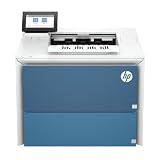
- Print speed up to 57 ppm (black)
- 100-sheet multipurpose feeder, 550-sheet input feeder
- 1 SuperSpeed USB 3.0 (device); 1 SuperSpeed USB 3.0 (host); 1 Hi-Speed USB 2.0 (host); 1 Gigabit Ethernet 10/100/1000 Base-T network; 1 Hardware Integration Pocket 2nd...
Experience fast, reliable monochrome printing with the HP LaserJet Enterprise 6501dn, designed to keep busy offices productive. This printer tackles high-volume workloads efficiently, delivering sharp 1200 x 1200 dpi prints at speeds up to 57 pages per minute. Its automatic duplexing cuts paper use and streamlines double-sided printing.
The 6501dn supports a maximum paper capacity of 2,850 sheets when equipped with optional trays, reducing the need for frequent refills. It offers versatile connectivity options, including Gigabit Ethernet and USB 3.0 ports, with wireless capabilities available through add-ons. Support for AirPrint and Mopria enhances mobile printing convenience.
Maintenance is straightforward, with user-friendly touchscreen controls simplifying operation and monitoring. Its compact, sturdy design fits well in demanding department environments where speed and efficiency are crucial. However, it only supports monochrome printing and consumes 760 watts, factors to consider based on your office needs.
Best for: Businesses and large teams requiring fast, high-volume black-and-white printing with duplex functionality and flexible connectivity.
What We Like:
- High-speed printing at up to 57 ppm with crisp 1200 x 1200 dpi output
- Large maximum paper capacity of 2,850 sheets with optional trays
- Multiple connectivity options including Gigabit Ethernet and USB 3.0
- Supports AirPrint and Mopria for seamless mobile printing
- Intuitive touchscreen interface for easy operation
Specification:
| Feature | Details |
|---|---|
| Manufacturer | HP |
| Model | LaserJet Enterprise 6501dn |
| Printing Technology | Monochrome Laser |
| Print Speed | Up to 57 pages per minute |
| Resolution | 1200 x 1200 dpi |
| Duplexing | Automatic duplex printing |
| Paper Capacity | Up to 2,850 sheets (with trays) |
| Connectivity | Gigabit Ethernet, USB 3.0, optional wireless |
| Dimensions (W x D x H) | Approx. 18.5 x 19 x 15.5 in |
| Power Consumption | 760 watts |
Xerox Versalink B605 B/W Multifunction Printer

- Mobile and Cloud Ready, Instant connectivity to cloud and mobile devices right from the user interface, with access to pre-loaded, cloud-hosted services that let you work...
- Intuitive User Experience, An entirely new - and yet entirely familiar way to interact that includes a tablet-like experience with gesture-based touchscreen controls and...
- Benchmark Security, Full multi-level protection for both documents and data, ready to guard against and emerging threats and meet or exceed regulatory compliance
- Total Peace of Mind, Outstanding Xerox Service and Support, with a standard one-year warranty
Experience efficient, high-volume printing tailored for busy offices with the Xerox VersaLink B605 B/W Multifunction Printer. Designed to handle demanding workloads, this device delivers up to 58 pages per minute, reducing wait times and increasing productivity. Its automatic duplex printing saves paper and streamlines double-sided document creation effortlessly.
Navigating the printer is simple thanks to a bright 7″ tablet-like touchscreen powered by an Android-based system. This intuitive interface supports gesture controls and direct access to cloud applications, allowing users to customize workflows and print from mobile devices with ease. Large-capacity trays reduce interruptions by holding up to 700 sheets combined.
Maintenance is straightforward, with easy paper loading and clear status notifications to prevent downtime. Robust security features protect sensitive data, making it suitable for environments where confidentiality is critical. While the device focuses on monochrome printing only, its reliability and speed make it a powerful tool for document management.
Compact but sturdy, this multifunction printer fits well in office spaces that need fast, dependable black-and-white printing, copying, and scanning all in one.
Best for: offices and businesses requiring fast, high-volume monochrome printing with secure and customizable workflow options.
What We Like:
- Fast printing speed up to 58 ppm with automatic duplex.
- Large paper capacity minimizes refill frequency.
- User-friendly 7″ touchscreen with Android OS.
- Secure printing features to protect sensitive data.
- Mobile and cloud connectivity for flexible use.
Specification:
| Feature | Details |
|---|---|
| Manufacturer | Xerox |
| Model | VersaLink B605 |
| Printing Speed | Up to 58 pages per min |
| Paper Capacity | 550-sheet tray + 150-sheet bypass |
| Touchscreen Size | 7 inches (tablet-like) |
| Weight | 67.2 lbs (30.5 kg) |
| Color Capability | Black and white only |
HP LaserJet Enterprise M636z | Monochrome | Laser Printer | All-in-One

- World's most secure printing: Print, scan, copy, and fax professional-quality documents with the HP LaserJet Enterprise Flow MFP M636z, a multifunction laser printer with...
- Protect your business: Your monochrome laser printer has the industry's deepest security with embedded features and a High Performance Secure Hard Disk that helps protect...
- High-speed performance meets energy-efficiency: Keep business moving with a 9" functional touchscreen, duplex printing, 5.2 seconds first page out time, and print speeds...
- Loaded for productivity: Paper handling features include 650-sheet paper trays for paper sizes 4x6" to legal, a 550-sheet and 2,000-sheet high-capacity input feeder, a...
- Accelerate workflow: Enhance productivity with a 150-page auto-document feeder and features that help detect potential errors or missed pages and ensure proper scanning...
Experience a new level of productivity with the HP LaserJet Enterprise M636z, designed to handle the demands of busy offices. It tackles high-volume printing tasks swiftly, producing up to 75 sharp pages per minute. This efficiency means less waiting and more time focusing on your core business.
This monochrome laser printer goes beyond printing. It features an all-in-one design that scans, copies, and faxes with ease. The 150-page single-pass duplex automatic document feeder streamlines multi-page tasks, while the 1,000-sheet stapler/stacker helps manage large print jobs without constant supervision.
Maintenance is straightforward, with high-capacity input trays reducing the need for frequent paper refills. The printer’s robust security features protect sensitive information, ensuring peace of mind in any work environment. Its connectivity options, including Ethernet, dual-band Wi-Fi, and Bluetooth, make integration into your office seamless.
The 9-inch touchscreen and pull-out keyboard provide intuitive control, simplifying complex workflows. While the device is large and requires dedicated space, its multifunction capabilities make it a reliable centerpiece for efficient office operations.
Best for: Businesses and offices requiring fast, high-volume monochrome printing with multifunction capabilities and advanced security features.
What We Like:
- High-speed printing at up to 75 pages per minute with crisp 1200 x 1200 dpi quality
- Multifunction all-in-one with scanning, copying, faxing, and large duplex ADF
- Extensive connectivity including Ethernet, dual-band Wi-Fi, and Bluetooth
- Large input capacity and stapler/stacker reduce maintenance interruptions
- User-friendly 9-inch touchscreen with pull-out keyboard for easy navigation
Specification:
| Feature | Details |
|---|---|
| Manufacturer | HP |
| Dimensions (WxDxH) | Approx. 23.7 x 26.4 x 27.2 in |
| Weight | Approx. 66.1 kg (145.7 lbs) |
| Printing Technology | Monochrome Laser |
| Resolution | Up to 1200 x 1200 dpi |
| Connectivity | Ethernet, Dual-band Wi-Fi, Bluetooth |
| Display | 9-inch touchscreen with keyboard |
| Input Capacity | Up to 1,000 sheets (with stapler/stacker) |
| ADF Capacity | 150-page single-pass duplex |
Factors to Consider When Choosing Business Printer High Volume
When choosing a high-volume business printer, you’ll want to prioritize print speed and paper handling capacity to keep up with your workload. Connectivity options and cost efficiency also play a big role in making sure the printer fits your office setup and budget.
Don’t overlook security features either, as protecting sensitive information is vital. After all, you want to keep your business data safe while maintaining smooth operations.
Print Speed Importance
Choosing the right print speed can drastically improve your workflow efficiency, especially for high-volume business environments. Higher speeds, like moving from 35 to over 50 ppm, can cut print time by 30–40%, helping you handle large print runs faster.
Don’t overlook first-page-out time—it impacts responsiveness for short, quick jobs. Also, consider duplex print and scan speeds since automatic two-sided printing can halve paper handling time on double-sided jobs.
Match the printer’s continuous print speed with your daily and monthly volume to avoid overworking it and causing maintenance issues. Finally, balance speed with resolution and finishing needs; faster speeds at lower dpi work for drafts, but slower, high-resolution printing suits professional documents better.
Paper Handling Capacity
A solid paper handling capacity can make or break your high-volume printing setup. Start by checking the standard input capacity—single trays usually hold 250–520 sheets, while multi-tray setups can manage 620–870+ sheets.
Look for expandable options like extra 550-sheet trays or towers to scale up as your demand grows. Don’t overlook multipurpose and bypass trays, typically 100 sheets, which handle specialty media like envelopes or labels without interrupting the main workflow.
Also, verify the Automatic Document Feeder (ADF) and output bin sizes; larger ADFs (50–100+ pages) boost batch scanning, and output bins holding 150–275 sheets reduce job interruptions.
Finally, confirm supported media sizes and monthly duty cycles to make certain your printer can handle continuous, high-volume paper demands efficiently. It’s all about making sure your printer keeps up without slowing you down.
Connectivity Options Variety
Don’t underestimate how essential diverse connectivity options are for your high-volume business printer. You’ll want wired Gigabit Ethernet to guarantee reliable, high-speed network printing and avoid wireless congestion during large jobs.
Dual-band Wi-Fi or Wi-Fi 6 support will boost wireless stability and speed when many users print simultaneously. USB 3.0 ports and a front-panel USB thumb drive slot let you print or scan locally without clogging the network.
Mobile and cloud printing protocols like AirPrint, Mopria, and IPP/HTTP simplify printing from multiple devices, while secure printing over TLS protects sensitive data. If you need secure user access or print tracking, look for NFC or proximity card authentication and integration with LDAP or Active Directory for seamless user-level accounting.
Cost Efficiency Factors
When evaluating high-volume business printers, you’ll want to take into account cost efficiency beyond the initial purchase price. Calculate the total cost of ownership by adding hardware, maintenance, replacement parts, and consumables like toner or ink over three to five years.
Compare cost-per-page using standardized ISO yields to get a realistic measure for both monochrome and color prints. Don’t forget to factor in energy consumption—check wattage in active, idle, and sleep modes—and translate that into annual electricity costs.
Also consider workflow efficiencies such as duplex printing, high-capacity trays, and fast speeds that reduce labor and paper waste. Finally, explore scalable supply options like high-yield cartridges or subscription plans that lower overall cost-per-page without increasing downtime or maintenance.
Security Features Necessity
Since printers handle sensitive documents and data, you need to prioritize robust security features in high-volume business printers. Look for multi-layer security like device hardening, secure boot, firmware validation, and intrusion detection to block unauthorized code.
Make certain the printer supports encrypted data both in transit and at rest with protocols like TLS, IPsec, and optional HDD/SSD encryption. Require user authentication and access controls such as PIN codes, LDAP integration, NFC, or badge authentication, plus secure print release to restrict job access.
Verify logging and audit trails with centralized management tools to spot and address security incidents quickly. Finally, confirm compliance with industry security standards and that firmware updates are regularly signed and patched, minimizing exposure to threats throughout the printer’s lifecycle.
Frequently Asked Questions
How Do High-Volume Printers Impact Office Energy Consumption?
High-volume printers can markedly increase your office’s energy consumption due to their continuous operation and powerful components.
However, choosing energy-efficient models with sleep modes and smart settings helps you cut costs and reduce environmental impact.
It’s a smart way to keep things running smoothly without breaking the bank or harming the planet.
What Are Common Maintenance Costs for High-Volume Business Printers?
Maintenance costs often sneak up like hidden currents, including toner replacements, drum units, fuser parts, and regular servicing.
You’ll also budget for occasional repairs and software updates to keep your high-volume printer running smoothly and efficiently.
It might feel like a lot, but staying on top of these expenses helps avoid bigger issues down the road. Just think of it as keeping your printer in tip-top shape!
Can High-Volume Printers Integrate With Cloud-Based Document Management?
Yes, you can integrate high-volume printers with cloud-based document management systems. They often support direct cloud printing, scanning, and storage.
This makes it easier for you to manage documents remotely and streamline your workflow efficiently. So, you get more flexibility and save time by handling everything right from the cloud.
What Security Features Protect Sensitive Data on Business Printers?
Imagine a fortress guarding your documents—business printers use encryption, user authentication, secure print release, and data wiping to protect sensitive info.
You’ll feel confident knowing your data won’t fall into the wrong hands during printing or storage. It’s like having a trusted guard watching over every page.
How Do High-Volume Printers Handle Different Paper Sizes and Types?
High-volume printers automatically adjust trays and settings to handle different paper sizes and types. You’ll find customizable trays and sensors that detect paper, ensuring smooth, jam-free printing across various media without constant manual adjustments.
It’s pretty handy because you don’t have to keep fiddling with the printer every time you switch paper. The printer basically knows what to do on its own, making your printing jobs a lot easier.
Conclusion
Choosing the right high-volume business printer is like picking the captain for your ship—you need one that steers smoothly through heavy workloads without faltering.
Just as a skilled captain guarantees your journey is swift and steady, the right printer keeps your business running efficiently, saving you time and stress.
Trust your choice to navigate the waves of daily demands, and watch your productivity sail toward success with confidence and ease.
Selecting the best high-volume business printer means investing in reliability and speed, which are crucial for handling large print jobs without interruptions. With the right printer, you keep your office workflow seamless and boost overall efficiency.
So, when you’re ready to upgrade, remember that a high-volume business printer isn’t just a machine—it’s a vital partner in your daily operations, helping your business stay productive and competitive.