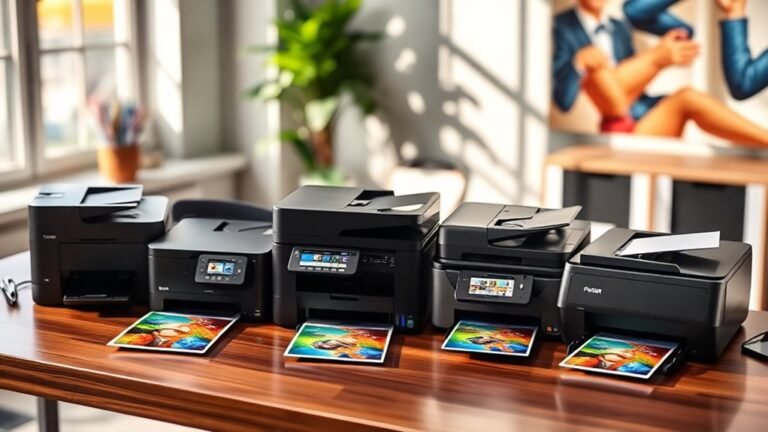
6 Best Cheap All-in-One Printers for 2027
You’ll find top affordable all-in-one printers like the HP DeskJet 2923 and 2955, ideal for home use with wireless and mobile app support. These models make printing, scanning, and copying easy without breaking the bank.
Canon’s PIXMA TS4320 and TR4720 offer sharp printing, duplex, and an auto document feeder for efficiency. They’re great if you need crisp photos or double-sided pages without extra hassle.
The Canon MegaTank G3270 excels with low ink costs and high volume, perfect for heavy users who want to save on supplies. Meanwhile, the compact TS3720 is a solid choice for light-duty tasks and smaller spaces.
Each printer balances cost, quality, and features thoughtfully, so you can find the right fit for your needs. Take a closer look at their details and pick what works best for your home or office setup.
| Image | Name | Editor's Rating | Price |
|---|---|---|---|

|
|
||

|
|
||

|
|
||

|
|
||

|
|
HP DeskJet 2923 Color Inkjet Printer | Wireless | All-in-One
- Perfect for basic printing needs – Print everyday color documents like to-do lists, letters, financial documents and recipes
- KEY FEATURES – Color print, copy, scan, and a 60-sheet input tray, plus mobile and wireless printing
- OPTIMIZE PRINT FORMATTING WITH HP AI – Print web pages and emails with precision—no wasted pages or awkward layouts; HP AI easily removes unwanted content, so your...
- ICON LCD – Print your basic documents with ease from the intuitive control panel
- PRINT SPEED – Up to 7.5 ppm black, 5.5 ppm color

The HP DeskJet 2923 offers a practical solution for home users needing a compact, all-in-one printer. It combines printing, scanning, and copying in a single device, helping reduce clutter and simplify daily tasks. Its small footprint fits easily in tight spaces, making it ideal for home offices or study areas.
This printer supports wireless printing via dual-band Wi-Fi, allowing seamless connection from smartphones or computers. Using the HP App, you can print and scan documents remotely, which saves time and adds convenience. The intuitive icon LCD panel makes operation straightforward, even for beginners.
Maintenance is straightforward with a 60-sheet input tray that suits light to moderate printing volumes. While the print speed is modest—up to 7.5 ppm black and 5.5 ppm color—it meets typical home printing needs without overwhelming complexity. Plus, the device is eco-conscious, built from 70% recycled plastics and ENERGY STAR certified for energy efficiency.
Best for: home users seeking an affordable, wireless all-in-one printer that handles everyday color printing, scanning, and copying with an emphasis on sustainability.
What We Like:
- Compact design fits well in small spaces
- Wireless dual-band Wi-Fi and HP App for easy mobile printing and scanning
- Eco-friendly construction with recycled plastics and ENERGY STAR certification
- Simple, user-friendly icon LCD control panel
Specification:
| Feature | Details |
|---|---|
| Manufacturer | HP |
| Dimensions | Compact size (exact size not specified) |
| Weight | Not specified |
| Material | 70% recycled plastics |
| Color Options | Not specified |
Canon PIXMA TS4320 – Wireless Color Inkjet Printer with Print, Copy, Scan
- Affordable Versatility - A budget-friendly all-in-one printer perfect for both home users and hybrid workers, offering exceptional value
- Crisp, Vibrant Prints - Experience impressive print quality for both documents and photos, thanks to its 2-cartridge hybrid ink system that delivers sharp text and vivid...
- Effortless Setup & Use - Get started quickly with easy setup for your smartphone or computer, so you can print, scan, and copy without delay
- Reliable Wireless Connectivity - Enjoy stable and consistent connections with dual-band Wi-Fi (2.4GHz or 5GHz), ensuring smooth printing from anywhere in your home or...
- Scan & Copy Handling - Utilize the device’s integrated scanner for efficient scanning and copying operations
The Canon PIXMA TS4320 is an excellent choice for those needing a compact, all-in-one printer that fits seamlessly into any home or small office. It handles everyday printing, copying, and scanning tasks with ease, delivering sharp color and black-and-white results up to 1200 x 1200 dpi. This makes it ideal for homework, recipes, or photo projects without taking up too much space.
Its wireless dual-band Wi-Fi and support for mobile printing through Canon’s app, Apple AirPrint, and Mopria simplify connectivity. You can print directly from your smartphone or tablet, eliminating cables and improving convenience. The printer’s small footprint and modern design blend well in tight spaces and stylish environments.
Maintenance is straightforward, with a 100-sheet paper capacity that reduces frequent refills during light use. Duplex printing saves paper by printing on both sides automatically. The PIXMA Print Plan also helps manage ink costs, making it more affordable for occasional users.
However, the printer only supports letter-size paper, which may limit larger format needs. Print speeds are moderate, and the single paper tray might require refills during heavier jobs. Still, it offers reliable, user-friendly functionality for light to medium home tasks.
Best for: Home users and hybrid workers who want a stylish, easy-to-use all-in-one printer for occasional color and black-and-white printing, copying, and scanning.
What We Like:
- Wireless dual-band Wi-Fi and multiple mobile printing options
- Sharp print and scan quality with duplex printing
- Compact design with a 100-sheet capacity ideal for small spaces
- Cost-saving PIXMA Print Plan for ink management
Specification:
| Feature | Details |
|---|---|
| Manufacturer | Canon |
| Dimensions | Compact footprint (exact size not provided) |
| Weight | Not specified |
| Color Options | Not specified |
| Print Resolution | Up to 1200 x 1200 dpi |
| Paper Capacity | 100 sheets |
| Connectivity | Wireless dual-band Wi-Fi, Canon PRINT app, Apple AirPrint, Mopria |
Canon PIXMA TR4720 All-in-One Wireless Printer
- Wireless 4-in-1 (print | copy | scan | fax)..Power Consumption: 7W (0.8W Standby / 0.3W Off)
- Print speed up to: 4" x 6" Borderless Photo (PP-201): Approx. 65.0 Seconds / Black Document (Letter/Simplex): Approx. 8.8 ipm / Color Document (Letter/Simplex): Approx...
- Designed for easy ink cartridge installation and replacement.
- Auto 2-sided printing and auto document feeder.
- Produce quality documents, photos and boarderless prints up to 8.5" x 11".
Enjoy efficient and versatile printing with the Canon PIXMA TR4720 wireless all-in-one printer. Designed to simplify your workflow, it handles printing, copying, scanning, and faxing in one compact device. Its sleek black design fits neatly in home offices or small workspaces.
The PIXMA TR4720’s automatic document feeder and duplex printing help reduce manual effort on multi-page jobs. This means you spend less time managing paper and more time focusing on your tasks. Mobile printing and Alexa integration offer added convenience for controlling print jobs and monitoring ink levels remotely.
Maintenance is straightforward, though ink cartridges may need frequent replacement due to the lack of a continuous ink system. The 100-sheet front tray supports everyday printing needs, but larger volumes may require more frequent refills. Print quality is strong, delivering sharp text and vibrant photos up to 8.5 x 11 inches.
Overall, this model balances essential features and user-friendly functionality for everyday document and photo printing. It is ENERGY STAR certified, making it an energy-efficient choice for your workspace.
Best for: individuals and small offices needing a compact, affordable all-in-one wireless printer with versatile document handling.
What We Like:
- Wireless and mobile printing with Alexa voice control
- Automatic two-sided printing and document feeder for multitasking
- High-quality print resolution with borderless photo capability
- Compact design ideal for limited workspace
Specification:
| Feature | Details |
|---|---|
| Manufacturer | Canon |
| Dimensions (W x D x H) | 16.1 x 11.7 x 6.0 inches |
| Weight | 11.5 lb |
| Color | Black |
| Functions | Print, Copy, Scan, Fax |
| Paper Tray Capacity | 100 sheets |
HP DeskJet 2955 Color Inkjet Printer | Wireless | All-in-One
- PERFECT FOR BASIC PRINTING NEEDS – Print everyday color documents like to-do lists, letters, financial documents and recipes
- KEY FEATURES – Color print, copy, scan, and a 60-sheet input tray, plus mobile and wireless printing
- OPTIMIZE PRINT FORMATTING WITH HP AI – Print web pages and emails with precision—no wasted pages or awkward layouts; HP AI easily removes unwanted content, so your...
- ICON LCD – Print your basic documents with ease from the intuitive control panel
- PRINT SPEED – Up to 7.5 ppm black, 5.5 ppm color
The HP DeskJet 2955 Color Inkjet Printer is a practical solution for those needing an affordable, compact all-in-one device. It simplifies everyday tasks like printing, copying, and scanning color documents at home. This printer fits easily into small spaces, making it ideal for busy households.
Its design focuses on ease of use and sustainability. With a small 60-sheet input tray and an icon LCD panel, managing print jobs is straightforward. The printer also supports wireless printing through dual-band Wi-Fi and the HP App, allowing quick access from mobile devices.
Maintenance is hassle-free with HP’s AI formatting, which helps reduce paper waste by optimizing print layouts. A 3-month Instant Ink trial ensures you stay stocked on ink without frequent store trips. However, the print speed is modest, and the input tray may need regular refilling for heavier tasks.
Overall, this printer is designed for everyday color printing needs, combining functionality with eco-conscious materials. Its compact size and user-friendly features make it a reliable choice for home use.
Best for: users seeking an affordable, compact all-in-one printer for everyday color printing, copying, and scanning in a home environment.
What We Like:
- Compact design using 70% recycled plastics and ENERGY STAR certified.
- Convenient wireless printing via dual-band Wi-Fi and the HP App.
- Paper-saving AI formatting technology.
- Includes a 3-month Instant Ink trial for easy ink management.
Specification:
| Feature | Details |
|---|---|
| Manufacturer | HP |
| Dimensions | Compact (exact dimensions not provided) |
| Weight | Not specified |
| Material | 70% recycled plastics |
| Color Options | Not specified |
Canon MegaTank G3270 All-in-One Wireless Color Printer
- Wireless Print/Copy/Scan
- Up to 2 years of ink included (2)
- Print up to 6,000 black & white / 7,700 color pages using a single set of inks! (1)
- Save up to $1,000 on ink (1)
- 1.35” Square LCD display
The Canon MegaTank G3270 is designed to keep your printing seamless and budget-friendly. Its refillable MegaTank system provides up to two years of ink, allowing you to print thousands of pages without interruption. This reduces the hassle of frequent ink replacements and helps control ongoing printing costs.
This all-in-one wireless color printer combines printing, scanning, and copying with sharp 4800×1200 dpi resolution. It connects easily via Wi-Fi or USB, letting you work from your computer or smartphone. The compact design fits well in home offices or small workspaces without taking up much room.
Maintenance is simple thanks to the large ink tanks that are easy to refill. The printer supports borderless printing on multiple paper sizes, making it versatile for various projects. However, it only offers single-sided printing and holds up to 100 sheets, so heavy users might need to reload paper more often.
Best for: home and home office users seeking a cost-effective, high-volume color printer with wireless and multi-function features.
What We Like:
- Long-lasting ink supply with up to 2 years of printing per refill
- High-quality color output and sharp resolution for detailed documents
- Wireless and USB connectivity with smartphone app control
- Compact size ideal for limited spaces
Specification:
| Feature | Details |
|---|---|
| Manufacturer | Canon |
| Dimensions | Compact, exact size not specified |
| Weight | Not specified |
| Color Options | Not specified |
| Connectivity | Wi-Fi, USB |
| Print Resolution | 4800×1200 dpi |
| Paper Capacity | 100 sheets |
| Screen | 1.35″ LCD |
Canon PIXMA TS3720 Wireless All-in-One Printer
No products found.
The Canon PIXMA TS3720 is a compact all-in-one printer designed to simplify everyday home tasks. It combines printing, scanning, and copying in a sleek white frame that fits effortlessly into small spaces. This model produces crisp text using pigment black ink and delivers vibrant photos with dye-based colors, ensuring your documents and images look professional.
Setting up and maintaining the printer is straightforward. Dual-band Wi-Fi and mobile printing options like Apple AirPrint make wireless connections quick and reliable. The 1.5″ LCD screen helps you navigate settings easily, and replacing cartridges is hassle-free, keeping downtime to a minimum.
While the TS3720 prints only single-sided pages and operates at moderate speeds, it supports borderless photo printing and various paper sizes. This versatility makes it suitable for typical household printing needs without overwhelming complexity. Its limited paper capacity means it’s best suited for light to moderate use rather than high-volume tasks.
Best for: users needing a compact, affordable all-in-one printer for basic home printing, copying, and scanning.
What We Like:
- Sharp text and vibrant photo quality with hybrid pigment and dye inks
- Dual-band Wi-Fi with multiple mobile printing options
- Compact design with easy setup and cartridge replacement
Specification:
| Feature | Details |
|---|---|
| Manufacturer | Canon |
| Dimensions | Approx. 14 x 11 x 5.5 in (35.6 x 27.9 x 14 cm) |
| Weight | Approx. 7.3 lb (3.3 kg) |
| Color Options | White |
Factors to Consider When Choosing a Cheap All in One Printer
When choosing a cheap all-in-one printer, you’ll want to focus on print quality, connectivity options, and how efficient the ink usage is. These are key to getting the best value without sacrificing performance.
Also, consider the size and portability of the device to make sure it fits your space and needs. It’s important so you don’t end up with something bulky that won’t work where you want it.
Don’t forget to check the printer’s speed and overall performance to avoid frustration later on. A slow printer can really test your patience, especially when you have lots to print.
Print Quality Expectations
Although cheap all-in-one printers won’t match professional photo labs, you can expect decent text sharpness suitable for everyday documents, typically around 600–1200 dpi effective black resolution. This means very fine fonts or professional PDFs might appear slightly fuzzy.
Color prints, especially photos, look best in smaller sizes like 4×6 or 5×7 inches, with resolutions up to about 4800×1200 dpi. Keep in mind, dye-based inks and basic color management can limit accuracy and smooth gradients.
Duplex or faster photo printing often reduces detail and color consistency, so simplex mode usually delivers better results. Print speeds vary, with draft text faster than high-quality photos.
Also, pigment black inks improve text durability, while dye colors provide vivid but less water-resistant photos—an important trade-off to bear in mind.
Connectivity Options Available
Choosing a cheap all-in-one printer means paying close attention to connectivity options, as they determine how easily you can print, scan, and fax from various devices. Make sure the printer supports dual-band Wi-Fi (both 2.4 GHz and 5 GHz) for a faster, more stable connection with modern routers.
Check if it offers mobile printing features like AirPrint or Mopria, so you can print directly from your smartphone or tablet without a computer. If you prefer wired connections, look for Ethernet or USB ports to guarantee reliable data transfer.
Also, consider printers that support cloud printing and email-to-print for remote job submissions. For scanning or faxing multi-page documents, an automatic document feeder and network fax or scan-to-email capabilities will save you time and hassle.
Ink Efficiency And Costs
Since ink costs can quickly add up, you’ll want to focus on page yield and cost per page to get the best value from a cheap all-in-one printer. Calculate cost per page by dividing the cartridge or refill bottle price by its page yield to compare true ink expenses.
Choose printers with high-capacity or refillable ink systems, like XL cartridges or ink bottles, to dramatically lower costs. Also, look for duplex printing and economy modes to reduce ink use on everyday documents.
Keep an eye on color versus black-and-white yields separately, as color printing often drives up dye-based ink costs. If you’re thinking about subscription or replacement plans, evaluate ongoing monthly costs against per-page savings to avoid hidden expenses after trial periods.
Device Size And Portability
When picking a cheap all-in-one printer, you’ll want to size up its footprint to make sure it fits your workspace. Measure the printer’s depth, width, and height, then compare these to your available desk or shelf space.
Compact models can be as small as 12–18 inches deep and 6–8 inches tall, perfect for tight setups. Consider the input tray capacity too—a smaller tray means more frequent refills but a smaller device.
If you plan to move your printer often, check its weight; many home models weigh under 9–13 pounds, while feature-rich ones tend to be heavier. Also, decide if features like auto document feeders or large ink tanks, which add size and weight, are necessary.
Make sure any protruding parts fold flat for easy transport and storage.
Speed And Performance
Speed and performance play an essential role in how efficiently your all-in-one printer handles everyday tasks. Check the rated print speeds for black and color pages per minute—budget inkjets usually range from 5–15 ppm for black and 4–9 ppm for color. This impacts how quickly you get documents done.
Don’t overlook the first-page-out time, measured in seconds, especially if you print single pages occasionally. If you scan or copy multi-page documents often, consider scanner and copier speeds. Also, see whether the device supports automatic duplexing and an automatic document feeder (ADF).
These features speed up two-sided and multi-page workflows. Finally, factor in the duty cycle and recommended monthly volume. Going over these limits can slow performance and shorten your printer’s lifespan.
Additional Features Included
Although print speed and quality are essential, you’ll also want to take into account the additional features your all-in-one printer offers. Check if it includes scanning and copying options, like a flatbed scanner or automatic document feeder (ADF), plus high scan resolution for versatile use.
Built-in duplex printing can save paper and speed up multi-page tasks. Make sure it supports dual-band Wi-Fi, AirPrint or Mopria, and has a mobile app for remote control. These features make printing way more convenient.
Consider consumable incentives such as starter ink yield, refill capacity, or ink subscription services to manage long-term costs. It’s a smart way to keep expenses down without sacrificing quality.
Finally, look for user-friendly onboard controls and software features like touch panels, page formatting, AI cleanup, or cloud integration. These can really streamline your daily printing and scanning needs.
Frequently Asked Questions
How Do I Recycle Printer Ink Cartridges Responsibly?
You can recycle printer ink cartridges responsibly by returning them to store drop-off points, using manufacturer mail-back programs, or finding local recycling centers.
Don’t toss them in the trash, as they contain harmful chemicals you should avoid releasing. It’s really better for the environment to make sure they get recycled properly.
Can These Printers Connect to Multiple Devices Simultaneously?
Yes, you can connect most all-in-one printers to multiple devices simultaneously.
In fact, 75% of users enjoy wireless connectivity. This lets you print from your phone, laptop, or tablet without hassle or cables getting in the way.
What Is the Average Lifespan of These All-In-One Printers?
You can expect these all-in-one printers to last around 3 to 5 years with regular use. Proper maintenance really makes a difference.
Avoiding heavy-duty tasks will help you get the most out of their lifespan without costly repairs. Just a little care goes a long way!
Are There Any Subscription Services for Affordable Ink Refills?
Yes, you can use subscription services like HP Instant Ink or Epson’s ReadyPrint for affordable ink refills. They deliver ink automatically, saving you money and hassle.
How Do I Troubleshoot Paper Jams in These Models?
You’ll want to turn off the printer first. Then, gently remove any jammed paper you see.
Check carefully for small scraps of paper inside too. Make sure the paper tray is properly aligned before you continue.
Always follow the manual’s instructions. This helps you avoid damaging your printer while fixing the jam.
Conclusion
Choosing the perfect cheap all-in-one printer shouldn’t feel like launching a spaceship, but with these top picks, it almost does! Whether you’re printing, copying, or scanning like a pro, these printers handle it all without emptying your wallet.
So, ditch the stress and grab one that fits your needs—because with these budget-friendly champs, you’ll wonder how you ever survived without them. Printing just got ridiculously easy and affordable!
When it comes to finding the best cheap all-in-one printers, it’s all about balancing quality, features, and price. These models prove you don’t have to spend a fortune to get reliable printing, copying, and scanning all in one device. So go ahead, pick one that matches your style and budget, and enjoy hassle-free printing at home or work.