5 Best Cheap AirPrint Printers for 2027
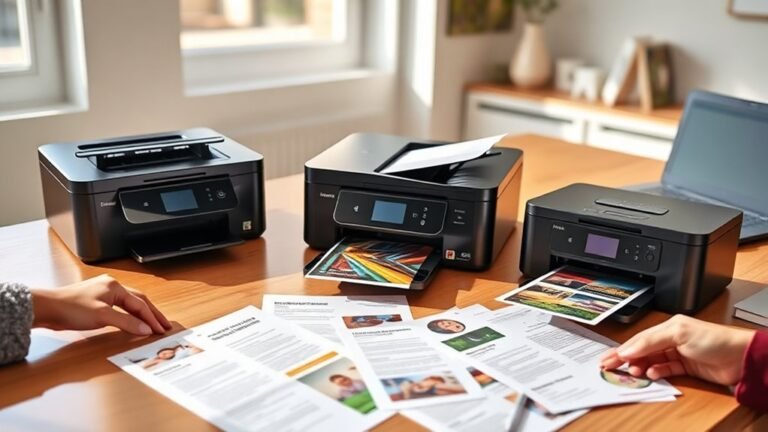
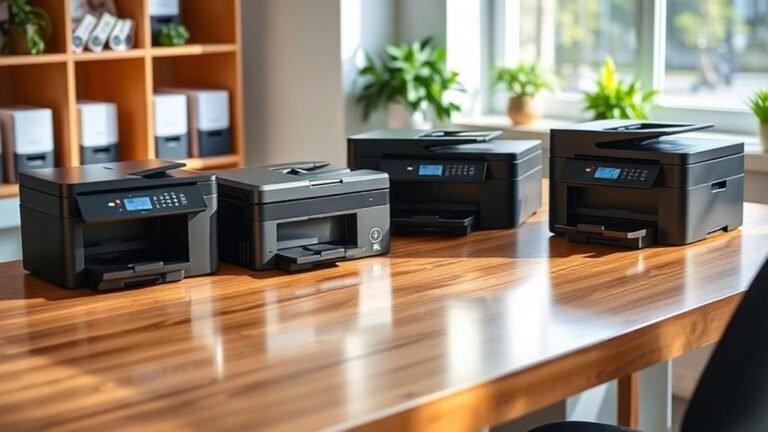
If you’re looking for reliable, budget-friendly AirPrint printers in 2027, you’ve got some great options. These printers make wireless color printing super easy and won’t break the bank. Whether you need something compact for home use or a bit more feature-packed for productivity, there’s something here for you.
Consider the Canon PIXMA TS4320 or TS3720. Both are perfect for compact wireless color printing and work seamlessly with your mobile devices. The HP Envy 6155 is another solid choice. It offers duplex printing plus a touchscreen that makes navigation simple and straightforward.
If you want a bit more functionality, the Canon PIXMA TR4720 adds fax capabilities and an auto document feeder, boosting your productivity. Meanwhile, the Canon TS5320 strikes a nice balance between quality and versatility with duplex printing and support for square photos. Keep exploring to find the perfect fit for your printing needs!
| Image | Name | Editor's Rating | Price |
|---|---|---|---|

|
|
||

|
|
||

|
|
||
|
|
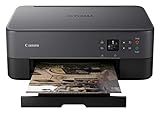
Canon PIXMA TS4320 – Wireless Color Inkjet Printer with Print, Copy, Scan
- Affordable Versatility - A budget-friendly all-in-one printer perfect for both home users and hybrid workers, offering exceptional value
- Crisp, Vibrant Prints - Experience impressive print quality for both documents and photos, thanks to its 2-cartridge hybrid ink system that delivers sharp text and vivid...
- Effortless Setup & Use - Get started quickly with easy setup for your smartphone or computer, so you can print, scan, and copy without delay
- Reliable Wireless Connectivity - Enjoy stable and consistent connections with dual-band Wi-Fi (2.4GHz or 5GHz), ensuring smooth printing from anywhere in your home or...
- Scan & Copy Handling - Utilize the device’s integrated scanner for efficient scanning and copying operations

The Canon PIXMA TS4320 offers a compact and stylish solution for those needing reliable printing, copying, and scanning at home or in a hybrid work setting. Its wireless dual-band Wi-Fi makes connecting your devices easy and flexible, allowing you to print directly from your smartphone or tablet with apps like Apple AirPrint.
This all-in-one printer handles your everyday documents and photos with vibrant color and sharp black-and-white output. It saves you time with auto duplex printing and a quick first page in just 9.5 seconds. The printer supports media up to letter size, accommodating most home and office tasks without hassle.
Maintenance is straightforward thanks to included starter ink tanks and a user-friendly app that simplifies control and setup. While its paper tray holds up to 100 sheets, making it ideal for light to moderate use, it may require more frequent refills in busier environments.
Best for: Home users and hybrid workers needing a compact, versatile printer for occasional to moderate printing, copying, and scanning.
What We Like:
- Wireless dual-band Wi-Fi with mobile printing support
- Auto duplex printing with fast first-page output
- Compact design and easy setup with starter ink tanks
Specification:
| Feature | Details |
|---|---|
| Manufacturer | Canon |
| Dimensions | Approx. 14 x 12 x 5.5 in (35.6 x 30.5 x 14 cm) |
| Weight | Approx. 9.7 lbs (4.4 kg) |
| Color Options | Black, White |
| Maximum Media Size | Letter (8.5 x 11 in) |
Canon PIXMA TS3720 Wireless All-in-One Printer
No products found.
The Canon PIXMA TS3720 offers a compact and affordable solution for wireless home printing. Its small footprint fits neatly on any desk, making it ideal for limited spaces. This all-in-one printer handles printing, copying, and scanning, simplifying everyday tasks without hassle.
Thanks to dual-band Wi-Fi and support for AirPrint and the Canon PRINT app, connecting your smartphone or tablet is straightforward. This wireless convenience eliminates cables and allows printing directly from mobile devices. Setup is quick, and replacing cartridges is clean and easy.
The printer uses a hybrid ink system that produces sharp black text and vibrant color photos. It supports borderless photo printing up to 5″ x 7″, ideal for home projects and memories. Print speeds are moderate, with around 7.7 ppm for black and 4 ppm for color, suitable for casual use.
While it only supports single-sided printing and has a modest paper capacity of 60 sheets, the PIXMA TS3720 covers basic home needs effectively. Its lightweight design and straightforward functionality make it a practical choice for everyday wireless printing.
Best for: users seeking an affordable, compact wireless all-in-one printer for basic home print, copy, and scan tasks.
What We Like:
- Compact design with easy setup and cartridge replacement
- Reliable dual-band Wi-Fi and mobile printing options
- Sharp text and vivid borderless photos up to 5″ x 7″
Specification:
| Feature | Details |
|---|---|
| Manufacturer | Canon |
| Dimensions | Compact, fits easily on desk |
| Weight | Lightweight |
| Ink System | Hybrid ink system |
| Connectivity | Dual-band Wi-Fi, AirPrint, Canon PRINT app |
| Paper Capacity | Rear tray, up to 60 sheets |
| Print Speed | 7.7 ppm (black), 4 ppm (color) |
HP Envy 6155 Wireless All-in-One Inkjet Printer
- FROM AMERICA'S MOST TRUSTED PRINTER BRAND – The Envy 6155 is perfect for homes printing everyday high-quality color documents like homework and borderless photos. Print...
- 3 MONTH TRIAL OF INSTANT INK – Subscribe to the Instant Ink delivery service to get ink delivered directly to your door before you run out, and you save up to 50% on...
- KEY FEATURES – Color print, copy and scan, plus auto 2-sided printing and a 100-sheet input tray
- HP'S MOST INTUITIVE COLOR TOUCHSCREEN – Smoothly navigate your printer with the easy-to-use 2.4" touchscreen
- WIRELESS PRINTING – Stay connected with our most reliable dual-band Wi-Fi, which automatically detects and resolves connection issues
The HP Envy 6155 Wireless All-in-One Inkjet Printer is designed to simplify your daily printing tasks. It handles color documents and homework effortlessly, making it a reliable companion for home use. Automatic duplex printing helps save paper by printing on both sides without extra effort.
Its 2.4″ color touchscreen allows easy navigation, while dual-band Wi-Fi ensures smooth wireless printing. The HP App enhances convenience by letting you print, scan, copy, or fax directly from your smartphone. This integration reduces the need for multiple devices and streamlines your workflow.
Maintenance is straightforward with original HP cartridges, and a 3-month Instant Ink trial helps manage ink costs. The printer’s sustainable design uses 60% recycled plastics, reflecting an eco-friendly choice for environmentally conscious users. Firmware updates maintain security but can restrict cartridge options.
Best for: home users needing an efficient all-in-one printer for everyday color documents, homework, and vibrant photo printing.
What We Like:
- Automatic duplex printing for paper savings
- Easy mobile printing via HP App and dual-band Wi-Fi
- Eco-friendly design with recycled plastics
- 3-month Instant Ink trial to reduce ink expenses
Specification:
| Feature | Details |
|---|---|
| Manufacturer | HP |
| Dimensions | Approx. 17.3 x 14.5 x 5.8 in (44 x 37 x 14.7 cm) |
| Weight | About 13.5 lbs (6.12 kg) |
| Material | Plastic with 60% recycled content |
| Color Options | Black and white |
Canon PIXMA TR4720 Wireless All-in-One Printer
- Wireless 4-in-1 (print | copy | scan | fax)..Power Consumption: 7W (0.8W Standby / 0.3W Off)
- Print speed up to: 4" x 6" Borderless Photo (PP-201): Approx. 65.0 Seconds / Black Document (Letter/Simplex): Approx. 8.8 ipm / Color Document (Letter/Simplex): Approx...
- Designed for easy ink cartridge installation and replacement.
- Auto 2-sided printing and auto document feeder.
- Produce quality documents, photos and boarderless prints up to 8.5" x 11".
The Canon PIXMA TR4720 is a compact all-in-one printer designed to simplify everyday printing tasks. It offers wireless printing, scanning, copying, and faxing, making it a versatile solution for home and office use. The built-in auto document feeder streamlines multi-page scanning and faxing, saving time and effort.
This printer addresses common workflow challenges by supporting automatic duplex printing, reducing paper use and manual handling. With a 100-sheet front paper tray, it handles larger print jobs without frequent refills. Its compatibility with Canon mobile apps and Alexa integration ensures easy management and timely low-ink alerts.
Maintenance is straightforward with wireless and USB connectivity options, though wired connections are limited to one USB port. The PIXMA TR4720 produces sharp black text and vibrant color prints at up to 4800 x 1200 dpi, delivering professional-quality documents and images.
Compact and ENERGY STAR certified, it fits well in small spaces and helps conserve energy. However, print speeds are moderate, especially for color documents, and ink subscription availability may vary by region.
Best for: Users seeking a budget-friendly, compact all-in-one printer with wireless functionality and efficient duplex printing for home or small office use.
What We Like:
- Wireless printing, scanning, copying, and faxing with mobile app and Alexa support
- Automatic two-sided printing and 100-sheet front paper tray with auto document feeder
- High print resolution up to 4800 x 1200 dpi for crisp text and vibrant colors
Specification:
| Feature | Details |
|---|---|
| Manufacturer | Canon |
| Dimensions | 17.7 x 12.5 x 7.5 inches |
| Weight | 11.2 lbs |
| Connectivity | Wireless, USB |
| Print Resolution | Up to 4800 x 1200 dpi |
| Paper Tray Capacity | 100 sheets |
| Duplex Printing | Automatic two-sided |
| ENERGY STAR Certified | Yes |
Canon TS5320 Wireless All-in-One Printer
- With a 1.44 inch OLED display & LED status bar easily navigate and view your printer status; The OLED display displays deep, accurate color and the LED status bar...
- The Pixma TS5320 has a compact & stylish design that fits your space and personality; Not only is it small, but it comes in 4 distinct colors; Black, white, green, and...
- Designed for ease of use and simple replacement, the Pixma TS5320 only needs 2 fine cartridges for great print quality; Enjoy sharp text documents and great looking...
- With Air Print, easily print from your iPhone, iPad, and Mac without additional apps; (4) Air Print allows you to wirelessly print photos and documents without the need...
Experience hassle-free printing with the Canon TS5320 Wireless All-in-One Printer, designed to fit perfectly in your home or small office. Its compact design saves space while delivering sharp, high-quality prints. Whether you need to print, scan, or copy, this versatile printer handles it all with ease.
Enjoy crisp photos in various sizes, including popular square formats, thanks to the impressive 4800 x 1200 dpi resolution. Duplex printing helps reduce paper waste and speeds up your workflow. Wireless connectivity options like Wi-Fi, AirPrint, Bluetooth, and the Canon Print app ensure seamless operation from multiple devices.
Maintenance is straightforward, though the single paper tray holds up to 100 sheets, which might need frequent refilling for heavy printing tasks. The printer uses two fine ink cartridges, striking a balance between quality and manageable replacement.
With a clear 1.44-inch OLED display and voice command compatibility, setup and daily use are simple and intuitive. This printer is a practical choice for those who want quality, versatility, and convenience in one compact unit.
Best for: individuals or small offices needing a compact, stylish all-in-one printer with multiple wireless options and high-resolution photo printing.
What We Like:
- Supports various photo sizes, including square formats, with sharp 4800 x 1200 dpi output
- Duplex print, scan, and copy functions for efficient multitasking
- Multiple wireless connections: Wi-Fi, AirPrint, Bluetooth, and Alexa voice control
- Easy setup and operation via 1.44″ OLED display and Canon Print app
Specification:
| Feature | Details |
|---|---|
| Manufacturer | Canon |
| Dimensions | Compact (specific size not provided) |
| Weight | Not specified |
| Color Options | Not specified |
| Connectivity | Wi-Fi, AirPrint, Bluetooth, Canon Print app, Alexa voice control |
Factors to Consider When Choosing a Cheap Airprint Printer
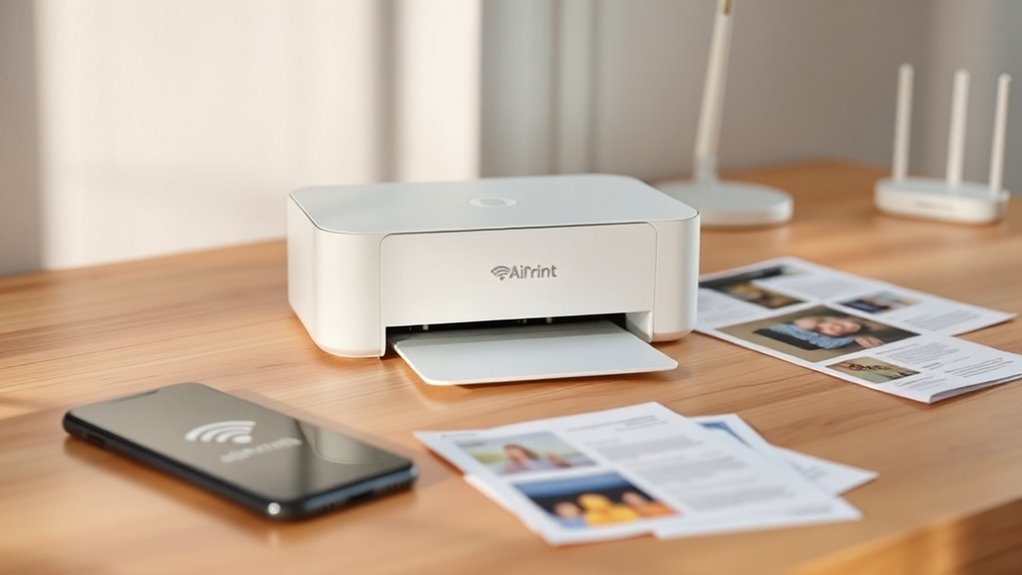
When choosing a cheap AirPrint printer, you’ll want to focus on print quality and resolution to get clear results. Don’t forget to check wireless connectivity options and how well the printer works with your devices.
Also, consider ink efficiency, cost, and print speed to make certain you get the best value. These factors can really make a difference in your overall experience. So, take your time to compare before deciding.
Print Quality And Resolution
Although you’re looking for a cheap AirPrint printer, don’t overlook print quality and resolution since they directly affect your documents’ clarity and color accuracy. Aim for printers with at least 1200 x 1200 dpi optical resolution to get sharp black text and basic graphics.
If you plan to print detailed photos, look for 2400–4800 x 1200 dpi for better detail. Check the color depth and ink colors—more channels or pigment/dye combinations improve gradients and accuracy.
If you need scanning or copying, verify those resolutions too, often 600 x 600 dpi or higher. Also, see if the printer supports borderless or photo printing with dedicated paper profiles, which enhances sharpness and image quality on photos.
Keep print speeds in mind, as high-quality modes are slower than draft. So, balance what you want with how fast you need it done.
Wireless Connectivity Options
To get the most reliable mobile printing experience, choose a cheap AirPrint printer that supports dual-band Wi-Fi, covering both 2.4 GHz and 5 GHz frequencies. This guarantees it connects smoothly to modern routers and avoids network congestion.
Look for wireless setup options like WPS, QR-code, or app-guided configuration to make pairing your phone or tablet quick and hassle-free. You’ll want a printer with stable Wi-Fi and automatic reconnection after interruptions to prevent failed print jobs.
Also, confirm it supports standard mobile printing protocols such as AirPrint, Mopria, and IPP for broad device compatibility without extra drivers. And if wireless isn’t an option, consider models that also offer wired Ethernet or USB connections as reliable backups.
Ink Efficiency And Cost
Beyond ensuring strong wireless connectivity, you’ll want to pay close attention to ink efficiency and cost when picking a cheap AirPrint printer. Start by checking cartridge yield—the number of pages each cartridge can print—and calculate the cost per page by dividing the cartridge price by its ISO yield.
Opt for printers with individual color cartridges so you only replace the color that runs out, cutting waste and expense. Also, look for models that support high-yield or XL cartridges, as they often lower the cost per page despite a higher upfront price.
If the printer offers subscription or refill programs, verify these truly reduce your ongoing costs. Finally, consider your printing habits and choose pigment-based black ink or dye-based color inks and duplex printing if they’ll help you save ink over time.
Device Compatibility Range
When choosing a cheap AirPrint printer, you’ll want to make sure it supports the AirPrint protocol natively. This way, you can print directly from your iPhones, iPads, and Macs without needing extra drivers or apps.
Check that it works with the latest iOS, iPadOS, and macOS versions to avoid compatibility issues after updates. Also, make sure it supports simultaneous connections and dual-band Wi-Fi (2.4 GHz and 5 GHz). This helps multiple devices print without conflicts.
If you use Android or other non-Apple devices, look for compatibility with Mopria or vendor apps. Finally, confirm the printer supports the file types and layouts you use most, like PDFs or JPEGs. Make sure there’s clear documentation on those features to ensure smooth printing across your devices.
Print Speed Performance
How fast your printer can produce pages plays a critical role in your overall printing experience, especially if you rely on it frequently. Focus on printers with higher pages-per-minute (ppm) ratings that match your usual printing needs—black text prints faster than color photos or graphics.
Check both simplex (one-sided) and duplex (automatic two-sided) ppm, since duplex printing saves paper but often slows down speed. Also, consider the first-page-out time, which affects how quickly short jobs start printing.
Keep in mind that higher print resolution and color depth will reduce speed, especially for photos. Real-world factors like warm-up time, wireless delays, and image processing can also lower the effective ppm compared to manufacturer claims.
Choosing a printer with balanced speed for your tasks guarantees smoother, more efficient printing. It’s all about finding what works best for you.
Printer Size And Design
Although print quality and speed are vital, you’ll also want to take into account the size and design of your AirPrint printer to make sure it fits your workspace. Start by measuring your available desk or shelf space and pick a model with dimensions and weight that fit comfortably.
Compact printers typically stand 6–8 inches tall, 12–18 inches wide, and weigh under 9–16 pounds. Look for a small footprint with vertical or foldable trays if counter space is tight. Single-tray designs with front loading slide easily into narrow spots.
Consider low-profile tops, recessed paper paths, and built-in trays to keep the design sleek. Also, make certain controls are accessible on the front or top, so you can place the printer against a wall.
If you move it often, choose lighter models around 9–14 pounds for easy portability. It just makes life easier when you need to shift things around.
Frequently Asked Questions
How Do I Set up Airprint on My iPhone or iPad?
To set up AirPrint, first connect your iPhone or iPad to the same Wi-Fi network as your AirPrint-enabled printer.
Next, open the app you want to print from. Tap the share icon and then select Print.
Finally, choose your printer from the list, and you’re good to go! It’s pretty simple once you get the hang of it.
Can Airprint Printers Work Without a Wi-Fi Connection?
Think of AirPrint like a bridge—it won’t work without Wi-Fi because it relies on that connection. You can’t print wirelessly without Wi-Fi, so you’ll need a network to make AirPrint function properly.
Basically, if there’s no Wi-Fi, AirPrint just can’t do its thing. So, make sure your devices are connected to the same network before you try printing.
Are There Any Subscription Fees for Using Airprint Features?
No, you won’t face any subscription fees for using AirPrint features. Apple designed AirPrint to work seamlessly and free, so you can print directly from your device without worrying about extra costs or hidden charges.
It’s super convenient, right? Just print away without any hassle or surprise fees.
How Do I Troubleshoot Airprint Connection Issues?
You should restart your printer and device, and make sure both are on the same Wi-Fi network. Also, check if your printer’s firmware is up to date.
Try disabling any VPNs you might have running. Sometimes they can block the connection.
If you’re still having trouble, go ahead and reset your network settings. And don’t forget to check your printer’s manual—it often has specific AirPrint troubleshooting tips that can help.
Is Airprint Compatible With Android Devices?
Imagine your Android phone trying to whisper to an AirPrint printer—it won’t understand. You can’t use AirPrint directly with Android.
But don’t worry! You can try third-party apps or manufacturer solutions to bridge that communication gap smoothly.
Conclusion
Choosing the right AirPrint printer is like picking the perfect pair of shoes – it needs to fit your needs comfortably and reliably. With options like the Canon PIXMA TS4320 or the HP Envy 6155, you’ll get great performance without breaking the bank.
Keep your priorities in mind, like wireless ease and print quality, and you’ll have a printer that feels just right for your home or office.
When searching for the best cheap AirPrint printers, focus on features that matter most to you. Whether it’s crisp photo printing or fast document output, affordable AirPrint printers offer convenience and quality. By balancing cost with functionality, you can find a budget-friendly printer that supports seamless wireless printing from your Apple devices. Happy printing!