4 Best Canon Printers for Vinyl Stickers in 2027
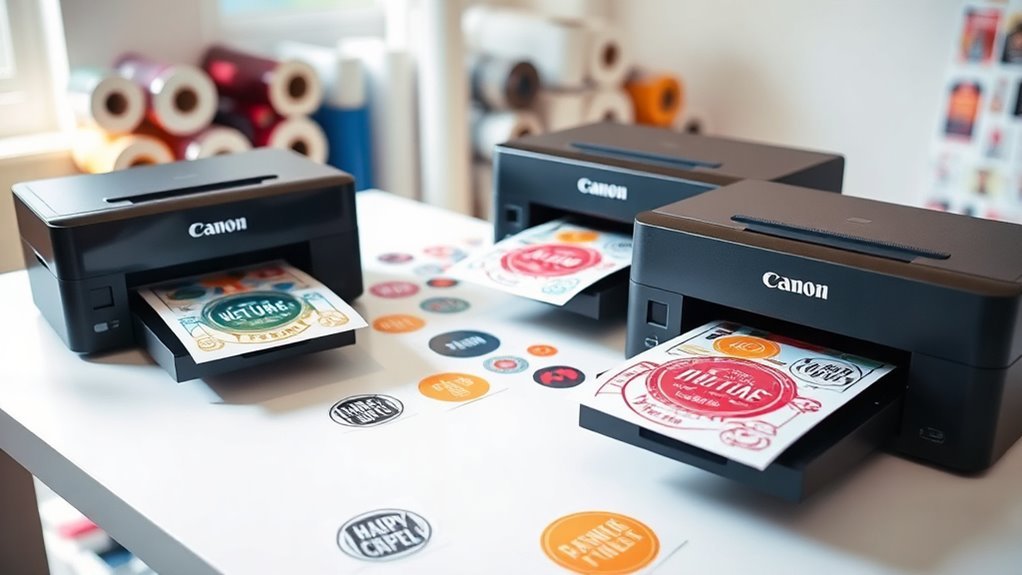
If you want the best Canon printers for vinyl stickers in 2027, you’ll want models that handle both matte and glossy printable vinyl papers with ease. It’s important they can manage heavy media feeds and support high-resolution, quick-drying pigment inks for vibrant results.
Canon’s PIXMA and MegaTank lines are top choices because they work great with waterproof, tear-resistant vinyl sheets. These printers deliver sharp, colorful prints without smudging or bleeding, which is key for quality stickers.
Pairing these printers with proper curing and UV sealer methods will ensure your vinyl stickers stay durable and look professional. Keep exploring to find the perfect Canon printer that matches your sticker-making needs and budget.
| Image | Name | Editor's Rating | Price |
|---|---|---|---|

|
|
||

|
|
||

|
|
||

|
|
Printable Vinyl Sticker Paper, 50 Sheets Matte Waterproof White 8.5×11
- 【Size, Uses & Matte Advantage – 50 Sheets 8.5"x11"】Included in order: 50 sheets of 8.5"x11" Letter Size matte white waterproof vinyl labels—perfect for small...
- 【Packaging Update Notice】Our printable vinyl sticker paper works for inkjet & laser printers, though current packaging only lists inkjet. New “Inkjet & Laser...
- 【Printer & Cutter Compatibility】Compatible with most Inkjet Printers(EPSON/Canon/HP/Brother), such as Epson EcoTank/WorkForce, Canon PIXMA/MegaTank and Laser...
- 【Waterproof, Tear & Scratch Resistant Vinyl】Premium vinyl offers long-lasting waterproof performance for indoor & outdoor use: great for bottle labels, jar decals...
- 【5-Minute Quick-Dry & Strong Adhesion】Ink seeps deep into vinyl paper—no smudges or bleeding. High-sticky backing adheres firmly to smooth surfaces...
Create long-lasting, vibrant vinyl stickers with ease using the Printable Vinyl Sticker Paper, Matte Waterproof White 8.5×11. This paper is designed to deliver professional-quality results that stand up to everyday wear. Its matte finish reduces glare, making your designs clear and eye-catching on any smooth surface.
The waterproof, tear-resistant material protects your stickers indoors and outdoors. It also features a strong adhesive backing that sticks securely to glass, plastic, and other flat surfaces. This means your custom creations stay put, enhancing your projects’ durability and appeal.
Maintenance is simple but important. Allow a curing period of at least three days before exposing prints to water to ensure ink longevity. For outdoor use, applying a UV sunscreen spray after drying helps prevent fading and preserves your stickers’ vibrant colors.
This sticker paper is compatible with Canon PIXMA, MegaTank, Epson, Brother, HP printers, and craft cutters like Cricut and Silhouette. It supports quick drying and smudge-free prints, making it ideal for small businesses and DIY projects.
Best for: Small business owners and crafters who need durable, waterproof vinyl stickers compatible with inkjet and laser printers.
What We Like:
- Waterproof, tear- and scratch-resistant vinyl ensures long-lasting stickers
- Works with a wide range of printers and craft cutters
- Quick ink drying with smudge prevention for clean results
- Strong adhesive backing sticks well to smooth surfaces
- Biodegradable and recyclable material for eco-conscious users
Specification:
| Feature | Details |
|---|---|
| Manufacturer | N/A |
| Dimensions | 8.5 x 11 inches |
| Sheets per Pack | 50 |
| Finish | Matte |
| Color | White |
| Material | Waterproof vinyl |
Koala Printable Vinyl Sticker Paper for Inkjet Printer, Glossy 100 Sheets
- PRINTABLE ADHESIVE VINYL- Our white glossy label paper absorbs and carries ink very well, resulting in excellent prints with vivid colors and high resolution, without...
- WATER RESISTANT & TEAR-RESISTANT - Waterproof and durable vinyl sheets allow the label stickers to be used both indoor and outdoor. For more protection, sealer spray for...
- COMPATIBLE WITH INKJET PRINTERS WITH DYE INK - The full sheet label paper also works with most cutting machines. Economical bulk pack, a total of 100 sheets of glossy...
- CUSTOMIZABLE STICKER PAPER - Full sheet printable adhesive paper gives you the freedom to design stickers in different sizes and shapes. Perfect for DIY personalized...
- EASY APPLICATION - Print out your design, and cut, then you can apply to any smooth surface you want. Release your creativity, have fun with our printable vinyl sticker...

Koala Printable Vinyl Sticker Paper transforms your creative projects with vibrant, glossy prints that truly stand out. Designed for inkjet printers using dye ink, it delivers sharp, high-resolution colors that dry quickly without smudging. This ensures your custom stickers look professional and vivid every time.
Each sheet measures 8.5 x 11 inches, providing ample space for full-sheet designs or multiple smaller stickers. The waterproof and tear-resistant material keeps your stickers durable, whether displayed indoors or outdoors. Its smooth, removable adhesive allows easy application and repositioning on various surfaces like cars, laptops, and tumblers.
Maintenance is simple—while the paper is robust on its own, applying a sealer spray can add extra protection for stickers exposed to harsh conditions. The glossy finish enhances color vibrancy but may not suit matte or textured design preferences.
Koala Printable Vinyl Sticker Paper is a practical choice for those who want customizable, long-lasting stickers with ease of use and flexibility in mind.
Best for: DIY crafters and small business owners creating vibrant, durable stickers with inkjet printers.
What We Like:
- Produces sharp, vivid, and glossy prints with quick-drying ink
- Waterproof and tear-resistant for lasting durability
- Compatible with most cutting machines for precise designs
- Removable adhesive supports easy application and repositioning
Specification:
| Feature | Details |
|---|---|
| Manufacturer | Koala |
| Dimensions | 8.5 x 11 inches |
| Sheets per Pack | 100 |
| Material | Printable Vinyl |
| Printer Type | Inkjet (dye ink) |
| Finish | Glossy |
Glossy Printable Vinyl Sticker Paper for Printer – 21 Sheets
- High Quality Printable Vinyl Sticker Paper: Includes 21 sheets of glossy white printable vinyl sticker paper (8.5"x11", letter size). The smooth satin finish gives your...
- Water-Resistant & Reliable for Daily Use:This vinyl sticker paper lets you create water-resistant labels and decals with strong adhesion. For extra durability, simply add...
- Inkjet & Laser Printer: Designed as dependable sticker paper for printer, it works with most inkjet and laser printers (Epson, Canon, HP, Brother). The surface holds ink...
- Tear-Resistant & Long-Lasting Vinyl: This glossy printable vinyl sticker paper is tough and durable—resistant to tearing and minor scratches. Great for everyday use...
- Easy DIY Personalized Stickers: Create personalized stickers for laptops, bottles, packaging, scrapbooking, and more. This sticker paper for printer sticks well to glass...
Glossy Printable Vinyl Sticker Paper for Printer transforms your sticker projects with durable, water-resistant sheets designed to last. These 21 glossy white sheets deliver vibrant, sharp prints that stand out on glass, plastic, wood, and metal surfaces. The strong adhesion ensures your stickers stay put without peeling or tearing.
This vinyl paper is compatible with most inkjet and laser printers, including Canon models. It dries quickly—within about five minutes—allowing you to handle your prints without smudging. For added protection, applying a clear UV-resistant sealer spray extends the life and brightness of your stickers.
Designed for easy cutting, these sheets work well with Cricut and Silhouette tools, helping you create precise shapes effortlessly. While the glossy finish may occasionally cause scanning issues with cutting machines, simple fixes like matte tape can help.
To get the best results, use specific print settings and avoid laser printers with fixing temperatures above 180°C. This printable vinyl paper offers a balanced solution for crafting vibrant, long-lasting stickers with professional quality.
Best for: Crafters, small business owners, and DIY enthusiasts seeking durable, water-resistant vinyl sticker paper compatible with most inkjet and laser printers.
What We Like:
- Strong adhesion and tear resistance for various surfaces
- Compatible with popular printers and cutting machines
- Quick drying time with rich, sharp color output
- Option to enhance durability with UV-resistant spray
Specification:
| Feature | Details |
|---|---|
| Manufacturer | Not specified |
| Sheets per Pack | 21 |
| Sheet Size | 8.5 x 11 inches |
| Color | Glossy White |
| Printer Type | Inkjet and Laser |
| Drying Time | Approximately 5 minutes |
Printable Vinyl Sticker Paper, 8.5 x11 Glossy White 50 Sheets
- High Quality Printable Vinyl Sticker Paper: Package includes 50 white vinyl sheets of Printable Sticker Paper for printer. Glossy finish. Standard Letter Size 8.5"x11".
- Water-Resistant and Vivid Colors:These printable vinyl for inkjet printer is very beautifully, retain color well, good waterproof effect, scratch and tear resistant...
- GREAT HOLD INK AND QUICK DRY: Our waterproof sticker paper dries quickly after printing and made from durable materials, so you can be confident that your designs are...
- EASY TO USE AND CUT: Easily make your own printable stickers with our sticker paper. Vinyl stickers are highly adhesive and stable, the stickers will not come off easily...
- DIY Personalized Stickers: Unleash your unlimited creativity with your glossy sticker paper. Printable Vinyl Sticker Paper will stick on all flat surfaces, plastic...
Printable Vinyl Sticker Paper offers a waterproof, vibrant finish that enhances your creative projects while protecting your designs. This glossy white paper works seamlessly with Canon inkjets to deliver sharp, colorful prints that dry quickly, reducing smudges and smears. Its strong adhesive ensures your stickers stay put on surfaces like plastic, glass, wood, and metal, making it ideal for long-lasting decals.
Designed for ease of use, the 8.5 x 11-inch sheets are compatible with die-cutters and manual cutting tools. This flexibility allows you to craft custom shapes and sizes for mugs, laptops, car decals, and more. To maintain print quality, set your printer to Best Print Mode with Glossy or Ultra Glossy settings, which helps avoid ink bleeding.
The durable vinyl material withstands everyday wear but requires careful handling due to its glossy surface, which can show fingerprints or scratches. While perfect for inkjet printers, it is not suitable for laser printers, so proper printer compatibility is essential.
Best for: Crafters and hobbyists seeking a reliable, waterproof vinyl sticker paper that produces vibrant, durable prints with inkjet printers.
What We Like:
- Waterproof glossy finish with vivid colors and quick drying
- Strong adhesive sticks firmly to various flat surfaces
- Compatible with die-cutters and manual cutting for customization
Specification:
| Feature | Details |
|---|---|
| Manufacturer | Not specified |
| Dimensions | 8.5 x 11 inches |
| Sheets per Pack | 50 sheets |
| Material | Glossy white vinyl |
| Printer Compatibility | Inkjet printers only |
Factors to Consider When Choosing a Canon Printer for Vinyl Stickers
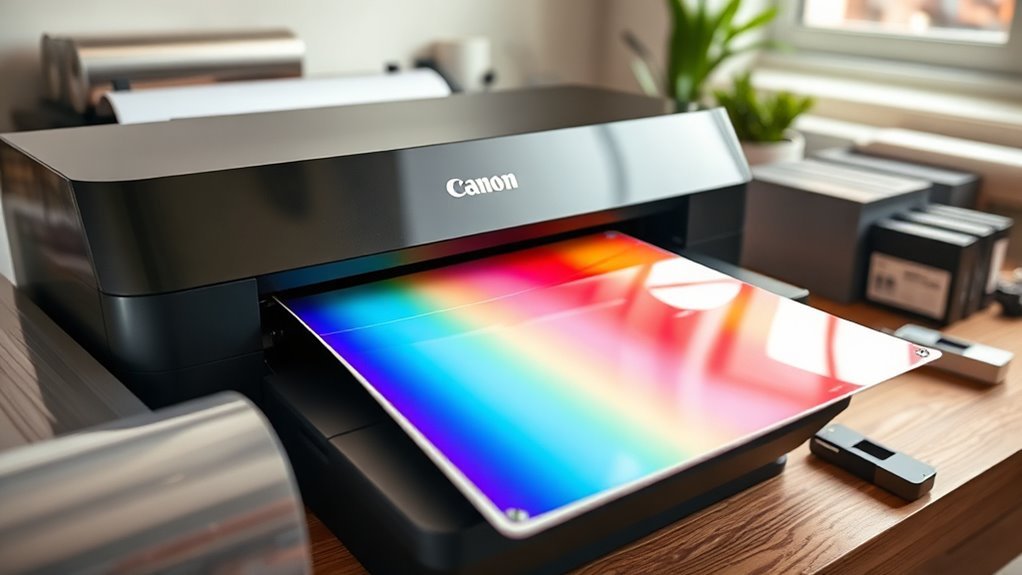
When choosing a Canon printer for vinyl stickers, you’ll want to make sure it works well with vinyl materials and uses high-quality, compatible ink.
Pay close attention to print resolution for sharp details, as well as drying time to avoid smudges.
Also, consider whether the prints are waterproof and durable enough to withstand wear.
Printer Compatibility With Vinyl
Selecting the right Canon printer for vinyl stickers means making sure it supports your specific vinyl type and size, like glossy or matte coated adhesive sheets in standard 8.5 x 11 inches. You’ll want a printer that can handle heavier media, ideally with a straight-through or rear feed to prevent scuffing and jams.
Check that the printer’s print resolution and color profile options deliver sharp lines and vivid colors on vinyl’s slick surface. If you’re thinking about laser models, double-check that the fusing temperature stays below 180°C to avoid warping.
While ink chemistry is important, focus here on the printer’s compatibility features—media weight, feeding mechanism, and resolution. This way, your vinyl stickers will print cleanly and consistently without any damage.
Ink Type And Quality
Beyond ensuring your Canon printer handles the right vinyl media, paying attention to the ink type and quality can make a big difference in your sticker results. Choose pigment-based inks whenever possible—they offer superior water and UV resistance, extending your vinyl stickers’ outdoor durability.
Make sure the ink formulation bonds well to nonporous surfaces like vinyl to reduce smudging and sharpen edges. Also, consider ink droplet size and resolution; smaller droplets and higher dpi produce finer detail and smoother gradients.
Richer pigment concentration enhances color vibrancy on glossy vinyl without causing ink pooling. Finally, look for fast-drying inks that surface dry within minutes and fully cure in days, so you can handle and cut your stickers quickly without risking smears or damage.
Print Resolution And Detail
Although print resolution isn’t the only factor to take into account, it plays a crucial role in producing crisp vinyl stickers with sharp text and fine details. You should aim for a minimum resolution of 1200 x 1200 dpi or use multi-pass photo modes to capture fine lines and small vector elements accurately.
Smaller droplet sizes and multi-drop overlap help reduce banding and create smooth gradients on glossy or matte vinyl. It really makes a difference in the final look.
Choose printers that support true 24-bit color output and a wide color gamut like sRGB to guarantee vivid, accurate colors. Also, pay attention to precise paper feed and low media skew for consistent alignment.
For die-cut stickers, combine high-resolution printing with proper RIP settings without over-sharpening. This way, you maintain clean edges and avoid those annoying halos.
Drying Time And Smudge Resistance
When printing vinyl stickers, you’ll want to pick a Canon printer and ink combination that lets the ink soak into the vinyl rather than sit on top. Absorbed ink typically dries to the touch within about five minutes, while full curing takes 48 to 72 hours before water exposure.
Choose pigment-based inks over dye inks—they dry faster on the surface and resist smudging better. Use the highest-quality or photo print mode to avoid over-saturating the vinyl, which prolongs drying and increases smudge risk.
If you need quicker handling, try a quick-dry setting and test print first. After initial drying, applying a compatible clear sealer spray can lock the ink and minimize smears.
Remember to allow 24 to 72 hours before sealing or heavy handling for best adhesion.
Waterproof And Durability Features
Since vinyl stickers often face moisture and wear, choosing a Canon printer that uses pigment-based inks is essential for waterproofing and durability. Pigment inks provide better UV resistance and don’t soak into vinyl like dye inks, which helps reduce smearing and fading.
To boost durability, let your prints cure fully—usually 24 to 72 hours—before exposing them to water or sunlight. This waiting time really makes a difference in how well your stickers hold up.
Applying a clear UV-resistant laminate or spray sealer can further protect your stickers from color fade and water damage. It’s like giving your prints an extra shield.
Also, pick media with waterproof, tear- and scratch-resistant coatings. And don’t forget to check your printer’s ink absorption or fusing temperature to avoid any adhesive failure.
Finally, test your adhesive-backed vinyl on the surfaces you’ll use. That way, you can make sure it sticks well and lasts long under your intended conditions.
Sheet Size And Quantity
Choosing the right sheet size and quantity plays a crucial role in your vinyl sticker printing process. First, confirm your Canon printer supports the sheet size you plan to use—commonly 8.5 x 11 inches—to avoid trimming or feed jams.
If you print large stickers, check if it handles wider formats like 11 x 17 inches to reduce seams and cutting. Match your project volume to sheet quantity by buying larger packs, such as 50–100 sheets, to cut costs and minimize reordering.
Also, make certain the printer’s input tray and feed path can handle thicker vinyl or higher GSM to prevent misfeeds during batch printing. Keep a small supply of single sheets separate for test prints and color calibration, so you don’t waste bulk materials.
Cutter Compatibility Support
Although many Canon printers can handle vinyl sticker printing, you’ll want to make sure your chosen model supports cutter compatibility to achieve clean, accurate cuts. First, check that the printer’s media path can handle vinyl paper weights, typically between 120 and 320 gsm. This helps prevent jams or creases during feeding.
Also, confirm the printer produces precise crop or registration marks so your vinyl cutter’s optical sensors can detect cut lines perfectly. Avoid printers that cause surface distortion or curling after drying, as this disrupts flat feeding into cutters.
Use print settings that allow ink to dry fully—surface dry in about five minutes—to avoid smudges and maintain blade accuracy. Finally, guarantee your cutter workflow supports the printer’s sheet size and registration methods like kiss-cut or die-cut layouts for seamless cutting.
Cost Efficiency And Value
When you’re deciding on a Canon printer for vinyl stickers, understanding cost efficiency and overall value can save you money in the long run. Calculate the true cost per sticker by dividing total ink and vinyl costs by the number of stickers per sheet.
Remember, ink coverage matters—high-coverage designs use more ink, which bumps up your expenses. Also, factor in printer yield and maintenance costs like replacement heads or coating sprays. Don’t forget consumables, too, since they add to your long-term operating costs.
You’ll want to consider print speed and daily run time as well. These help you gauge labor and energy expenses, especially if you’re running medium-to-high volume production.
Finally, evaluate the total cost of ownership by spreading your initial investment over the printer’s lifespan, plus recurring expenses. This approach helps you find your break-even volume and maximize how much profit you make per sticker.
Frequently Asked Questions
Can Canon Printers Print on Vinyl Sticker Sheets Without Smudging?
Yes, you can print on vinyl sticker sheets with Canon printers without smudging, as long as you use the right printer model, compatible vinyl sheets, and allow proper drying time.
Always test print first for best results. It’s a good way to make sure everything looks just right before you print a bunch.
What Is the Average Lifespan of Vinyl Stickers Printed With Canon Printers?
You can expect vinyl stickers printed with Canon printers to last around 3 to 5 years outdoors, depending on ink type and coating.
Indoors, they often stay vibrant for 5 to 7 years without fading or peeling. So, if you’re planning to use them inside, you’re in for a good run!
Are Canon Printers Compatible With Third-Party Vinyl Sticker Papers?
You’ll find Canon printers generally work with third-party vinyl sticker papers, but don’t expect perfect results every time.
Coincidentally, the paper quality often influences print durability more than the printer’s brand compatibility. Test first!
How Do I Maintain My Canon Printer for Optimal Vinyl Sticker Printing?
You should clean the print heads regularly and use the recommended vinyl sticker paper. Also, make sure to update your printer’s firmware to keep everything running smoothly.
Avoid dust buildup by keeping your printer in a clean area. And don’t forget to run test prints often. This helps keep colors vibrant and prevents clogs for sharp, lasting stickers.
Can I Print Custom Shapes for Vinyl Stickers Using Canon Printers?
You can certainly create custom-shaped stickers with Canon printers! By crafting clear-cut cut lines in your design software and choosing compatible cutting tools, you’ll confidently carve compelling, creative contours for your vinyl sticker projects every time.
It’s pretty straightforward once you get the hang of it. Just make sure your design software supports the cut lines, and your printer settings are spot on. Then, you’re all set to bring those unique shapes to life!
Conclusion
Choosing the right Canon printer for vinyl stickers is like picking the perfect brush for a masterpiece—it shapes the quality of your creation. You want vibrant colors, sharp details, and waterproof durability.
Keep in mind your sticker paper type and printing needs to get the best match. With the right printer, your vinyl stickers will stand out and last long.
In the end, choosing the best Canon printer for vinyl stickers means focusing on color vibrancy, detail precision, and waterproof results. When you match these features with your specific sticker paper and printing style, your projects will shine. The right Canon printer not only boosts your creativity but also ensures your vinyl stickers look professional and durable. That’s how you turn every sticker into a lasting work of art you can be proud of.