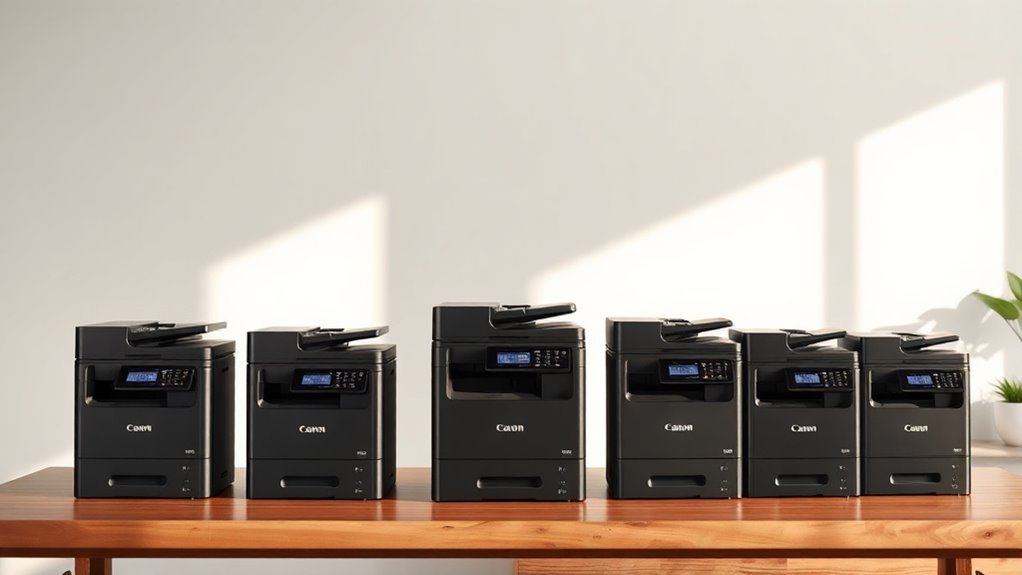
11 Best Canon Printer Copier Scanner Models for 2027
If you need a compact Canon printer for home or hybrid workspaces, consider the PIXMA TS6520 or TS4320. These models come with wireless connectivity, vibrant color printing, and handy scanning features that fit perfectly in smaller spaces.
For high-volume office use, the imageCLASS MF465dw II and MF462dw II are great choices. They offer fast monochrome duplex laser printing, an automatic document feeder (ADF), and high-yield cartridges to keep your workflow smooth.
Looking for cost-effective bulk printing? The MAXIFY GX2020 and Megatank G3290 deliver refillable inks that save money over time. And if you’re into large-format creativity, the PIXMA TS9521Ca really shines.
Overall, these Canon printer copier scanner models balance size, speed, and multifunction features tailored to your specific workflow needs. There’s something here for everyone!
| Image | Name | Editor's Rating | Price |
|---|---|---|---|

|
|
||

|
|
||

|
|
||

|
|
||

|
|
Canon PIXMA TS6520 Wireless Color Inkjet Printer, 1.42″ OLED Display, White
- Affordable Versatility - A budget-friendly all-in-one printer perfect for both home users and hybrid workers, offering exceptional value
- Crisp, Vibrant Prints - Experience impressive print quality for both documents and photos, thanks to its 2-cartridge hybrid ink system that delivers sharp text and vivid...
- Effortless Setup & Use - Get started quickly with easy setup for your smartphone or computer, so you can print, scan, and copy without delay
- Reliable Wireless Connectivity - Enjoy stable and consistent connections with dual-band Wi-Fi (2.4GHz or 5GHz), ensuring smooth printing from anywhere in your home or...
- Scan & Copy Handling - Utilize the device’s integrated scanner for efficient scanning and copying operations

If space is tight and simplicity is key, the Canon PIXMA TS6520 offers a clever solution for home and hybrid workspaces. This all-in-one printer handles printing, scanning, and copying with ease, producing sharp text and vibrant colors thanks to its hybrid ink system. It helps you stay productive without cluttering your desk.
The compact design fits neatly in any environment, and the sleek white finish adds a modern touch. Wireless connectivity, including dual-band Wi-Fi and voice control compatibility, keeps you connected without cables. The intuitive 1.42″ OLED display makes navigating settings simple and efficient.
Maintenance is straightforward, though the starter ink tanks may need replacing sooner for heavy users. The printer supports automatic two-sided printing and borderless output, saving paper and enhancing print quality. Its straightforward setup ensures you can start printing quickly.
However, the single paper tray limits capacity and supports only plain paper. There is no automatic document feeder, so scanning or copying multiple pages requires manual handling. Despite these drawbacks, the TS6520 remains a reliable choice for everyday printing needs.
Best for: families, students, and hybrid workers needing a compact, easy-to-use wireless printer with quality color and black-and-white output.
What We Like:
- Compact size with a modern white design fits small spaces well
- Versatile printing, scanning, and copying functions with two-sided and borderless options
- Easy wireless setup featuring dual-band Wi-Fi and voice control compatibility
- Clear 1.42″ OLED display enhances user experience
Specification:
| Feature | Details |
|---|---|
| Manufacturer | Canon |
| Dimensions (W×D×H) | Approx. 14.7 × 11.7 × 5.6 inches |
| Weight | Approx. 11.1 lbs (5.04 kg) |
| Ink System | Hybrid 2-cartridge |
| Color Options | White |
Canon PIXMA TS4320 – Wireless Color Inkjet Printer with Print, Copy, Scan
- Affordable Versatility - A budget-friendly all-in-one printer perfect for both home users and hybrid workers, offering exceptional value
- Crisp, Vibrant Prints - Experience impressive print quality for both documents and photos, thanks to its 2-cartridge hybrid ink system that delivers sharp text and vivid...
- Effortless Setup & Use - Get started quickly with easy setup for your smartphone or computer, so you can print, scan, and copy without delay
- Reliable Wireless Connectivity - Enjoy stable and consistent connections with dual-band Wi-Fi (2.4GHz or 5GHz), ensuring smooth printing from anywhere in your home or...
- Scan & Copy Handling - Utilize the device’s integrated scanner for efficient scanning and copying operations
The Canon PIXMA TS4320 is designed to simplify printing tasks at home or in hybrid workspaces. Its compact design fits easily in small areas, making it ideal for users with limited space who still want a reliable all-in-one printer. This model handles printing, copying, and scanning with sharp 1200 x 1200 dpi resolution, ensuring clear documents and vibrant photos.
Wireless connectivity through dual-band Wi-Fi adds convenience, letting you print from multiple devices without cables. The printer supports mobile apps and voice commands via Alexa, streamlining everyday use. Its duplex printing feature helps reduce paper waste by automatically printing on both sides.
Maintenance is straightforward, though the single 100-sheet tray means you must switch media types manually. Starter ink tanks are included but may require replacement sooner with frequent printing. Overall, the TS4320 offers a balanced mix of functionality and style without overwhelming users with complex features.
Best for: Home users and hybrid workers needing a compact, versatile all-in-one printer for light to moderate printing, copying, and scanning tasks.
What We Like:
- Sharp 1200 x 1200 dpi resolution for crisp output
- Wireless dual-band Wi-Fi and mobile app support
- Automatic duplex printing saves paper
- Compact, lightweight design fits small spaces
Specification:
| Feature | Details |
|---|---|
| Manufacturer | Canon |
| Dimensions | Approx. 12.0 x 14.7 x 5.5 in (W x D x H) |
| Weight | Approx. 9.9 lb (4.5 kg) |
| Color Options | White, Black |
| Connectivity | Dual-band Wi-Fi, USB |
Canon MAXIFY GX2020 Wireless All-in-One Printer
- Wireless Print/Copy/Scan/Fax (2)
- Print up to 3,000 black & white / 3,000 color pages using a single set of inks! (1)
- 2.7” LCD Color Touchscreen
- Auto 2-sided printing
- ADF – 35 sheet Auto Document Feeder
The Canon MAXIFY GX2020 is designed to meet the needs of users who require high-volume, cost-effective printing without compromising on quality. This wireless all-in-one printer combines printing, copying, scanning, and faxing in a compact device, making it ideal for busy home offices and small businesses.
Its refillable MegaTank system significantly lowers ink expenses by delivering up to 3,000 pages per ink set. This reduces the hassle of frequent cartridge replacements and keeps running costs manageable. With fast print speeds of 15 ppm for black and 10 ppm for color, tasks finish quickly, helping users stay productive.
The GX2020 features duplex printing to save paper and a 2.7-inch touchscreen for easy control. The 35-sheet automatic document feeder simplifies multi-page scanning and copying. Connectivity options include dual-band Wi-Fi and wired LAN, ensuring stable and flexible network access.
While the printer supports media up to 8 x 10 inches, larger print projects may be limited. The 250-sheet paper capacity is suitable for moderate workloads but could require regular refilling in very high-volume environments. Its single USB port offers basic wired connectivity but limits peripheral expansion.
Best for: Small business owners and home office users needing versatile, cost-efficient all-in-one printing solutions.
What We Like:
- Refillable MegaTank system lowers ink costs and reduces maintenance.
- Fast print speeds and duplex function boost productivity and cut paper use.
- Multiple reliable connectivity options including dual-band Wi-Fi and wired LAN.
- User-friendly 2.7″ touchscreen and 35-sheet ADF streamline operations.
Specification:
| Feature | Details |
|---|---|
| Manufacturer | Canon |
| Dimensions (W×D×H) | Approx. 17.7 × 13.6 × 7.8 inches |
| Weight | Approx. 15.9 lbs |
| Color Options | Black |
| Max Media Size | 8 × 10 inches |
| Paper Capacity | 250 sheets |
| Connectivity | Dual-band Wi-Fi, Wired LAN, USB |
Canon Color imageCLASS MF753Cdw II – All-in-One Color Duplex Laser Printer
- Color, Wireless, Duplex 4-in-1: Print, scan, copy, fax.
The Canon Color imageCLASS MF753Cdw II is designed to boost productivity in small offices and hybrid workspaces. It delivers fast, sharp color and black-and-white prints at up to 35 ppm, helping you meet tight deadlines with ease. The vibrant 1200 x 1200 dpi resolution ensures every document looks professional.
This all-in-one printer simplifies multitasking with one-pass duplex printing and a 50-sheet duplex automatic document feeder. These features reduce manual handling and save valuable time during busy workdays. The 5-inch customizable touchscreen offers intuitive control, making operation straightforward for all users.
Maintenance is hassle-free thanks to its Energy Star-certified design, which balances performance and efficiency. The 250-sheet cassette, expandable up to 850 sheets, minimizes interruptions by accommodating larger print jobs. Connectivity options like Ethernet, USB, Wi-Fi, and mobile printing keep you connected and flexible.
Though it weighs 50 lb and includes only one USB port, this model prioritizes reliability and convenience. Its multifunction capabilities—print, scan, copy, and fax—make it a versatile office companion.
Best for: Small offices and hybrid workspaces needing fast, high-quality color printing with multifunction capabilities.
What We Like:
- Fast print speed of up to 35 ppm in color and black-and-white
- Efficient one-pass duplex printing with 50-sheet duplex ADF
- Multiple connectivity options including Ethernet, USB, Wi-Fi, and mobile printing
- Expandable paper capacity up to 850 sheets for fewer refills
Specification:
| Feature | Details |
|---|---|
| Manufacturer | Canon |
| Dimensions (W×D×H) | Not specified |
| Weight | 50 lb (22.7 kg) |
| Print Speed | Up to 35 ppm (color & B/W) |
| Print Resolution | 1200 x 1200 dpi |
| Paper Capacity | 250 sheets (expandable to 850) |
| Duplex Printing | One-pass duplex |
| ADF Capacity | 50 sheets (duplex) |
| Connectivity | Ethernet, USB, Wi-Fi, Mobile Printing |
| Touchscreen Size | 5 inches (customizable) |
| Functions | Print, Scan, Copy, Fax |
Canon imageCLASS MF465dw II Wireless Laser Printer
- Monochrome Wireless, Duplex 4-in-1: Print, Scan, Copy, Fax
- Print up to 42 ppm
- Easy Wireless Setup
- 5-inch Touchscreen
- Mobile Device Printing
Experience fast, reliable printing designed to keep your small or home office running smoothly. The Canon imageCLASS MF465dw II delivers sharp, monochrome prints at up to 42 pages per minute, helping you finish tasks quickly without waiting. Its quick 4.9-second first-page-out time means less downtime and more productivity.
This versatile device combines printing, scanning, copying, and faxing into one compact 4-in-1 unit, saving space without sacrificing functionality. The intuitive 5-inch touchscreen makes navigating settings easy, while the single-pass duplex automatic document feeder (ADF) efficiently handles 50 sheets for two-sided scanning or copying.
Connectivity is seamless with Wi-Fi, Ethernet, USB, and mobile printing through the Canon PRINT app. You can expand the paper capacity to 900 sheets to reduce refills during busy days. High-yield toner cartridges also lower maintenance frequency by delivering up to 10,200 pages per cartridge.
While it only supports monochrome printing, this model excels in black-and-white document output. Its energy consumption is on the higher side at 1250 W, and paper capacity expansion requires extra accessories. However, its robust design and multifunctionality make it a dependable choice for hybrid work environments.
Best for: Small and home offices or hybrid workspaces needing efficient, versatile monochrome printing with easy connectivity.
What We Like:
- Fast print speed of up to 42 ppm with a quick 4.9-second first page out.
- Single-pass duplex ADF with 50-sheet capacity simplifies two-sided scanning and copying.
- Multiple connectivity options including Wi-Fi, Ethernet, USB, and mobile printing.
- Expandable paper capacity up to 900 sheets for less frequent refills.
- High-yield toner cartridges provide long-lasting print runs.
Specification:
| Feature | Details |
|---|---|
| Manufacturer | Canon |
| Dimensions (W x D x H) | Approx. 16.5 x 15.1 x 16 in |
| Weight | Approx. 32.4 lbs (14.7 kg) |
| Printing Technology | Laser |
| Print Speed | Up to 42 ppm |
| First Page Out Time | 4.9 seconds |
| ADF Capacity | 50 sheets |
| Connectivity | Wi-Fi, Ethernet, USB |
| Touchscreen Size | 5 inches |
| Paper Capacity | Up to 900 sheets (with expansion) |
| Color Options | Monochrome (Black & White) |
Canon PIXMA TR4720 Wireless All-in-One Printer

- Wireless 4-in-1 (print | copy | scan | fax)..Power Consumption: 7W (0.8W Standby / 0.3W Off)
- Print speed up to: 4" x 6" Borderless Photo (PP-201): Approx. 65.0 Seconds / Black Document (Letter/Simplex): Approx. 8.8 ipm / Color Document (Letter/Simplex): Approx...
- Designed for easy ink cartridge installation and replacement.
- Auto 2-sided printing and auto document feeder.
- Produce quality documents, photos and boarderless prints up to 8.5" x 11".
The Canon PIXMA TR4720 is designed to simplify your printing, scanning, and faxing tasks at home or in a small office. Its wireless connectivity lets you print effortlessly from mobile devices or computers without tangled cables. This compact all-in-one printer handles everyday documents and photos with ease, offering clear text and vibrant colors that bring your projects to life.
Maintenance is straightforward with an easy-to-load 100-sheet tray and an automatic document feeder, making multi-page jobs efficient. The printer supports duplex printing, reducing paper use and saving you time. Plus, Alexa integration alerts you when ink runs low, helping you stay prepared and avoid interruptions.
This model is ideal for users who value convenience and quality over speed. While color printing is not the fastest, the high resolution ensures sharp, professional results. The PIXMA Print Plan offers a cost-effective way to manage ink expenses, although it has regional limitations.
Best for: Individuals or small offices needing an affordable, compact, and versatile all-in-one wireless printer with fax and mobile printing capabilities.
What We Like:
- Wireless and USB connectivity with mobile device support
- Automatic duplex printing and 100-sheet auto document feeder
- High-resolution output with sharp text and vibrant colors
- Alexa integration for ink level notifications
Specification:
| Feature | Details |
|---|---|
| Manufacturer | Canon |
| Dimensions | Approx. 15.7 x 12.7 x 6.0 in (W x D x H) |
| Weight | Approx. 11.5 lb |
| Color Options | Black |
| Connectivity | Wireless, USB |
Canon Megatank G3290 All-in-One Wireless Printer

- Wireless Print/Copy/Scan (2)
- Up to 2 years of ink included
- Print up to 6,000 black & white / 7,700 color pages using a single set of inks! (1)
- Save up to $1,000 on ink (1)
- 2.7” LCD Color Touchscreen
The Canon Megatank G3290 is designed to reduce printing costs without compromising quality. Its refillable ink system offers a high page yield, making it ideal for users who print frequently. This means fewer interruptions for ink replacements and more efficient workflow.
With a 4-color hybrid ink setup, it produces sharp text and vibrant images at resolutions up to 4800 x 1200 dpi. The printer supports borderless printing up to 8.5″ x 11″, adding versatility for photo and document projects. Printing speeds reach 11 ppm in black and 6 ppm in color, balancing quality with performance.
Maintenance is simplified thanks to the easy-to-refill ink bottles, helping you avoid the hassle and expense of traditional cartridges. The 2.7″ LCD touchscreen enhances user control, while wireless connectivity and the Canon PRINT app enable seamless mobile printing. Auto-duplex and a flatbed scanner further improve functionality.
This all-in-one device suits homes and small offices that need reliable print, copy, and scan capabilities without high running costs. Its compact design fits well in limited spaces but may require frequent paper refills due to its single tray.
Best for: Small offices and individuals looking for an affordable, efficient all-in-one printer with wireless and mobile printing features.
What We Like:
- High page yield with refillable ink bottles lowers printing expenses
- Sharp, vivid prints from a 4-color hybrid ink system
- User-friendly 2.7″ LCD touchscreen and mobile printing support
- Convenient auto-duplex printing and flatbed scanning
Specification:
| Feature | Details |
|---|---|
| Manufacturer | Canon |
| Dimensions | Approx. 17.6 x 12.7 x 5.9 inches |
| Weight | Approx. 11.5 lbs (5.2 kg) |
| Ink System | 4-color hybrid ink |
| Print Resolution | Up to 4800 x 1200 dpi |
| Print Speed | 11 ppm (black), 6 ppm (color) |
| Connectivity | Wireless, mobile app |
| Display | 2.7″ LCD touchscreen |
| Paper Handling | Single paper tray |
Canon PIXMA TS3720 Wireless All-in-One Printer
No products found.
The Canon PIXMA TS3720 is designed to simplify everyday printing, scanning, and copying tasks for home users with limited space. Its compact and lightweight design fits neatly on small desks, helping you maintain a clutter-free workspace. This printer delivers sharp black text and vibrant color prints, making it a practical choice for both documents and photos.
Connecting to the printer is hassle-free, thanks to dual-band Wi-Fi and USB options. You can print directly from your smartphone using the Canon PRINT app or AirPrint, which adds convenience for busy households. The simple setup process and easy-to-use 1.5″ LCD screen keep operation straightforward.
Maintenance is user-friendly, but keep in mind the paper tray holds up to 60 sheets, so you may need to refill it regularly. The device supports only single-sided printing, which may slow down larger print jobs.
This all-in-one printer is ideal for those who need reliable functionality without taking up much space. Its hybrid ink system ensures quality output for everyday needs.
Best for: home users needing a compact, affordable all-in-one printer for basic printing, scanning, and copying tasks with wireless mobile support.
What We Like:
- Compact size fits easily on small desks
- Dual-band Wi-Fi and mobile printing options
- Hybrid ink system produces sharp and vivid prints
- Simple setup and intuitive controls
Specification:
| Feature | Details |
|---|---|
| Manufacturer | Canon |
| Dimensions | Compact, fits small desks |
| Weight | Lightweight |
| Connectivity | Dual-band Wi-Fi, USB |
| Display | 1.5″ LCD screen |
| Paper Capacity | 60 sheets |
| Print Speed | Up to 7.7 ppm (black), 4 ppm (color) |
Canon imageCLASS MF462dw II – Wireless, Monochrome Duplex Laser Printer
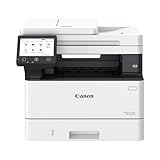
- Monochrome, Wireless, Duplex 4-in-1: Print, scan, copy, fax.
- Fast Print Speeds: Print up to 37 pages per minute and spend less time waiting with a quick first print time of approximately 5 seconds.
- Easy Wireless Setup: Setup your wireless connection and get up and running in just a few steps2
- 5-inch Color Touchscreen: Get the job done quickly with Application Library - an intuitive and easy to use customizable access to the features you use most.
- Mobile Device Printing: Print from your compatible mobile devices using the free Canon PRINT app, Apple AirPrint and Mopria Print Service.
Experience efficient monochrome printing tailored for small offices and hybrid workspaces with the Canon imageCLASS MF462dw II. This all-in-one laser printer streamlines your tasks by combining printing, copying, scanning, and faxing into one device. It helps reduce downtime with fast print speeds of up to 37 ppm and crisp 1200 x 1200 dpi output.
The intuitive 5-inch color touchscreen simplifies navigation and workflow customization. Wireless connectivity options, including Canon PRINT, AirPrint, and Mopria, allow seamless mobile printing from various devices. This flexibility supports modern work environments and remote collaboration.
Designed for convenience, the printer handles up to 900 sheets when equipped with optional trays. Its 50-sheet duplex automatic document feeder improves scanning efficiency by managing two-sided originals without manual intervention. Maintenance is straightforward with easily replaceable high-yield toner cartridges.
While limited to monochrome printing and featuring only one USB port, this model prioritizes speed and multifunctionality. Its power draw of 1250 W is moderate for a laser printer of this capacity, balancing performance and energy use.
Best for: Small offices and hybrid work environments needing fast, reliable monochrome multifunction printing with wireless capabilities.
What We Like:
- Fast print speed up to 37 ppm with sharp 1200 x 1200 dpi quality
- Multifunction design combining print, copy, scan, and fax
- User-friendly 5-inch touchscreen for workflow control
- Wireless printing support for mobile devices
- Large paper capacity with optional trays and efficient duplex ADF
Specification:
| Feature | Details |
|---|---|
| Manufacturer | Canon |
| Model | imageCLASS MF462dw II |
| Printing Technology | Monochrome Duplex Laser |
| Print Speed | Up to 37 pages per minute (ppm) |
| Print Resolution | 1200 x 1200 dpi |
| Touchscreen | 5-inch color |
| Paper Capacity | Up to 900 sheets (with trays) |
| Duplex Automatic Document Feeder | 50 sheets |
| Connectivity | Wireless, USB (1 port) |
| Power Consumption | 1250 W |
Canon imageCLASS MF273dw Wireless Monochrome Laser Printer

- Wireless 3-in-1: Print | Copy | Scan
- Print up to 30 Pages Per Minute (BW, Letter)
- First Print Out in Approximately 5.3 Seconds (Letter)
- Auto 2-sided Printing
- Uses Toner 071 / 071 High-Capacity Toner
Experience reliable and efficient printing with the Canon imageCLASS MF273dw, designed to meet the demands of home offices and small workplaces. This wireless monochrome laser printer delivers crisp text and sharp images at a steady speed of up to 30 pages per minute, helping you complete tasks quickly.
Its automatic duplex printing reduces paper waste and saves time on double-sided documents. The 150-sheet paper capacity supports various sizes up to legal, allowing flexibility for different printing needs. The built-in sheetfed scanner and auto document feeder make copying and scanning straightforward and efficient.
Maintenance is simple with easy-to-replace cartridges and an intuitive LCD display for seamless operation. Wireless connectivity options like Wi-Fi and Wi-Fi Direct enable convenient printing from multiple devices without cables. Its compact design fits comfortably in limited spaces while remaining energy-efficient for daily use.
While it prints only in monochrome and has a single input tray, the MF273dw offers dependable performance for users who prioritize fast, clear black-and-white prints and versatile wireless functionality.
Best for: Individuals or small offices needing a fast, dependable monochrome laser multifunction printer with wireless features and duplex printing.
What We Like:
- Fast print speed of up to 30 ppm improves productivity
- Automatic duplexing conserves paper and time
- Multiple wireless and USB connectivity options
- Easy-to-use LCD control panel for smooth operation
- Compact, energy-efficient design fits small workspaces
Specification:
| Feature | Details |
|---|---|
| Manufacturer | Canon |
| Model | imageCLASS MF273dw |
| Print Technology | Monochrome Laser |
| Print Speed | Up to 30 pages per minute |
| Resolution | 2400 x 600 dpi |
| Paper Capacity | 150 sheets |
| Connectivity | USB, Wi-Fi, Wi-Fi Direct |
| Scanner Type | Sheetfed with Auto Document Feeder |
| Dimensions (W x D x H) | Approx. 15.7 x 15.7 x 14.2 in (39.9 x 39.9 x 36 cm) |
| Weight | Approx. 28.7 lb (13 kg) |
Canon PIXMA TS9521Ca – Wireless Home All-in-One Inkjet Printer

- ALL-IN-ONE: Print, Copy, Scan features for full control at your fingertips. Comes with a 1 year limited warranty.
- FAST PRINT SPEEDS: Print approximately 15 (black) / 10 (color) images per minute.
- EASY SETUP and INSTALL: Get running in just a few minutes thanks to a streamlined and easy setup process out of the box. The five individual ink system makes it easy to...
- USER-FRIENDLY TOUCHSCREEN: Get the job done with an intuitive and easy to use 4.3” touch LCD screen.
- AUTO 2-SIDED PRINTING: Built in auto duplex printing for convenience & paper savings.
Experience the convenience of versatile printing with the Canon PIXMA TS9521Ca, designed to meet the needs of busy home offices and creative users. This all-in-one inkjet printer simplifies your workflow by allowing you to print, copy, and scan efficiently. Its fast print speeds help you complete tasks quickly, while the auto duplex feature saves paper automatically.
The printer handles a variety of media types, including large formats up to 11″ x 17″, making it ideal for projects that require more than standard sizes. With a 200-sheet capacity and a 20-sheet auto document feeder, it supports everyday printing needs and moderate multi-page jobs without frequent refills.
Maintenance is straightforward thanks to the use of five individual ink cartridges, so you only replace colors as needed, reducing waste and cost. Wireless connectivity and mobile printing through the Canon PRINT app keep you connected, enabling remote printing from anywhere at home.
While the compact design fits well in limited spaces, the 20-sheet feeder may be less efficient for heavy document scanning tasks. The individual cartridges can add to ongoing expenses but offer flexibility in ink management.
Best for: users who need a flexible all-in-one printer that supports large-format printing and fast output for home offices and creative projects.
What We Like:
- Fast print speeds with auto duplex for efficient, double-sided printing
- Supports large media sizes up to 11″ x 17″ for diverse printing needs
- Five individual ink cartridges reduce waste and simplify maintenance
- Wireless and mobile printing via Canon PRINT app for easy connectivity
Specification:
| Feature | Details |
|---|---|
| Manufacturer | Canon |
| Dimensions (W x D x H) | 17.3 x 14.2 x 5.9 inches |
| Weight | Approx. 16.3 lbs (7.4 kg) |
| Ink Type | Five individual ink cartridges |
| Media Size Supported | Up to 11″ x 17″ |
| Paper Capacity | 200-sheet main tray |
| Auto Document Feeder | 20 sheets |
| Connectivity | Wi-Fi, Mobile Printing |
Factors to Consider When Choosing a Canon Printer Copier Scanner
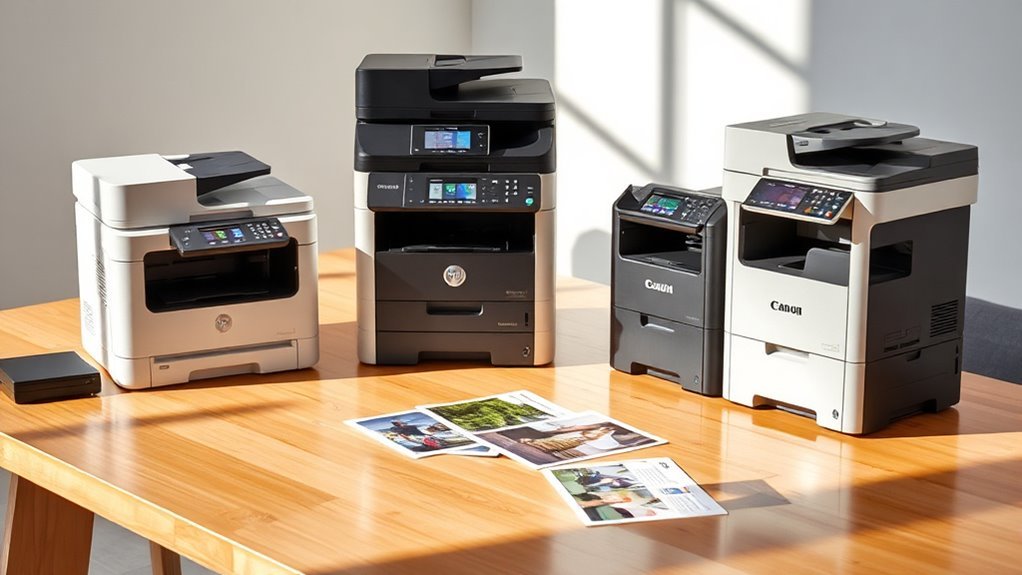
When choosing a Canon printer copier scanner, you’ll want to take into account the printing technology and how fast you need it to work. Think about the scan and copy features that matter most to you, along with the connectivity options available.
Don’t forget to check the ink or toner systems to make sure they fit your budget and usage. It’s all about finding the right balance that works for your needs.
Printing Technology Types
Although choosing the right Canon printer copier scanner can seem overwhelming, understanding the different printing technologies will help you make an informed decision. Inkjet printers use liquid inks, offering high-resolution color and photo prints with fine detail, ideal for vivid images.
Laser printers use toner and a heated fuser to produce fast, sharp prints, great for high-volume monochrome or color documents. Refillable tank systems store large ink volumes, cutting costs with high page yields.
Hybrid ink setups combine pigment-based black ink for crisp text and dye-based color inks for vibrant photos, balancing durability and color. Thermal dye-sublimation excels at photo quality with smooth color gradation but suits slower, photo-focused tasks rather than general document printing.
Knowing these types lets you match tech to your needs. It really makes picking the right printer a lot easier once you know the basics.
Print Speed Requirements
Since your printing needs vary, matching print speed to your typical daily volume is essential when choosing a Canon printer copier scanner. If you print heavily, look for models offering 30+ pages per minute (ppm); for occasional use, slower speeds under 15 ppm suffice.
Pay attention to first-page-out time—lower seconds mean quicker responsiveness for short jobs. Also, compare black-and-white and color speeds separately, as monochrome printing is usually faster and more cost-effective.
If you handle two-sided or multi-page documents often, consider duplex speeds and automatic document feeder (ADF) one-pass duplex capability to avoid delays. Keep in mind, manufacturer-rated speeds reflect ideal conditions; actual speeds drop with higher resolution, color graphics, duplexing, or network printing.
Choosing wisely guarantees your device meets real-world demands efficiently.
Scan And Copy Features
Explore the scan and copy features carefully to guarantee your Canon printer copier scanner fits your workflow. Check if the device offers a flatbed scanner, an automatic document feeder (ADF), or both.
An ADF with 20–50 sheets capacity, especially duplex ADFs, lets you scan double-sided pages unattended, saving time. That way, you can get through large jobs without constantly babysitting the machine.
Compare optical scan resolutions (600 x 600 dpi or higher) and color depth to make certain you get sharp, vibrant scans suitable for photos or OCR. Also, confirm supported scan formats like searchable PDFs and onboard OCR for efficient document management.
On the copy side, look for high copy resolution, fast copy speed, and automatic two-sided copying. Features like scaling, collating, and background reduction help produce clear, accurate copies without extra hassle.
Connectivity Options Available
After ensuring your Canon printer copier scanner meets your scanning and copying needs, it’s important to think about how you’ll connect it to your devices. Make sure your device supports dual-band Wi-Fi (2.4 GHz and 5 GHz) for stable wireless printing and faster data transfer. This is especially useful in busy networks.
If you prefer a wired connection, check for Ethernet or LAN ports. These offer reliable access and enhanced security.
USB ports are also essential for direct local connections, USB-host printing, or firmware updates. Be sure to confirm the type and number available on your device.
Don’t forget about mobile printing compatibility like AirPrint, Mopria, or Canon’s own apps. That way, you can print directly from your smartphone or tablet without any hassle.
Finally, think about voice assistant and cloud printing support if you want hands-free commands or the ability to submit documents remotely. It makes printing even more convenient.
Ink And Toner Systems
Choosing the right ink or toner system for your Canon printer copier scanner can markedly impact your printing costs and quality. You’ll find cartridge-based and refillable tank systems; tanks usually offer higher page yields and lower costs per page.
If you print lots of text, pigment black ink gives sharper, longer-lasting results with water resistance. On the other hand, dye-based color inks deliver vivid photos and smooth gradients.
Toner, used in laser printers, is a dry powder that prints faster, lasts longer, and suits high-volume monochrome jobs better than liquid inks. Hybrid systems mix pigment black with dye colors for balanced output but may need separate cartridges.
Always weigh starter versus high-capacity consumables, refill or subscription costs, and your monthly page volume. This way, you can gauge your total cost and how often you’ll need to replace ink or toner.
Paper Handling Capacity
Many factors influence the paper handling capacity of a Canon printer copier scanner, so you’ll want to match the input tray size and features to your daily print demands. Check the input tray’s sheet capacity—ranging from 1 to over 250 sheets—to reduce how often you refill it.
If you print a lot, consider models with multiple trays or expandable options like extra cassettes for higher throughput. Don’t forget to verify the automatic document feeder (ADF) capacity and whether it supports duplex scanning, which speeds up multi-page jobs.
Also, look at the output tray size and stacking style to avoid constant emptying or jams. Finally, confirm the supported media types and sizes, including specialty feeders, so you can handle everything from envelopes to cardstock without hassle.
Device Size And Design
While selecting a Canon printer copier scanner, you’ll want to measure your available workspace carefully to make certain the device fits comfortably on your desk or shelf. Compare your space dimensions with the device’s footprint and height, ensuring it fits under cabinets if needed.
Consider the weight, especially if you plan to move the unit frequently; compact models weigh under 10 pounds, while office units can exceed 40 pounds. Think about paper tray capacity and number—single trays save space, but multiple trays mean fewer refills and a larger footprint.
Also, check clearance for loading paper, replacing consumables, and clearing jams, as front-loading trays and top-opening scanners need different space than rear-feed or side-access models. Finally, factor in design elements like color, finish, and control-panel layout to match your room and ease of use.
Warranty And Support
After considering the size and design of your Canon printer copier scanner, it’s just as important to evaluate the warranty and support options available. Check the length and coverage of the limited warranty—whether it’s one year or multi-year—and confirm what parts and labor are included.
Keep in mind that consumables like printheads or refillable tanks are often excluded. It’s a good idea to verify that spare parts and authorized service support will be accessible throughout the warranty period. That way, you can be sure of timely repairs.
Also, ask if on-site service is offered or if you’ll need to mail in your device. Don’t forget to check the expected turnaround times and any shipping costs involved.
Finally, look for clear customer support channels—phone, email, or online portals. Make sure there are straightforward procedures for filing claims and escalating unresolved issues.
Frequently Asked Questions
How Do I Reset My Canon Printer to Factory Settings?
You can reset your Canon printer by turning it off, then holding the Stop/Reset button while pressing the Power button.
After that, release the Stop/Reset button after 5 seconds. Then, press it twice again.
Your printer will reset to factory settings. It’s pretty straightforward once you get the hang of it!
Can Canon Printers Connect Directly to Mobile Devices via Bluetooth?
Yes, many Canon printers can connect directly to your mobile devices via Bluetooth. You’ll just need to enable Bluetooth on both devices and pair them.
Then, you can easily print or scan wirelessly without any hassle. It’s pretty straightforward and convenient!
What Is the Average Lifespan of Canon Ink Cartridges?
When it comes to Canon ink cartridges, you can expect them to last around 200 to 300 pages on average.
Don’t put all your eggs in one basket; usage and printer model heavily affect longevity. So, how long your cartridge lasts can really vary depending on how you print.
Are Canon Printers Compatible With Linux Operating Systems?
Yes, Canon printers are compatible with Linux operating systems. You’ll find many models support Linux drivers.
Plus, you can use open-source tools like CUPS to manage printing and scanning tasks smoothly on your Linux setup. It really makes things easier to handle.
How Do I Update the Firmware on My Canon Printer?
You update your Canon printer’s firmware by visiting Canon’s official support website. There, you can download the latest firmware for your specific model.
Next, run the update utility on your computer while the printer is connected and turned on. It’s pretty straightforward once you have everything set up. Just follow the on-screen instructions, and you’re good to go!
Conclusion
So, you’re ready to pick the perfect Canon printer copier scanner, huh? With all these high-quality models, it’s almost like you’ll never run out of ink or paper jams again—right?
But seriously, whether you want blazing speed, vibrant colors, or simple wireless convenience, Canon’s got you covered. Just don’t blame us if you end up loving your printer a bit too much—it might start hogging your desk space and your attention.
When choosing the best Canon printer copier scanner, think about what matters most to you. Need fast copying for busy days? Or maybe crystal-clear scanning for your important documents? Canon’s lineup for 2027 is packed with options that blend quality and ease of use perfectly. So go ahead, find the one that fits your workflow, and enjoy seamless printing, copying, and scanning like never before!