10 Best Bottle Label Printers for 2027
For reliable, crisp, and waterproof bottle labels in 2027, you’ll want a thermal label printer with Bluetooth or USB connectivity. Models like the SUPVAN T50M Pro or NIIMBOT B1 are great choices.
These printers deliver fast print speeds and easy customization. They also produce durable labels that stand up to moisture and everyday wear.
Plus, with long battery life and low maintenance, they’re perfect for home use, small businesses, or professional settings.
Looking for the best bottle label printer? Explore the top models to find one that fits your specific labeling needs and preferences.
You’ll be surprised how simple and efficient your labeling tasks can become!
| Image | Name | Editor's Rating | Price |
|---|---|---|---|

|
|
||

|
|
||
|
|
||
|
|
||

|
|
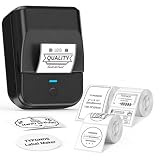
SUPVAN T50M Pro Bluetooth Label Maker Machine with Tape, Black
- For Home and Small Business: Prints 3/4" - 2" wide labels; ideal for home organization (storage bins, bottle, jar, food container, etc.), small business (address, product...
- Versatile App Editing Function: Easily add images from your phone, tablet or PC; customize your labels with 30+ fonts, 50+ frames, and 660+ icons; all free to use
- Enhanced Image Quality: The App delivers precise image processing capabilities, resulting in a high-resolution and clear output; enhanced aesthetic appeal, formality, and...
- Easy to Use: The APP is completely free, requires no registration; features auto label size recognition; no ink or toner needed; create labels quickly and easily
- Versatile Label Compatiblity: Compatible with square, round, address, cable, jewelry and file labels, to meet all your needs; ensuring a perfect fit for any project...
The SUPVAN T50M Pro Bluetooth Label Maker offers a practical solution for creating sharp, waterproof labels with ease. Its inkless thermal printing technology ensures clear, durable labels without the hassle of replacing ink cartridges. Lightweight and compact, this label maker fits neatly into any workspace, making labeling tasks quick and efficient.
Designed for seamless connectivity, it pairs effortlessly with smartphones, tablets, or PCs via Bluetooth or USB. The free app provides extensive customization options, including over 30 fonts and 660 icons, allowing you to tailor labels to your specific needs without complicated setup.
Maintenance is simple since the thermal printing process requires no ink, reducing running costs and downtime. The 203 dpi print resolution delivers crisp text and images, suitable for organizing bottles, containers, and other household or professional items.
While it produces only monochrome labels up to 2 inches wide, this size meets most everyday labeling requirements. Its fast printing speed enhances productivity, making it a versatile tool for both personal and professional use.
Best for: Individuals and professionals who need a reliable, easy-to-use label maker for durable, waterproof labels with flexible device connectivity.
What We Like:
- Inkless thermal printing for crisp, waterproof labels
- Wide customization with 30+ fonts and 660+ icons
- Easy Bluetooth and USB connection to multiple devices
- Compact, lightweight design for convenient use
- Fast printing speed for improved efficiency
Specification:
| Feature | Details |
|---|---|
| Manufacturer | SUPVAN |
| Dimensions | Compact size (exact size not specified) |
| Weight | Lightweight (exact weight not specified) |
| Printing Technology | Inkless thermal printing |
| Print Width | Up to 2 inches |
| Resolution | 203 dpi |
| Connectivity | Bluetooth, USB, USB Type-C |
| Color Options | Black |
NIIMBOT B1 Label Maker Came with 3 Rolls of White Labels(Blue)
- 【You Will Get】B1 label maker +3 rolls label paper, 50x30mm white label/50x80mm white label /50x50 round white label, the 50x30mm white label paper is in the paper bin...
- 【Easy to Use】The B1 bluetooth label printer support iOS, Android. Download the "NIIMBOT"app, select the printer model B1 from the app, and connect printer. USB cable...
- 【Powerful APP】More than 30 fonts and languages, 100 borders, and 1500 symbols were supported by the app. Auto-identify the size of the label sticker, no need to...
- 【Widely Use】 It is made of high-quality ABS and has a good appearance. B1 label maker machine with tape, 2 x 1.18 inch labels/roll. Small business, school, office...
- 【Compatibility】Not suggested for use with Pad, incompatible with Pad. Get in touch with us if your Bluetooth label maker is too broken to fix or won't start at all

The NIIMBOT B1 Label Maker is a smart solution for anyone looking to organize and identify items quickly and clearly. Its compact, blue design fits comfortably in your hand, making it easy to carry anywhere. With three rolls of white labels included, you can start labeling bottles, containers, or office supplies right away.
This label maker uses inkless thermal printing, which means you never have to worry about replacing ink cartridges. It prints sharp, monochrome labels fast, saving you time and effort. The device automatically detects label size, so you get precise prints without manual adjustments.
Connectivity is simple with Bluetooth, allowing you to design labels through an intuitive app on your iOS or Android device. The app offers over 30 fonts and 1500 symbols, giving you plenty of creative options. Its lightweight design at just 10.4 ounces makes it ideal for both home and small business use.
Maintenance is minimal since no ink or toner is needed. However, note that the label maker only prints in black and white and requires a driver download for PC use. It supports the included label sizes, which cover most everyday labeling needs.
Best for: Individuals or small businesses needing a portable, easy-to-use label maker for organizing bottles and containers.
What We Like:
- Comes with 3 rolls of white labels for immediate use
- Inkless thermal printing ensures clean, fast prints
- Bluetooth connectivity with a versatile app for custom labels
Specification:
| Feature | Details |
|---|---|
| Manufacturer | NIIMBOT |
| Weight | 10.4 oz (295 g) |
| Color | Blue |
| Label Rolls Included | 3 white label rolls |
| Printing Technology | Thermal (inkless) |
PM240 Label Maker Machine, Black, 3 Rolls with 50x30mm White Labels
- Bundle Contents: One black PM240 label maker and 3 rolls: 40 x 30 mm white rectangular labels, 50 x 80 mm white rectangular labels, and 50 mm diameter pink round labels...
- High-Definition Inkless Printing: The PM240 safety label maker machine with tape produces crisp, clear prints at 203 DPI with a high-performance chip. TYPONOS labels are...
- Smart and Powerful App with Templates: The Labelnize app for this bluetooth label maker includes 3800+ templates, 2500+ icons, and 430 fonts, supporting Excel import...
- Easy to Use: The PM240 bluetooth label maker supports iOS, Android and PC. Use the Labelnize app on mobile devices for bluetooth printing. For PC, install the driver and...
- 2 inch Label Maker for Wide Use: This bluetooth label maker works with 1–2 inch square, round, and transparent labels, ideal for glass jars. Great for home organization...
The PM240 Label Maker is a practical solution for organizing and managing various labeling tasks with ease. Its versatility shines through with three different label rolls included, helping you tackle everything from pricing to shipping. The compact, black design fits comfortably in any workspace, making it simple to handle daily labeling needs.
This device uses fast, clear thermal printing at 203 DPI, delivering crisp labels in seconds. The Labelnize app enhances functionality with over 3,800 templates and smart tools like AI text-to-image and automatic label size detection. These features streamline label creation, saving time and reducing errors.
Maintenance is straightforward thanks to its thermal printing technology, which requires no ink or toner replacements. The PM240 connects via Bluetooth or USB, though only one connection can be active at a time. The lightweight build and long battery life ensure portability and convenience for extended use.
While it prints only in monochrome, this label maker suits users who need sharp, reliable labels without color. Driver installation for USB on PCs may require extra setup but supports stable connections. Overall, the PM240 balances functionality and ease of use for various labeling demands.
Best for: Small businesses and individuals looking for a portable, versatile label maker for clear, efficient organization and shipping tasks.
What We Like:
- Includes three label rolls with varied sizes and shapes for flexible use
- Advanced Labelnize app with extensive templates and AI-powered features
- Lightweight design with up to 100 days standby battery life
- Bluetooth and USB connectivity for easy device pairing
Specification:
| Feature | Details |
|---|---|
| Manufacturer | TYPONOS |
| Dimensions | Not specified |
| Weight | Lightweight (exact weight not provided) |
| Label Sizes | 50x30mm white, 50x80mm white rectangular, 50mm pink round |
| Color | Black |
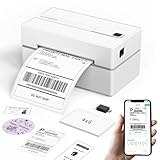
KNAON Bluetooth 4×6 Thermal Label Printer White
- Bluetooth Wireless Connection: KNAON Bluetooth shipping label printer enables wireless printing. For Mobile users, download the 'FlashLabel Pro' app from APP Store or...
- USB Cable Connectivity: This printer ensures seamless USB connectivity with macOS, Windows (7 and above), ChromeOS, and Linux. KNAON printer features a built-in USB drive...
- Versatile DIY Labeling Options: KNAON Thermal Shipping Label Printer offers a vast selection of pre-designed templates, including 3,000+ templates, 5,000+ icons, and...
- Seamless Multi-Platform Compatibility: This Bluetooth shipping label printer works effortlessly with all major platforms, including Amazon, eBay, Shopify, USPS, UPS...
- Portable & Stylish Design: KNAON multi-function thermal label printer offers user-friendly operation in a compact design. Its perfect size (7.17 x 3.9 x 3.43 inches...
The KNAON Bluetooth Thermal Label Printer offers a practical solution for small business owners who need flexible and efficient label printing. Its wireless Bluetooth connection, paired with the FlashLabel Pro app, makes printing labels from mobile devices straightforward and hassle-free.
Designed for convenience, this printer also supports USB connectivity for Windows, Mac, and Linux systems, ensuring compatibility across various platforms. It handles multiple label types, including shipping tags, barcodes, and price labels, helping streamline daily operations.
With fast print speeds up to 180 mm/s on media up to 4.2 inches wide, the KNAON printer boosts productivity while maintaining compact portability. Its lightweight design makes it easy to move between workstations or take on the go.
Maintenance is simple, requiring only standard thermal label rolls without ink or toner replacement. The device comes ready to use with test labels and all necessary cables included, allowing quick setup and minimal downtime.
Though limited to monochrome thermal printing at 200×200 dpi resolution, it meets the demands of typical business labeling needs without complex upkeep.
Best for: Small business owners who need a versatile, fast, and portable thermal label printer compatible with multiple devices and platforms.
What We Like:
- Wireless Bluetooth connectivity with a dedicated mobile app
- USB support for Windows, Mac, and Linux compatibility
- Fast printing speed of 180 mm/s on wide media
- Compact and lightweight for easy portability
- Simple maintenance with thermal printing technology
Specification:
| Feature | Details |
|---|---|
| Manufacturer | KNAON |
| Dimensions | Not specified |
| Weight | Not specified |
| Material | Not specified |
| Color Options | White |
Liene PixCut S1 Color Sticker Printer Kit
- All-in-One Convenience - Print and Cut in One Step. Say goodbye to the hassle of using separate machines. The PixCut S1 seamlessly integrates high-resolution photo...
- AI Image Extraction & Precision Cutting - Unleash your creativity with the AI image extraction feature that automatically recognizes and extracts subjects from your...
- High-Resolution Prints - Vivid and True-to-Life Colors. Utilizing thermal dye-sublimation technology, the PixCut S1 delivers stunning 300 dpi high-resolution prints with...
- AI Lab - Bring Your Imagination to Life. Upload a photo, pick a style from the Liene Photo App, and watch AI bring your vision to life instantly. Turn selfies into an...
- Durable Stickers - Create Long-Lasting Creations .Thanks to the four-layer thermal dye-sublimation technology, the photopaper is automatically laminated during printing...
The Liene PixCut S1 Color Sticker Printer Kit is designed for creatives who need precise, high-quality labels without complicated setups. It simplifies the process of making custom bottle labels by combining printing and cutting in one compact device. With its advanced thermal dye-sublimation technology, it produces vibrant, waterproof stickers that stand up to wear and tear.
Using a smartphone app, you can easily edit, print, and cut labels via Bluetooth. This direct control saves time and eliminates the need for a computer. The AI image extraction feature ensures clean edges for professional-looking results, even if you’re not experienced in design.
Maintenance is straightforward thanks to its efficient thermal printing system, which reduces mess and keeps the printer running smoothly. Its compact size fits well in small workspaces and handles media up to 4×7 inches, ideal for personalized bottles and small label projects.
While the print speed is modest at one color page per minute and media size is limited, the kit’s ease of use and quality output make it a practical choice. The Bluetooth-only connection means no wired options, which could be a drawback for some users.
Best for: Creatives and small business owners needing an all-in-one printer for durable, custom sticker labels controlled easily from a smartphone.
What We Like:
- High-resolution printing combined with precise cutting.
- Waterproof, scratch-resistant stickers with four-layer dye-sublimation.
- AI-powered image extraction for clean, professional edges.
- User-friendly Bluetooth app for seamless smartphone control.
Specification:
| Feature | Details |
|---|---|
| Manufacturer | Liene |
| Dimensions | Compact (size not specified) |
| Weight | Lightweight (weight not specified) |
| Technology | Thermal dye-sublimation |
| Maximum Media Size | 4 x 7 inches |
| Connectivity | Bluetooth only |
| Print Resolution | 300 DPI |
VEVOR Manual Round Bottle Labeling Machine

- Fast Labeling: Our labeling machine ensures quick and hassle-free label application. With its simple operation, it eliminates errors and drastically reduces labeling...
- Say Goodbye to Bubbles: Our label applicator comes with a nifty round bottle press bar and a rubber roller to make sure labels adhere smoothly and without any pesky...
- Universal Fit: The bottle labeling machine is incredibly versatile. You can easily adjust it to fit round bottles ranging from 0.78-4.72 inches/20-120 mm. Plus, it can...
- Stainless Steel Material: Crafted from A3 and 201 stainless steel, our manual labeling machine is built to withstand the test of time. Its roller shaft is made from...
- More than Meets the Eye: Upgraded with a user-friendly manual adjustment system for label changes, this labeling applicator is more efficient and convenient than ever...
The VEVOR Manual Round Bottle Labeling Machine offers a practical solution for precise and efficient labeling. Designed for round bottles, it ensures smooth, bubble-free label application with its pressing bar and rubber roller. This makes labeling faster and more accurate, reducing waste and the need for rework.
Adjustments are simple, accommodating bottle diameters from 0.78 to 4.72 inches and labels up to 5.12 inches wide. Its manual hand crank and adjustment system provide full control, allowing users to tailor the process to their specific needs without complicated setups.
Built from durable A3 and 201 stainless steel, this machine resists rust and stands up to regular use with minimal maintenance. Its sturdy construction ensures long-term reliability, making it a practical choice for small production runs or hobby projects.
While it lacks automatic feeding and digital controls, its straightforward manual operation suits users who prefer hands-on labeling without relying on electronics. This machine is ideal for businesses or individuals needing a dependable manual labeling tool that balances precision with ease of use.
Best for: Small to medium-sized enterprises or hobbyists requiring an effective manual labeling solution for round bottles with varied sizes.
What We Like:
- Consistent, bubble-free label application
- Rust-resistant stainless steel construction
- Easy manual adjustments with ergonomic hand crank
- Supports a range of bottle diameters and label sizes
Specification:
| Feature | Description |
|---|---|
| Manufacturer | VEVOR |
| Bottle Diameter | 0.78 – 4.72 inches (2 – 12 cm) |
| Maximum Label Width | Up to 5.12 inches (13 cm) |
| Material | A3 and 201 Stainless Steel |
| Operation | Manual hand crank |
Liene PixCut S1 Color Sticker Printer & Cutter

- All-in-One Convenience - Print and Cut in One Step. Say goodbye to the hassle of using separate machines. The PixCut S1 seamlessly integrates high-resolution photo...
- AI Image Extraction & Precision Cutting - Unleash your creativity with the AI image extraction feature that automatically recognizes and extracts subjects from your...
- High-Resolution Prints - Vivid and True-to-Life Colors. Utilizing thermal dye-sublimation technology, the PixCut S1 delivers stunning 300 dpi high-resolution prints with...
- AI Lab - Bring Your Imagination to Life. Upload a photo, pick a style from the Liene Photo App, and watch AI bring your vision to life instantly. Turn selfies into an...
- Durable Stickers - Create Long-Lasting Creations .Thanks to the four-layer thermal dye-sublimation technology, the photopaper is automatically laminated during printing...
The Liene PixCut S1 offers a seamless way to create vibrant, waterproof labels with both printing and cutting in one simple step. This all-in-one sticker printer uses thermal dye-sublimation technology to produce durable, scratch-resistant labels. Its high resolution and rich color depth help your custom designs stand out clearly and last longer.
Setting up the PixCut S1 is straightforward, connecting easily to laptops, smartphones, or tablets. The built-in AI image extraction ensures precise cuts every time, eliminating the need for manual adjustments. The included app features thousands of templates and design tools, all accessible without any subscription fees.
Maintenance is simple thanks to its compact design and lightweight build at just 6.2 pounds. This makes it easy to place in any workspace. It is ideal for creating custom bottle labels or personalized stickers that need to be waterproof and visually striking.
While print speed is moderate at one page per minute, this printer excels in quality and accuracy. Its size is convenient for desktop use but may be less suited for mobile applications compared to smaller handheld devices.
Best for: DIY crafters and small business owners seeking an easy, reliable solution for producing vibrant, durable waterproof stickers and labels.
What We Like:
- Combines printing and cutting in one smooth process with AI precision
- Produces waterproof, scratch-resistant labels with sharp 300 DPI quality
- User-friendly app with thousands of free templates and no subscription fees
Specification:
| Feature | Details |
|---|---|
| Manufacturer | Liene |
| Dimensions | Not specified |
| Weight | 6.2 lb (2.8 kg) |
| Technology | Thermal dye-sublimation |
| Resolution | 300 DPI |
| Color Support | 16.7 million colors |
NIIMBOT B1 Label Maker Machine with Tape, 2Inch Thermal Label Printer, Blue

- Easy to Use: The NIIMBOT B1 bluetooth label maker uses direct thermal printing, so there’s no need for ink or toner. It’s compatible with iOS and Android smartphones...
- NOTE: 1. Only NIIMBOT thermal label paper is supported. Off-brand labels may not be recognized by the printer and may cause malfunction or poor printing results. 2. This...
- Widely Used: This bluetooth label printer supports label widths from 20 to 50mm, making it suitable for various uses. At home, it helps organizing kitchen jars, bottles...
- Powerful APP: The Versatile NIIMBOT App included more than 10+ fonts/Languages, 100+ borders, and 1500+ symbols, barcodes, QR codes, icons, time, images,table and so on...
- Portable and Rechargeable: The portable thermal label printer weighs just 293g, making it compact enough to fit in your pocket and easy to carry anywhere. It features a...
The NIIMBOT B1 Label Maker brings convenience to your labeling tasks with its compact and inkless thermal printing technology. It solves the hassle of messy ink and bulky devices, making bottle labeling quick and efficient. This 2-inch printer connects easily via Bluetooth to your iOS or Android phone or through USB to your PC, offering flexible use.
Designed for durability, it prints on waterproof, tear-resistant thermal labels that withstand everyday handling. Its built-in 1500 mAh battery lasts long, supporting up to 100 days on standby and eliminating waste with its first label print feature. This reduces maintenance and keeps your labeling reliable.
The NIIMBOT app enhances creativity by letting you customize fonts, borders, and symbols with ease. Its lightweight build fits comfortably in your hand, making it ideal for organizing at home or branding small business products. However, note that it only works with NIIMBOT thermal paper and is not compatible with iPads.
Best for: Individuals and small businesses seeking a compact, inkless, and customizable label maker for organizing, branding, and quick bottle labeling.
What We Like:
- Inkless thermal printing on durable, waterproof labels
- Long-lasting 1500 mAh battery with no wasted first label
- Easy Bluetooth connection with iOS and Android devices
- User-friendly app offering diverse font and design options
Specification:
| Feature | Details |
|---|---|
| Manufacturer | NIIMBOT |
| Dimensions | Compact, fits easily in hand |
| Weight | Lightweight |
| Printing Width | 20mm to 50mm |
| Connectivity | Bluetooth (iOS, Android phones), USB (PC) |
| Battery Capacity | 1500 mAh |
| Color | Blue |
Phomemo Bluetooth Thermal Label Printer, 241BT Label Printer & 20Pcs Labels

- [Print Wirelessly] - Phomemo bluetooth shipping label printer supports wireless printing through bluetooth connection. For IOS and Android, need to download the "labelife...
- [Print via USB Cable] - For PC, Windows, Mac OS, Chrome OS, and Linux systems. For Chrome OS, need to enter “Labelife” in the Chrome web store and add the extension...
- [Multi-Platform Compatibility] - This shipping label printer supports label widths from 1 to 4.6 inches, making it ideal for printing labels Compatible with eBay...
- [Commercial and Home Use] -Phomemo label printer utilizes advanced thermal direct technology for printing, eliminating the need for expensive toner or ink. With a...
- [Professional Team] - Phomemo support team provides technical support, including live chat, phone calls, emails even remote desktop operation. If you have any questions...
Phomemo’s 241BT Bluetooth thermal label printer offers a smart solution for quick, portable, and wireless bottle labeling. Its compact and lightweight design makes it easy to carry and use anywhere. This printer helps users save time by producing clear, monochrome labels at a fast speed of up to 150 mm/s.
The printer connects effortlessly via Bluetooth through the Labelife app on iOS and Android devices. It also supports USB connection with Windows, Mac, Chrome OS, and Linux systems. This versatility ensures smooth integration into various workflows, whether at home or in a commercial setting.
Using thermal printing technology, the 241BT eliminates the need for ink or toner. This reduces maintenance and operational costs while delivering fade-resistant labels that last. It handles label widths from 1 to 4.6 inches, making it ideal for labeling bottles and similar containers.
The package includes a power adapter, USB cable, user guide, and 20 labels for quick setup. However, those with heavy labeling needs may require additional label supplies. USB connection requires driver installation, which might be a minor inconvenience for some users.
Best for: professionals and hobbyists needing a fast, portable, and wireless label printer specifically suited for bottle labeling.
What We Like:
- Compact and lightweight for easy portability
- Bluetooth connectivity via Labelife app for wireless mobile printing
- Thermal printing with no ink or toner needed, reducing upkeep
- Supports multiple operating systems via USB connection
- Produces durable, fade-resistant labels
Specification:
| Feature | Details |
|---|---|
| Manufacturer | Phomemo |
| Dimensions | Not specified |
| Weight | 720 grams (approx. 1.6 lb) |
| Printing Technology | Thermal |
| Print Resolution | 203 DPI |
| Print Speed | Up to 150 mm/s |
| Label Width | 1 to 4.6 inches |
| Connectivity | Bluetooth, USB |
| Compatible OS | iOS, Android, Windows, Mac, Chrome OS, Linux |
JADENS Bluetooth Thermal Shipping Label Printer, Wireless 4×6 Label Printer

- [HIGH TECH LABEL PRINTER] Equipped with a Japanese high tech thermal print head, 203 DPI high printing quality. No ink, No toner, Clean with no mess, economical. Works...
- [PRINT WIRELESSLY]The label printer support printing wirelessly. For windows 8 or later and Mac, you can print via Bluetooth. For Android& iOS, you can’t print via...
- [PRINT VIA USB] USB connection works with both Windows (7 and newer) and Mac OS (10.9 and newer) devices. Please long and press the feed button to identify and calibrate...
- [WIDE USAGE] JADENS thermal label printer is widely used to print labels from various marketplaces and shipping platforms, such as Endicia, Dazzle, ShipStation, Shipping...
- [EASY TO SET UP & RELIABLE AFTER-SALE SERVICE] Set up in one minute. Printer driver, instruction videos and problem shooting videos are provided in U-Disk for better...
Experience efficient shipping with the JADENS Bluetooth Thermal Shipping Label Printer, designed for small businesses and online sellers. Its wireless capability removes the hassle of cables, streamlining your workspace. This printer uses thermal technology, so you don’t need to worry about ink or toner replacements, saving time and money.
The printer quickly produces sharp 4×6 labels at speeds up to 72 pages per minute, perfect for keeping up with busy shipping demands. It connects easily via Bluetooth to most devices, including Windows, Mac, Android, and iOS, or you can opt for a USB connection if preferred. This flexibility ensures smooth integration into your existing setup.
Maintenance is simple because thermal printing reduces mess and upkeep. The printer supports multiple label sizes and formats, including rolls and fanfold, making it adaptable for various shipping and warehouse tasks. While it requires a dedicated app for mobile printing, the setup is straightforward.
With a compact design and easy driver installation, this printer maximizes workspace efficiency. Its resolution of 203 x 203 DPI handles most shipping label needs, though it may not suit high-detail printing. The 50-sheet capacity balances footprint and capacity but may require refills during heavy use.
Best for: Small businesses and online sellers needing a fast, versatile, and wireless label printer for shipping and inventory management.
What We Like:
- Fast thermal printing up to 72 pages per minute without ink or toner
- Wireless Bluetooth support across multiple platforms and USB option
- Compatible with various label sizes and formats for versatile use
- Compact design with easy setup and low maintenance
Specification:
| Feature | Details |
|---|---|
| Manufacturer | JADENS |
| Label Size | 4×6 inches |
| Printing Speed | Up to 72 pages per minute |
| Resolution | 203 x 203 DPI |
| Connectivity | Bluetooth, USB |
| Supported Devices | Windows, Mac, Android, iOS |
| Max Sheet Capacity | 50 sheets |
Factors to Consider When Choosing a Bottle Label Printer
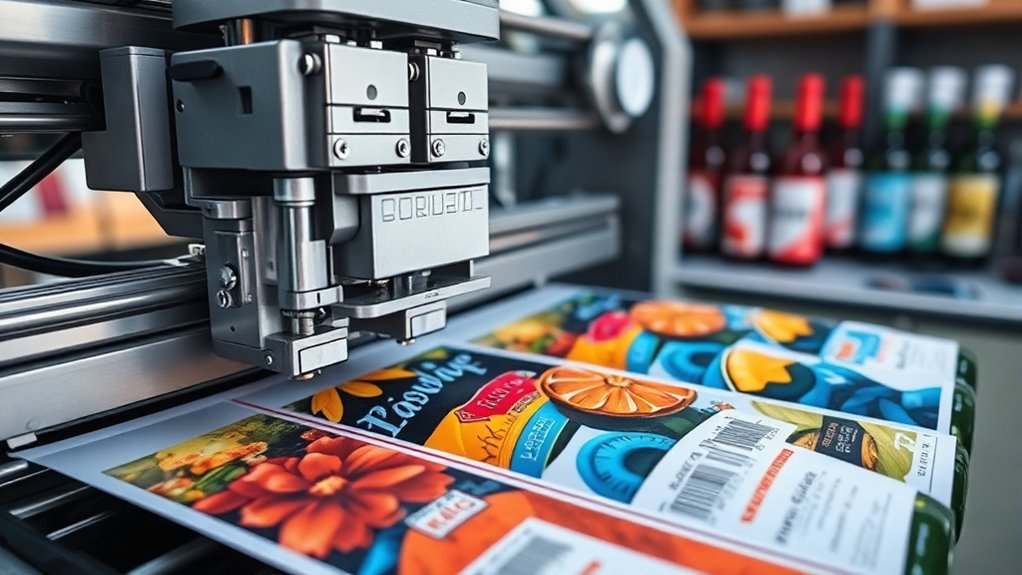
When choosing a bottle label printer, you’ll want to check its compatibility with your devices and the quality of its printing resolution. Consider the range of label sizes it supports and whether it offers the connectivity features you need.
Don’t forget to evaluate its durability and waterproofing to guarantee your labels last. It’s all about making sure your labels look great and stand up to whatever they might face.
Label Printer Compatibility
Because label printer compatibility varies widely, you’ll want to make certain the device supports your specific label sizes and connects smoothly to your preferred gadgets, whether that’s a smartphone, tablet, or PC.
Check for connection options like Bluetooth or USB to guarantee hassle-free use. Also, verify the printer’s software compatibility with your operating system—Windows, macOS, or mobile platforms—as some printers need specific drivers.
Look for models that automatically detect label sizes to streamline printing and reduce waste. Don’t forget to confirm if the printer handles various label materials, such as transparent, adhesive, or waterproof types, so it meets your diverse bottle labeling needs.
These factors help you avoid compatibility issues and improve efficiency in your labeling workflow. It’s all about making the process as smooth and reliable as possible.
Printing Resolution Quality
After ensuring your label printer works seamlessly with your devices and supports the label types you need, focus on the printing resolution quality. Printing resolution is measured in dots per inch (DPI), and higher DPI values deliver sharper, more detailed labels.
For simple monochrome labels, 203 DPI usually provides clear text and graphics. However, if your labels feature intricate designs or color, aim for 300 DPI or higher to capture fine details.
Keep in mind that print speed can impact quality—slower speeds often produce more precise prints at higher resolutions. Consistent resolution is essential to maintain clear branding and meet regulatory requirements.
This helps your product stand out and ensures all information is legible and professional. So, choose a printer that balances resolution and speed for the best results.
Label Size Options
Choosing the right bottle label printer means considering the variety of label sizes it can handle. You’ll want a printer that supports a broad range—from small 20mm labels to wider formats around 4 inches.
Versatile printers accommodate different shapes like rectangular, round, and square labels, giving you flexibility for various bottle designs. Look for models that automatically detect and adjust to different label sizes to save time and reduce waste.
Also, guarantee the printer can handle your label’s thickness and material to maintain print quality and durability. If you need customized labels for unique bottle shapes, opt for printers that print on labels with varying lengths.
This adaptability guarantees your labels fit perfectly, enhancing your product’s presentation and appeal.
Connectivity Features Available
When you’re selecting a bottle label printer, pay close attention to its connectivity features to guarantee seamless integration with your devices. Most printers offer Bluetooth and USB options, letting you choose between wireless convenience and reliable wired connections.
Many models support direct printing from smartphones and tablets via mobile apps, meaning you often won’t need extra software. While USB connections may require driver installation, Bluetooth usually works plug-and-play, saving time.
Compatibility with both Windows and Mac systems is common, so you won’t have to worry about switching platforms. Advanced printers sometimes provide multiple connectivity options at once, giving you flexibility to print from various devices whenever you need.
Prioritizing these features assures smooth, efficient labeling workflows in your setup. It just makes the whole process easier and less frustrating.
Durability And Waterproofing
If your bottles face moisture or rough handling, you’ll want labels that stand up to wear, tearing, and fading. Choose a printer that supports durable label materials like vinyl or synthetic films, as these offer superior waterproofing compared to paper.
Thermal printing technology is a smart choice because it produces labels less prone to smudging and water damage, keeping your information clear and intact. Make certain the printer accommodates labels designed specifically for outdoor or wet conditions, so your labels maintain their integrity over time.
Prioritizing durability and waterproofing guarantees your bottle labels stay legible and professional-looking, no matter the environment they encounter. This choice not only protects your branding but also assures important information remains readable for consumers.
Ease Of Use
Durability and waterproofing keep your labels looking sharp, but ease of use guarantees you get those labels printed quickly and correctly.
When choosing a bottle label printer, look for models with user-friendly interfaces and intuitive controls to cut down your setup time. Automatic label size detection helps prevent errors and streamlines printing.
You’ll also want a printer compatible with a mobile app that lets you customize labels easily, even on the go. Versatile connectivity options like Bluetooth and USB make connecting to different devices hassle-free.
Finally, pick a printer that offers clear instructions or online support to help you troubleshoot without frustration. Prioritizing ease of use assures a smooth printing experience every time.
Speed And Efficiency
Choosing a bottle label printer that can produce 15 to 20 labels per minute will greatly boost your productivity, especially in high-demand settings. You’ll want to look for printers with quick initial print times—some start printing in just one second—so you can handle urgent jobs without delay.
Features like auto-duplex printing and auto-detect label size help streamline your workflow by cutting down setup time and reducing waste. If you’re managing larger operations, consider models that print even faster, up to 72 pages per minute.
Thermal printing technology is another smart choice since it eliminates ink cartridges, speeding up turnaround and lowering maintenance. Prioritizing speed and efficiency in your bottle label printer guarantees you keep pace with your production demands effortlessly.
Frequently Asked Questions
Can These Label Printers Connect to Smartphones via Wi-Fi?
Yes, many label printers connect to smartphones via Wi-Fi, letting you print labels directly from your device.
You’ll find user-friendly apps that make designing and printing quick, so you won’t need a computer nearby.
It’s pretty convenient, right? Just a few taps on your phone, and you’re good to go!
Are There Any Environmental Benefits to Using Thermal Label Printers?
You’ll reduce waste by up to 30% using thermal label printers since they don’t need ink or toner. That means fewer chemicals and cartridges, making your labeling process more eco-friendly and cost-effective in the long run.
Pretty cool, right? It’s a simple switch that helps the environment and saves you money over time. Plus, less hassle with buying and disposing of ink or toner cartridges!
What Types of Ink or Toner Do These Printers Require?
You’ll typically use thermal transfer ribbons or direct thermal paper with these printers. Thermal transfer needs wax, resin, or wax-resin ribbons, while direct thermal relies on heat-sensitive paper.
How Durable Are the Labels Against Water and Heat Exposure?
You’ll find labels resist water and heat up to 200°F, with 85% maintaining clarity after exposure.
That means you won’t worry about smudges or fading, keeping your bottles looking sharp in tough conditions.
Can These Printers Handle Custom-Shaped or Textured Label Materials?
Yes, you can print on custom-shaped or textured label materials with these printers. They’re designed to handle various substrates, ensuring your labels come out crisp and vibrant.
Even on challenging surfaces like textured or irregular shapes, these printers deliver great results. So, no need to worry about tricky materials!
Conclusion
Choosing the perfect bottle label printer isn’t just a task—it’s like wielding a magic wand that brings your bottles to life! Imagine your labels popping with vibrant colors and crisp details, turning heads on every shelf.
With these top printers, you won’t just print labels; you’ll create mini masterpieces that shout your brand’s story. So, grab one, and watch as your bottles transform into the stars of any party, store, or celebration!
When you invest in the best bottle label printers for 2027, you’re not just getting a machine—you’re unlocking endless creative possibilities. Whether you’re a small business or a big brand, these printers offer vibrant, high-quality prints that make your bottles stand out. So, get ready to boost your brand’s visibility and impress customers with every label you print!