9 Best Bluetooth Wireless Printers for 2027
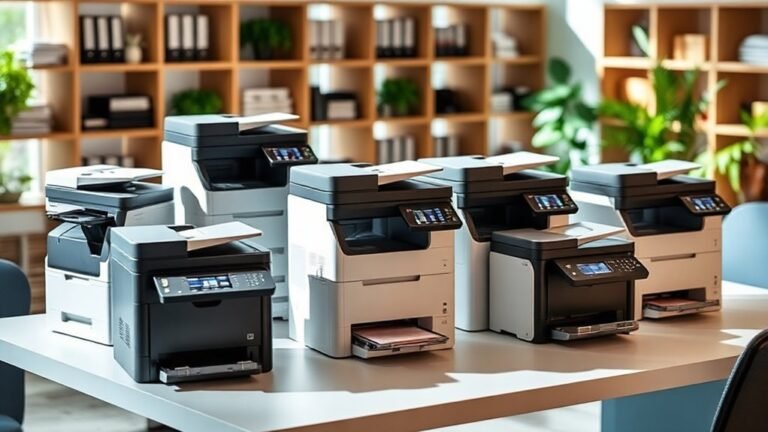
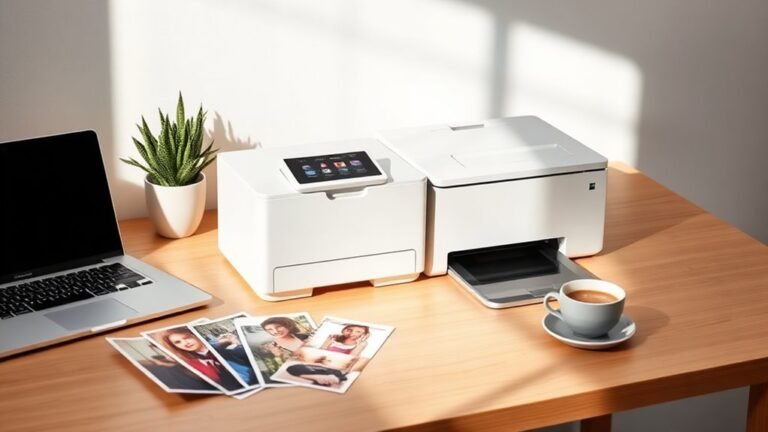
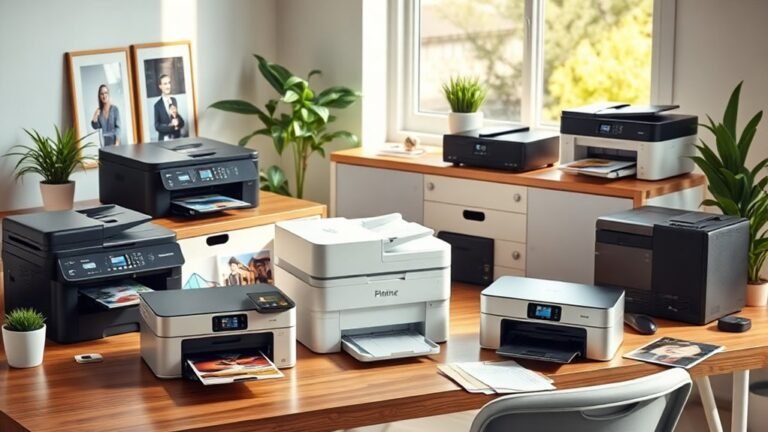
If you’re looking for the best Bluetooth wireless printers in 2027, you’ve got plenty of great options to choose from.
Whether you need something for family use, professional work, or on-the-go printing, there’s a printer that fits your needs. Bluetooth connectivity makes it super easy to print wirelessly from your phone, tablet, or laptop without any hassle.
For versatile family use, the Canon PIXMA TS6520 is a solid choice. If you’re a mobile professional, the ultra-portable Canon TR160 is perfect for printing anywhere.
And if low-maintenance printing is your priority, inkless thermal printers like Gloryang or Rongta have you covered.
High-quality photo printing? Check out the HP Sprocket Studio Plus.
Need to print a lot? The MegaTank G3270 is built for high-volume jobs.
All these printers offer smooth setup, strong connectivity, and fast output.
Keep exploring to find the one that suits your lifestyle best.
| Image | Name | Editor's Rating | Price |
|---|---|---|---|

|
|
||

|
|
||

|
|
||

|
|
||

|
|
Canon PIXMA TS6520 Wireless Color Inkjet Printer, 1.42″ OLED Display, White
- Affordable Versatility - A budget-friendly all-in-one printer perfect for both home users and hybrid workers, offering exceptional value
- Crisp, Vibrant Prints - Experience impressive print quality for both documents and photos, thanks to its 2-cartridge hybrid ink system that delivers sharp text and vivid...
- Effortless Setup & Use - Get started quickly with easy setup for your smartphone or computer, so you can print, scan, and copy without delay
- Reliable Wireless Connectivity - Enjoy stable and consistent connections with dual-band Wi-Fi (2.4GHz or 5GHz), ensuring smooth printing from anywhere in your home or...
- Scan & Copy Handling - Utilize the device’s integrated scanner for efficient scanning and copying operations

The Canon PIXMA TS6520 offers a compact and stylish solution for everyday printing challenges. Its sleek design fits effortlessly into any home or office space, while the bright 1.42” OLED display makes navigating functions simple and intuitive. This all-in-one printer streamlines your workflow by combining printing, scanning, and copying in one device.
Maintenance is straightforward thanks to the efficient 2-cartridge hybrid ink system. It produces sharp text and vibrant colors without frequent cartridge changes. Auto-duplex printing helps reduce paper waste by printing on both sides automatically, supporting eco-friendly practices and cost savings.
Connecting to the printer is hassle-free with dual-band Wi-Fi and compatibility with smartphones and voice commands. This flexibility means you can print from nearly anywhere without complex setups. The device is designed for users who want reliable, high-quality prints with minimal effort.
While print speeds are moderate and the printer handles only standard letter-size media, the TS6520 delivers consistent performance for everyday use. It lacks some advanced features like an automatic document feeder, but its balance of functionality and ease of use makes it ideal for typical home or student needs.
Best for: Families and students seeking a compact, reliable, and easy-to-use all-in-one printer for daily printing, scanning, and copying.
What We Like:
- Compact design with clear 1.42” OLED display for easy control
- Dual-band Wi-Fi and voice compatibility for flexible wireless printing
- Auto-duplex printing reduces paper use and supports eco-friendly habits
- Efficient 2-cartridge hybrid ink system delivers sharp text and vivid colors
Specification:
| Feature | Details |
|---|---|
| Manufacturer | Canon |
| Dimensions | Not specified |
| Weight | Not specified |
| Color | White |
| Display | 1.42” OLED |
| Ink System | 2-cartridge hybrid ink |
| Connectivity | Dual-band Wi-Fi, Voice compatible |
| Supported Media Size | Up to 8.5” x 11” (Letter) |
Canon PIXMA TR160 Color Wireless Portable Printer
- LIGHTWEIGHT AND PORTABLE - Connect and print on the go with the PIXMA TR160. This lightweight portable printer can fit into a bag or backpack with room to spare.
- HIGH-QUALITY PRINTING ON THE GO - Print documents and photos up to 8.5” x 11” that showcase sharp black text and vibrant details with rich color thanks to a 5-Color...
- SIMPLE & EASY CONNECTIVITY - Printing is only an app away when using the Canon PRINT app, Apple AirPrint4, or Mopria Print Service5 with your compatible device(s) or the...
- WIRELESS DIRECT MODE - Connect your compatible device to the printer even without a wireless router.
- 1.44” OLED DISPLAY - Easily check ink levels, printer status, and other settings with the 1.44” Monochrome OLED.
The Canon PIXMA TR160 is designed to keep you productive wherever your work takes you. Its lightweight and compact design makes it easy to carry, eliminating the need for bulky equipment during travel. This portable inkjet printer delivers sharp text and vibrant colors, ensuring your documents and photos look professional every time.
With versatile wireless connectivity options like Canon PRINT, Apple AirPrint, and Mopria Print Service, you can print effortlessly from your smartphone or laptop. The Wireless Direct Mode and USB-C connection add flexibility when Wi-Fi is unavailable. Its small 1.44” OLED display allows you to check printer status and save up to five custom templates, simplifying repetitive tasks.
Maintenance is straightforward with the 5-Color Hybrid Ink System, which produces high-resolution prints at 4800 x 1200 dpi, reducing the need for frequent reprints. An optional battery enhances mobility, allowing you to print seamlessly without relying on power outlets, though it adds to the overall cost.
Best for: travelers and mobile professionals who need a reliable, high-quality printer that fits easily into a mobile lifestyle.
What We Like:
- Lightweight and compact for easy portability
- High-resolution printing with vibrant color output
- Multiple wireless printing options for convenience
- Saves custom templates for quick printing
- Optional battery supports true mobile use
Specification:
| Feature | Details |
|---|---|
| Manufacturer | Canon |
| Dimensions | Compact size (exact size not specified) |
| Weight | 4.5 lb (approx. 2.04 kg) |
| Ink System | 5-Color Hybrid Ink System |
| Print Resolution | 4800 x 1200 dpi |
| Display | 1.44” monochrome OLED |
| Connectivity | Canon PRINT, AirPrint, Mopria, Wireless Direct, USB-C |
| Battery | Optional (not included) |
Gloryang Inkless Portable Wireless Thermal Printer Kit
- Inkless Printing – Gloryang portable printer uses advanced thermal technology, requiring no ink, toner, or ribbons. The package includes the printer, 3 thermal paper...
- Seamless Bluetooth Connectivity – The Gloryang mobile sticker printer connects easily to iOS and Android via Bluetooth through the “Jadens Printer” app. It also...
- Ultra-Portable Design - Weighing just 1.75lb and measuring 1.7in thick, the Gloryang portable printer is incredibly lightweight and compact. Perfect for on-the-go...
- Space-Saving Design - Say goodbye to clutter with the built-in paper bin of the Gloryang printer. It saves space and keeps your workspace tidy, whether you're on the go...
- Perfect Gift for Holiday-Gloryang thermal printer can print clear photos, image, design drawings and text. It's perfect for busy professionals and students. Come with a...
Experience hassle-free printing with the Gloryang Inkless Portable Wireless Thermal Printer Kit. Designed for those who need quick, reliable printing without the mess of ink or toner, this lightweight printer makes on-the-go document handling effortless. Its inkless thermal technology ensures clean, monochrome prints without the usual maintenance of traditional printers.
Weighing just 1.75 pounds, this compact device is easy to carry and fits neatly into any work or study bag. The built-in paper bin keeps your thermal paper secure, reducing the chance of jams or damage while traveling. It supports standard 8.5 x 11-inch thermal paper, ideal for everyday document printing needs.
Connectivity is simple and seamless via Bluetooth, enabling you to print directly from iOS or Android devices using the Jadens Printer app. This eliminates the need for cables and bulky setups, making it perfect for professionals and students who value mobility.
While the print resolution is limited to 203 x 203 dpi, it is well-suited for text and basic graphics. Keep in mind, it only works with thermal paper and requires the dedicated app, which may affect compatibility with some workflows.
Best for: Professionals and students needing a lightweight, inkless printer for convenient, on-the-go monochrome printing.
What We Like:
- Lightweight, portable design with built-in paper bin for easy transport
- Inkless thermal printing eliminates ink, toner, and ribbon maintenance
- Wireless Bluetooth connection compatible with iOS and Android devices via Jadens Printer app
Specification:
| Feature | Details |
|---|---|
| Manufacturer | Gloryang |
| Dimensions | Not specified |
| Weight | 1.75 lb (0.79 kg) |
| Paper Size Support | 8.5 x 11 inches |
| Print Technology | Inkless thermal |
| Resolution | 203 x 203 dpi |
| Connectivity | Bluetooth |
Rongta Wireless Bluetooth Thermal Portable Printer (Black)
- Easy to Set Up: RONGTA F11A portable thermal printer for travel go by bluetooth.Download "RONGTA" APP from Google Play or APP store for iOS and Android Phone or...
- RONGTA portable printer, 203DPI resolution, large to 8.5" design, easy to use and maintain. Print forms, letters, assignments, study materials, and travel documents...
- Stylish Thermal Printer:Rongta bluetooth wireless printer, It is compatible with your go-to paper sizes—including US Letter, Legal, A4 thermal papers. What’s more, it...
- Portable and Compact: When traveling you can take Rongta portable printer wireless in your backpack or tote bag wherever you need. It is compact and portable whether in...
- Warm Tips: Do Not Support Chrome. Rongta portable printers wireless for travel can't support pair bluetooth via Phone or tablet directly, must be pair on the"RONGTA" APP...
Rongta’s Wireless Bluetooth Thermal Portable Printer delivers fast, inkless printing wherever you need it. Its compact and lightweight design fits easily into bags, making it perfect for printing on the go. You won’t have to worry about carrying bulky ink cartridges or ribbons, thanks to its thermal printing technology.
Setup is straightforward but requires the dedicated RONGTA App on Android or iOS, as direct Bluetooth pairing isn’t supported. This ensures a smooth connection and easy management of print jobs. The printer handles thermal paper sizes up to 8.5 x 11 inches, making it versatile for different printing needs.
With a printing resolution of 203 DPI and speeds up to 3.23 pages per minute, it efficiently produces clear, readable prints. It connects to Windows and macOS devices via USB, expanding your options for use in various environments. Maintenance is minimal since no ink refills are needed, reducing ongoing costs and effort.
While it only works with thermal paper and does not support printing via the Chrome browser, its portability and simplicity make it a practical choice for school, office, or outdoor work.
Best for: users who need a lightweight, portable, and inkless printer for quick thermal printing in diverse settings.
What We Like:
- Lightweight and compact for easy portability
- Simple Bluetooth setup through the RONGTA App
- Inkless thermal printing reduces maintenance and supply costs
- Compatible with Windows and macOS via USB
- Supports large thermal paper sizes up to 8.5 x 11 inches
Specification:
| Feature | Details |
|---|---|
| Manufacturer | Rongta |
| Dimensions | Compact (exact size not specified) |
| Weight | Lightweight (exact weight not specified) |
| Color Options | Black |
| Printing Resolution | 203 DPI |
| Printing Speed | Up to 3.23 pages per minute |
| Paper Type | Thermal paper only |
| Max Paper Size | 8.5 x 11 inches |
| Connectivity | Bluetooth via RONGTA App, USB |
| Compatible OS | Windows, macOS, Android, iOS |
Canon PIXMA TS4320 – Wireless Color Inkjet Printer with Print, Copy, Scan
- Affordable Versatility - A budget-friendly all-in-one printer perfect for both home users and hybrid workers, offering exceptional value
- Crisp, Vibrant Prints - Experience impressive print quality for both documents and photos, thanks to its 2-cartridge hybrid ink system that delivers sharp text and vivid...
- Effortless Setup & Use - Get started quickly with easy setup for your smartphone or computer, so you can print, scan, and copy without delay
- Reliable Wireless Connectivity - Enjoy stable and consistent connections with dual-band Wi-Fi (2.4GHz or 5GHz), ensuring smooth printing from anywhere in your home or...
- Scan & Copy Handling - Utilize the device’s integrated scanner for efficient scanning and copying operations
The Canon PIXMA TS4320 is a compact all-in-one printer designed to simplify everyday tasks. It combines printing, copying, and scanning in one sleek device, making it a practical choice for home use. With sharp print quality up to 1200 x 1200 dpi, it produces clear documents and vibrant photos quickly.
Setting up wireless printing is straightforward with dual-band Wi-Fi. You can easily print from smartphones or tablets using Canon PRINT, AirPrint, or Mopria apps. The auto-duplex feature helps reduce paper waste by printing on both sides without extra effort.
Maintenance is simple thanks to its user-friendly design and manageable ink system. The printer supports various media types like cardstock and photo paper, giving you flexibility for projects such as homework, recipes, and casual printing needs. Its compact size fits comfortably in small spaces without clutter.
While it handles everyday tasks well, the PIXMA TS4320 is limited to standard letter-size media and has no advanced display screen. Its 100-sheet output tray is suitable for light to moderate use but may require frequent refills during high-volume printing.
Best for: Home users seeking a compact, easy-to-use wireless printer with versatile print, copy, and scan functions for everyday tasks.
What We Like:
- Sharp print quality at 1200 x 1200 dpi with fast speeds
- Easy wireless setup with dual-band Wi-Fi and mobile printing
- Auto-duplex printing saves paper
- Supports various media types including cardstock and photo paper
Specification:
| Feature | Details |
|---|---|
| Manufacturer | Canon |
| Dimensions | Compact size (exact dimensions not provided) |
| Weight | Not specified |
| Color Options | Not specified |
| Max Print Resolution | 1200 x 1200 dpi |
| Print Speed | 9 ppm (color), 14 ppm (black & white) |
| Max Media Size | 8.5 x 11 inches |
| Connectivity | Dual-band Wi-Fi, mobile printing (Canon PRINT, AirPrint, Mopria) |
| Output Tray Capacity | 100 sheets |
Canon PIXMA TS3720 Wireless All-in-One Printer
No products found.
The Canon PIXMA TS3720 is a compact all-in-one printer designed to simplify your home office tasks. It lets you easily print, copy, and scan, addressing the need for an efficient multifunction device in a small footprint. Wireless connectivity means you can print from multiple devices without hassle.
With dual-band Wi-Fi, the printer maintains a stable connection, reducing interruptions and saving you time. Mobile printing options via Canon’s app, AirPrint, and Mopria further enhance convenience by allowing direct printing from your smartphone or tablet. This flexibility supports a smoother workflow at home.
The TS3720 handles a variety of media types, including borderless photos up to 5” x 7”, making it suitable for casual photo printing alongside everyday documents. Its replaceable cartridges and affordable ink plans help keep maintenance simple and running costs low.
Though print speeds are modest—7.7 pages per minute for black and 4 for color—the device’s compact size and lightweight design make it ideal for limited spaces. The small 1.5” LCD screen offers straightforward controls but may feel limiting for some users.
Best for: Users seeking a compact, budget-friendly wireless all-in-one printer for home use that balances functionality with ease of maintenance.
What We Like:
- Reliable all-in-one print, copy, and scan capabilities
- Stable dual-band Wi-Fi and versatile mobile printing support
- Cost-effective replacement cartridges and ink plans
- Compact, lightweight design fits well in small spaces
Specification:
| Feature | Details |
|---|---|
| Manufacturer | Canon |
| Dimensions | Approximately 14.5 x 11.7 x 5.5 inches (W x D x H) |
| Weight | About 8.6 lbs (3.9 kg) |
| Printer Type | Wireless Inkjet |
| Connectivity | Dual-band Wi-Fi, USB |
| Display | 1.5-inch LCD screen |
| Media Size | Up to 5” x 7” borderless photos |
Thermal Shipping Label Printer 4×6 Bluetooth Label Maker for Small Business

- 【High‑Quality, Energy‑Efficient Thermal Printing】The NULLTONEX shipping label printer uses direct thermal technology, eliminating the need for ink or toner and...
- 【Bluetooth & USB Dual Connectivity】 Connect seamlessly to your phone, laptop or PC via Bluetooth or USB. Download the free app for quick Bluetooth pairing to create...
- 【User‑Friendly Operation】 Easy setup and a dedicated app offer 1,800+ customizable templates, 300+ fonts, and multiple editing tools for everything from daily home...
- 【Wide Compatibility with Popular Shipping Platforms】 Works seamlessly with major shipping carriers and e‑commerce platforms including Amazon, Shopify, Etsy, USPS...
- 【Durable, Compact & Ready to Use】 Featuring a special matte finish with reinforced coating and a space‑saving design that fits neatly on any desk. Built‑in...
If you need fast and reliable label printing, this Thermal Shipping Label Printer is designed to simplify your workflow. It uses direct thermal printing, so there’s no need for ink or toner. This reduces maintenance and lowers operating costs, making it ideal for busy small businesses.
The printer produces sharp 4×6 labels quickly, perfect for shipping and barcode tasks. Bluetooth and USB connectivity let you link it easily to smartphones, laptops, or PCs. Its compact design fits smoothly into any workspace without taking up too much room.
Label creation is easy with the free app, offering over 1,800 templates and offline storage. This ensures you can design labels anytime, even without an internet connection. The printer is compatible with major shipping platforms like Amazon and FedEx, streamlining your shipping process.
While the direct thermal printing is efficient, labels may not be as durable for long-term use. The included 25-sheet label pack might run out quickly for high-volume needs. Bluetooth pairing and app setup could require occasional troubleshooting depending on your device.
Best for: Small business owners who need fast, cost-effective, and versatile label printing for shipping and inventory management.
What We Like:
- Ink-free direct thermal printing reduces maintenance and costs
- Dual Bluetooth and USB connectivity for flexible device pairing
- Free app with 1,800+ templates and offline label design
- Compact size fits easily into small workspaces
- Compatible with major shipping platforms for smooth integration
Specification:
| Feature | Details |
|---|---|
| Manufacturer | NULLTONEX |
| Dimensions | Compact (exact size not provided) |
| Weight | Not specified |
| Printing Method | Direct thermal |
| Label Size | 4 x 6 inches |
| Connectivity | Bluetooth, USB |
| Included Label Supply | 25 sheets |
Canon MegaTank G3270 All-in-One Wireless Color Printer

- Wireless Print/Copy/Scan
- Up to 2 years of ink included (2)
- Print up to 6,000 black & white / 7,700 color pages using a single set of inks! (1)
- Save up to $1,000 on ink (1)
- 1.35” Square LCD display
The Canon MegaTank G3270 offers a practical solution for those who print frequently and want to avoid constant ink replacements. Its high-capacity ink system delivers up to 6,000 black-and-white and 7,700 color pages, reducing downtime and maintenance efforts. This makes it ideal for busy home offices or small businesses that require steady, cost-effective color printing.
Designed as a compact all-in-one, this wireless printer provides print, copy, and scan functions with clear, vibrant output. It produces sharp images at 4800 x 1200 dpi and supports borderless printing on media sizes up to 8.5″ x 14″. The device handles various paper types, offering flexibility for different projects without frequent adjustments.
Connectivity is straightforward with Wi-Fi and USB options, allowing easy integration into your workspace. While the print speed of up to 11 pages per minute in black and 6 in color is moderate, it balances quality and efficiency for everyday tasks. The printer’s 100-sheet paper tray supports regular use but may require refills during large print jobs.
Best for: Individuals or small businesses needing reliable, high-volume color printing with versatile media support and wireless convenience.
What We Like:
- High ink yield lowers the frequency of replacements.
- Compact all-in-one design with print, copy, and scan capabilities.
- Supports borderless printing on a variety of paper types.
- Wireless and USB connectivity for flexible setup.
Specification:
| Feature | Details |
|---|---|
| Manufacturer | Canon |
| Dimensions | Compact design (specific size not provided) |
| Weight | Not specified |
| Color Options | Standard Canon white/black design |
| Connectivity | Wi-Fi, USB |
| Print Resolution | Up to 4800 x 1200 dpi |
| Paper Capacity | 100-sheet tray |
HP Sprocket Studio Plus 4×6 Wireless Photo Printer

- PHOTOS MADE TO LAST – Print quality photos that will last for years on tear-resistant, smudge-proof, waterproof paper.
- CUSTOMIZE YOUR CREATIONS – Add your own style to each photo by decorate it with stickers, frames, filters, and more before you print them out.
- INSTANT PRINTING – Designed for efficiency and convenience, this printer will produce dry-to-the-touch 4x6” photos in an instant directly from your smartphone.
- WI-FI COMPATIBLITY – Download the user-friendly HP Sprocket app to your smartphone and easily connect your mobile device to Wi-fi-enabled printer in mere seconds.
- PICTURE-PERFECT PHOTO FEATURES – The HP Sprocket Studio Plus gives you several different and unique ways to take a photo. Don’t miss out on the chance to make a...
Experience the ease of printing vibrant 4×6 photos instantly with the HP Sprocket Studio Plus. This wireless photo printer solves the hassle of carrying bulky equipment by letting you print directly from your smartphone. Its compact design and wireless connectivity simplify setup and use anywhere.
With Bluetooth 5.0 and Wi-Fi support, multiple users can connect and print simultaneously. The printer produces smudge-proof, waterproof photos at 300 dpi, delivering sharp and colorful results. It handles up to 10 sheets, making it ideal for casual photo printing without frequent refills.
Maintenance is straightforward with a simple paper loading system. While the print speed is about one page per minute, it balances quality and convenience for small batches. This model fits well for those who want quick, portable photo printing with customization options through the HP Sprocket app.
Best for: Anyone needing a compact, wireless photo printer for on-the-go, vibrant 4×6 prints directly from their smartphone.
What We Like:
- Produces smudge-proof, waterproof photos with vivid colors.
- Supports Bluetooth 5.0 and Wi-Fi for flexible wireless printing.
- Allows multiple users to print and customize photos simultaneously.
- Compact and lightweight design for easy portability.
Specification:
| Feature | Details |
|---|---|
| Manufacturer | HP |
| Dimensions (in) | Not specified |
| Weight | 3 lb (approximate) |
| Connectivity | Bluetooth 5.0, Wi-Fi |
| Print Resolution | 300 dpi |
| Paper Capacity | 10 sheets |
| Print Size | 4 x 6 inches |
Factors to Consider When Choosing a Bluetooth Wireless Printer
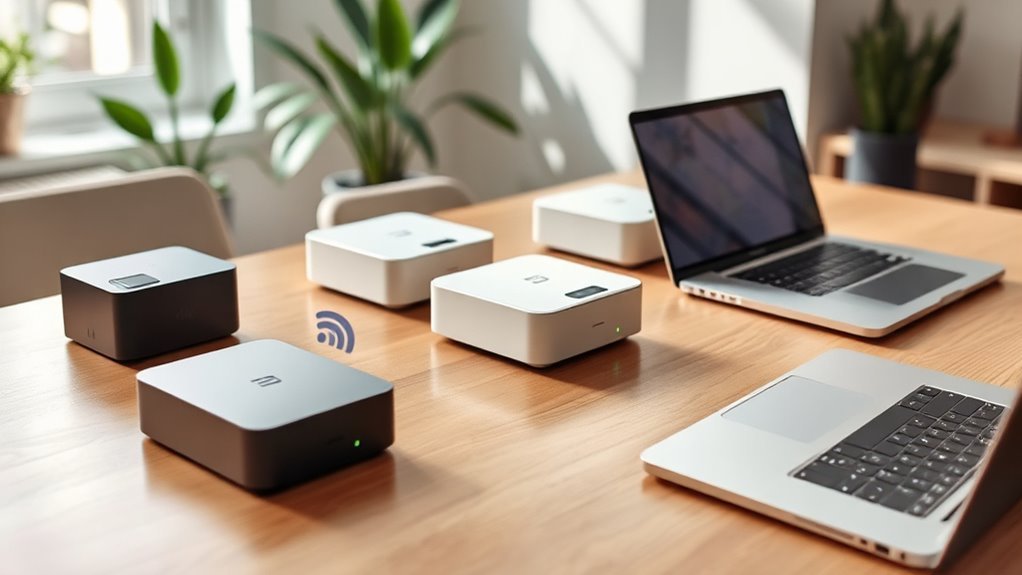
When choosing a Bluetooth wireless printer, you’ll want to check its connectivity options and guarantee it matches your devices. It’s important to make sure everything syncs up smoothly.
Consider print quality, resolution, and whether the size fits your portable needs. You don’t want something bulky if you’re always on the go.
Don’t forget to factor in ink costs and maintenance to keep your printer running smoothly. These can add up over time, so it’s good to plan ahead.
Connectivity Options Available
Choosing the right connectivity options can make or break your experience with a Bluetooth wireless printer. Bluetooth lets you pair effortlessly with smartphones, tablets, and laptops, so you can print without cables.
Many printers support direct connection modes, meaning you don’t need an internet connection or router to print. It’s pretty handy when you want quick and easy access.
You’ll also find compatibility with various printing apps, giving you access to features like custom templates and photo editing right from your device. Some models offer dual connectivity, such as USB ports, letting you switch between wireless and wired connections based on your needs.
Just keep in mind, Bluetooth range and obstacles can affect performance. So, think about where you’ll use the printer to guarantee smooth, reliable connectivity every time.
Print Quality And Resolution
After ensuring your printer connects seamlessly, the next step is to focus on print quality and resolution, which directly affect the clarity and detail of your documents and photos. Print quality is measured in dots per inch (dpi); higher dpi means sharper images.
For vivid color prints, look for resolutions around 4800 x 1200 dpi. Monochrome printers usually need about 203 dpi, enough for clear text but not for photos.
Consider the print technology: inkjet printers deliver better color, while thermal printers prioritize speed and efficiency. Print speed, measured in pages per minute (ppm), matters for larger jobs but shouldn’t sacrifice quality.
Also, check media compatibility—some printers excel on glossy photo paper, enhancing the final output. Focus on these factors to get the best results from your Bluetooth wireless printer.
Portability And Size
Portability plays a key role in selecting a Bluetooth wireless printer, especially if you need to print on the go. You’ll want a model that’s lightweight—typically between 3 to 5 pounds—and compact, with a height under 3 inches.
Printers around 11 to 13 inches long fit easily into backpacks or briefcases, making transport hassle-free. Look for printers with built-in paper bins to reduce extra accessories, and verify they support standard paper sizes like 8.5″ x 11″ so you’re not limited in your printing options.
Some models come with optional battery packs and energy-efficient designs, letting you print reliably even without a power outlet. Prioritizing these features means you’ll have a versatile, portable printer ready for any setting.
Ink And Maintenance Costs
While having a portable printer is great for convenience, you’ll also want to keep an eye on how much it costs to keep your printer running. Ink costs can add up quickly, especially if your printer uses cartridges that need frequent replacement.
Choosing a model with a MegaTank system can save you money by allowing thousands of prints per refill. Alternatively, thermal printers eliminate ink, toner, or ribbon costs entirely, cutting maintenance expenses.
Pay attention to cartridge yield; higher-yield cartridges lower your cost per page. Regular maintenance and using quality paper also help optimize ink usage and extend cartridge life, reducing waste.
Compatibility With Devices
Choosing a Bluetooth wireless printer that works smoothly with your devices means checking its compatibility across multiple platforms like iOS, Android, Windows, and macOS. Make certain the printer supports Bluetooth connectivity so you can print directly from your smartphone or tablet without a router.
Look for printers that support popular mobile printing apps like Apple AirPrint, Canon PRINT, and Mopria Print Service to simplify printing from different devices. Also, prioritize models with dual-band Bluetooth (2.4GHz and 5GHz) to keep connections stable in various environments.
Finally, confirm the printer offers USB connectivity as a backup option when Bluetooth isn’t reliable. This way, you have the flexibility to connect and print without interruptions. It just makes sure your printer fits seamlessly into your tech setup.
Speed And Performance
Once you’ve confirmed your printer works seamlessly with your devices, the next step is to focus on how quickly and efficiently it performs. Print speed matters a lot—some wireless printers handle color at around 3 pages per minute, while black and white prints can exceed 14 pages per minute.
Don’t overlook print resolution either; higher resolutions, up to 4800 x 1200 dpi, deliver sharper, more vibrant images. Also, check the initial page print time—some models produce the first page in just 9 seconds, cutting down wait times.
If you need copying or scanning, look for speeds up to 11 pages per minute in black and white. Finally, fast media handling, like borderless printing and support for various paper sizes, boosts your printer’s versatility and your satisfaction.
Frequently Asked Questions
How Does Bluetooth Connectivity Affect Printing Speed?
Bluetooth connectivity can slightly slow your printing speed compared to wired connections due to limited bandwidth.
However, for typical documents, you won’t notice much delay. The convenience of wireless printing often outweighs minor speed differences.
Can Bluetooth Printers Connect to Multiple Devices Simultaneously?
You absolutely can’t connect a Bluetooth printer to a million devices at once, but you can pair it with multiple gadgets simultaneously.
Just remember, juggling too many connections might slow down your printing speed or cause hiccups.
What Is the Typical Bluetooth Range for These Printers?
You’ll typically get a Bluetooth range of about 30 feet (10 meters) with these printers. Walls and obstacles can reduce that distance, so keep your devices close.
This helps guarantee a stable connection and smooth printing experience. It’s always better to be safe than sorry when it comes to wireless signals!
Are Bluetooth Printers Compatible With All Operating Systems?
You’ll find Bluetooth printers work with Windows, macOS, iOS, and Android. You’ll need to check specific models for compatibility, but generally, you won’t struggle connecting.
You’ll enjoy seamless printing across your devices. It’s pretty convenient once you get everything set up. Just make sure your device supports the Bluetooth version required by the printer.
How Secure Is the Bluetooth Connection for Printing Documents?
Bluetooth connections for printing are fairly secure, but you should still use strong passwords and updated encryption protocols.
It’s a good idea to avoid public networks to prevent unauthorized access. Also, keep your printer’s firmware updated to protect your documents.
Conclusion
Just like choosing the right wand in a wizard’s world, picking the perfect Bluetooth wireless printer can make all the difference in your daily magic. Whether you need vibrant colors, portability, or speedy thermal printing, one of these top picks will suit your unique style.
So, trust your instincts, and let technology work its charm to keep your printing tasks effortless and enchanting in 2027 and beyond. With the best Bluetooth wireless printers, you can enjoy seamless connectivity, crisp prints, and the convenience of going wireless.
No matter what your printing needs are—be it at home, in the office, or on the go—these printers blend innovation with ease of use. Embrace the future of printing and make your workflow smoother with the right wireless printer by your side.