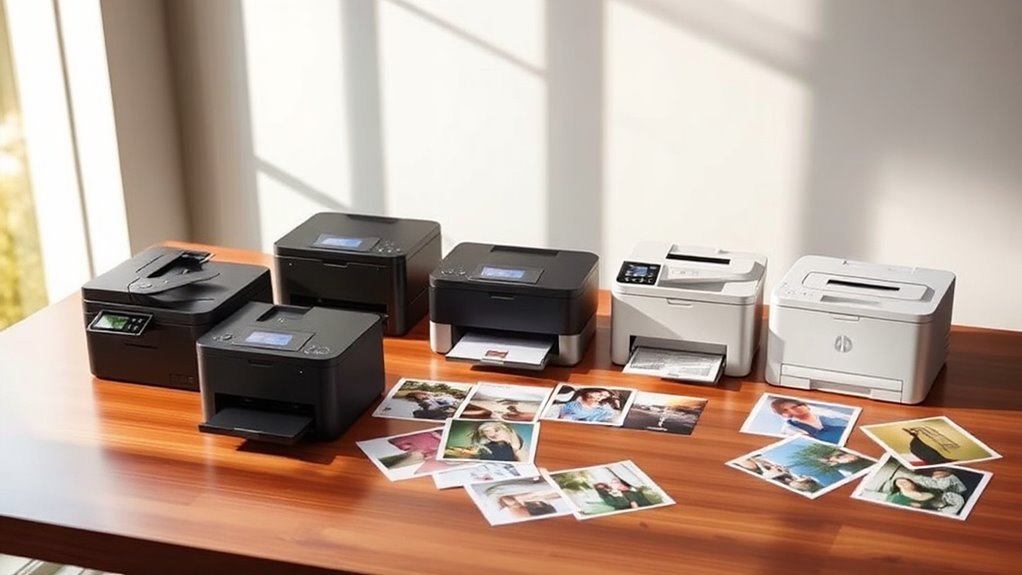
5 best budget printer 2026 recommendations
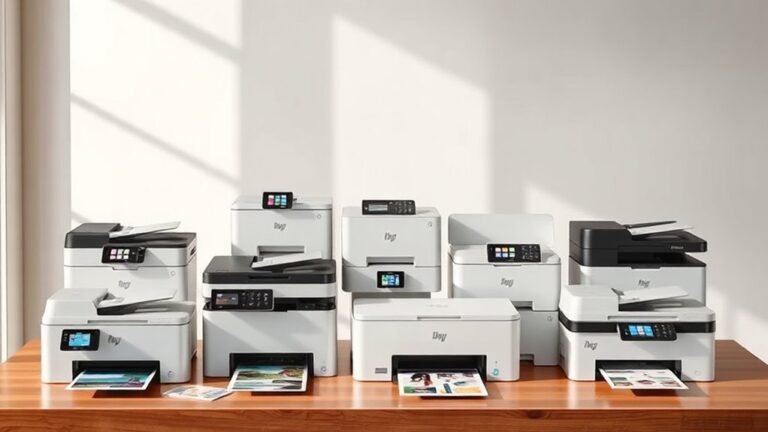
If you’re looking for a budget-friendly printer that doesn’t skimp on quality or running costs, you’re in the right place. Finding the best budget printer in 2026 means balancing affordability with features like ink efficiency, wireless connectivity, and print volume. Whether you need something for home use, a small office, or occasional printing, there’s a great option waiting for you.
Canon MegaTank G3270 is perfect if you want high-yield ink tanks ideal for home office tasks. It keeps costs down without sacrificing print quality.
Then there’s the Canon PIXMA TS4320, which offers wireless convenience and auto duplexing—handy for saving paper and time.
Epson EcoTank ET-4800 is your go-to if you have high-volume printing needs. Its cartridge-free system means fewer interruptions and more prints.
For smaller spaces, the Canon PIXMA TS3720 fits right in with basic but reliable features.
Finally, HP Smart Tank 5003 stands out by including three years of ink, making it a smart pick for long-term savings.
Take a closer look to find the perfect printer that suits your budget and needs!
| Image | Name | Editor's Rating | Price |
|---|---|---|---|

|
|
||

|
|
||

|
|
||

|
|
Canon MegaTank G3270 All-in-One Wireless Color Printer
- Wireless Print/Copy/Scan
- Up to 2 years of ink included (2)
- Print up to 6,000 black & white / 7,700 color pages using a single set of inks! (1)
- Save up to $1,000 on ink (1)
- 1.35” Square LCD display

The Canon MegaTank G3270 offers an efficient solution for those looking to reduce ink expenses without compromising print quality. Its refillable MegaTank system produces up to 6,000 black and 7,700 color pages per ink set, helping users avoid frequent cartridge replacements. This makes it ideal for home offices or personal use where cost savings and reliability matter.
This all-in-one device combines printing, scanning, and copying in a compact design that fits easily on most desks. Wireless connectivity and smartphone app control simplify tasks, allowing users to print or scan from anywhere in the room. The printer supports borderless printing and various paper sizes, enhancing versatility for different projects.
Maintenance is straightforward thanks to the refillable ink tanks, which reduce waste and keep running costs low. The 1.35″ LCD screen offers basic navigation, though its small size may limit ease of use compared to larger displays. Note that the printer only supports simplex printing and has a 100-sheet input/output capacity, which may require more frequent paper refills for heavy users.
Best for: Individuals and small home offices needing cost-effective, high-quality color printing with wireless convenience and versatile media handling.
What We Like:
- High ink yield with refillable MegaTank system lowers printing costs
- Wireless and smartphone app support for easy remote operation
- Versatile paper size and borderless printing options
- Compact design fits well in limited workspace
Specification:
| Feature | Details |
|---|---|
| Manufacturer | Canon |
| Dimensions | Approx. 17.7 x 13.2 x 7.5 in (45 x 33.5 x 19 cm) |
| Weight | Approx. 7.5 lb (3.4 kg) |
| Color Options | Black |
| Connectivity | Wireless, USB |
Canon PIXMA TS4320 – Wireless Color Inkjet Printer with Print, Copy, Scan
- Affordable Versatility - A budget-friendly all-in-one printer perfect for both home users and hybrid workers, offering exceptional value
- Crisp, Vibrant Prints - Experience impressive print quality for both documents and photos, thanks to its 2-cartridge hybrid ink system that delivers sharp text and vivid...
- Effortless Setup & Use - Get started quickly with easy setup for your smartphone or computer, so you can print, scan, and copy without delay
- Reliable Wireless Connectivity - Enjoy stable and consistent connections with dual-band Wi-Fi (2.4GHz or 5GHz), ensuring smooth printing from anywhere in your home or...
- Scan & Copy Handling - Utilize the device’s integrated scanner for efficient scanning and copying operations
The Canon PIXMA TS4320 is designed to simplify your everyday printing, copying, and scanning needs. Its wireless connectivity allows effortless setup, eliminating cable clutter and enabling printing from smartphones or laptops with ease. This all-in-one printer fits neatly into small spaces with its compact and stylish design, making it ideal for home offices or shared work areas.
With the TS4320, you can print sharp color and black-and-white documents at a steady pace of up to 14 ppm. The auto duplexing feature helps reduce paper waste by enabling automatic two-sided printing. Its flatbed scanner delivers 600 dpi resolution, suitable for everyday scanning and copying tasks without complicated adjustments.
Maintenance is straightforward with starter inks included, ensuring you’re ready to print out of the box. The printer supports various paper types, adding flexibility for different projects. However, its 100-sheet paper capacity may require more frequent refills if you print heavily.
Best for: Home users and hybrid workers needing a compact, versatile all-in-one printer for light to moderate printing and scanning tasks.
What We Like:
- Wireless dual-band Wi-Fi and USB connectivity for versatile device compatibility
- Auto duplexing reduces paper consumption and saves time
- Compact design fits comfortably in small workspaces
- Simple maintenance with included starter inks
- Supports multiple media types for diverse printing needs
Specification:
| Feature | Details |
|---|---|
| Manufacturer | Canon |
| Dimensions (W×D×H) | 11.7 × 7.3 × 5.0 inches |
| Weight | Approximately 9.7 lbs |
| Connectivity | Dual-band Wi-Fi, USB |
| Print Speed | Up to 14 ppm |
| Scanner Resolution | 600 dpi |
Epson EcoTank ET-4800 Wireless Color All-in-One Supertank Printer
- INNOVATIVE CARTRIDGE-FREE PRINTING — High-capacity ink tanks mean no more dealing with lots of tiny ink cartridges; Epson’s exclusive EcoFit ink bottles make filling...
- CLEAR AND VIBRANT PRINT QUALITY ― Create memorable prints and projects; Unique Micro Piezo Heat-Free Technology allows wireless color printer to produce sharp text and...
- ZERO CARTRIDGE WASTE — By using an Epson EcoTank printer you can help reduce the amount of cartridge waste ending up in landfills
- BUILT IN SCANNER AND COPIER ― All-In-One Epson EcoTank is more than a printer; High-resolution flatbed scanner and color display come together for easy document copying...
- LESS FREQUENT INK REPLACEMENT — Replacement ink bottles don't have to be changed nearly as often as ink cartridges¹; Printer, scanner and copier lets you print up to...
The Epson EcoTank ET-4800 is designed to simplify your printing needs while saving you money. Its cartridge-free ink system eliminates frequent replacements and reduces waste, making it perfect for heavy printing tasks. With high-capacity ink tanks, you can print thousands of pages before needing a refill.
Refilling is straightforward thanks to Epson EcoFit ink bottles, which help minimize cartridge waste. This all-in-one printer offers sharp text and vibrant color output using Micro Piezo Heat-Free Technology, suitable for a wide range of paper types. It also includes versatile features like a high-resolution flatbed scanner, copier, and fax.
Maintenance is easy when you use genuine Epson ink, which ensures consistent performance and protects your printer from damage. While the initial investment might be higher than cartridge-based models, the long-term savings and convenience make it worthwhile. This system is less suited for users with very low print volumes.
Best for: Individuals or small home offices needing a high-volume, cartridge-free all-in-one printer with scanning, copying, and fax functions.
What We Like:
- High-capacity ink tanks reduce refill frequency and waste
- Sharp and vibrant prints with Micro Piezo Heat-Free Technology
- Easy refilling process with EcoFit ink bottles
- Multifunctional: scanning, copying, and fax included
Specification:
| Feature | Details |
|---|---|
| Manufacturer | Epson |
| Dimensions | 14.8 x 13.8 x 7.6 inches |
| Weight | 11.7 lbs (5.3 kg) |
| Color Options | White |
| Ink System | Cartridge-free EcoTank |
Canon PIXMA TS3720 Wireless All-in-One Printer
No products found.
The Canon PIXMA TS3720 is designed to simplify everyday printing tasks at home. Its compact and lightweight design fits easily into tight spaces, making it ideal for small work areas. The printer’s hybrid ink system produces sharp text and vibrant photos, enhancing your documents and images with clear detail.
Setting up the PIXMA TS3720 is straightforward thanks to its dual-band Wi-Fi and mobile app support. You can print wirelessly from your smartphone or tablet without hassle. This flexibility helps you stay productive without being tethered to a desk.
Maintenance is also simple with this all-in-one printer. It handles printing, copying, and scanning efficiently, supporting various paper sizes and borderless photo printing up to 5″ x 7″. Although it only supports single-sided printing and has a modest 60-sheet paper capacity, it meets basic home office needs well.
The small 1.5″ LCD screen provides essential controls but limits advanced settings on the device. This printer is best suited for users who want reliable functionality without complicated features.
Best for: individuals seeking an affordable, compact all-in-one printer for basic home use including printing, copying, and scanning with easy wireless connectivity.
What We Like:
- Compact, lightweight design fits small spaces easily
- Dual-band Wi-Fi with mobile app support for wireless convenience
- Hybrid ink system delivers sharp text and vivid photos with borderless printing
Specification:
| Feature | Details |
|---|---|
| Manufacturer | Canon |
| Dimensions | Not specified |
| Weight | 8.7 lb (3.95 kg) |
| Material | Not specified |
| Color Options | White |
HP Smart Tank 5003 Ink Tank Printer | 3 Years of Ink Included | All-in-One
- THE LAST PRINTER YOU'LL EVER NEED – Set it up once and print with confidence; no complicated maintenance, just easy, reliable printing you can count on
- FULLY LOADED WITH SAVINGS – Best for low-cost, high-volume printing—up to 3 years of HP Ink included; get up to 6,000 color or black pages right out of the box
- KEY FEATURES – Print, copy and scan, plus borderless prints, mobile and wireless printing
- MESS-FREE REFILL – Replenish ink with HP's easy-access, mess-free refill system; simply plug the ink bottles into this cartridge-free ink tank and let them drain—no...
- BEST PRINT QUALITY, PERIOD – Sharper text, richer colors, only with HP Smart Tank
Experience hassle-free printing with the HP Smart Tank 5003, designed to tackle high-volume needs while keeping ink costs low. Its cartridge-free ink tanks and mess-free refills with included HP ink bottles provide up to three years of ink, reducing interruptions and expenses.
This all-in-one device combines printing, copying, and scanning functions in a compact design ideal for home use. It delivers sharp images at 4800 x 1200 dpi resolution and supports borderless photo printing, enhancing your document and photo quality effortlessly.
Connectivity options include wireless, USB, AirPrint, and HP ePrint, allowing seamless printing from multiple devices, including smartphones and tablets. While manual duplex printing requires some user attention, this printer remains reliable for everyday tasks.
With a 100-sheet capacity, the HP Smart Tank 5003 balances functionality and convenience, though heavy users may need to refill more often. Its straightforward maintenance and versatile features make it a practical choice for users prioritizing cost efficiency and ease of use.
Best for: Home users or small offices needing an affordable, low-maintenance all-in-one printer for moderate to high-volume printing.
What We Like:
- Up to 3 years of ink included with cartridge-free, mess-free refill tanks
- High print resolution with borderless photo printing
- Multiple connectivity options including wireless and mobile printing
- Compact all-in-one design combining print, copy, and scan functions
Specification:
| Feature | Details |
|---|---|
| Manufacturer | HP |
| Dimensions | Not specified |
| Weight | Not specified |
| Ink System | Cartridge-free refill tanks |
| Print Resolution | Up to 4800 x 1200 dpi |
| Paper Capacity | 100 sheets |
| Connectivity | Wireless, USB, AirPrint, HP ePrint |
Factors to Consider When Choosing Budget Printer 2026 Recommendations
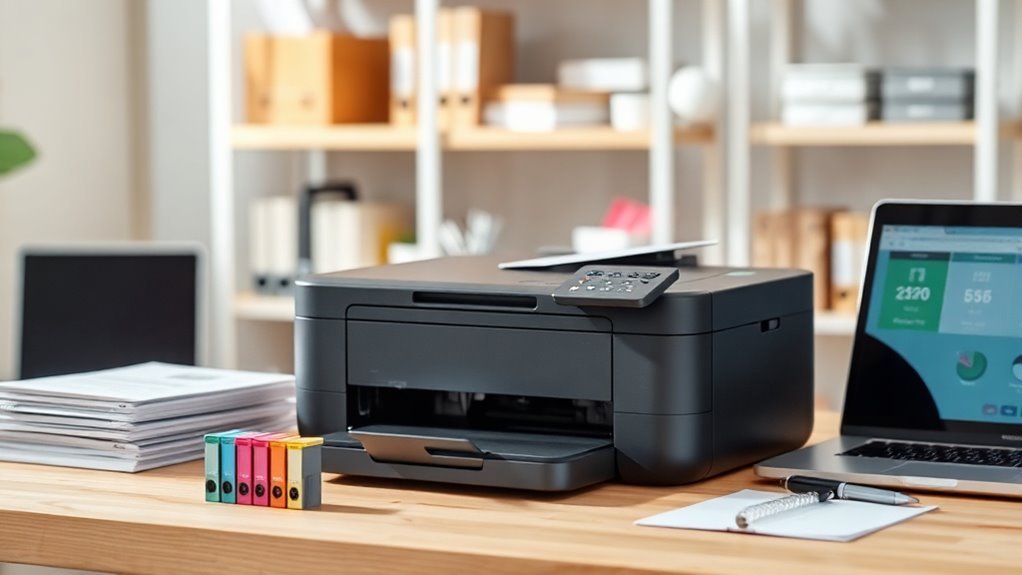
When choosing a budget printer, you’ll want to compare printing speeds and ink costs to get the best value. Don’t forget to check connectivity options and whether the printer supports your preferred paper sizes.
Finally, consider print quality and resolution to make certain your documents look sharp. It’s all about finding the right balance between cost and performance that works for you.
Printing Speed Comparison
Consider printing speed carefully to match your typical tasks without overspending. Printing speed is measured in pages per minute (ppm) for black-and-white and color separately, so compare both to fit your mixed-use needs.
Don’t overlook first-page-out time—printers with quick initial prints feel faster, even if their overall ppm is moderate. If you copy multipage documents frequently, check the maximum copy speed and automatic document feeder (ADF) specs. These can differ from print speeds, so it pays to look closely.
Remember, print resolution, duplexing, and color complexity impact real-world speed. Higher dpi or borderless prints slow down throughput, so keep that in mind.
Also, consider the duty cycle and recommended monthly volume. Printers designed for low volumes may overheat or slow if you print heavily, affecting sustained speed and reliability.
Ink Efficiency And Cost
After evaluating printing speed, it’s important to look closely at ink efficiency and cost to keep your budget in check. You should compare the cost per page by dividing replacement ink price by the page yield.
Aim for under $0.05 per black-and-white page and $0.10–$0.15 for color to avoid high running costs. Cartridge-free or high-capacity tank systems with yields in the thousands can save you money by reducing frequent replacements.
Always check if yield figures are ISO/IEC tested rather than “up to” marketing claims for realistic estimates. Don’t forget hidden costs like maintenance cartridges or print head replacements.
Match the printer’s ink yield with your monthly printing volume to avoid unnecessary refills and keep your annual ink spending predictable and low.
Connectivity Options Available
Selecting the right connectivity options plays a crucial role in how easily you can integrate a budget printer into your workflow. If you want wireless convenience, look for Wi‑Fi support—dual‑band (2.4 GHz and 5 GHz) versions offer better stability and less interference, especially in busy networks.
For a straightforward setup with one computer, USB 2.0 or higher provides a reliable wired connection with minimal lag. Mobile printing protocols like AirPrint or Mopria let you print directly from smartphones or tablets without extra drivers.
If you need shared access in a small office or home, consider printers with Ethernet ports for stable wired networking. And finally, cloud and remote printing services enable you to send print jobs from anywhere, adding flexibility and security for your documents.
Print Quality And Resolution
Once you’ve identified the connectivity that fits your setup, it’s time to focus on print quality and resolution—the factors that determine how sharp and vibrant your documents and photos will look. Check the printer’s maximum print resolution, measured in dpi; aim for 1200×1200 dpi or higher for finer detail and smoother gradients.
If you scan or copy often, consider scanner resolution separately since flatbed scanners usually offer 600×600 dpi or more. Remember, dpi isn’t everything: ink droplet size, printhead technology, and color depth greatly affect sharpness and color richness.
Finally, review manufacturer print modes and sample prints, as real-world quality can vary despite similar dpi specs. It’s always good to see some actual prints before making your final decision.
Paper Size Compatibility
Though print quality matters, you’ll also want to make sure your printer handles the paper sizes you use most. Check the maximum supported media size, like Letter, Legal, or A4, to guarantee it fits your longest documents or forms.
If you print photos or greeting cards, verify support for common photo sizes such as 4″x6″, 5″x7″, or 8″x10″. Don’t forget to confirm the custom media range if you need to print banners or long receipts.
Borderless printing is key if you want full-bleed photos—so check the maximum borderless size available. And finally, make sure the paper tray and feed support your media types, including cardstock, envelopes, or labels.
Be sure to confirm any thickness or weight limits to avoid jams or damage. It’s better to be safe than sorry!
Device Compatibility Support
Because your devices come in many shapes and operating systems, you’ll want to confirm your printer supports the OS versions you use—whether that’s Windows, macOS, Linux, Android, or iOS.
Check that your printer offers compatible connection options like USB, dual-band Wi-Fi (2.4/5 GHz), Ethernet, or wireless standards such as AirPrint and Mopria for seamless mobile printing.
Verify the manufacturer provides regular driver and firmware updates to keep up with new OS changes and security patches.
If you print from smartphones or tablets, make certain your printer supports the mobile print protocols you rely on.
Planning to use a Chromebook or headless device? Look for explicit ChromeOS support or cloud-based printing options to avoid any compatibility issues down the line.
Multi-Function Features
After confirming your printer works smoothly with your devices and operating systems, it’s important to take into account what multifunction features it offers. Look for all-in-one models that combine printing, scanning, and copying to save space and cut maintenance costs.
Check the scan resolution—600 x 600 dpi or higher is ideal for sharp, accurate images. Also, make sure the device has a flatbed scanner if you need quality photo or document scans.
If you plan to copy in bulk, make sure the copy resolution and maximum copies per run meet your needs. Don’t overlook duplex printing and scanning; automatic two-sided capability saves paper and speeds up jobs.
Finally, verify mobile and app support like AirPrint or Mopria for easy remote control, scanning to cloud services, and hassle-free setup from your smartphone or tablet. It just makes life a lot easier!
Physical Size And Weight
When choosing a budget printer, you should carefully measure your available desk or shelf space to make certain the device fits comfortably. Compact models often stay under 15″ wide and 6–7″ tall, while larger all-in-ones can exceed 20″ in depth and 10″ in height.
Consider the weight too—lightweight printers under 9–12 lbs are easier to move, but bigger models weighing 11–15+ lbs need stable surfaces. Don’t forget to leave extra clearance for opening trays, accessing output areas, and scanner lids.
Allow space for ventilation and cable routing to avoid obstructed airflow and tangled cords. If you plan to store supplies on or near the printer, check its top load limit and leave room for occasional ink refills or paper restocking. It’ll make your life a lot easier in the long run!
Frequently Asked Questions
How Do I Recycle Used Printer Ink Cartridges?
You can recycle used printer ink cartridges by dropping them off at local recycling centers. Another option is returning them to the manufacturer’s mail-back program.
Some stores also offer take-back services, which can be super convenient. Just make sure to clean the cartridges first.
And don’t forget to follow any specific recycling instructions carefully. It helps keep the process smooth and effective!
Can Budget Printers Handle Photo Paper Printing?
Yes, budget printers can handle photo paper printing, but the quality might not be as vibrant or sharp as high-end models.
You’ll want to use compatible photo paper and adjust settings for the best results. That way, you can get the most out of your printer without spending too much.
What Is the Average Lifespan of a Budget Printer?
You can expect a budget printer to last around 3 to 5 years with regular use.
If you maintain it well and avoid heavy printing, it’ll serve you reliably within that timeframe without major issues.
Are Budget Printers Compatible With Mobile Printing Apps?
Yes, most budget printers are compatible with mobile printing apps. You can easily print documents or photos directly from your smartphone or tablet.
This makes it super convenient and efficient for everyday use. Plus, you don’t even need a computer to get the job done.
How Do I Troubleshoot Common Printer Connectivity Issues?
You can troubleshoot printer connectivity issues by restarting both your printer and device. Also, check your Wi-Fi or cable connections to make sure everything is properly connected.
Next, update your printer drivers to keep things running smoothly. Don’t forget to ensure the printer is set as the default device on your computer.
Finally, try running the printer’s built-in network diagnostic tools. They can help pinpoint any lingering problems quickly and easily.
Conclusion
Choosing the best budget printer in 2026 doesn’t have to feel like searching for a needle in a haystack. With options like Canon, Epson, and HP offering reliable, feature-packed models, you can find the perfect fit for your needs without breaking the bank.
Remember to take into account print quality, ink costs, and connectivity to make your decision easier. Grab the printer that works as hard as you do, and watch your productivity soar!
When looking for a budget printer, focus on one that balances affordability with performance. Consider factors like wireless capabilities, print speed, and cartridge efficiency. These features can save you time and money in the long run.
So, whether you need a printer for home, office, or school use, choosing the right budget printer will boost your efficiency and keep your expenses low. Stay smart and pick a printer that meets your printing needs without compromising on quality or features.