9 Best Budget Printers for Small Business Success in 2027
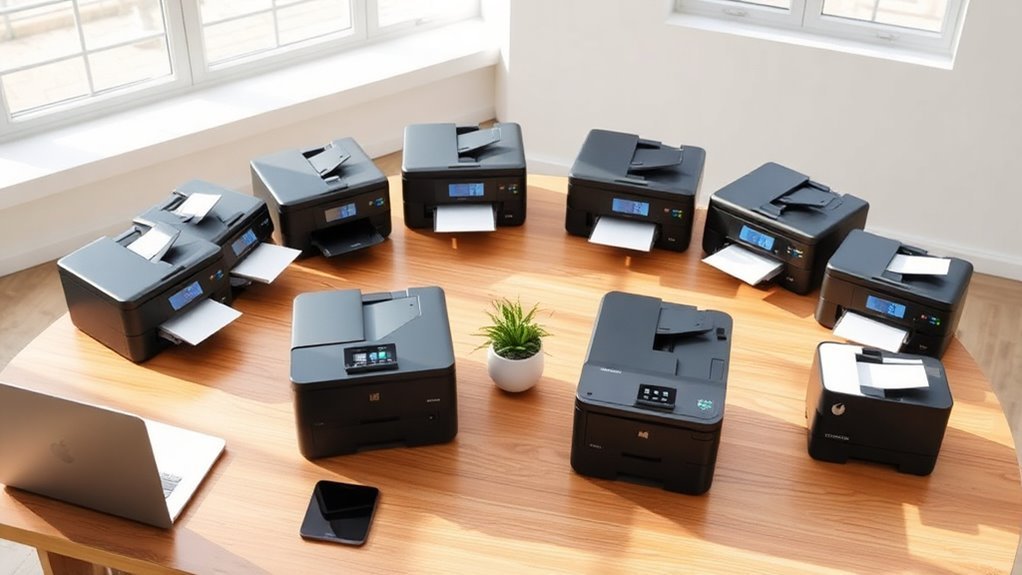
You’ll want a budget-friendly printer that handles printing, scanning, and copying efficiently. For small business success in 2027, finding the right printer means balancing cost with performance. Models like the Brother Work Smart 1410 and MFC-L2900DW offer wireless convenience and fast monochrome printing, perfect for busy offices on a budget.
Epson’s EcoTank Pro series stands out by delivering low long-term ink costs with refillable tanks, making it an economical choice for small businesses. Canon’s PIXMA TS4320 and MegaTank G3270 are great if you need high-quality color output for your documents.
When choosing, consider connectivity options, printing speed, and paper capacity to ensure the printer fits your workflow smoothly. Explore these options to find the perfect match for your business needs and keep your operations running efficiently without breaking the bank.
| Image | Name | Editor's Rating | Price |
|---|---|---|---|

|
|
||

|
|
||

|
|
||

|
|
||

|
|
Brother Work Smart 1410 Wireless Color Inkjet Printer
- BEST FOR HOME OFFICE AND SMALL OFFICE: Get your work done with a multifunction printer. Print, copy, and scan on one convenient, compact printer, with quick and easy...
- EASY-TO-USE TOUCHSCREEN WITH CLOUD APP CONNECTIONS: Seamless integration with the Cloud(2). Print from and scan to popular Cloud apps(2), including Google Drive, Dropbox...
- PRODUCTIVITY-FOCUSED FEATURES: Automatic duplex (2-sided) printing, 20-sheet single-sided Automatic Document Feeder (ADF)(3), 150-sheet paper tray(3). Print at fast...
- MULTIPLE CONNECTION OPTIONS: Connect your way. Interface with your printer on your wireless network or via USB.
- THE BROTHER MOBILE CONNECT APP: Go mobile with the Brother Mobile Connect app(5) for easy onscreen menu navigation for printing, copying, scanning, and device management...

The Brother Work Smart 1410 Wireless Color Inkjet Printer is designed to simplify your everyday printing tasks. Its wireless capabilities let you print and scan directly from your phone or tablet, removing the hassle of cables and making remote work easier. The easy-to-use 2.7” color touchscreen helps you navigate functions quickly without confusion.
This all-in-one printer handles printing, copying, and scanning with features that save time. Automatic duplex printing reduces paper usage by printing on both sides, while the 20-sheet automatic document feeder speeds up multi-page jobs. These functions make managing documents smoother for small offices and home setups.
Maintenance is straightforward with genuine Brother cartridges, which help maintain print quality and reliability. You can easily monitor ink levels through the Brother Mobile Connect app, so you know when it’s time to replace cartridges. Although the 150-sheet tray may require refilling in busy settings, it suits moderate workloads well.
Print speeds reach up to 16 ppm for black and 9 ppm for color, which is adequate for most small office needs. While it may not match the speed of some laser printers, it balances functionality and cost effectively.
Best for: Small office or home office users needing a versatile, wireless all-in-one printer with mobile connectivity.
What We Like:
- Automatic duplex printing and 20-sheet ADF enhance efficiency.
- Wireless printing and scanning via Brother Mobile Connect app.
- Clear 2.7” touchscreen simplifies operation.
- Cloud support for Google Drive and Dropbox integration.
- Reliable performance with genuine Brother ink cartridges.
Specification:
| Feature | Details |
|---|---|
| Manufacturer | Brother |
| Dimensions | Approx. 16.1 x 14.1 x 7.6 inches |
| Weight | Approx. 12.1 lbs (5.5 kg) |
| Color Options | White |
| Connectivity | Wireless, USB |
| Paper Capacity | 150-sheet input tray |
| Display | 2.7-inch color touchscreen |
Epson EcoTank Pro ET-5150 Wireless Color All-in-One Supertank Printer
- INNOVATIVE CARTRIDGE-FREE PRINTING - Save with low-cost replacement ink bottles vs. standard-capacity color laser toner cartridges¹ — that’s about 2 cents per color...
- BUILT FOR SPEED — This fast business printer prints up to 17 black/9.5 color ISO ppm print speed; No warmup time; Fast first page out
- VIVID COLOR PRINTS — Office printer utilizes Epson DURABrite ET pigment inks for crisp, vibrant prints in black-and-white and color
- ENGINEERED FOR HIGH-VOLUME BUSINESS ENVIRONMENTS — PrecisionCore permanent printhead designed to last the life of this business printer
- ZERO CARTRIDGE WASTE — By using an Epson EcoTank Pro printer you can help reduce the amount of cartridge waste ending up in landfills; Cartridge-free printer utilizes...
The Epson EcoTank Pro ET-5150 Wireless Color All-in-One Supertank Printer is designed to help small businesses lower their printing expenses without compromising on quality. Its cartridge-free system uses refillable ink tanks, enabling you to print thousands of pages at a fraction of the usual cost. This means fewer interruptions and more efficiency for busy offices.
With the advanced PrecisionCore printhead and DURABrite ET pigment inks, the printer delivers crisp, vibrant documents every time. It handles duplex printing, scanning, and copying, making it a versatile tool for everyday business needs. The machine supports multiple media sizes, accommodating various project types.
Maintenance revolves around easy ink refilling, though initial setup can be a bit more involved compared to traditional cartridge models. Its larger size means it requires a dedicated workspace, and connectivity options are limited to Ethernet and USB, with no Wi-Fi Direct or Bluetooth.
Overall, this printer balances cost-effective operation with high-quality output, making it a smart choice for companies managing volume printing on a budget.
Best for: Small businesses and high-volume users needing an affordable, reliable all-in-one printer with low ink costs and versatile media handling.
What We Like:
- Cartridge-free refillable ink tanks reduce printing costs significantly.
- Sharp, vibrant prints from PrecisionCore printhead and DURABrite ET inks.
- Supports duplex printing, scanning, and copying functions.
- Handles multiple media sizes for flexible use.
- Ethernet and USB connectivity for stable network integration.
Specification:
| Feature | Details |
|---|---|
| Manufacturer | Epson |
| Dimensions | Approx. 14.2 x 14.6 x 9.4 in (36.1 x 37.0 x 23.9 cm) |
| Weight | Approx. 13.3 lb (6.0 kg) |
| Color Options | Black |
| Connectivity | Ethernet, USB |
Epson Workforce WF-2860 Wireless All-in-One Printer
- Epson printing system is designed to be used exclusively with Epson Genuine Cartridges. Use of non-genuine ink could cause damage not covered under the printer’s ltd...
- Get laser-quality performance — The workforce WF-2860, powered by PrecisionCore
- Packed with features — All in one compact, space-saving design
- Enhance your productivity — 150-sheet paper capacity; plus, a 30-page auto document feeder for copying and scanning
- Everything you need, right at your fingertips — 2.4" Color touchscreen to easily print, copy, scan and fax
Experience seamless productivity with the Epson Workforce WF-2860, a versatile all-in-one printer that simplifies your daily tasks. It handles printing, scanning, copying, and faxing within a compact design, ideal for busy home offices or small businesses. This multifunction printer delivers crisp prints up to 9600 dpi, ensuring clear and detailed documents every time.
The WF-2860 saves you valuable time with its 30-page automatic document feeder and automatic duplex printing, making multi-page jobs effortless. Its wireless connectivity options, including Wi-Fi, Ethernet, and NFC, provide flexible setup and easy control. You can also manage the device using the intuitive 2.4″ color touchscreen or voice commands through Alexa.
Maintaining the printer is straightforward, but keep in mind it uses genuine Epson cartridges exclusively. This ensures reliable operation but may affect running costs and cartridge availability. While many features rely on internet connectivity, the printer remains functional for offline tasks.
Best for: Small businesses and home offices needing a compact, efficient all-in-one printer with versatile wireless features.
What We Like:
- Sharp prints with up to 9600 dpi resolution and fast 14 ppm black-and-white output.
- Efficient multi-page handling via 30-page ADF and automatic duplex printing.
- Flexible connectivity options including Wi-Fi, Ethernet, NFC, and Alexa voice control.
- Compact design fits easily into limited workspace environments.
Specification:
| Feature | Details |
|---|---|
| Manufacturer | Epson |
| Dimensions | 14.8 x 13.2 x 9.7 in (37.6 x 33.5 x 24.6 cm) |
| Weight | 13.7 lb (6.2 kg) |
| Print Resolution | Up to 9600 dpi |
| Print Speed | 14 ppm (black-and-white) |
| Connectivity | Wi-Fi, Ethernet, NFC, Alexa Voice Control |
| Paper Capacity | 150-sheet input tray |
Canon PIXMA TS4320 – Wireless Color Inkjet Printer with Print, Copy, Scan
- Affordable Versatility - A budget-friendly all-in-one printer perfect for both home users and hybrid workers, offering exceptional value
- Crisp, Vibrant Prints - Experience impressive print quality for both documents and photos, thanks to its 2-cartridge hybrid ink system that delivers sharp text and vivid...
- Effortless Setup & Use - Get started quickly with easy setup for your smartphone or computer, so you can print, scan, and copy without delay
- Reliable Wireless Connectivity - Enjoy stable and consistent connections with dual-band Wi-Fi (2.4GHz or 5GHz), ensuring smooth printing from anywhere in your home or...
- Scan & Copy Handling - Utilize the device’s integrated scanner for efficient scanning and copying operations
Experience hassle-free printing with the Canon PIXMA TS4320, designed to bring wireless convenience and vibrant color output into your workspace. This compact printer fits easily in small offices or home environments, solving space issues without compromising on quality.
The PIXMA TS4320 handles both color and black-and-white prints with sharp detail up to 1200 dpi. Its auto-duplex feature reduces paper use, making double-sided printing simple and efficient for everyday documents. You can print on various media types, including photo paper and labels, adapting easily to different tasks.
Wireless connectivity is seamless with dual-band Wi-Fi and USB options, allowing you to print directly from mobile devices through the Canon PRINT app or AirPrint. Although it lacks an automatic document feeder, its reliable 9 ppm color and 14 ppm black-and-white print speeds keep up with moderate workloads.
Maintenance is straightforward, but keep in mind that the starter ink tanks may need replacing sooner depending on your printing volume. This model is a practical choice for those prioritizing cost-efficiency and versatility in a stylish, space-saving design.
Best for: Small businesses and home users needing a compact, budget-friendly wireless printer for everyday color and monochrome printing, scanning, and copying tasks.
What We Like:
- Compact, stylish design ideal for tight spaces
- Dual-band Wi-Fi and USB connectivity for flexible printing options
- Auto-duplex printing saves paper and time
- Supports multiple media types including photos and labels
- User-friendly mobile printing via Canon PRINT app and AirPrint
Specification:
| Feature | Details |
|---|---|
| Manufacturer | Canon |
| Dimensions | Approx. 12.0 x 14.5 x 5.9 in (W x D x H) |
| Weight | Approx. 9.7 lbs (4.4 kg) |
| Print Resolution | Up to 1200 dpi |
| Connectivity | Dual-band Wi-Fi, USB |
| Print Speed | 9 ppm color, 14 ppm B&W |
| Media Types | Plain paper, photo paper, labels |
Canon MegaTank G3270 All-in-One Wireless Color Printer
- Wireless Print/Copy/Scan
- Up to 2 years of ink included (2)
- Print up to 6,000 black & white / 7,700 color pages using a single set of inks! (1)
- Save up to $1,000 on ink (1)
- 1.35” Square LCD display
The Canon MegaTank G3270 All-in-One Wireless Color Printer is designed to cut your ink costs without compromising on quality. Its refillable MegaTank system provides up to two years of ink, helping you avoid frequent cartridge replacements and saving money over time. This makes it ideal for users who print regularly but want to minimize ongoing expenses.
This printer delivers sharp, vibrant prints with a maximum resolution of 4800 x 1200 dpi. It handles both black-and-white and color documents efficiently, printing at speeds of 11 ppm for black and 6 ppm for color. The MegaTank G3270 supports various paper sizes and types, allowing you to print different projects with ease.
Connectivity options include wireless and USB, offering flexibility for home or small office setups. The device also includes scanning and copying functions, making it a versatile all-in-one solution. Compact and energy-efficient, it fits comfortably in limited spaces and is easy to maintain.
However, note that it only supports single-sided printing and has a modest 100-sheet paper capacity. The small 1.35-inch LCD screen may limit quick access to advanced settings but keeps the design simple and straightforward.
Best for: Home office users and individuals seeking an affordable, reliable all-in-one printer with wireless capabilities and low ink costs.
What We Like:
- Refillable MegaTank system reduces ink expenses for up to two years.
- High print quality with 4800 x 1200 dpi resolution.
- Wireless and USB connectivity enhance usability.
- Compact design fits well in small spaces.
- Includes scanning and copying for multifunction use.
Specification:
| Feature | Details |
|---|---|
| Manufacturer | Canon |
| Dimensions | Not specified |
| Weight | Not specified |
| Printing Technology | Inkjet |
| Print Resolution | Up to 4800 x 1200 dpi |
| Print Speed | 11 ppm (black), 6 ppm (color) |
| Paper Capacity | 100 sheets |
| Connectivity | Wireless, USB |
| Display | 1.35-inch LCD |
KNAON Shipping Thermal Label Printer, 4×6 Portable Label Printer, Black

- Bluetooth Wireless Connection: KNAON Y41BT Bluetooth shipping label printer enables wireless printing. For iOS and Android users, need to download the 'FlashLabel Pro...
- USB Cable Connectivity: This printer ensures seamless USB connectivity with macOS, Windows (7 and above), ChromeOS, and Linux. KNAON printer features a built-in USB drive...
- Versatile DIY Labeling Options: KNAON Thermal Shipping Label Printer offers a vast selection of pre-designed templates, including 3,000+ templates, 5,000+ icons, and...
- Seamless Multi-Platform Compatibility: This Bluetooth shipping label printer works effortlessly with all major platforms, including Amazon, eBay, Shopify, USPS, UPS...
- Portable & Stylish Design: KNAON multi-function thermal label printer offers user-friendly operation in a compact design. Its perfect size (7.2 x 3.15 x 2.65 inches...
The KNAON Shipping Thermal Label Printer offers a compact and portable solution for printing 4×6 shipping labels wherever you need them. Its lightweight design allows you to easily carry it between locations, making label printing quick and hassle-free. Whether you’re packing orders at home or on the move, this device helps streamline your shipping process.
Connecting via Bluetooth or USB, the printer works seamlessly with multiple platforms including iOS, Android, and macOS. The included FlashLabel Pro app gives you access to over 3,000 templates and 5,000 icons, so you can quickly create custom labels for shipping, barcodes, or pricing. This flexibility reduces the need for separate label printers or software.
Maintenance is straightforward thanks to its thermal printing technology, which eliminates the need for ink or toner replacements. The printer supports label widths from 1.38 to 4.41 inches and prints at a fast speed of 180 mm/s, helping you keep up with busy order volumes. Its small footprint fits well in tight spaces without clutter.
Some setup steps are required for Bluetooth printing, including installing the FlashLabel Pro app and additional drivers on certain platforms. Despite this, the printer’s broad compatibility and efficient design make it a practical choice for small business owners.
Best for: Small business owners and online sellers who need a portable, efficient, and customizable thermal label printer for 4×6 shipping labels across multiple operating systems.
What We Like:
- Lightweight, portable design ideal for on-the-go labeling
- Extensive customization with thousands of templates and icons
- Fast printing speed of 180 mm/s improves productivity
- Supports wide label sizes from 1.38 to 4.41 inches
- Connects easily via Bluetooth and USB on various platforms
Specification:
| Feature | Details |
|---|---|
| Manufacturer | KNAON |
| Dimensions | Compact, fits 4×6 labels |
| Weight | Lightweight (exact weight not specified) |
| Color | Black |
| Connectivity | Bluetooth, USB |
| Compatible OS | iOS, Android, macOS, Windows, ChromeOS (with extension) |
| Print Speed | 180 mm/s |
| Label Width | 1.38 to 4.41 inches |
Brother MFC-L2900DW Professional Laser Printer Scanner

- Professional Performance: Elevate your business efficiency with this Brother Genuine laser printer delivering lightning-fast 36 ppm output, crystal-clear monochrome...
- Versatile Connectivity: Take command of your workflow with dual-band wireless (2.4GHz/5GHz), Ethernet, or USB connectivity options, plus seamless mobile printing and...
- Advanced Document Handling: Maximize productivity with the 50-page auto document feeder, automatic duplex printing to save paper, and convenient single-pass two-sided...
- Smart Interface: Navigate effortlessly through printing, scanning, and cloud functions using the responsive 3.5 in touchscreen display, with direct access to popular...
- Energy Efficient: Benefit from an enhanced fuser design that delivers 22% reduction in electricity consumption, faster warm-up times from sleep mode, and automatic duplex...
The Brother MFC-L2900DW Professional Laser Printer Scanner is designed to streamline your office tasks with speed and reliability. It handles monochrome printing at a swift 36 pages per minute, helping small businesses manage high-volume documents efficiently. This printer reduces paper waste and saves time with automatic duplex printing and a 50-page automatic document feeder for duplex scanning.
Its compact design fits well in tight office spaces, while multiple connectivity options—dual-band Wi-Fi, Ethernet, and USB—allow for flexible setup. Remote management through the Brother Mobile Connect app adds convenience, letting you control printing tasks from anywhere. Maintenance is straightforward, though note the starter toner cartridge yields approximately 700 pages, which may require regular replacement in busy settings.
The device’s 250-sheet paper capacity suits moderate workloads but might fall short for very large printing demands. Overall, it offers solid monochrome print quality and multifunction features that support everyday business needs without complexity.
Best for: Small businesses and home offices needing reliable, fast monochrome printing combined with efficient scanning and connectivity options.
What We Like:
- Fast printing at 36 pages per minute for quick document turnaround
- Automatic duplex printing and single-pass duplex scanning with a 50-sheet feeder
- Multiple connectivity options including dual-band Wi-Fi, Ethernet, and USB
- Remote task management via Brother Mobile Connect app
- Compact and energy-efficient design suitable for small office spaces
Specification:
| Feature | Details |
|---|---|
| Manufacturer | Brother |
| Dimensions (W×D×H) | 16.1 × 15.7 × 12.0 inches |
| Weight | 19.8 lbs (9.0 kg) |
| Color | White with black accents |
| Printing Speed | Up to 36 ppm (monochrome) |
| Paper Capacity | 250 sheets |
| Duplex Printing | Automatic |
| Scanner Type | Flatbed with 50-sheet ADF |
| Connectivity Options | Dual-band Wi-Fi, Ethernet, USB |
HP LaserJet M234dw Monochrome Printer | All-in-One | Wireless | Duplex
No products found.
The HP LaserJet M234dw is designed to streamline printing tasks for small teams. It offers fast, reliable monochrome printing at up to 30 pages per minute, helping offices keep up with daily demands without delay. The printer’s compact design fits easily into limited spaces, making it ideal for tight work environments.
This all-in-one device handles printing, scanning, and copying, reducing the need for multiple machines. Automatic duplexing saves paper by printing on both sides, which is practical for producing professional double-sided documents. Connectivity options include dual-band Wi-Fi, Ethernet, and USB, allowing seamless printing from various devices, including smartphones via the HP Smart app.
Maintenance is straightforward with a single 150-sheet input tray that balances capacity and space. While it only supports monochrome printing, this focus ensures sharp text and clear images at a resolution of 600 x 600 dpi. Built-in security features protect sensitive information, and Energy Star certification promotes energy efficiency, benefiting both security and sustainability.
Best for: Small teams needing a reliable, multifunctional monochrome laser printer with wireless capabilities and automatic duplexing.
What We Like:
- Fast print speed of up to 30 ppm with crisp 600 dpi resolution
- Multifunctional print, scan, and copy capabilities
- Easy wireless and wired connectivity options
- Automatic duplex printing for efficient paper use
- Built-in security features and Energy Star certification
Specification:
| Manufacturer | HP |
|---|---|
| Dimensions | 15.4 x 14.4 x 11.5 in (39.1 x 36.5 x 29.2 cm) |
| Weight | 15.8 lb (7.17 kg) |
| Color Options | White |
| Connectivity | Dual-band Wi-Fi, Ethernet, USB |
| Print Speed | Up to 30 ppm |
| Maximum Resolution | 600 x 600 dpi |
Epson EcoTank Pro ET-5170 Wireless Color All-in-One Supertank Printer

- Sold as 1 Each.
- Save a ridiculous amount on ink with revolutionary Cartridge-Free printing — save up to 80 percent with low-cost replacement ink bottles vs. standard-capacity color...
- Built for speed — up to 17 black/9.5 color ISO ppm print speed; no warmup time; fast first page out. Fewer out-of-ink frustrations — each set of replacement bottles...
- Professional-quality color prints — Epson DURABrite ET pigment inks for crisp, vibrant prints in black-and-white and color. Get more done with powerful productivity...
- Engineered for high-volume business environments — reliability you can count on with a 2-year limited warranty with registration; PrecisionCore permanent printhead...
Experience hassle-free, high-volume printing with the Epson EcoTank Pro ET-5170 Wireless Color All-in-One Supertank Printer. Designed to eliminate cartridge replacements, it uses large ink tanks that save up to 80% on ink costs. This means fewer interruptions and more time focusing on your business tasks.
This compact all-in-one printer handles printing, copying, scanning, and faxing smoothly. It supports automatic two-sided printing and includes a convenient automatic document feeder (ADF) to speed up multi-page jobs. Wireless connectivity and voice-activated controls simplify operation, while the 2.4″ color touchscreen makes navigation intuitive.
Maintenance is straightforward with high-yield ink bottles that provide up to 7,500 black and 6,000 color pages per refill. However, initial ink yields are lower, so first-time users may experience fewer pages before refilling. The 250-sheet paper capacity suits moderate workloads but may require frequent refills in very busy settings.
Ideal for small offices and businesses seeking a cost-effective, versatile printer that reduces ink expenses without sacrificing quality or functionality.
Best for: Small offices and businesses needing reliable, cartridge-free printing with versatile all-in-one features.
What We Like:
- Saves up to 80% on ink costs with high-capacity refill bottles
- Fast, vibrant prints using Epson DURABrite ET pigment inks
- User-friendly 2.4″ touchscreen with wireless and voice controls
- Compact design fits easily into small workspaces
- Supports auto 2-sided printing and includes an automatic document feeder
Specification:
| Feature | Details |
|---|---|
| Manufacturer | Epson |
| Dimensions (W×D×H) | 16.5 × 14.4 × 9.6 inches (41.9 × 36.5 × 24.4 cm) |
| Weight | 14.8 lb (6.7 kg) |
| Color | Black |
| Connectivity | Wireless, Voice-activated controls |
| Ink Type | Epson DURABrite ET pigment inks |
| Paper Capacity | 250 sheets |
| Display | 2.4″ color touchscreen |
Factors to Consider When Choosing a Budget Printer for Small Business
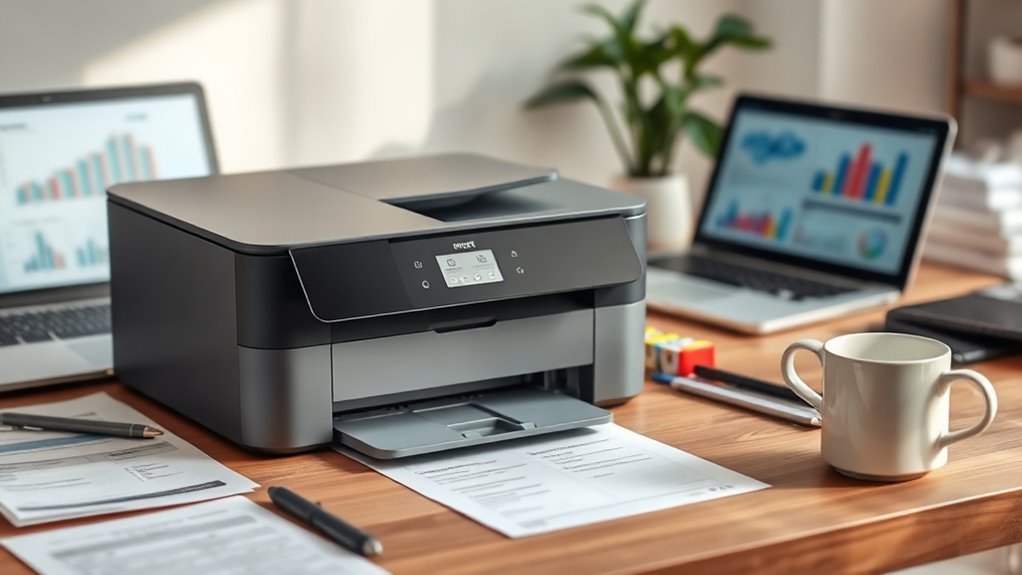
When picking a budget printer for your small business, you’ll want to weigh how fast it prints and what connectivity options it offers.
Keep an eye on ink or toner costs and whether the printer can handle the amount of paper you typically use.
Also, think about the print quality you need to make sure it meets your professional standards.
It’s all about finding the right balance between cost and performance, so your printer works well without breaking the bank.
Print Speed Requirements
Assess your typical printing volume and speed needs before choosing a budget printer for your business. If you print less than 200 pages monthly, a 10–15 ppm printer might do.
For 200–1,000 pages, aim for 15–25 ppm to avoid slowdowns. Don’t overlook first-page-out time; a few seconds’ warm-up matters for quick, on-demand jobs.
If several users print simultaneously, pick a model with higher ppm and bigger paper capacity to keep queues moving. Remember duplex printing often runs slower—check both simplex and duplex speeds to avoid surprises.
Finally, balance speed with print quality and cost per page. Faster printers could use more ink or lower quality, so define your minimum quality needs and compare real-world speed tests, not just marketing claims.
Connectivity Options Available
Although print speed matters, connectivity options play an equally vital role in choosing a budget printer for your small business. You want a printer that supports both Wi-Fi—ideally dual-band 2.4 GHz and 5 GHz—and USB connections for reliable network access and direct wired fallback.
If your office handles high print volumes or multiple users, look for Ethernet/LAN connectivity to guarantee stable, shared access. Mobile printing features like AirPrint, Mopria, or cloud printing let you print and scan from smartphones and tablets without installing drivers.
Wi-Fi Direct or built-in access points let you print peer-to-peer when no network is available—perfect for guests or temporary setups. Finally, prioritize printers with secure printing options like user authentication and encrypted connections to protect sensitive documents in your shared workspace.
Ink and Toner Costs
Keep an eye on ink and toner costs to avoid surprises in your printing budget. Calculate the cost per page (CPP) separately for black and color by dividing the cartridge price by the manufacturer’s page yield. Don’t just trust starter ink yields—they’re often lower than replacement supplies.
Consider printers with high-yield cartridges or refillable tanks. These options can slash ink costs by 60–90% if you print a lot. Also, factor in extra consumables like drums, printheads, and maintenance kits, since some models require paid replacements.
Estimate your monthly or annual print volume and multiply by CPP to get a clear picture of total ownership costs. Small differences in CPP add up quickly when you print in high volumes, so pick wisely to stay cost-effective.
Paper Handling Capacity
Once you’ve figured out ink and toner expenses, turn your attention to how much paper your printer can handle. Check the paper tray capacity to match your average daily volume—this keeps you from constantly refilling during busy periods.
If you scan or copy multi-page documents often, look for a printer with an automatic document feeder (ADF) and note its sheet capacity. Also, consider the output tray size so you’re not clearing it frequently when printing large jobs.
Make certain the printer supports various paper sizes and has flexible trays for envelopes, labels, or larger formats like legal or A3. Finally, assess the duty cycle and recommended monthly page volume to guarantee your printer’s paper handling meets your business’s peak workload demands.
Print Quality Expectations
When choosing a budget printer for your small business, you need to take into account print quality carefully to make certain professional results. For text-heavy documents, look for printers offering 600–1200 dpi optical resolution to guarantee sharp black-and-white output and clear small fonts.
If you print color graphics or charts, aim for at least 1200 × 1200 dpi with pigment-based inks to achieve crisp lines and better fade resistance. Photo-quality prints demand higher resolution (2400–4800 dpi) and specialized inks, but this raises costs.
Consider the print engine type: laser printers deliver fast, sharp black text, while inkjets excel at vibrant color photos but may blur fine text. Always check sample prints for banding, color shifts, bleed, and consistent duplex quality to guarantee your prints meet professional standards.
Multifunction Features Needed
Beyond print quality, you’ll want to focus on multifunction features that match your daily tasks. Prioritize core functions like print, scan, and copy—fax is rarely essential unless you handle regulated documents.
Look for an automatic document feeder (ADF) and duplex scanning/printing to speed up multi-page jobs. A higher ADF capacity and faster duplex save you time.
Check the scanner type and resolution to make sure it meets your needs for archival scans or OCR accuracy. Also, decide if color printing and scanning are necessary, since color raises consumable costs and might not be needed if you mostly handle black-and-white documents.
Finally, consider integrated software features like mobile scanning, searchable PDFs, and secure user authentication. These can really streamline your workflow and cut down on the need for extra tools.
Device Compatibility Support
Although budget printers offer great value, you’ll want to make sure they fully support the devices and operating systems your business relies on. Confirm compatibility with Windows, macOS, Linux, iOS, Android, or Chromebook to avoid driver issues.
Check connection options like Wi‑Fi, Ethernet, USB, or Bluetooth to fit your network and mobile printing needs. It’s good to verify the availability of drivers and firmware updates to keep your printer secure and functional.
Look for cloud and mobile printing support such as AirPrint, Mopria, or official apps. This will help you print smoothly from smartphones and tablets without a hitch.
If your business uses managed print solutions or network authentication, make sure the printer supports SNMP, LDAP/Active Directory, IPP, and secure printing. That way, you get seamless integration and easy user management.
Warranty and Support
Since your small business depends on reliable printing, you’ll want to carefully evaluate the warranty and support options that come with a budget printer. Check the warranty length and coverage—does it cover parts, printhead, and labor for 12 or 24 months?
Also, confirm available support channels like phone, email, or live chat, plus their hours and response times to guarantee quick help. It’s important to know you can get assistance when you need it.
Find out if warranty extensions, accidental-damage protection, or service plans are offered, and compare costs and coverage. These extras can really save you headaches down the road.
Don’t forget to verify if firmware updates, driver downloads, and troubleshooting tools are free for the product’s life. Plus, see how updates might affect third-party consumables, so you’re not caught off guard.
Look for repair turnaround times, loaner availability, and potential shipping or restocking fees to minimize downtime and total ownership costs. After all, keeping your printer up and running smoothly is key to your business.
Frequently Asked Questions
How Do Printer Maintenance Costs Affect Overall Business Expenses?
Printer maintenance costs directly impact your overall business expenses by increasing operational costs and affecting cash flow.
Keeping these costs low through regular upkeep and choosing reliable printers helps you save money and avoid costly downtime. It’s all about staying proactive and smart with your equipment.
What Is the Average Lifespan of Budget Printers in Small Businesses?
You can expect budget printers in small businesses to last around 3 to 5 years with regular use. Proper maintenance can extend their lifespan, but heavy workloads might shorten it.
Can Budget Printers Handle High-Volume Printing Without Frequent Breakdowns?
Budget printers usually can’t handle high-volume printing without frequent breakdowns. You’ll want to choose models designed for heavier use or upgrade to mid-range printers.
This way, you can avoid downtime and keep your business running smoothly. It’s all about maintaining productivity without the hassle.
Are There Eco-Friendly Ink or Toner Options Available for These Printers?
Yes, you’ll find eco-friendly ink and toner options compatible with most budget printers. They reduce waste and use sustainable materials, helping your business stay green without sacrificing print quality or increasing costs substantially.
It’s great to know you don’t have to compromise on quality or cost to be eco-conscious. These options make it easy to print responsibly and keep your environmental impact low.
How Important Is Printer Compatibility With Various Mobile Devices?
Printer compatibility with mobile devices is essential because you’ll need seamless printing from smartphones and tablets. If your printer supports various platforms and apps, you’ll save time and stay productive without hassle or extra equipment.
It just makes everything easier. No more fumbling with cables or transferring files to a computer first. Plus, you get the flexibility to print wherever you are, whenever you want.
Conclusion
Choosing the right budget printer for your small business is like picking the perfect tool for a craftsman—each option here brings reliability and efficiency to your daily grind. Whether you go for inkjet versatility or laser precision, these printers will help you print your success story without breaking the bank.
So, gear up with the best fit, and watch your business grow—because every great venture starts with the right first step. Investing in one of the best budget printers for small business ensures you get quality prints while keeping costs low. With these reliable and affordable printers, you can streamline your workflow, save money, and boost productivity.
Remember, the right budget printer is more than just a purchase—it’s a smart business decision that supports your growth and success in 2027 and beyond.