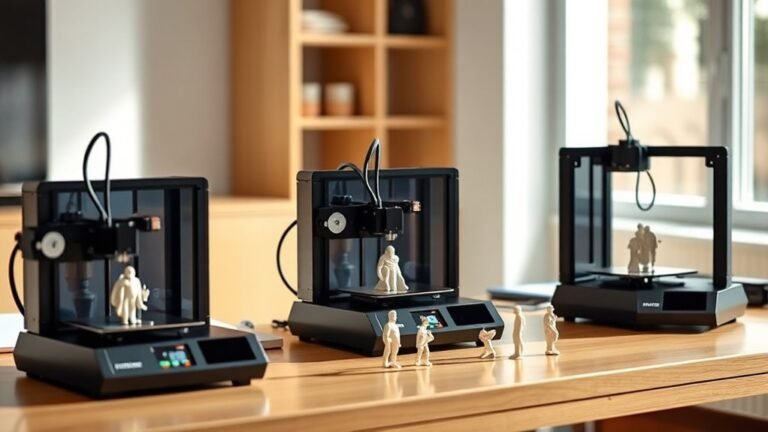
4 Best Budget Resin 3D Printers for 2027
If you’re after sharp details without overspending, the ANYCUBIC Photon Mono 4’s 10K mono LCD offers precision and straightforward use. It’s a fantastic choice for those who want high-quality prints without breaking the bank.
Plus, its user-friendly design makes it accessible for both beginners and experienced users.
ELEGOO Mars 5 pairs easy one-click leveling with safety features like overheat protection. This printer is great if you want hassle-free setup and peace of mind while printing.
It balances convenience and safety in a compact package.
For beginners, MALYAN S100 Mini brings simple setup and magnetic plates for effortless prints. It’s perfect if you’re just starting out and want something reliable without a steep learning curve.
The magnetic plates make removing prints a breeze.
Meanwhile, Creality Halot Mage S 14K delivers ultra-high resolution with blazing speeds. If speed and detail are your top priorities, this one won’t disappoint.
Curious about which fits your needs and workspace? Keep exploring to find the perfect match.
| Image | Name | Editor's Rating | Price |
|---|---|---|---|

|
|
||
|
|
||

|
|
||

|
|
ANYCUBIC Photon Mono 4, Resin 3D Printer with 7” 10K Mono LCD Screen
- 【7'' 10K High Resolution】Photon Mono 4 boasts an impressive 105% increase in print precision compared to Mono 2. With a resolution of 9024x5120, each pixel measures a...
- 【Powerful Light Source】The time-tested Anycubic LighTurbo matrix light source technology delivers stable, balanced, and uniform lighting to reduce layer lines and...
- 【Sufficient Print Size】With a generous maximum build volume of 6.04'' x 3.42'' x 6.49''/153.4mm x 87mm x 165mm, you have ample print space to easily tackle your daily...
- 【Laser-engraved Print Platform 2.0】With a new design, the laser engraving platform of the photon mono 4 improves adhesion to mitigate lifting and warping of the model...
- 【User-friendly Function】The 4-point leveling method is ideal for beginners, after the first leveling and tightening the 4 screws, no need to repeat leveling. Photon...
The ANYCUBIC Photon Mono 4 delivers precise resin 3D printing with a high-resolution 7-inch 10K mono LCD screen. This advanced display offers a sharp resolution of 9024 x 5120, significantly improving print detail and clarity. Users benefit from ultra-smooth surfaces thanks to the LighTurbo matrix light source, which provides stable and uniform illumination.
Maintenance is simplified by the Laser-engraved Print Platform 2.0, designed to enhance adhesion and minimize warping during prints. The 4-point leveling system ensures you only need to calibrate once, saving time and effort. Power recovery features keep your printing uninterrupted in case of power loss, adding reliability to your workflow.
This printer is ideal for hobbyists and professionals who need detailed, fast resin prints without the complexity of app controls. Its moderate build volume fits well in small workspaces, balancing size and functionality. While it does not support the Anycubic APP, its straightforward operation makes it easy to use.
Best for: hobbyists and professionals seeking a budget-friendly resin 3D printer with high precision and efficiency.
What We Like:
- High-resolution 7″ 10K mono LCD for exceptional print detail
- LighTurbo matrix light source ensures smooth, consistent curing
- 4-point leveling system reduces setup time
- Laser-engraved Print Platform 2.0 improves adhesion and reduces warping
- Power recovery feature prevents print failures during outages
Specification:
| Feature | Details |
|---|---|
| Manufacturer | ANYCUBIC |
| Screen Size | 7 inches |
| Screen Resolution | 9024 x 5120 pixels |
| Print Speed | Up to 70 mm/h |
| Leveling System | 4-point leveling |
| Build Volume | Moderate |
| Light Source | LighTurbo matrix LED |
| Weight | Not specified |
| Color Options | Not specified |
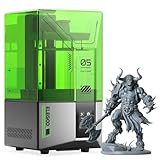
ELEGOO Mars 5 Resin 3D Printer
- 【Effortless Magic with One-Click Automatic Leveling】Effortless precision is just a click away. ELEGOO Mars 5 resin 3D printer offers advanced automatic leveling...
- 【Print Smarter, Print Worry-Free】With a smart mechanical sensor, ELEGOO Mars 5 resin printer supports residue detection to prevent damage to the LCD screen. Plus...
- 【One-Click Self-Check, Ensuring Reliable Prints】Tired of setup hassles and unexpected errors ruining your printing projects? With just a simple click, ELEGOO Mars...
- 【4K Mono LCD for Stunning Details】Featuring a 4K mono LCD with advanced COB light source, ELEGOO Mars 5 impresora 3D de resina faithfully reproduces intricate details...
- 【Advanced Overheat Protection, Cool and Safe】No more overheating worries. The advanced overheat protection automatically halts printing and triggers an alarm if the...

Experience the precision and ease of resin 3D printing with the ELEGOO Mars 5. Its 4K mono LCD screen produces sharp, detailed models that meet high standards. This printer tackles intricate designs with clarity, making complex projects achievable.
Setup is streamlined with one-click automatic leveling and built-in self-check diagnostics. These features reduce errors and save time. The Mars 5 also prioritizes safety with resin shortage alarms, residue detection, and overheat protection that stops printing if temperatures exceed 80°C.
Maintaining the printer is straightforward due to its efficient cooling system, which helps ensure consistent performance. Though compact, the build volume of 5.65 × 3.53 × 5.91 inches supports a variety of medium-sized prints. Its sturdy design, weighing 14.5 pounds, offers stability but limits portability.
The ELEGOO Mars 5 is ideal for users seeking reliable, high-quality resin prints without complicated setup or maintenance. It balances safety, performance, and precision in a desktop package.
Best for: hobbyists and professionals needing detailed resin 3D printing with easy operation and strong safety features.
What We Like:
- Sharp, precise prints from a high-resolution 4K mono LCD
- Simple setup with one-click leveling and self-checks
- Safety-focused with resin shortage and residue alerts plus overheat protection
- Efficient cooling system for consistent results
Specification:
| Feature | Details |
|---|---|
| Manufacturer | ELEGOO |
| Build Volume | 5.65 × 3.53 × 5.91 inches |
| Weight | 14.5 lb (6.58 kg) |
| Display | 4K Mono LCD with COB light source |
| Safety Features | Resin shortage alarm, residue detection, overheat protection |
MALYAN S100 Mini Resin 3D Printer with Auto Leveling
- 【Entry-level Resin 3D Printer】MALYAN S100 features a 5.5-inch LCD screen with a resolution of 2560x1440, which can better restore 3d printing models and realize...
- 【Auto Calibrates And Leveling】MALYAN S100 Mini resin 3d printer has a printing size of 115x65x110 mm, which can be calibrated and run in one click. It automatically...
- 【Magnetic Build Plate】The magnetic build plate is easy to remove and takes the hassle out of cleaning and prepping for multiple print jobs in quick succession. The...
- 【Upgraded light source】The 57W parallel LED array can provides a stable and uniform parallel light source, thus effectively reducing the layer lines and eliminating...
- 【Laser-engraved Build Plate】S100 is equipped with a laser engraved platform, which has excellent flatness that can increase model adhesion, making the 3d model hard...
The MALYAN S100 Mini Resin 3D Printer offers an easy, reliable solution for beginners wanting high-quality prints without complex setup. Its auto-leveling feature solves the common issue of uneven print layers, ensuring smooth and consistent results every time. This means less time troubleshooting and more time creating.
Equipped with a sharp 5.5-inch 2560 x 1440 LCD, it captures fine details and vibrant textures in your models. The compact build volume of 115 x 65 x 110 mm fits small to medium projects, making it perfect for hobbyists and those exploring resin printing.
Maintenance is simple with a magnetic, laser-engraved build plate that holds prints firmly during leveling and allows easy removal and cleaning. The 57W parallel LED array delivers even lighting, reducing visible layer lines and improving surface finish.
Matching resin types to this printer’s settings helps optimize print quality and reliability. While the volume and features suit newcomers, advanced users may find customization options limited.
Best for: Beginners and hobbyists seeking a straightforward resin 3D printer with dependable auto-leveling and detailed print quality.
What We Like:
- One-click auto calibration for precise first-layer adhesion
- High-resolution 5.5-inch LCD delivers sharp details
- Magnetic, laser-engraved build plate eases print removal and cleaning
Specification:
| Feature | Details |
|---|---|
| Manufacturer | MALYAN |
| Build Volume | 115 x 65 x 110 mm |
| LCD Screen Size | 5.5 inches |
| LCD Resolution | 2560 x 1440 pixels |
| Light Source | 57W parallel LED array |
| Build Plate | Magnetic, laser-engraved |
Creality Resin 3D Printer Halot Mage S 14K, with 10.1″ HD LCD MSLA Mono
- 𝐒𝐭𝐮𝐧𝐧𝐢𝐧𝐠 𝟏𝟒𝐊, 𝐔𝐭𝐭𝐞𝐫𝐥𝐲 𝐄𝐱𝐪𝐮𝐢𝐬𝐢𝐭𝐞: Our 14K Creality Resin 3D Printer equipped with a...
- 𝟑-𝟒𝐱 𝐁𝐥𝐚𝐳𝐢𝐧𝐠 𝐅𝐚𝐬𝐭 𝐒𝐩𝐞𝐞𝐝: The 3d resin printer closed-oop motor and dual linear rails give you the "Dynax+" mode...
- 𝐏𝐫𝐨-𝐥𝐞𝐯𝐞𝐥 𝐅𝐢𝐝𝐞𝐥𝐢𝐭𝐲, 𝐈𝐧𝐭𝐞𝐠𝐫𝐚𝐥 𝐋𝐢𝐠𝐡𝐭 𝐒𝐨𝐮𝐫𝐜𝐞 𝟑.𝟎: As the 3rd...
- 𝐒𝐦𝐚𝐫𝐭 𝐏𝐫𝐢𝐧𝐭𝐢𝐧𝐠 𝐄𝐱𝐩𝐞𝐫𝐢𝐞𝐧𝐜𝐞: Powered by latest smart HALOT OS, enjoy hassle-free remote printing from...
- 𝐇𝐢𝐠𝐡𝐥𝐲 𝐬𝐮𝐜𝐜𝐞𝐬𝐬𝐟𝐮𝐥 𝐫𝐚𝐭𝐞 𝐚𝐧𝐝 𝐒𝐭𝐚𝐛𝐢𝐥𝐢𝐭𝐲: Our laser-carved build plate...
Offering ultra-high detail and large build capacity, the Creality Halot Mage S 14K is designed to elevate your resin printing experience. Its impressive 14K resolution and 10.1″ HD LCD deliver sharp, intricate prints, perfect for creators who demand precision in jewelry, miniatures, or prototypes.
The printer’s Dynax+ closed-loop motor system ensures smooth, fast printing at speeds up to 150 mm/h. This means you can produce a 15 cm model quickly without compromising on quality. Consistent UV curing with the Integral Light Source 3.0 guarantees every layer is precisely formed.
Maintenance is straightforward thanks to the laser-carved build plate that secures prints firmly and the 3-layer Pictor film that allows easy part release. These features reduce print failures and simplify post-processing, saving you time and effort.
With HALOT OS, you can manage prints remotely, enhancing convenience and workflow efficiency. Keep in mind that some advanced features like the Smart Resin Pump are optional and may add to the overall cost. Remote printing depends on stable internet and user familiarity with the software.
Best for: Professionals and creators who need ultra-high-resolution prints with fine details, such as jewelers, miniature modelers, and precision prototype designers.
What We Like:
- Exceptional 14K 13320 × 5120 px resolution for detailed prints
- Fast printing speeds up to 150 mm/h with Dynax+ motor system
- Secure adhesion and easy part removal via laser-carved build plate and Pictor film
- Consistent layer quality with Integral Light Source 3.0
- Remote printing and control through HALOT OS
Specification:
| Feature | Details |
|---|---|
| Manufacturer | Creality |
| Display Size | 10.1 inches (HD LCD) |
| Resolution | 14K (13320 × 5120 px) |
| Printing Speed | Up to 150 mm/h |
| Build Plate | Laser-carved with Pictor film |
| Motor System | Dynax+ closed-loop |
| Software | HALOT OS |
Factors to Consider When Choosing a Budget Resin 3D Printer

When choosing a budget resin 3D printer, you’ll want to focus on print quality and resolution to get the details right. It really makes a difference in the final outcome of your prints.
Also, consider the build volume and size to make sure it fits your projects and workspace. You don’t want to end up with something too big or too small for what you need.
Don’t forget ease of use, speed, and safety to keep your printing experience smooth and reliable. These factors help make the whole process less frustrating and more enjoyable.
Print Quality And Resolution
Achieving sharp, detailed prints hinges on understanding key factors like LCD resolution and pixel size, which directly influence how finely your resin printer can reproduce intricate designs. Higher LCD resolutions, such as 4K or 10K, shrink pixel size, allowing you to capture fine features and smooth curves with ease.
Pay close attention to pixel pitch—the smaller it is, the crisper your miniatures and thin walls will be. Alongside XY resolution, Z-axis layer height impacts vertical detail; thinner layers create smoother surfaces but increase print time.
Don’t overlook consistent UV illumination and high-quality optics, which guarantee uniform curing and reduce surface blemishes. And let’s not forget stable mechanical components like rigid rails and precise lead screws—they help maintain dimensional accuracy and deliver repeatable, high-quality prints every time.
Build Volume And Size
Print quality depends heavily on resolution and curing precision, but you’ll also want to take into account the build volume and size of your resin 3D printer. Match the build volume (X × Y × Z) to the typical models you plan to print—small miniatures fit well within 100–160 × 60–165 mm, while larger prototypes may need over 150 × 80 × 160 mm.
Larger build plates let you print more parts at once but increase resin use and cure time per layer, so balance bed area with your print frequency and material costs. Also, check the maximum Z height to make sure tall models or multi-part assemblies print in one run.
Finally, consider the printer’s physical footprint and weight, as bigger volumes mean larger, heavier units needing proper workspace and ventilation. It’s all about finding the right balance for your space and printing needs.
Ease Of Use
How easy a resin 3D printer is to use can make all the difference, especially if you’re new to the technology or want to save time during setup. Look for printers with automatic or one-click leveling and calibration to avoid manual adjustments and guarantee reliable first layers.
A clear, user-friendly touchscreen that guides you through setup, diagnostics, and print start simplifies the process. Power-resume and print-recovery features are vital to protect your prints during power outages.
Make sure the firmware and software are compatible with straightforward slicer workflows, preferably with remote or phone control options for easy file transfer and monitoring. Safety features like resin-detection sensors, alarms for resin shortage or overheating, and magnetic build plates for quick post-print handling also enhance your experience and maintenance convenience.
Speed And Efficiency
When choosing a budget resin 3D printer, you’ll want to focus on speed and efficiency to maximize your productivity. Look for printers with higher maximum print speeds, typically between 70–150 mm/h. This way, you can finish tall prints faster without sacrificing too much detail.
Monochrome LCDs are a smart choice since they cure layers quicker and more consistently than color displays. This slashes exposure times and keeps things moving along smoothly.
A uniform light source and good heat management not only reduce layer failures but also speed up the entire process. Plus, mechanical upgrades like dual linear rails and closed-loop motors help maintain reliability at higher speeds by cutting down vibrations and peel stresses.
Features like power-recovery, automated leveling, and one-click start further boost your print uptime by minimizing interruptions and setup time. These little conveniences really add up when you want to keep things running without a hitch.
Safety And Reliability
Although budget resin 3D printers offer great value, you shouldn’t overlook safety and reliability features that protect both you and your investment. Look for printers with built-in safety measures like resin-level detection, overheat protection for LEDs, and alarms that pause or stop printing during faults to avoid damage and waste.
Check for sturdy mechanical designs—such as dual-rail motion systems and secure build-plate attachments—to prevent layer shifts and premature wear. It’s worth prioritizing models with uniform UV light distribution and adequate cooling to guarantee consistent curing and reduce heat-related failures.
Also, consider practical safety elements like enclosed chambers, activated-carbon filters for fumes, and clear resin-handling guidelines. And don’t forget to verify ongoing firmware updates and certifications to keep everything stable and address vulnerabilities over time.
Frequently Asked Questions
How Do I Safely Dispose of Used Resin Materials?
You should cure leftover resin under UV light until solid, then dispose of it with regular trash.
For liquid resin, never pour it down drains—use a resin waste container and follow local hazardous waste disposal guidelines. It’s important to handle it carefully to keep the environment safe.
Can Resin 3D Printers Print With Multiple Colors?
You can’t paint rainbows with a single drop—resin 3D printers usually print one color at a time.
To mix colors, you’ll need multiple resin tanks or post-painting. Multi-color printing isn’t standard yet, so it takes a bit of extra work.
What Maintenance Is Required for Resin 3D Printers?
You’ll need to clean the resin tank and print bed regularly, and replace the FEP film when it starts to wear out. Also, make sure your workspace has proper ventilation to keep things safe.
Handle resin carefully and clean up any spills right away. It’s also a good idea to perform routine firmware updates to keep your printer running smoothly.
Are There Eco-Friendly Resin Options Available?
Yes, you’ve got eco-friendly resin options that aren’t just smoke and mirrors. These biodegradable or low-toxicity resins reduce environmental impact, letting you print responsibly.
Plus, they help keep your workspace safer and cleaner. So, you can go green without any hassle.
How Noisy Are Budget Resin 3D Printers During Operation?
Budget resin 3D printers are generally quiet during operation, producing minimal noise compared to filament printers.
You won’t find them disruptive, so you can comfortably run prints without worrying about loud sounds disturbing your workspace or home.
Conclusion
Choosing the right budget resin 3D printer can transform your creative projects. Did you know that resin printers like the ANYCUBIC Photon Mono 4 offer print speeds up to 60mm/hour? That’s markedly faster than many filament printers!
This means you can enjoy detailed, high-quality prints without long waits. By considering features like resolution, build volume, and ease of use, you’ll find a printer that fits your needs and budget perfectly.
Getting the best budget resin 3D printer for 2027 means balancing speed, quality, and affordability. Whether you’re a hobbyist or just starting out, these factors help you pick a reliable machine that brings your ideas to life quickly and efficiently. So, dive into the world of resin printing and watch your creative visions turn into reality!