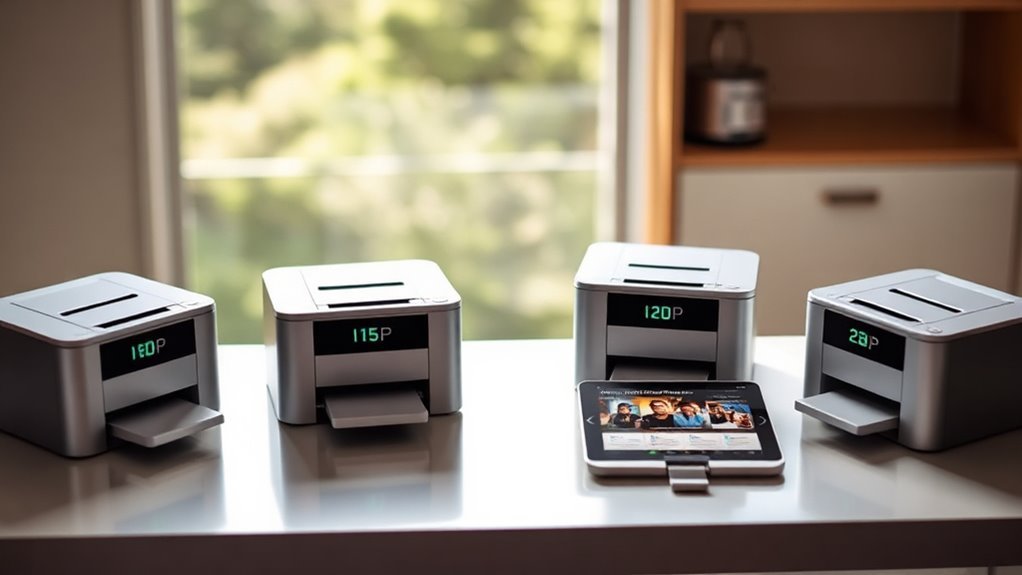
6 Best Budget Printers for Ipad That Save You Money in 2027
You want a budget-friendly printer that connects easily to your iPad and helps cut ink costs. Finding a printer that balances price, convenience, and print quality can be tricky. But don’t worry—there are some great options out there that won’t break the bank.
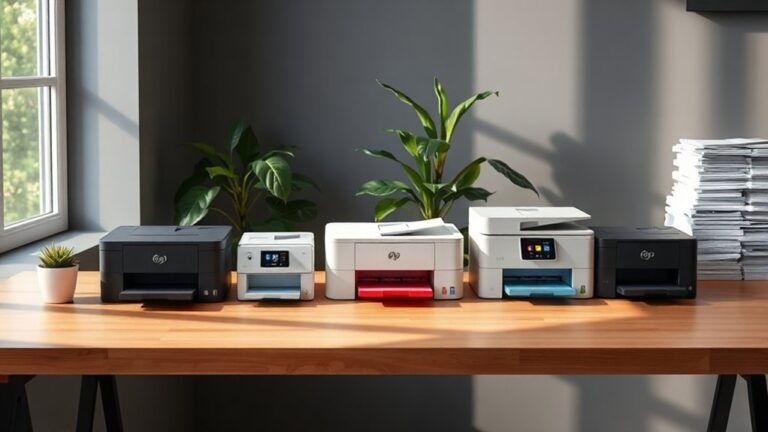
Consider the HP DeskJet 2923 or 2955. Both are wireless all-in-ones and come with Instant Ink trials to help you save money on ink. Canon’s PIXMA TS4320 and TS6520 offer excellent print quality with automatic duplexing and smart app control, making printing from your iPad a breeze.
If portability is a priority, the PIXMA TR160 is lightweight and perfect for travel. Keep exploring these options to find the best fit for your needs and budget.
| Image | Name | Editor's Rating | Price |
|---|---|---|---|

|
|
||

|
|
||

|
|
||

|
|
||

|
|
HP DeskJet 2923 Color Inkjet Printer | Wireless | All-in-One
- Perfect for basic printing needs – Print everyday color documents like to-do lists, letters, financial documents and recipes
- KEY FEATURES – Color print, copy, scan, and a 60-sheet input tray, plus mobile and wireless printing
- OPTIMIZE PRINT FORMATTING WITH HP AI – Print web pages and emails with precision—no wasted pages or awkward layouts; HP AI easily removes unwanted content, so your...
- ICON LCD – Print your basic documents with ease from the intuitive control panel
- PRINT SPEED – Up to 7.5 ppm black, 5.5 ppm color

The HP DeskJet 2923 is a practical all-in-one printer designed to simplify your everyday tasks. Whether you need to print, scan, or copy, this device handles it with ease. Its wireless connectivity, including support for Apple AirPrint, lets you print directly from your iPad or smartphone without complicated setup.
Maintenance is straightforward, with a 60-sheet input tray that fits typical home use. While it requires manual duplexing, this feature keeps the printer compact and affordable. The included six-month Instant Ink trial helps reduce ongoing cartridge expenses, making upkeep more budget-friendly.
This printer’s compact design fits neatly into small spaces, and its eco-friendly build uses at least 70% recycled plastics. It’s ideal for casual users who want reliable functionality without the need for heavy-duty performance. The moderate print speed is suitable for light to moderate workloads.
Overall, the HP DeskJet 2923 offers a balance of convenience, affordability, and environmental consideration. It’s a smart choice for those who value simple wireless printing and multifunction capability in a compact form.
Best for: Budget-conscious home users seeking a compact, wireless all-in-one printer compatible with Apple devices for basic tasks.
What We Like:
- Wireless printing with Apple AirPrint support
- Six-month Instant Ink trial reduces ink costs
- Compact, eco-friendly design with recycled plastics
- Easy maintenance suitable for everyday home use
Specification:
| Feature | Details |
|---|---|
| Manufacturer | HP |
| Dimensions | Approx. 17.5 x 14.4 x 6.1 in (44.5 x 36.6 x 15.5 cm) |
| Weight | Approx. 5.1 lb (2.3 kg) |
| Color Options | White with black accents |
| Connectivity | Wireless (Wi-Fi), Apple AirPrint |
Canon PIXMA TS4320 – Wireless Color Inkjet Printer with Print, Copy, Scan
- Affordable Versatility - A budget-friendly all-in-one printer perfect for both home users and hybrid workers, offering exceptional value
- Crisp, Vibrant Prints - Experience impressive print quality for both documents and photos, thanks to its 2-cartridge hybrid ink system that delivers sharp text and vivid...
- Effortless Setup & Use - Get started quickly with easy setup for your smartphone or computer, so you can print, scan, and copy without delay
- Reliable Wireless Connectivity - Enjoy stable and consistent connections with dual-band Wi-Fi (2.4GHz or 5GHz), ensuring smooth printing from anywhere in your home or...
- Scan & Copy Handling - Utilize the device’s integrated scanner for efficient scanning and copying operations
The Canon PIXMA TS4320 is a compact, wireless color inkjet printer designed to simplify your everyday printing tasks. Its sharp print quality at up to 1200 dpi ensures your documents and photos come out clear and vibrant. This printer handles printing, copying, and scanning, making it a versatile tool for home use.
Thanks to its reliable dual-band Wi-Fi and mobile printing options like Apple AirPrint and the Canon PRINT app, you can print easily from smartphones or tablets. The automatic duplex printing helps you save paper by printing on both sides without extra effort. Its small size fits perfectly on desks with limited space, making it ideal for students or casual users.
Maintaining the PIXMA TS4320 is straightforward; however, the single 100-sheet tray means you might need to reload paper more often during heavy use. While it lacks an automatic document feeder and OLED display, it remains a practical choice for simple scanning and copying needs. The PIXMA Print Plan also offers ink savings, helping keep running costs low.
Best for: Budget-conscious home users needing a compact, versatile printer for daily printing, copying, and scanning tasks.
What We Like:
- Compact design fits easily in small spaces.
- Reliable wireless connectivity with multiple mobile printing options.
- Automatic duplex printing conserves paper.
- Sharp print quality suitable for documents and photos.
Specification:
| Feature | Details |
|---|---|
| Manufacturer | Canon |
| Dimensions | Compact footprint (exact size not specified) |
| Weight | Not specified |
| Connectivity | Dual-band Wi-Fi, Apple AirPrint, Canon PRINT app |
| Print Resolution | Up to 1200 dpi |
| Paper Capacity | 100 sheets |
| Functions | Print, Copy, Scan |
| Color | Not specified |
Canon PIXMA TS6520 Wireless Color Inkjet Printer, 1.42″ OLED Display, White
- Affordable Versatility - A budget-friendly all-in-one printer perfect for both home users and hybrid workers, offering exceptional value
- Crisp, Vibrant Prints - Experience impressive print quality for both documents and photos, thanks to its 2-cartridge hybrid ink system that delivers sharp text and vivid...
- Effortless Setup & Use - Get started quickly with easy setup for your smartphone or computer, so you can print, scan, and copy without delay
- Reliable Wireless Connectivity - Enjoy stable and consistent connections with dual-band Wi-Fi (2.4GHz or 5GHz), ensuring smooth printing from anywhere in your home or...
- Scan & Copy Handling - Utilize the device’s integrated scanner for efficient scanning and copying operations
Experience hassle-free printing with the Canon PIXMA TS6520, a compact all-in-one printer that blends seamlessly into your home office. It simplifies everyday tasks like printing, scanning, and copying, helping you stay productive without clutter.
The printer delivers sharp, high-resolution prints at 1200 x 1200 dpi. Fast print speeds of up to 9 ppm in color and 14 ppm in black keep up with your busy schedule. Its 1.42″ OLED display provides easy access to settings and ink levels, so you stay informed and in control.
Designed for convenience, the TS6520 supports dual-band Wi-Fi and mobile printing, allowing you to print directly from your iPad or smartphone. Alexa voice control integration adds a hands-free option for added flexibility. Auto duplex and borderless printing make it simple to produce professional-looking documents and photos.
Maintenance is straightforward but keep in mind it uses two separate cartridges, which may require more frequent replacements. The single paper tray suits light to moderate use, with a maximum media size of letter format.
Best for: Families, students, and hybrid workers needing a versatile and space-saving wireless printer for everyday use.
What We Like:
- Sharp 1200 x 1200 dpi print quality with quick color and black print speeds
- User-friendly 1.42″ OLED display showing ink and settings status
- Dual-band Wi-Fi and mobile printing for seamless device connectivity
- Auto duplex and borderless printing for efficient, professional results
Specification:
| Feature | Details |
|---|---|
| Manufacturer | Canon |
| Dimensions (W×D×H) | Approx. 14.7 × 11.7 × 5.6 in (37.3 × 29.7 × 14.2 cm) |
| Weight | Approx. 13.2 lb (6 kg) |
| Color Options | White |
| Display | 1.42″ OLED |
| Connectivity | Dual-band Wi-Fi, Mobile printing, Alexa voice control |
| Print Resolution | 1200 x 1200 dpi |
| Max Paper Size | Letter (8.5 × 11 in) |
Canon PIXMA TR160 Color Wireless Portable Printer
- LIGHTWEIGHT AND PORTABLE - Connect and print on the go with the PIXMA TR160. This lightweight portable printer can fit into a bag or backpack with room to spare.
- HIGH-QUALITY PRINTING ON THE GO - Print documents and photos up to 8.5” x 11” that showcase sharp black text and vibrant details with rich color thanks to a 5-Color...
- SIMPLE & EASY CONNECTIVITY - Printing is only an app away when using the Canon PRINT app, Apple AirPrint4, or Mopria Print Service5 with your compatible device(s) or the...
- WIRELESS DIRECT MODE - Connect your compatible device to the printer even without a wireless router.
- 1.44” OLED DISPLAY - Easily check ink levels, printer status, and other settings with the 1.44” Monochrome OLED.
Experience true portability with the Canon PIXMA TR160 Color Wireless Portable Printer. Its lightweight design slips easily into your bag, making printing from your iPad or smartphone effortless wherever you go. This printer solves the challenge of on-the-go printing by delivering sharp black text and vibrant photos without bulky equipment.
The printer uses a 5-Color Hybrid Ink System that produces crisp documents and colorful images up to 8.5” x 11”. You can create square or borderless photos, perfect for creative projects or professional presentations. The device connects wirelessly via the Canon PRINT app, Apple AirPrint, or Wireless Direct mode, eliminating the need for a router and simplifying mobile printing.
Maintenance is straightforward with the 1.44” monochrome OLED display, which provides clear updates on ink levels and printer status. While the display is basic, it helps ensure smooth operation without complicated menus. Frequent ink replacement may be necessary depending on print volume, so keep an eye on your supplies.
This portable printer is designed for users who need reliable, high-quality color and black text prints anytime, anywhere. Its compact form and versatile connectivity make it ideal for students, mobile professionals, and creatives working remotely.
Best for: Mobile professionals and creatives requiring a lightweight, wireless printer for high-quality color and text prints on the move.
What We Like:
- Compact and lightweight for easy portability
- 5-Color Hybrid Ink System ensures sharp text and vivid photos
- Multiple wireless options including direct printing without a router
- Simple OLED display for quick status checks
- Supports borderless and square photo printing
Specification:
| Feature | Details |
|---|---|
| Manufacturer | Canon |
| Dimensions | Compact, fits in a bag |
| Weight | Lightweight |
| Printing Size | Up to 8.5” x 11” |
| Ink System | 5-Color Hybrid Ink System |
| Display | 1.44” Monochrome OLED |
| Connectivity | Canon PRINT app, AirPrint, Wireless Direct |
Canon PIXMA TS3720 Wireless All-in-One Printer White
No products found.
Experience hassle-free printing at home with the Canon PIXMA TS3720 Wireless All-in-One Printer in White. This printer simplifies everyday tasks by offering seamless wireless connectivity, so you can print directly from your iPad or smartphone with ease. Its straightforward setup means you spend less time configuring and more time printing.
Designed to fit comfortably in small spaces, this lightweight printer weighs just 8.7 pounds, making it perfect for desks or home offices. The dual-band Wi-Fi ensures a stable connection, while compatibility with Apple AirPrint and the Canon PRINT app enables quick mobile printing of documents and photos.
The PIXMA TS3720 uses a 2-cartridge FINE Hybrid ink system to deliver sharp text and vibrant colors, ideal for home projects and schoolwork. It also handles scanning and copying, making it a versatile choice for basic home office needs. Maintenance is simple with easy cartridge replacements and a compact design.
While it only prints single-sided and has a modest 60-sheet paper capacity, this printer meets the needs of users who prioritize convenience over high-volume printing. Its moderate print speed suits everyday printing without overwhelming busy home workflows.
Best for: home users seeking an affordable, easy-to-use wireless printer for basic printing, scanning, and copying, especially those who want smooth printing from iPads and mobile devices.
What We Like:
- Easy dual-band Wi-Fi setup with Apple AirPrint and Canon PRINT app support
- Compact, lightweight design fits well in small spaces
- Clear text and vibrant color output with 2-cartridge FINE Hybrid ink system
- Simple maintenance with straightforward cartridge replacements
Specification:
| Feature | Details |
|---|---|
| Manufacturer | Canon |
| Dimensions | Approximately 17.7 x 12 x 5.9 inches (45 x 30.5 x 15 cm) |
| Weight | 8.7 lb (3.95 kg) |
| Color Options | White |
HP DeskJet 2955 Color Inkjet Printer | Wireless | All-in-One
- PERFECT FOR BASIC PRINTING NEEDS – Print everyday color documents like to-do lists, letters, financial documents and recipes
- KEY FEATURES – Color print, copy, scan, and a 60-sheet input tray, plus mobile and wireless printing
- OPTIMIZE PRINT FORMATTING WITH HP AI – Print web pages and emails with precision—no wasted pages or awkward layouts; HP AI easily removes unwanted content, so your...
- ICON LCD – Print your basic documents with ease from the intuitive control panel
- PRINT SPEED – Up to 7.5 ppm black, 5.5 ppm color
Experience seamless printing with the HP DeskJet 2955, a compact all-in-one designed to fit effortlessly in your home workspace. It solves common space and connectivity issues by offering wireless printing, scanning, and copying in a single device. This printer delivers vibrant color prints with a resolution up to 4800 x 1200 dpi, ensuring your documents and photos look sharp and professional.
Maintenance is straightforward thanks to the HP Instant Ink trial, which helps reduce ink expenses while keeping your printer ready to perform. The 60-sheet input tray and manual duplex printing feature promote paper savings without complicating operation. Its dual-band Wi-Fi and Apple AirPrint support simplify printing from mobile devices, letting you print directly from your iPad or smartphone without hassle.
This model is designed for everyday home use, balancing functionality with eco-friendly features. Made with recycled plastics and bearing ENERGY STAR certification, it aligns with sustainable living goals. However, the print speed is moderate, and manual duplexing requires user involvement, which may not suit high-volume needs.
Best for: Individuals seeking a compact, affordable, and eco-friendly all-in-one printer for home use that supports wireless and mobile printing.
What We Like:
- Compact design ideal for small spaces
- Dual-band Wi-Fi and Apple AirPrint for easy mobile printing
- HP Instant Ink trial reduces ink costs
- Manual duplex printing helps save paper
- Environmentally conscious build with recycled materials
Specification:
| Feature | Details |
|---|---|
| Manufacturer | HP |
| Dimensions (W×D×H) | 16.53 × 11.81 × 5.91 inches |
| Weight | Approximately 5.06 lbs |
| Printing Technology | Color Inkjet |
| Connectivity | Dual-band Wi-Fi, Wireless Direct, Apple AirPrint |
| Input Tray Capacity | 60 sheets |
Factors to Consider When Choosing a Budget Printer for iPad
When picking a budget printer for your iPad, you’ll want to check its wireless connectivity options and how well it works with mobile devices.
Print quality and ink cost efficiency are vital to keep your expenses low while getting sharp results.
Also, consider the printer’s size and portability if you need to move it around or save space.
It’s all about finding the right balance between features and budget to suit your needs.
Wireless Connectivity Options
Choosing the right wireless connectivity options can make all the difference in how smoothly your iPad communicates with a budget printer. First, make sure the printer supports AirPrint or a similar mobile printing standard. This way, you can print directly without installing any drivers.
Prefer models with dual-band Wi-Fi (2.4 GHz and 5 GHz) or at least 5 GHz support. This helps reduce interference and speeds up your connections. Also, look for Wireless Direct or Wi-Fi Direct capabilities. These allow you to print even without a router or internet access.
Don’t forget about security—choose printers with WPA2 or WPA3 encryption and password protection. This keeps your documents safe from unwanted access. Finally, consider printers that offer app-based and cloud printing features. They add convenience and let you print remotely from your iPad.
Mobile Compatibility Features
Because your iPad relies on seamless communication with your printer, ensuring mobile compatibility features is essential for a smooth printing experience. First, make sure the printer supports AirPrint or a native iPad-friendly protocol so you can print directly from apps without extra drivers.
Dual-band Wi-Fi and Wireless Direct are key to reliable connections, even without a local network. Check the printer’s mobile app for scanning, maintenance, and ink ordering, and confirm it’s optimized for iPadOS with multitasking support like split view or drag-and-drop.
Also, look for cloud and email printing compatibility with common file types such as PDF and JPG. Finally, prioritize security features like WPA2/WPA3 encryption and optional PINs to protect your documents during mobile printing.
Print Quality Standards
Although budget printers aim to save you money, you shouldn’t compromise on print quality, especially when working from your iPad. Look for printers with at least 1200 x 1200 dpi resolution to make certain sharp black text and crisp color graphics.
If you print photos or detailed images, opt for models offering up to 4800 x 1200 dpi or equivalent multi-pass photo modes to capture fine details and smooth gradients. Check the ink type—pigment black ink delivers sharper, smudge-resistant text, while dye-based color inks produce vibrant photos.
Also, consider scanner and copier resolutions if you plan on scanning from your iPad, as low dpi can limit output quality. Finally, verify the printer supports borderless printing and has a wide color gamut to match your iPad’s vibrant display.
Ink Cost Efficiency
When you shop for a budget printer to use with your iPad, ink cost efficiency should play a key role in your decision. Start by checking the page yield of cartridges and divide the cartridge price by yield to find the true cost per page.
Don’t be fooled by a low upfront printer price if the ink costs are high. Opt for printers supporting high-yield or XL cartridges and multi-pack options—they can cut your cost per page by 30–60%.
Also, consider how much color printing you’ll do since color ink runs out faster and costs more than black. If you’re eyeing ink-subscription or refill programs, compare their monthly fees plus included pages to standalone cartridge costs.
Finally, weigh third-party refills’ savings against potential reliability risks before deciding. It’s a bit of a balancing act but worth it to keep your printing budget in check!
Printer Size and Portability
You’ll often find that printer size and portability play a big role in how convenient your iPad printing setup will be. Check the printer’s dimensions and weight to make certain it fits your desk or is easy to carry.
Compact models usually measure 12–15 inches wide and weigh between 8 and 16 pounds. Decide if you need a truly portable printer with battery or USB-C power for travel, or a compact home model that plugs into mains power.
Keep in mind portable printers often hold only 10–20 sheets, while home units accept 50–100 sheets. Also, consider placement—smaller printers inside cabinets may weaken Wi-Fi signals to your iPad.
Look for fold-out trays and front-loading paper paths to save desk space, avoiding designs requiring extra vertical clearance. These little details can make a big difference in your setup!
Multi-function Capabilities
Since your iPad serves as a versatile hub for work and creativity, choosing a budget printer with multi-function capabilities makes managing documents easier. Look for printers that support printing, scanning, and copying directly from your iPad, eliminating the need for multiple devices.
Prioritize wireless scanning and copying via Wi-Fi or direct connection, allowing you to use the same app or AirPrint-compatible workflow seamlessly. Make certain these functions integrate smoothly with iPad’s ecosystem, including AirPrint, the Files app, and the printer’s iOS app, so you can initiate tasks natively.
Check scanner resolution—at least 300 dpi for documents—and copy quality to meet your expectations. Finally, pick a printer whose app offers features like cloud upload, automatic edge detection, multi-page scanning into PDFs, and easy page reordering for a smooth iPad experience.
Frequently Asked Questions
Can These Printers Print Directly From Ipad Apps Without Airprint?
You usually can’t print directly from iPad apps without AirPrint, but some budget printers offer their own apps or support other protocols like Google Cloud Print.
Check each printer’s features before buying to be sure. Sometimes, the manufacturer’s app can bridge the gap and let you print without AirPrint, but it’s not always seamless.
What Is the Average Cost per Page for Ink With These Printers?
You’ll typically spend around 5 to 10 cents per page for ink with these printers. Costs vary based on ink type and usage, but choosing high-yield cartridges can help you save money over time.
It’s pretty straightforward, really. Going for those larger cartridges means fewer trips to the store and less hassle. Plus, it can really add up to some good savings in the long run!
Are There Any Subscription Services for Ink Refills Compatible With These Models?
Don’t worry about complicated setups—yes, many budget printers offer subscription ink refill services that save you money and hassle.
You’ll get automatic deliveries, ensuring you never run out and keep printing smoothly without extra trips.
How Do These Printers Handle Printing Photos From an Ipad?
These printers handle photo printing from your iPad smoothly, using wireless apps or AirPrint. You’ll get decent color accuracy and sharpness, though budget models might not match professional photo printers’ quality or speed.
But honestly, for casual photo printing, they do the job pretty well. Just don’t expect gallery-level prints if you’re using a more affordable model.
Do These Printers Support Printing via Bluetooth From an Ipad?
Bluetooth printing from your iPad? Absolutely, most of these printers have got you covered.
You’ll just need to pair your device, and you’re off—no wires, no fuss. It’s as easy as pie!
Conclusion
When choosing a budget printer for your iPad, remember that over 70% of wireless printer users value seamless connectivity the most. You want a printer that’s easy to set up and works flawlessly with your device, saving you time and frustration.
The models we covered offer great wireless options without breaking the bank, so you can print, scan, and copy effortlessly. Picking the right printer means you’ll get more done without overspending.
Finding the best budget printer for iPad in 2027 doesn’t have to be complicated. Focus on wireless compatibility and ease of use to make your printing experience smooth and efficient. This way, you save money while enjoying quality performance every time you print from your iPad.