3 Best Budget Laser All-in-One Printers for 2027
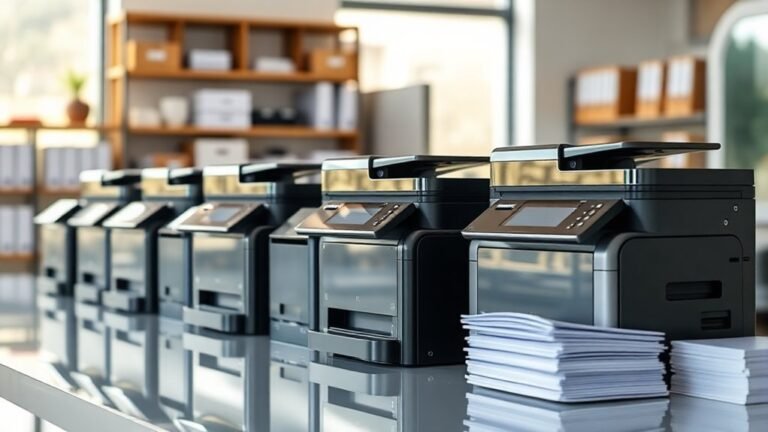
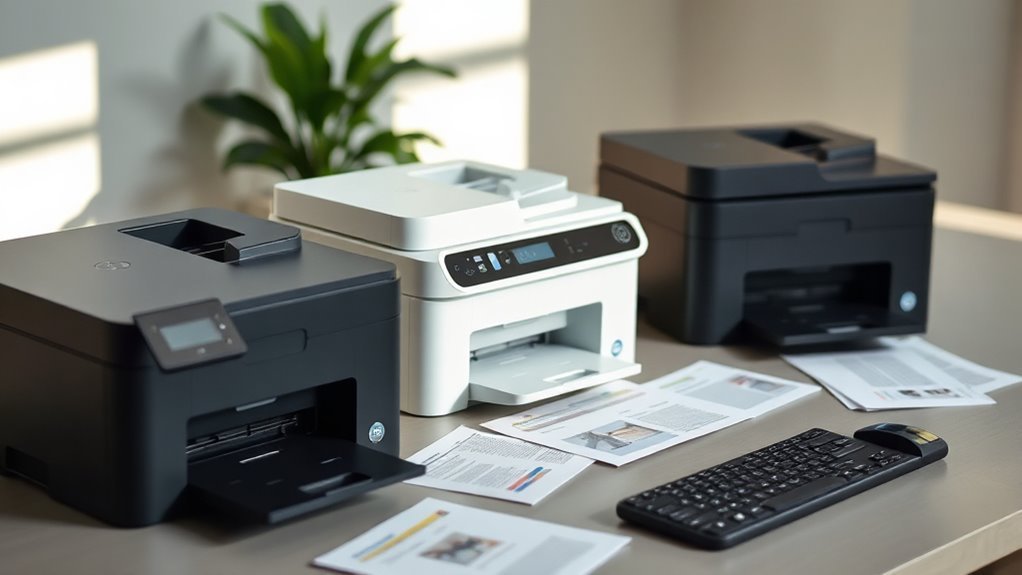
If you’re looking for the best budget laser all-in-one printers in 2027, there are some great options to consider that won’t break the bank. These printers are perfect for small teams, home offices, or anyone needing reliable monochrome printing with extra features like scanning and copying.
The HP LaserJet M234sdw is a solid choice if you want something compact and Energy Star efficient. It fits nicely in smaller spaces and keeps your energy costs down.
For those who need faster print speeds and fax capabilities, the Brother MFC-L2820DW is a strong contender. It also offers a large paper capacity, so you spend less time refilling trays.
The Xerox B225DNI stands out with its touchscreen control and mobile app support, making it super easy to manage your printing tasks on the go. Each printer balances speed, capacity, and features differently, so take a closer look to find the perfect match for your workflow.
| Image | Name | Editor's Rating | Price |
|---|---|---|---|

|
|
||

|
|
HP LaserJet M234sdw Monochrome Laser Printer | All-in-One
No products found.
The HP LaserJet M234sdw is designed to keep small teams productive with a reliable monochrome laser printer that simplifies everyday tasks. It handles printing, copying, and scanning efficiently, reducing the time spent managing multiple devices. Its fast print speed and automatic duplexing help streamline workflows and save paper.
Maintenance is straightforward with a 40-page auto document feeder that supports batch scanning and copying, minimizing manual effort. The printer’s compact, gray design fits well in tight office spaces. It offers versatile connectivity, including wireless dual-band Wi-Fi, Ethernet, and USB, allowing smooth integration into various work environments.
This all-in-one printer supports multiple operating systems, making it easy to connect across different devices. Energy-saving features and built-in security protect your data and help reduce operational costs. However, it prints only in black and white and has a modest paper capacity, which may require regular refills in busy settings.
Best for: Small teams of 1–5 users seeking a dependable, budget-friendly monochrome laser all-in-one printer for routine office use.
What We Like:
- Fast printing up to 30 ppm with automatic duplexing and a 40-sheet auto document feeder
- Multiple connectivity options including dual-band Wi-Fi, Ethernet, and USB
- Compact design ideal for small office spaces
- Energy Star certified with built-in security features
Specification:
| Feature | Details |
|---|---|
| Manufacturer | HP |
| Dimensions | Compact size (specific size not provided) |
| Weight | Not specified |
| Color | Gray |
| Connectivity | Wireless dual-band Wi-Fi, Ethernet, USB |
| Print Speed | Up to 30 pages per minute |
| Paper Capacity | 150 sheets maximum |
| Print Resolution | Up to 600 x 600 dpi |
Brother MFC-L2820DW Wireless All-in-One Laser Printer
- BEST FOR SMALL OFFICES – Combining space-saving efficiency and premium monochrome (black & white) print quality with affordability, the Brother MFC-L2820DW delivers...
- EFFICIENT PRINTING & SCANNING – Produces black & white documents quickly with print speeds up to 36 ppm(2) and scan speeds up to 23.6/7.9 ipm(3) (bk/cl). A 50-page auto...
- FLEXIBLE CONNECTION OPTIONS – Securely connect to multiple devices with built-in dual-band wireless (2.4GHz / 5GHz), Ethernet, or connect locally to a single computer...
- 2.7" TOUCHSCREEN – The intuitive 2.7” touchscreen enables effortless navigation with the added ability to print-from and scan-to popular Cloud-based apps such as...
- BROTHER MOBILE CONNECT APP – Print, scan, and manage your wireless printer anytime, from almost anywhere from your mobile device. Order Brother Genuine Supplies, track...

The Brother MFC-L2820DW is designed to streamline everyday printing tasks for small offices and home users. Its fast monochrome printing speeds up to 36 pages per minute help you finish jobs quickly, reducing wait times and boosting productivity. Automatic duplex printing saves paper and effort, making double-sided documents easy to produce.
This all-in-one printer goes beyond printing by offering reliable copying, scanning, and faxing functions. The 50-page automatic document feeder (ADF) enables smooth multitasking, handling multiple pages without constant supervision. Its compact design fits comfortably in limited spaces, ideal for busy desks or home offices.
Connectivity is flexible with dual-band Wi-Fi, Ethernet, and USB options, plus support for mobile and cloud printing through Brother Mobile Connect. Maintenance is straightforward, with a 250-sheet paper tray that reduces frequent refills and energy-saving features to help manage power use.
While it prints only in monochrome, this printer meets essential office needs efficiently. Some users may find the power consumption moderate, and scan resolution details are not specified, which could affect some high-quality scanning tasks.
Best for: Small offices and home users needing fast, reliable monochrome printing with scanning, copying, and faxing capabilities on a budget.
What We Like:
- Fast printing at up to 36 ppm with automatic duplexing
- Multiple connectivity options including dual-band Wi-Fi and mobile printing
- Compact footprint with a 250-sheet tray and 50-page ADF for multitasking
- Energy-saving features for more efficient power use
Specification:
| Feature | Details |
|---|---|
| Manufacturer | Brother |
| Dimensions (W×D×H) | 16.1 × 15.7 × 12.7 inches |
| Weight | 16.5 lbs (7.5 kg) |
| Printing Type | Monochrome Laser |
| Paper Capacity | 250-sheet tray |
| ADF Capacity | 50 pages |
| Connectivity | Dual-band Wi-Fi, Ethernet, USB |
Xerox B225DNI Wireless Black and White Laser All-in-One Printer
- FAST BLACK & WHITE PRINTING: Deliver professional results at reliable print speeds of up to 36 ppm, with scanning and copying capabilities to keep small businesses and...
- BUSINESS QUALITY: Produce sharp black text and clear graphics. Ensure business documents, reports and presentations look polished every time.
- WIRELESS & MOBILE PRINTING: Stay connected with Wi-Fi, Apple AirPrint, and Mopria. Effortlessly print from your laptop, smartphone, or tablet from anywhere in your...
- EASY SMARTPHONE SETUP: Get printing in minutes. Use the Xerox Easy Assist App for a simplified, guided installation that eliminates complex manuals and traditional driver...
- VALUE FOR YOUR BUSINESS: Built for small businesses that print up to 2,500 pages per month. High-yield toner options mean fewer interruptions and a lower total cost of...
The Xerox B225DNI is designed to meet the needs of those seeking a fast and reliable monochrome laser printer with wireless connectivity. It handles everyday printing tasks efficiently, producing sharp text at a speed of up to 36 pages per minute. The automatic duplex feature helps reduce paper use and saves time on two-sided printing.
Its compact design fits well in small offices or home workspaces without taking up much room. The 250-sheet input tray and 50-sheet automatic document feeder let you manage multiple documents easily, cutting down on frequent refills and manual feeding. This printer supports both Wi-Fi and Ethernet, allowing seamless printing from laptops, tablets, and smartphones.
Maintenance is straightforward with the Xerox Easy Assist app and an intuitive touchscreen that simplify setup and control. Users should note the starter toner yields about 1,200 pages, so heavier printing demands will require regular toner replacement. Copying is limited to runs of 10 pages, which may not suit high-volume needs.
Best for: professionals and small teams needing a compact, efficient, and wireless monochrome printer for everyday office use.
What We Like:
- Fast printing at 36 ppm with clear 600 x 600 dpi resolution
- Automatic duplexing reduces paper use and manual effort
- Wireless and Ethernet connectivity for versatile device support
- Easy setup and management through touchscreen and mobile app
Specification:
| Feature | Details |
|---|---|
| Manufacturer | Xerox |
| Dimensions | Compact (specific size not provided) |
| Weight | Not specified |
| Color Options | Black |
| Connectivity | Wi-Fi, Ethernet |
| Print Speed | Up to 36 pages per minute |
| Print Resolution | 600 x 600 dpi |
| Input Tray Capacity | 250 sheets |
| ADF Capacity | 50 sheets |
Factors to Consider When Choosing a Budget Laser All in One Printer
When choosing a budget laser all-in-one printer, you’ll want to take into account how fast it prints and what connectivity options it offers.
Don’t overlook the paper handling capacity and energy efficiency standards to keep costs down.
Also, make sure the printer includes security features that protect your documents and data.
Print Speed Importance
Although print speed might seem like a simple number, it plays a vital role in how efficiently your budget laser all-in-one printer handles daily tasks. If you often print time-sensitive documents or share the printer with multiple users, speed becomes essential.
For small teams or home offices, aim for a monochrome laser printer offering 25–35 ppm to balance productivity and cost. Don’t forget to check duplex speeds too, as two-sided printing usually runs slower and impacts real-world output.
Align the printer’s monthly duty cycle and recommended volume with your expected print needs—typically 1,000 to 5,000 pages—to avoid slowdowns and wear. Also, prioritize faster speeds over ultra-high resolution unless you need fine graphic details, as higher dpi can reduce overall output speed.
Connectivity Options Available
How do you make sure your budget laser all-in-one printer fits seamlessly into your workspace? Start by checking its connectivity options. Dual-band Wi-Fi (2.4 GHz and 5 GHz) guarantees reliable wireless printing and less interference, especially in busy networks.
If you prefer a stable, faster connection or have multiple users, an Ethernet port is ideal for shared office setups. USB 2.0 or higher allows direct connection to a single PC, making setup quick and easy.
Don’t overlook mobile printing support like AirPrint or Mopria, which lets you print and scan straight from your smartphone or tablet without installing extra drivers. Plus, cloud and app-based features enable remote printing and scan-to-cloud functions, but they do require internet access and account setup.
Choose what fits your workflow best. It’s all about making your printer work smoothly for you!
Paper Handling Capacity
Many budget laser all-in-one printers offer paper tray capacities between 150 and 250 sheets. This can markedly reduce how often you need to refill during busy printing sessions.
You should match tray size with your weekly print volume to avoid interruptions. It really helps keep things running smoothly.
If you scan or copy multi-page documents regularly, check the automatic document feeder (ADF) capacity—typically 40 to 50 pages. This lets you do hands-free batch processing, which saves time.
Also, verify the maximum supported paper size, often up to legal 8.5 x 14 inches, and media types like envelopes or cardstock. That way, you’ll know it’s compatible with your tasks.
Automatic duplex printing saves paper and cuts down on refill trips. Just keep in mind, it usually slows print speed a bit.
Finally, consider the monthly duty cycle to make sure the paper handling system can handle your printing demands reliably over time. It’s all about matching your needs so the printer doesn’t get overwhelmed.
Energy Efficiency Standards
When choosing a budget laser all-in-one printer, you’ll want to focus on energy efficiency to save on electricity costs and reduce environmental impact. Look for ENERGY STAR-certified models, as they use less power in active and sleep modes while meeting EPA standards.
Check power consumption specs for printing, standby, and sleep modes—lower wattage and quick Wake-on-LAN reduce energy use. Features like automatic duplexing and eco print modes help cut paper and toner waste, further shrinking your environmental footprint.
Make sure the printer’s duty cycle matches your monthly volume to maintain efficiency and avoid excess wear. Finally, opt for printers with power management settings like scheduled shutoff and configurable sleep timers to minimize electricity use during idle times without sacrificing convenience.
Security Features Included
Energy efficiency is important, but protecting your data and device security shouldn’t take a backseat when choosing a budget laser all-in-one printer. Look for built-in secure boot and firmware integrity checks to stop unauthorized code from running.
Make sure the printer supports encrypted network protocols like WPA2/WPA3 for Wi-Fi and TLS/SSL for cloud interfaces, securing data in transit. You’ll want user authentication options—PINs, LDAP, or local accounts—and role-based access to limit functions such as scanning to certain users.
Check if the printer offers data-at-rest protection like HDD/SSD encryption or automatic secure erase of internal storage after jobs. Finally, secure print/release features and audit logging help you track print jobs and changes, ensuring your printer stays safe and compliant.
Frequently Asked Questions
Can These Printers Connect to Mobile Devices via Bluetooth?
Most budget laser all-in-one printers don’t connect via Bluetooth, but many offer Wi-Fi or mobile app support.
You’ll usually rely on Wi-Fi Direct or USB connections to print from your mobile device conveniently.
What Is the Average Lifespan of a Budget Laser Printer?
You can expect a budget laser printer to last around 3 to 5 years, depending on usage. If you treat it well, it’ll go the distance.
But heavy use might wear it out sooner than you’d hope. Just keep an eye on how often you’re printing, and it should serve you well for a good while.
Are There Any Eco-Friendly Toner Options Available?
Yes, you can find eco-friendly toner options that use recycled materials or are designed to reduce waste. They help lower environmental impact, save money, and keep your printing greener without sacrificing quality or performance.
It’s a win-win situation! Choosing these options means you’re doing your part for the planet while still getting great results. Plus, many eco-friendly toners are just as reliable as traditional ones.
How Noisy Are These Printers During Operation?
You know what they say, “Silence is golden.” These printers run quietly enough not to disturb your workflow.
Sure, there’s some occasional buzzing or whirring, but it’s nothing too distracting. Overall, you won’t find their noise levels bothersome during operation.
Do These Printers Support Duplex Scanning?
Yes, many budget laser all-in-one printers support duplex scanning, letting you scan both sides of a document automatically. You’ll save time and effort, especially when handling double-sided paperwork or multi-page scans.
It’s super handy when you don’t want to flip pages manually. Plus, it speeds up your workflow a lot!
Conclusion
Choosing the right budget laser all-in-one printer doesn’t have to be an intimidating task. With options like the HP LaserJet M234sdw, Brother MFC-L2820DW, and Xerox B225DNI, you’re well on your way to a seamless printing experience.
These models offer great features without stretching your wallet. Keep in mind the key factors we discussed, such as print quality, speed, and connectivity.
By focusing on these essentials, you’ll soon discover a printer that quietly excels. It will make your everyday tasks feel effortlessly efficient and reliable.
In the end, choosing a budget laser all-in-one printer means balancing cost with performance. Whether for home or office use, these printers deliver value and convenience. So go ahead, pick the one that fits your needs and enjoy hassle-free printing every day!