7 Best Budget Printers for College Students in 2027
You’ll want a budget-friendly printer that’s compact, reliable, and fits your dorm needs. Finding the best budget printers for college students means balancing price, performance, and features that make student life easier.
Whether you need to print essays, projects, or study materials, a good printer can save you time and hassle.
The HP DeskJet 2923 and 2955 offer wireless convenience and solid performance for everyday tasks. They’re perfect if you want straightforward printing without breaking the bank. Canon’s PIXMA TR4720 and TS4320 add duplex printing and an automatic document feeder (ADF), making multitasking a breeze.
For long-lasting ink and low running costs, consider the Canon MegaTank G3270 or HP Smart Tank Plus 570 and 5103. These options balance quality, speed, and cost—keep exploring to find the best fit for your campus setup.
| Image | Name | Editor's Rating | Price |
|---|---|---|---|

|
|
||

|
|
||

|
|
||

|
|
||

|
|
HP DeskJet 2923 Color Inkjet Printer | Wireless | All-in-One
- Perfect for basic printing needs – Print everyday color documents like to-do lists, letters, financial documents and recipes
- KEY FEATURES – Color print, copy, scan, and a 60-sheet input tray, plus mobile and wireless printing
- OPTIMIZE PRINT FORMATTING WITH HP AI – Print web pages and emails with precision—no wasted pages or awkward layouts; HP AI easily removes unwanted content, so your...
- ICON LCD – Print your basic documents with ease from the intuitive control panel
- PRINT SPEED – Up to 7.5 ppm black, 5.5 ppm color

The HP DeskJet 2923 Color Inkjet Printer is designed to simplify your printing tasks while keeping costs manageable. This all-in-one device combines printing, scanning, and copying, making it a versatile solution for everyday needs. Its wireless capabilities allow seamless mobile printing through the HP app, helping you print directly from your smartphone or tablet without hassle.
Connectivity is reliable with dual-band Wi-Fi and automatic troubleshooting, ensuring you stay connected without interruptions. The compact design fits easily in small spaces, ideal for dorm rooms or home offices. Maintenance is straightforward, and the printer supports a 60-sheet input tray, which is sufficient for moderate use but may require frequent refills during heavy printing sessions.
Manual duplex printing lets you save paper by printing on both sides, though it requires you to flip the pages yourself. The included 6-month Instant Ink trial helps reduce ink costs by up to 50%, making it economical for students and home users. Print speeds are modest but adequate for typical daily tasks like assignments and recipes.
Best for: Students and home users needing an affordable, wireless all-in-one printer that handles basic color printing and scanning.
What We Like:
- Versatile all-in-one functions: print, scan, and copy.
- Easy mobile printing via the HP app.
- Stable dual-band Wi-Fi with automatic troubleshooting.
- Cost-saving 6-month Instant Ink trial.
- Compact design fits small spaces comfortably.
Specification:
| Feature | Details |
|---|---|
| Manufacturer | HP |
| Dimensions | Approx. 16.5 x 12.0 x 6.0 inches |
| Weight | About 6.5 lbs |
| Printing Technology | Color Inkjet |
| Connectivity | Wireless (Dual-band Wi-Fi) |
| Input Tray Capacity | 60 sheets |
| Duplex Printing | Manual |
| Functions | Print, Scan, Copy |
Canon PIXMA TR4720 Wireless All-in-One Printer
- Wireless 4-in-1 (print | copy | scan | fax)..Power Consumption: 7W (0.8W Standby / 0.3W Off)
- Print speed up to: 4" x 6" Borderless Photo (PP-201): Approx. 65.0 Seconds / Black Document (Letter/Simplex): Approx. 8.8 ipm / Color Document (Letter/Simplex): Approx...
- Designed for easy ink cartridge installation and replacement.
- Auto 2-sided printing and auto document feeder.
- Produce quality documents, photos and boarderless prints up to 8.5" x 11".
The Canon PIXMA TR4720 Wireless All-in-One Printer offers a compact solution for those needing versatile printing, scanning, copying, and faxing in one device. It’s designed to simplify your daily tasks, especially in small spaces like dorms or home offices, by combining multiple functions efficiently.
This printer supports wireless and mobile printing, allowing you to print documents directly from your phone or laptop without hassle. Automatic two-sided printing and an auto document feeder save time by handling multiple pages quickly, ideal for busy schedules and managing coursework.
Maintenance is straightforward with Alexa integration, which lets you monitor ink levels and reorder cartridges easily. The 100-sheet tray means fewer interruptions, and the lightweight design makes it easy to move or store. While color print speeds are modest, the sharp text and vibrant colors ensure quality output.
Best for: Students and home office users who need an affordable, multifunctional wireless printer with convenient mobile printing.
What We Like:
- 4-in-1 functionality covers print, copy, scan, and fax
- Automatic two-sided printing and auto document feeder boost productivity
- Alexa integration simplifies ink monitoring and reordering
Specification:
| Feature | Details |
|---|---|
| Manufacturer | Canon |
| Dimensions | 17.7 x 12.8 x 6.0 inches |
| Weight | 13.0 lbs (5.9 kg) |
| Color Options | Black |
| Connectivity | Wireless, Mobile Printing |
HP DeskJet 2955 Color Inkjet Printer | Wireless | All-in-One
- PERFECT FOR BASIC PRINTING NEEDS – Print everyday color documents like to-do lists, letters, financial documents and recipes
- KEY FEATURES – Color print, copy, scan, and a 60-sheet input tray, plus mobile and wireless printing
- OPTIMIZE PRINT FORMATTING WITH HP AI – Print web pages and emails with precision—no wasted pages or awkward layouts; HP AI easily removes unwanted content, so your...
- ICON LCD – Print your basic documents with ease from the intuitive control panel
- PRINT SPEED – Up to 7.5 ppm black, 5.5 ppm color
Experience hassle-free printing with the HP DeskJet 2955 Color Inkjet Printer, designed to fit perfectly in dorm rooms or small apartments. Its compact size and lightweight build make it easy to move and ideal for limited spaces. This all-in-one printer helps you manage printing, scanning, and copying without clutter or complexity.
Enjoy vibrant color prints and clear black-and-white documents at reasonable speeds, up to 7.5 pages per minute in black and 5.5 in color. Wireless connectivity through dual-band Wi-Fi and a user-friendly mobile app simplifies printing from your smartphone or laptop, cutting down time and effort.
Maintaining your printer is straightforward thanks to HP Instant Ink, which offers affordable ink replacements delivered to your door. The eco-friendly design incorporates recycled plastics and ENERGY STAR certification, supporting sustainability while reducing operating costs.
Though it requires manual duplexing for double-sided prints and offers moderate speed, it meets the needs of everyday tasks efficiently. Its maximum copy capacity of nine pages suits light to moderate use, making it a practical choice for students and small households.
Best for: College students and individuals needing a compact, all-in-one wireless printer for small spaces like dorm rooms or apartments.
What We Like:
- Compact, lightweight design fits small spaces and is portable.
- Dual-band Wi-Fi and mobile app enable easy wireless printing and scanning.
- Cost-effective ink management with HP Instant Ink subscription.
- Environmentally conscious build with recycled materials and ENERGY STAR rating.
Specification:
| Feature | Details |
|---|---|
| Manufacturer | HP |
| Dimensions | Approximately 16.5 x 12.3 x 6.9 inches (L x W x H) |
| Weight | 7.6 pounds (3.45 kg) |
| Color Options | White with blue accents |
| Connectivity | Dual-band Wi-Fi |
Canon PIXMA TS4320 – Wireless Color Inkjet Printer with Print, Copy, Scan
- Affordable Versatility - A budget-friendly all-in-one printer perfect for both home users and hybrid workers, offering exceptional value
- Crisp, Vibrant Prints - Experience impressive print quality for both documents and photos, thanks to its 2-cartridge hybrid ink system that delivers sharp text and vivid...
- Effortless Setup & Use - Get started quickly with easy setup for your smartphone or computer, so you can print, scan, and copy without delay
- Reliable Wireless Connectivity - Enjoy stable and consistent connections with dual-band Wi-Fi (2.4GHz or 5GHz), ensuring smooth printing from anywhere in your home or...
- Scan & Copy Handling - Utilize the device’s integrated scanner for efficient scanning and copying operations
Experience hassle-free printing with the Canon PIXMA TS4320, designed to bring vibrant color and crisp black-and-white prints to your home or dorm. Its compact design fits easily into tight spaces, making it ideal for school projects, recipes, and cherished photos. This all-in-one printer simplifies your workflow by combining print, copy, and scan functions in one device.
Save time with automatic duplex printing, which lets you print on both sides of the paper without manual effort. The PIXMA TS4320 handles various media types, including glossy photo paper, so you can create professional-looking prints at home. Its sharp output quality reaches up to 1200 dpi, ensuring every detail is clear.
Connectivity is straightforward thanks to dual-band Wi-Fi and USB options. You can print directly from your smartphone using the Canon PRINT app or Apple AirPrint, making it convenient to produce documents and photos on the go. Maintenance is manageable, though frequent printing might require timely ink replacements, as starter ink tanks are limited.
While it lacks an automatic document feeder and an OLED display, its simplicity suits users who prioritize ease of use over advanced scanning features. The single 100-sheet paper tray fits typical home and student printing volumes without overwhelming capacity.
Best for: Budget-conscious home users and college students needing a versatile, compact all-in-one printer for everyday documents and photo projects.
What We Like:
- Sharp color and black-and-white output up to 1200 dpi
- Supports automatic duplex printing and various media types
- Easy connectivity via dual-band Wi-Fi, USB, and mobile printing apps
- Compact size ideal for limited spaces
Specification:
| Feature | Details |
|---|---|
| Manufacturer | Canon |
| Dimensions | Approx. 11.7 x 12.6 x 5.0 in (29.7 x 32.0 x 12.7 cm) |
| Weight | Approx. 8.8 lbs (4.0 kg) |
| Material | Plastic |
| Color Options | Black or White |
Canon MegaTank G3270 All-in-One Wireless Color Printer
- Wireless Print/Copy/Scan
- Up to 2 years of ink included (2)
- Print up to 6,000 black & white / 7,700 color pages using a single set of inks! (1)
- Save up to $1,000 on ink (1)
- 1.35” Square LCD display
The Canon MegaTank G3270 All-in-One Wireless Color Printer is designed to meet the demands of users who want quality prints without constant ink replacements. Its refillable MegaTank system reduces the hassle and expense of frequent cartridge changes by holding enough ink to last up to two years. This feature helps you save significantly on ink costs while ensuring uninterrupted printing.
This printer delivers sharp, vibrant prints with a resolution of 4800 x 1200 dpi. It handles both color and black-and-white documents with clarity, making it suitable for academic assignments and home projects. The device also includes copy and scan functions, adding to its versatility.
Wireless connectivity and smartphone app control make printing simple and convenient from multiple devices. Its compact, energy-efficient design fits seamlessly into small spaces like dorm rooms or home offices. However, keep in mind it only supports single-sided printing and moderate print speeds.
Maintenance is straightforward with the MegaTank refill system, lowering ongoing costs and reducing downtime. This printer balances quality, convenience, and economy for everyday use.
Best for: Students and home users who want an affordable, high-quality wireless all-in-one printer with a long-lasting ink supply.
What We Like:
- Sharp 4800 x 1200 dpi resolution for vibrant color and clear text
- Refillable MegaTank ink system lasts up to two years, saving on ink costs
- Wireless printing with easy smartphone app control
- Compact and energy-efficient design fits small spaces
Specification:
| Feature | Details |
|---|---|
| Manufacturer | Canon |
| Dimensions | Approx. 17.7 x 13.6 x 7.5 in |
| Weight | Approx. 7.9 lb (3.6 kg) |
| Printing Technology | Inkjet |
| Connectivity | Wireless, USB |
| Max Print Resolution | 4800 x 1200 dpi |
| Display | 1.35″ LCD |
HP Smart Tank Plus 570 Tank Printer | 2 Years of Ink Included | All-in-One

- SET IT UP ONCE AND PRINT WITH CONFIDENCE. No complicated maintenance. Just easy, reliable printing you can count on.
- INK FOR YEARS. NOT MONTHS. Up to 2 years of ink included. Get thousands of pages of cartridge-free printing. More pages, less hassle
- KEEPS PRINTING WELL AFTER COMPETITORS HAVE QUIT. No complex maintenance. Sharper text, richer colors.[2] Only with HP Smart Tank
- INNOVATION YOU CAN TRUST. Cartridge-free printing that keeps you printing longer with fewer interruptions, powered by the trusted HP innovation you rely on today
- THE LAST PRINTER YOU'LL EVER NEED. Enjoy years of refillable, cartridge-free printing.[
Experience hassle-free high-volume printing with the HP Smart Tank Plus 570, designed to keep you focused on your work instead of ink levels. This all-in-one printer comes with a cartridge-free refillable tank system and includes up to two years of Original HP Ink, allowing you to print thousands of pages without interruption.
Its user-friendly design simplifies maintenance by offering easy, mess-free ink refills that save time and reduce waste. The device supports printing, copying, and scanning with sharp, borderless results, making it a versatile solution for everyday tasks.
Wireless and mobile connectivity options provide flexibility, letting you print directly from your smartphone or laptop without cables. Although print speeds are moderate, the reliable output quality and high page yield make it ideal for consistent use.
The compact build fits well in home or student spaces, but keep in mind the 100-sheet paper capacity may require more frequent refills during heavy printing sessions.
Best for: Students and home users who need dependable, low-cost printing with minimal upkeep and convenient wireless access.
What We Like:
- Cartridge-free refillable tank with up to 2 years of ink included
- High page yield—up to 8,000 color and 6,000 black pages
- Wireless and mobile printing for flexible use
- Easy, mess-free ink refills for simple maintenance
Specification:
| Feature | Details |
|---|---|
| Manufacturer | HP |
| Dimensions | Approx. 17.5 x 14.4 x 7.6 in |
| Weight | Approx. 12.8 lb (5.8 kg) |
| Color Options | White with black accents |
| Functionality | Print, copy, scan |
HP Smart Tank 5103 Ink Tank Printer | 2 Years of Ink Included | All-in-One
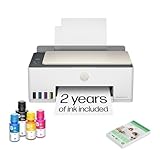
- SET IT UP ONCE AND PRINT WITH CONFIDENCE. No complicated maintenance. Just easy, reliable printing you can count on.
- INK FOR YEARS. NOT MONTHS. Up to 2 years of ink included. Get thousands of pages of cartridge-free printing. More pages, less hassle
- KEEPS PRINTING WELL AFTER COMPETITORS HAVE QUIT. No complex maintenance. Sharper text, richer colors.[2] Only with HP Smart Tank
- PREMIUM SUPPORT - Strong technical expertise to solve issues faster
- THE LAST PRINTER YOU'LL EVER NEED. Enjoy years of refillable, cartridge-free printing.
The HP Smart Tank 5103 Ink Tank Printer offers a practical solution for those who need affordable, high-volume printing without the constant hassle of replacing cartridges. Designed with a cartridge-free ink tank system, it simplifies refills and reduces mess, making maintenance straightforward and stress-free.
With up to 2 years of ink included, this printer supports thousands of pages, so you can focus on your work without worrying about running out of ink. Its efficient ink system helps keep printing costs low, while maintaining sharp text and vibrant colors with the help of HP’s AI-powered formatting technology.
This printer fits well in busy study or home office environments where frequent printing is required. Its slightly larger footprint accommodates the ink tanks but delivers reliable performance for heavy use. The design prioritizes ease of use and minimizes interruptions due to ink replacement.
Best for: College students and professionals who need a dependable printer with long-lasting ink and minimal maintenance for high-volume printing.
What We Like:
- Includes up to 2 years of ink with high page yield
- Cartridge-free ink tanks with spill-free refills
- AI-assisted formatting for sharp, efficient printing
- Cost-effective solution for frequent printing needs
Specification:
| Feature | Details |
|---|---|
| Manufacturer | HP |
| Dimensions | Approx. 17.1 x 12.3 x 9.1 in (43.5 x 31.3 x 23.1 cm) |
| Weight | Approx. 5.2 kg (11.5 lbs) |
| Ink System | Cartridge-free ink tanks |
| Included Ink | Up to 2 years of ink |
| Color Options | Standard (White with black accents) |
Factors to Consider When Choosing a Budget Printer for College

When picking a budget printer, you’ll want to contemplate how fast it prints and whether it supports wireless connections for easy access.
Check how much ink costs and if the printer offers extra functions like scanning or copying. Also, think about how much paper it can handle to keep up with your workload.
Print Speed Importance
Although print speed might seem like a minor detail, it can markedly impact your study sessions, especially during busy times. Print speed, measured in pages per minute (ppm), determines how fast you get your documents.
Budget printers usually range from about 5 to 12 ppm for color and black text. If you’re printing long assignments or multi-page handouts, a small difference of 2–5 ppm can add several minutes to your print job.
For shorter prints, like single-page essays, speed differences under 3–4 ppm usually don’t matter much compared to warm-up and first-page-out times. Also, check the first-page-out time—some printers take 15–20 seconds to start, which feels slow even with high ppm.
If you print often in groups or on campus, faster speeds help reduce wait times and boost productivity. So, it’s definitely worth considering print speed when choosing a printer!
Wireless Connectivity Options
How do you make sure your budget printer connects smoothly to your devices in a busy dorm or campus environment? Opt for dual-band Wi-Fi printers supporting both 2.4 GHz and 5 GHz frequencies.
The 5 GHz band offers faster, less congested transfers, while 2.4 GHz covers longer distances. Mobile printing protocols like AirPrint and Mopria let you print directly from phones or tablets without installing drivers, saving time.
If campus networks require authentication or block printers, Wireless Direct (Wi-Fi Direct) allows printing without joining the network. Bluetooth or peer-to-peer printing works for local, simple setups but has shorter range and slower speeds than Wi-Fi.
Also, choose printers with secure setup options like WPS or WPA2/WPA3 and network troubleshooting features to keep your documents and devices safe on shared networks.
Ink Cost Efficiency
Ensuring your budget printer connects seamlessly is just one part of the equation; managing ink costs can have an even bigger impact on your overall expenses.
To keep costs low, check the cost per page (CPP) by dividing cartridge price by its rated yield—a CPP under $0.02 for black or $0.05 for color is ideal. Printers with refillable ink tanks or high-yield cartridges often slash CPP markedly compared to standard cartridges.
Don’t forget to compare starter cartridge yields with replacement ones, as starters usually print fewer pages and raise ongoing costs. Also, verify if the printer supports third-party high-yield cartridges without voiding the warranty or compromising quality.
Finally, estimate your monthly printing volume to pick a printer whose refill frequency and ink expenses suit your budget. That way, you’ll avoid surprises and keep your printing costs under control.
Multi-Function Capabilities
If you need scanning and copying for assignments or group projects, choosing a multi-function (all-in-one) printer can save you trips to campus services. Look for features like an automatic document feeder (ADF) and duplex scanning to speed up multi-page tasks such as scanning syllabi or notes.
Check the scanner’s optical resolution—300 to 600 dpi works well for text and slides, while 1200 dpi or higher suits high-quality images. Also, confirm the maximum copy or scan capacity per job and the ADF tray size to avoid frequent paper reloading during long documents.
Finally, make sure your printer supports mobile and cloud scanning options. This way, you can easily submit scanned assignments via email, app upload, or cloud storage from your phone or laptop.
Paper Handling Capacity
Beyond multi-function features, you’ll want to pay close attention to your printer’s paper handling capacity. Check the input tray size—budget models usually hold 50–100 sheets—so you’re not constantly refilling during heavy printing weeks.
Also, consider the output tray’s capacity; small trays can jam or spill when printing multi-page assignments. If you frequently scan or copy multi-page documents, look for a model with an automatic document feeder (ADF) to save time.
Don’t forget to verify the maximum supported paper sizes and special media like envelopes or cardstock, which are essential for diverse projects. Finally, make sure your printer supports duplex printing to save paper and avoid manually flipping pages.
These factors guarantee smooth printing throughout your semester.
Mobile Printing Support
When choosing a budget printer for college, you’ll want to look for strong mobile printing support so you can easily print assignments straight from your phone or tablet.
Make sure the printer supports common mobile standards like Apple AirPrint or Mopria to print without installing drivers. Check for dual-band Wi-Fi (2.4 GHz and 5 GHz) to guarantee fast, reliable connections on busy campus networks.
Features like Wi-Fi Direct let you print even without a network, perfect for guest or public Wi-Fi. A vendor’s mobile app can simplify scanning and job management right from your phone.
Finally, confirm the printer supports various file types (PDF, JPEG, Office) and cloud services like Google Drive or Dropbox, so you can print coursework stored anywhere without hassle.
Durability and Build
Durability plays a crucial role in choosing a budget printer for college, as your device needs to withstand frequent use throughout the semester. Look for printers with a solid-weight chassis and stamped-steel paper paths instead of lightweight plastic parts. Heavier construction reduces paper jams and daily wear.
Also, check the rated monthly duty cycle and recommended page volume to make certain it handles your printing needs. Don’t forget to inspect feeder and tray capacity—larger trays with reinforced hinges resist frequent refills better.
You’ll want to prefer models with user-replaceable, accessible ink or printhead modules. This simplifies maintenance and helps you avoid early replacements. Finally, review warranty length, service options, and availability of replacement parts.
Longer warranties and easy-to-find spares usually indicate a printer designed for long-term, reliable use in your busy college life. So, keep these points in mind when shopping around!
Frequently Asked Questions
How Do Ink Tank Printers Compare to Cartridge Printers in Cost Efficiency?
Ink tank printers save you money over time because their refillable tanks cost less than cartridges. You won’t need to replace cartridges frequently, making ink tanks more cost-efficient if you print often or in large volumes.
Plus, since you’re just refilling tanks instead of swapping out cartridges, it’s way more convenient. So, if you do a lot of printing, ink tank printers can really help keep your costs down in the long run.
Can These Printers Handle High-Volume Printing Without Frequent Maintenance?
These printers handle high-volume printing like a marathon runner pacing steadily—they won’t demand frequent maintenance if you choose quality models.
Just keep up with regular ink refills and occasional cleaning, and you’re good to go.
What Are the Environmental Impacts of Using Budget Printers?
You’ll find budget printers often use more energy and produce more waste due to lower efficiency and cheaper materials.
However, choosing models with eco-friendly features and recycling cartridges can help reduce their environmental impact markedly.
It’s a smart move to look for printers that offer energy-saving modes or use recycled materials.
Also, don’t forget that proper disposal and recycling of cartridges go a long way in minimizing harm to the environment.
Are These Printers Compatible With Mobile Devices and Cloud Printing Services?
Yes, most budget printers nowadays are compatible with mobile devices and support cloud printing services.
You can easily print from your phone or tablet using apps or Wi-Fi, making your printing tasks quick and convenient.
It’s really handy when you’re on the go and need to print something fast without fussing over cables or complicated setups.
How Important Is Print Speed for Student Assignments and Projects?
Print speed matters because you often need to finish assignments quickly, especially when deadlines coincide with other tasks.
You’ll appreciate a fast printer that keeps pace with your busy schedule, avoiding last-minute stress and delays.
Conclusion
Sure, you want a budget printer but expect it to print like a high-end office beast—irony noted. Luckily, you don’t have to break the bank or sacrifice quality.
These printers balance cost and function perfectly, so you can focus on your assignments instead of ink wars. Whether you want wireless convenience or ink tanks that last, there’s a trusty option here.
Who said budget can’t be smart? Your printing woes just got a reality check. With these best budget printers for college students in 2027, you get reliable performance without overspending. From crisp text to vibrant photos, these affordable printers handle it all, making them ideal for student life. So go ahead, pick your perfect printer and print smarter, not harder!