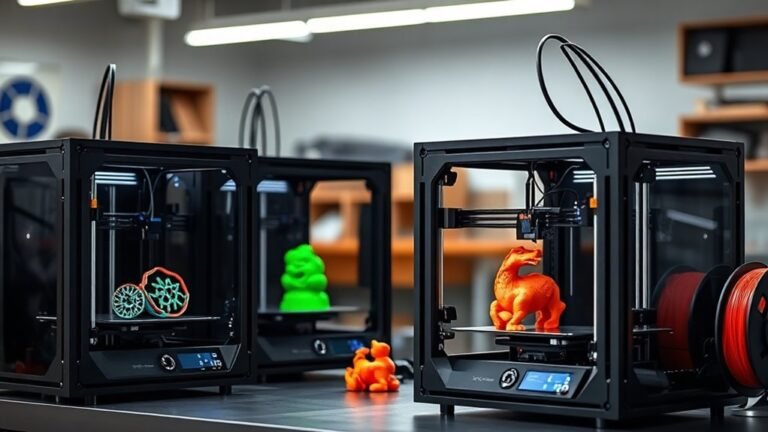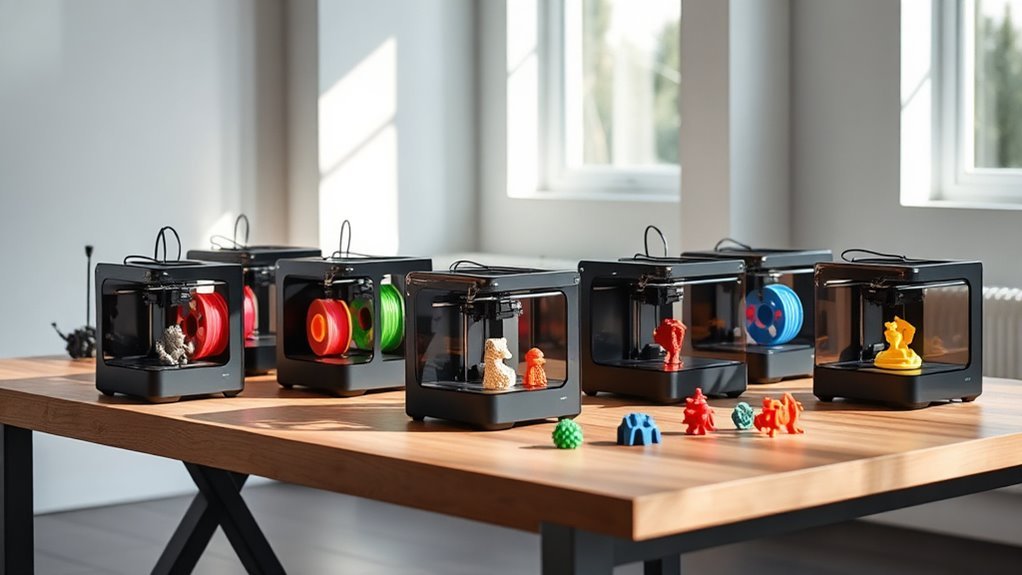
10 Best 3D Beginner Printers for 2027 That Spark Creativity
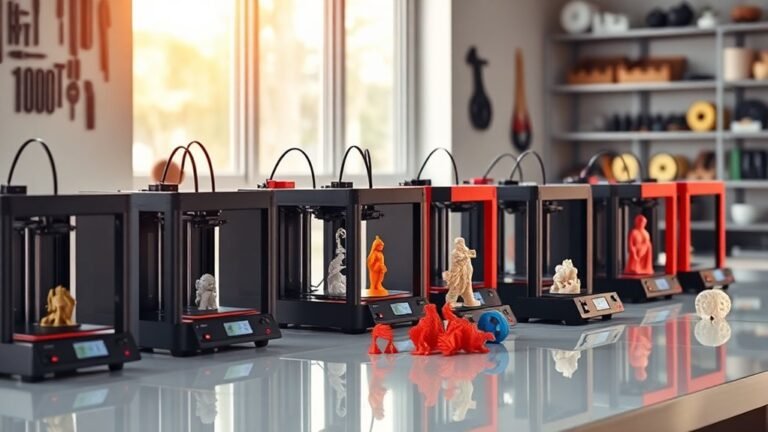
You’ll find top beginner 3D printers like the Entina Tina2C Mini and TINA2C, both offering plug-and-play ease and quiet operation.
These models are perfect if you’re just starting out and want something hassle-free.
If you want speed and precision, the Bambu Lab P1S and ELEGOO Centauri 2 deliver high-quality prints with easy calibration.
They make sure your projects come out looking sharp and professional every time.
For families or educators, the Entina Tina2C Starter Mini with WiFi supports guided STEM learning.
It’s a great way to combine creativity with education.
Compact, reliable, and user-friendly models like Creality Ender 3 V3 SE also stand out.
Explore to discover which fits your creative journey best.
Entina Tina2C Mini 3D Printer for Beginners
The Entina Tina2C Mini 3D Printer is designed to simplify 3D printing for beginners. Its fully assembled, plug-and-play setup means you can start printing within minutes. The guided process through the Poloprint app helps users avoid common setup issues, making the technology accessible without prior experience.
This compact printer features auto bed leveling, ensuring the first layer adheres perfectly every time. If a power outage occurs, it automatically resumes the print, preventing wasted materials and time. Its quiet operation and small footprint make it suitable for home, school, or hobby spaces.
Maintenance is straightforward due to its reliable factory presets and stable construction. Wireless connectivity to Poloprint Cloud allows access to over 3,500 models and AI-assisted design tools, enabling users to create or customize projects easily. However, the small build volume limits the size of objects, and the printer supports only 2.4 GHz WiFi, which may vary in stability depending on your network.
Best for: Beginners and hobbyists who want a user-friendly, compact 3D printer with guided setup and AI-powered design support.
What We Like:
- Quick start with fully assembled, plug-and-play design
- Auto bed leveling and power-loss recovery for consistent prints
- Access to thousands of models and AI design tools via Poloprint Cloud
- Quiet operation and compact size ideal for small spaces
Specification:
| Feature | Details |
|---|---|
| Manufacturer | Entina |
| Dimensions | Approx. 7.9 × 7.9 × 8.7 in |
| Build Volume | 3.9 × 3.9 × 3.9 in |
| Weight | Not specified |
| Connectivity | 2.4 GHz WiFi |
| Color Options | Not specified |
TINA2C 3D Printer Beginner Friendly, Easy-Ready to Print in 5 Mins
The TINA2C 3D Printer makes 3D printing easy and accessible, especially for beginners. Its fully assembled, factory preset design lets you start printing in just five minutes without complicated setup. Simply unpack, load the included PLA filament, and print through the intuitive app or USB connection.
This printer’s smart app control streamlines the process with one-tap printing and Wi-Fi uploads. You also gain access to over 3,500 ready-to-print models, saving time and sparking creativity. STEM learning modules and AI-generated designs encourage customization, making it a great tool for education and personal projects.
Maintenance is straightforward thanks to its compact and quiet design. Features like auto-leveling and resume-printing ensure consistent results and reduce user frustration. While its build volume suits most home and classroom needs, larger projects may require a bigger printer.
TINA2C is ideal for users who want a hassle-free, educational 3D printing experience with smart features and reliable performance.
Best for: Beginners and hobbyists looking for an easy-to-use, ready-to-print 3D printer with educational support and app control.
What We Like:
- Quick setup with fully assembled, factory preset design
- Smart app with one-tap printing and Wi-Fi upload
- Access to a large library of ready-to-print models
- Includes STEM learning modules and AI design tools
- Reliable auto-leveling and resume-printing features
Specification:
| Feature | Description |
|---|---|
| Manufacturer | TINA |
| Dimensions | Compact size (exact size not specified) |
| Weight | Not specified |
| Material | PLA filament (included) |
| Color Options | Not specified |
Bambu Lab P1S 3D Printer, Ready-to-Use FDM 3D Printer
The Bambu Lab P1S 3D Printer redefines ease and efficiency in 3D printing. With a quick 15-minute setup, it eliminates downtime, letting you jump into your projects without delay. Its enclosed CoreXY motion system guarantees precise, high-speed printing up to 500 mm/s, ensuring detailed results with every print.
Maintenance is straightforward thanks to the auto bed leveling feature, which helps prevent common issues like warping and misprints. The fully enclosed design creates a stable build environment, perfect for working with advanced materials such as PLA, PETG, and TPU without temperature fluctuations affecting quality.
For creatives looking to expand their palette, the printer supports up to 16 colors when paired with the AMS add-on, opening up new possibilities for vibrant, multi-material projects. However, multi-color printing does require this additional accessory. While the P1S excels in many areas, it’s not suited for carbon or glass fiber reinforced polymers and is relatively heavy at 38.9 pounds, which may affect portability.
Best for: hobbyists and beginners seeking a fast-to-setup, high-speed 3D printer with reliable precision and support for multiple filament types.
What We Like:
- Rapid 15-minute assembly and user-friendly setup
- High-precision CoreXY motion system with speeds up to 500 mm/s
- Supports multi-color printing with AMS add-on and stable enclosed build chamber
Specification:
| Feature | Details |
|---|---|
| Manufacturer | Bambu Lab |
| Dimensions | Not specified |
| Weight | 38.9 lb (17.6 kg) |
| Motion System | Enclosed CoreXY |
| Print Speed | Up to 500 mm/s |
| Supported Materials | PLA, PETG, TPU (no carbon/glass fiber reinforced polymers) |
| Color Options | Up to 16 colors with AMS add-on |
Entina Tina2C Starter Mini 3D Printer with WiFi
The Entina Tina2C Starter Mini 3D Printer with WiFi is designed to make 3D printing accessible and hassle-free for beginners. Its fully assembled setup and guided process via the Poloprint Cloud app allow users to start printing quickly, often within eight minutes. This ease of use helps eliminate the typical frustrations of getting started with 3D printing.
Maintenance is straightforward thanks to features like an intelligent auto-leveling system and a self-cleaning nozzle. These reduce manual adjustments and keep the printer running smoothly. The quick-swap printhead and flexible magnetic build plate also simplify routine tasks and material changes.
This compact printer supports multiple platforms, including Windows, macOS, Linux, and Chromebook, while working seamlessly with popular slicing software such as Cura and Simplify3D. Its WiFi connectivity and offline printing options offer flexible use at home, in classrooms, or for family projects.
While the print volume is limited to 3.9 × 3.9 × 3.9 inches, it fits well for small to medium-sized projects. Its lightweight design makes it portable but may affect stability during longer or more complex prints, making it less suited for advanced or industrial use.
Best for: Beginners, families, and educators seeking an easy-to-use, fully assembled 3D printer with STEM learning features and wireless connectivity.
What We Like:
- Guided quick setup with Poloprint Cloud app
- Intelligent auto-leveling and self-cleaning nozzle for easy maintenance
- Compatible with multiple operating systems and popular slicing software
- Flexible magnetic build plate and quick-swap printhead for convenience
Specification:
| Feature | Details |
|---|---|
| Manufacturer | Entina |
| Print Volume | 3.9 × 3.9 × 3.9 inches |
| Connectivity | WiFi, Offline Printing |
| Supported OS | Windows, macOS, Linux, Chromebook |
| Slicing Software | Cura, Simplify3D |
| Weight | Lightweight (exact weight not specified) |
Portable Compact FDM 3D Printer for Beginners
Discover the perfect blend of portability and precision with this compact FDM 3D printer from CAIDAQC. Designed to fit neatly on any desk, its lightweight frame of just 2.2 pounds makes it easy to move and store. Whether you’re working in tight spaces or need a printer to take on the go, this model delivers reliable performance without compromise.
This printer lets you create detailed models with a fine 0.4 mm nozzle and layer resolutions as thin as 0.05 mm. It supports PLA and flexible TPU filaments, giving you versatile material options for smooth and intricate prints. The removable build plate simplifies post-print handling, minimizing the risk of damage during model removal.
Setup is straightforward thanks to modular parts and clear video tutorials that guide beginners through each step. Maintenance is hassle-free, making it ideal for students and hobbyists new to 3D printing. Its compact build volume of 100 × 100 × 100 mm suits small projects and educational use.
While this printer excels in portability and ease of use, its limited build size may restrict larger prints. Customer feedback varies, reflecting diverse user expectations.
Best for: beginners, students, and hobbyists seeking a compact, easy-to-use FDM 3D printer for small-scale projects and learning environments.
What We Like:
- Lightweight, space-saving design perfect for limited workspaces
- High-detail printing with fine nozzle and thin layer capability
- Supports flexible TPU and standard PLA filaments
- Modular setup with helpful video tutorials
- Removable build plate for easy model extraction
Specification:
| Feature | Details |
|---|---|
| Manufacturer | CAIDAQC |
| Dimensions | 6.8 × 6.1 × 8.3 inches |
| Weight | 2.2 pounds (1.0 kg) |
| Nozzle Diameter | 0.4 mm |
| Layer Thickness | 0.05 mm |
| Supported Filament | PLA, TPU |
| Build Volume | 100 × 100 × 100 mm |
Mini 3D Printer Starter Kit for Kids & Beginners
This mini 3D printer starter kit is designed to make 3D printing accessible and hassle-free for beginners and kids. It arrives fully assembled, so you can start printing right away without worrying about complicated setup steps. The included PLA filament and pre-sliced print files simplify the process, letting users focus on creating rather than preparing.
Maintenance is straightforward with features like one-button auto-leveling, one-touch filament loading, and automatic nozzle cleaning. These functions reduce downtime and help maintain print quality, making it easier to keep the printer running smoothly with minimal effort.
Its compact design and precise 0.01 mm printing accuracy allow for detailed models at a quick print speed of up to 250 mm/s. This makes it suitable for home or school projects, where space and ease of use are important factors.
While the build volume is limited due to its mini size, this printer is an excellent introduction to 3D printing. It supports only PLA filament out of the box, so additional filaments require separate purchase. Advanced users might find it lacking in customization options.
Best for: beginners and kids looking for an easy-to-use, fully assembled 3D printer starter kit ideal for educational and home use.
What We Like:
- Ready to use immediately with included filament and pre-sliced files
- Simple maintenance with auto-leveling and nozzle cleaning
- Compact size fits small spaces perfectly
- Precise printing with 0.01 mm accuracy
- Lifetime technical support and free repair service
Specification:
| Feature | Details |
|---|---|
| Manufacturer | Not specified |
| Dimensions | Mini form factor (exact size not provided) |
| Weight | Not specified |
| Material | PLA filament included |
| Color Options | Not specified |
Creality Ender 3 V3 SE Beginner-Friendly 3D Printer with Auto Leveling
The Creality Ender 3 V3 SE is designed to simplify 3D printing for beginners and hobbyists. Its auto leveling feature eliminates the guesswork during setup, ensuring your first layers stick perfectly every time. This means less frustration and more successful prints right from the start.
With its Sprite Direct Drive Extruder, the printer feeds filament smoothly, supporting popular materials like PLA, PETG, and TPU. The dual synchronized Z-axis screws and precision linear shafts work together to reduce vibration, delivering consistent, high-quality results.
Maintenance is straightforward thanks to the flexible spring steel build plate, which makes removing prints quick and hassle-free. The 32-bit silent mainboard keeps the printer running quietly, making it suitable for home or small office environments.
While the Ender 3 V3 SE offers a maximum printing speed of 250 mm/s, it prioritizes reliability over speed. Weighing 19.8 pounds, it’s portable enough for occasional moves but not ideal for frequent relocation.
Best for: Beginners and hobbyists seeking an easy-to-use, reliable 3D printer with auto leveling and quiet operation.
What We Like:
- Auto leveling and automatic Z-offset calibration for hassle-free setup
- Dual synchronized Z-axis screws reduce vibration for stable prints
- Flexible spring steel build plate simplifies print removal
- Quiet operation with 32-bit silent mainboard
Specification:
| Feature | Details |
|---|---|
| Manufacturer | Creality |
| Dimensions (L×W×H) | Not specified |
| Weight | 19.8 lb (approx. 9 kg) |
| Supported Filaments | PLA, PETG, TPU |
| Build Plate | Flexible spring steel |
| Control Board | 32-bit silent mainboard |
Creality Ender 3 V3 SE 3D Printer Upgrade
Experience seamless 3D printing with the Creality Ender 3 V3 SE, built to simplify your creative process. Its easy 3-step assembly helps you get started quickly, while the auto-leveling system takes the guesswork out of setup, ensuring precise prints from the start.
This upgraded model tackles common printing challenges with a Sprite full-metal dual-gear extruder that delivers consistent filament feeding. The dual Z-axis lead screws reduce wobble for stable, accurate layers, even during fast printing speeds up to 250 mm/s.
Maintenance is straightforward thanks to features like auto filament loading and unloading, reducing downtime and hassle. The CR Touch sensor guarantees exact bed leveling, improving print quality without manual adjustments.
Ideal for hobbyists and intermediate users, the Ender 3 V3 SE supports a variety of materials including PLA, TPU, and PETG. Its moderate print volume fits most personal projects, though larger builds may require a different setup.
Best for: Hobbyists and beginner to intermediate 3D printing enthusiasts seeking a dependable, easy-to-use printer with advanced automation and consistent results.
What We Like:
- Quick assembly with intuitive setup
- Reliable filament feeding via full-metal dual-gear extruder
- Automated bed leveling and filament handling
- Stable printing with dual Z-axis lead screws
- Supports multiple filament types for versatile projects
Specification:
| Feature | Details |
|---|---|
| Manufacturer | Creality |
| Print Volume | 8.66 x 8.66 x 9.84 inches |
| Print Speed | Up to 250 mm/s |
| Extruder | Sprite full-metal dual-gear |
| Bed Leveling | CR Touch auto leveling |
| Supported Filaments | PLA, TPU, PETG, others |
| Assembly | Easy 3-step setup |
Bambu Lab A1 3D Printer, Ready-to-Use FDM 3D Printer for Beginners and Kids
The Bambu Lab A1 3D Printer offers an exciting entry point into 3D printing, combining speed and precision to bring ideas to life quickly. Its fast acceleration of 10,000 mm/s² means projects finish faster without losing detail. This makes it ideal for beginners and kids eager to explore creative design.
Maintenance is simple thanks to full-auto calibration and active flow rate compensation. These features ensure each print is consistent, reducing frustration and trial-and-error. The printer’s touchscreen interface and 1-Clip quick-swap nozzle make setup and upkeep straightforward, even for those new to 3D printing.
Designed with user-friendly operation in mind, the A1 supports hassle-free printing in a quiet environment. Active motor noise canceling keeps distractions low, helping users focus on learning and creativity. Multi-color prints are possible when paired with the AMS Lite accessory, expanding project possibilities.
While it’s tailored for FDM printing and beginners, advanced users might find its feature set limited. The AMS Lite for multi-color printing is sold separately or included only in the A1 Combo bundle.
Best for: Beginners and kids seeking a fast, precise 3D printer that is easy to use and maintain.
What We Like:
- High-speed printing with 10,000 mm/s² acceleration for detailed results
- Full-auto calibration and flow rate compensation for reliable prints
- User-friendly touchscreen and quick-swap nozzle for easy maintenance
- Quiet operation via active motor noise canceling
- Optional multi-color printing with AMS Lite accessory
Specification:
| Feature | Details |
|---|---|
| Manufacturer | Bambu Lab |
| Technology | FDM |
| Acceleration | 10,000 mm/s² |
| Calibration | Full-auto |
| User Interface | Touchscreen |
| Nozzle System | 1-Clip quick-swap |
| Multi-Color Capability | AMS Lite accessory (sold separately) |
| Noise Reduction | Active motor noise canceling |
ELEGOO Centauri 2 3D Printer, Full Auto Calibration, Beginner-Friendly
Experience the ease of 3D printing with the ELEGOO Centauri 2, designed to make your creative projects hassle-free. Its full auto calibration feature removes the guesswork, ensuring your prints start perfectly every time. This makes it ideal for beginners who want reliable results without complicated setup.
The printer’s CoreXY high-speed system reaches up to 500 mm/s, paired with a 350°C nozzle for crisp, detailed prints. You can produce quality models faster, saving time on each project. Its 256 x 256 x 256 mm build volume supports a range of medium-sized creations without overwhelming complexity.
Maintenance is straightforward thanks to smart design elements like the magnetic printhead cover and semi-automatic belt tensioner. These features reduce downtime and keep your printer running smoothly with minimal effort. The sturdy aluminum frame adds stability, improving print consistency.
Control is simple with a vibrant 5-inch touchscreen and remote access via the ELEGOO Matrix app. You can monitor prints on the go, increasing convenience and peace of mind.
Best for: Beginners and hobbyists seeking a user-friendly 3D printer that balances speed, precision, and ease of use.
What We Like:
- Full auto calibration simplifies setup for new users
- High-speed CoreXY system with a 350°C nozzle enhances print quality
- Smart maintenance features reduce downtime
- Sturdy aluminum frame ensures stable, consistent printing
- Remote monitoring through ELEGOO Matrix app adds convenience
Specification:
| Feature | Details |
|---|---|
| Manufacturer | ELEGOO |
| Build Volume | 25.6 x 25.6 x 25.6 cm |
| Max Print Speed | 500 mm/s |
| Nozzle Temperature | Up to 350°C |
| Frame Material | Aluminum |
| Touchscreen Size | 5 inches |
Factors to Consider When Choosing a 3d Beginner Printer
When choosing your first 3D printer, you’ll want to focus on how easy it is to set up and the precision of its print quality.
Don’t forget to check for important safety features and the types of connectivity options it offers.
Also, make sure the printer’s software works smoothly with your devices to avoid any compatibility headaches.
Ease of Setup
Although 3D printing can seem intimidating at first, choosing a beginner-friendly printer with easy setup features will get you printing quickly without frustration. Look for models that arrive fully assembled or require minimal preassembly, so you can start printing within 5–20 minutes.
Automatic bed leveling or one-button auto-leveling simplifies calibration and boosts your chances of a successful first layer. Printers with built-in guided setups, whether through an app or an on-screen wizard, walk you through initial configuration and even offer test prints.
Features like filament auto-loading, power-loss recovery, and one-click print resumption minimize common setup interruptions. Also, make certain your printer supports popular slicers and offers flexible connectivity options like Wi-Fi, USB, or SD cards.
This way, the shift from unboxing to printing is smooth and hassle-free. It really makes the whole process feel a lot less overwhelming!
Print Quality Precision
Achieving high print quality starts with understanding the key factors that affect precision in 3D printing. You’ll want to pay close attention to layer height, which controls vertical detail—0.1 to 0.2 mm is ideal for balancing detail and speed.
The nozzle diameter also matters; a standard 0.4 mm nozzle works well, but smaller nozzles can boost fine detail if you don’t mind slower prints. Precision in the motion system, including belt quality, stepper motor resolution, and frame rigidity, guarantees accurate dimensions and smooth surfaces.
Consistent extrusion, driven by a quality hotend and stable temperature, prevents layer defects. Finally, calibration features like automatic bed leveling and easy Z-offset adjustments help you accomplish reliable first layers and maintain print precision over time.
Safety Features Included
Since safety is a top priority for beginners, you should choose a 3D printer that includes essential protective features. Look for enclosed or partially enclosed build chambers and sturdy frames to reduce accidental contact with hot components and limit drafts that can affect print stability.
Make sure the printer has thermal runaway protection and temperature sensors on the hotend and heated bed. These features automatically shut off heaters if temperatures exceed safe limits.
Opt for models with powered or magnetic safety covers for the hotend and quick-release nozzle guards to prevent burns during maintenance. Also, check for automatic filament detection, power-loss recovery, and filament runout pause to avoid clogged hotends or failed prints.
Finally, pick printers with UL/CE-certified power supplies, grounded connections, and accessible emergency stop functions for electrical and fire safety. It’s all about keeping things safe and hassle-free while you print.
Connectivity Options Available
When choosing a 3D printer as a beginner, understanding the connectivity options is essential to match your workflow and environment. Wi-Fi (2.4 GHz) lets you print wirelessly from your smartphone or cloud app, supporting remote slicing and one-tap uploads. Though, it might be less reliable on busy networks.
USB Type-C or USB-A tethering offers direct, low-latency control from your computer. This is ideal for real-time monitoring and firmware updates.
If you need offline printing, SD or TF cards enable standalone operation without a PC or network. They’re perfect for restricted settings like classrooms.
Ethernet provides the most stable connection for multi-user or high-throughput needs, minimizing interruptions.
Bluetooth simplifies quick phone or tablet control and local file transfers. But it typically has slower speeds and limited range compared to Wi-Fi or wired options.
Software Compatibility Range
After considering how you’ll connect your 3D printer, the next step is to check its software compatibility. Make sure it supports popular slicers like Cura, PrusaSlicer, or Simplify3D. This way, you can easily access presets and community profiles for common filaments such as PLA, PETG, and TPU.
Also, verify the printer works with your operating system—whether that’s Windows, macOS, Linux, or even Chromebooks. You don’t want to get stuck locked into a single ecosystem.
Confirm it accepts standard file formats like STL, OBJ, and G-code. Plus, check if it can import sliced files from SD cards or USB drives for offline printing.
Look for open or well-documented firmware that supports updates and customizations. And if it offers mobile apps or cloud features for remote control, that’s a big plus—as long as they let you export models freely.
Build Volume Size
Choosing the right build volume size plays a crucial role in your 3D printing experience as a beginner. Build volume defines the largest model you can print in one go—ranging from tiny (around 100 × 100 × 100 mm) to desktop sizes (200–300 mm per axis).
If you plan to print bigger objects, a larger build volume saves you from splitting models and assembling parts later, which can weaken joints and add time. However, bigger volumes mean bigger printers, higher costs, and longer print times.
Smaller build plates heat and cool faster, improving success rates and reducing warping. To avoid limitations, pick a build volume slightly larger than your biggest expected print—say, choose 180–200 mm capacity if your part is about 150 mm—to allow support structures and flexible orientations.
Noise Level Consideration
While selecting the right build volume sets the stage for your printing projects, considering the noise level of your 3D printer affects how comfortably you can run it in your space. Typical desktop FDM beginner printers produce 40–60 dB—about the noise of a quiet office or normal conversation.
If you plan to print in shared or quiet areas, check for printers with silent stepper motor drivers, belt dampers, or insulated enclosures, which reduce noise by 5–15 dB. Placing your printer on a vibration-absorbing mat or solid surface also cuts down resonance.
Keep in mind print speed, acceleration, and fan settings impact noise—slower speeds and lower fan RPMs mean quieter operation but longer prints. For night or classroom use, prioritize models with verified noise ratings and adjustable motion and cooling controls.
Frequently Asked Questions
What Types of Filaments Are Best for Beginner 3D Printers?
You’ll find PLA and PETG filaments best for beginners because they’re easy to print, non-toxic, and produce strong, detailed models.
They’re pretty forgiving when you’re just starting out, which is great. Avoid ABS initially since it requires higher temperatures and ventilation, making it trickier to manage.
How Much Maintenance Does a Beginner 3D Printer Typically Require?
You might think beginner 3D printers demand constant upkeep, but they usually need just weekly cleaning and occasional nozzle checks.
With simple maintenance like bed leveling and filament replacement, you’ll keep prints smooth without much hassle.
Can Beginner 3D Printers Handle Multi-Color Printing?
Yes, some beginner 3D printers can handle multi-color printing, either through dual extruders or filament swapping.
You’ll find simpler models that make it easy to experiment with colors, boosting your creative projects without complexity.
It’s pretty cool because you don’t have to be an expert to start adding some flair to your prints. Just a bit of practice, and you’re good to go!
What Safety Precautions Are Important When Using a 3D Printer at Home?
You should always use your 3D printer in a well-ventilated area. This helps keep the air fresh and reduces any fumes from the printing process.
Wear gloves when handling hot parts to avoid burns. It’s also important to never leave your printer unattended while it’s running.
Keep flammable materials away from your printer to prevent accidents. Taking these precautions will help guarantee safety while you print.
Are There Any Recommended Free Software Programs for 3D Modeling Beginners?
You can try Tinkercad, a user-friendly free option perfect for beginners. It’s really easy to get started with.
Blender’s also great once you get comfortable. Both let you design and export models easily.
This way, you can jumpstart your 3D printing projects without any cost. Give them a shot!
Conclusion
Choosing your first 3D printer is like planting a seed in a garden of endless possibilities. Each model you pick nurtures your creativity, helping your ideas blossom into tangible creations.
Whether you want simplicity, speed, or versatility, the right beginner printer will be your sturdy roots. It supports your growth in this exciting new world of 3D printing.
So, take that step—watch your imagination sprout and build something amazing from just a spark of inspiration. With the best 3D beginner printers, you’ll find the perfect blend of ease and functionality to ignite your creative journey. Embrace the future of making and let your ideas come to life with a 3D printer designed just for you.