12 Best 3 in 1 Printers for Business in 2027 (Top Picks)
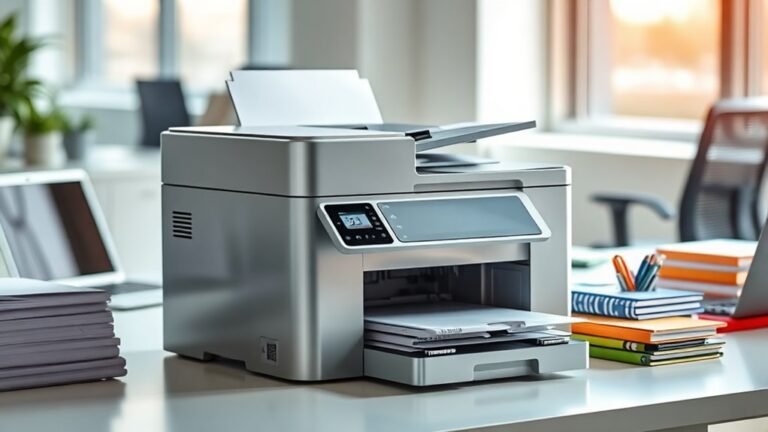
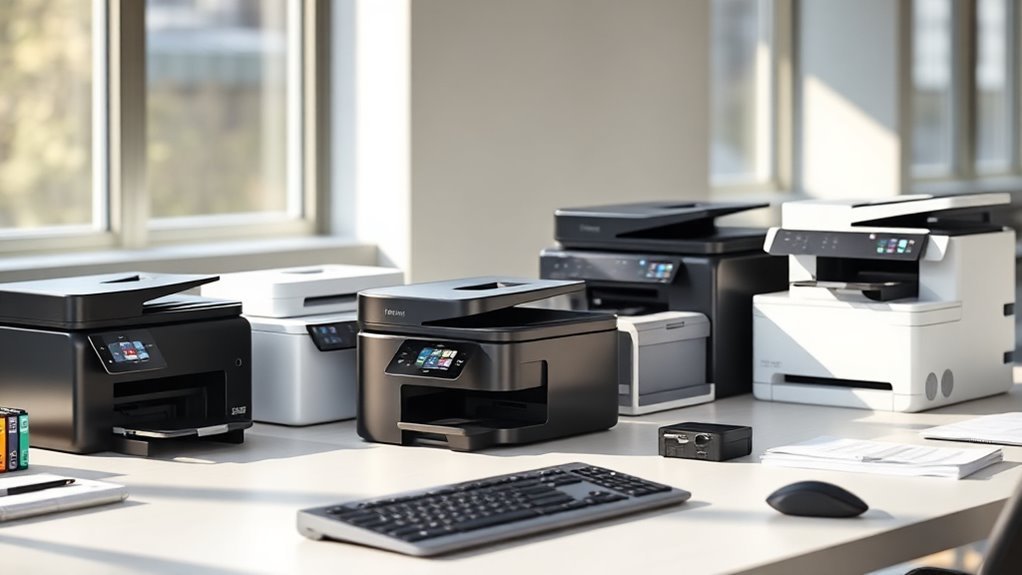
If you’re on the hunt for a reliable 3-in-1 printer for your business, you’ve got some great options to consider. Models like the HP OfficeJet Pro 8125 and 8139 stand out with fast, wireless color printing, plus handy duplex and touchscreen controls that make your work smoother.
Brother’s MFC-L3720CDW and DCP-L2640DW are solid choices too, delivering both color and monochrome laser output with consistent quality. And if speed in monochrome printing is your priority, the HP LaserJet Pro 3101sdw really shines.
When choosing the best 3-in-1 printer for your office, think about print speed, connectivity options, eco-friendly features, and cartridge availability. These factors can make a big difference in how well the printer fits your daily workflow.
Take your time exploring these options, and you’ll find the perfect printer to keep your business running efficiently.
HP OfficeJet Pro 8125 Wireless All-in-One Printer
The HP OfficeJet Pro 8125 Wireless All-in-One Printer is designed to streamline your home office tasks. It delivers professional-quality prints with speeds up to 20 ppm for black and 10 ppm for color, helping you complete jobs quickly without sacrificing quality. Duplex printing and an auto document feeder further enhance productivity by allowing you to print double-sided documents and scan multiple pages at once.
This printer’s intuitive 2.7-inch touchscreen simplifies operation, making it easy to navigate settings and manage print jobs. Wireless connectivity via dual-band Wi-Fi lets you print, scan, copy, or fax directly from your smartphone using the HP Smart app. This flexibility reduces the need for cables and keeps your workspace organized.
Maintenance is straightforward with the use of original HP cartridges that include chip technology for reliable performance. However, this system restricts third-party ink options and requires a subscription for Instant Ink after the included trial. AI-driven formatting helps reduce ink and paper waste, which supports cost-efficient printing.
Best for: professionals and home office users needing a fast, reliable all-in-one printer that delivers high-quality color prints with advanced mobile and AI features.
What We Like:
- Fast black and color printing with duplex and auto document feeder
- Easy-to-use 2.7-inch touchscreen and seamless wireless printing via HP Smart app
- AI-powered ink and paper savings with a 3-month Instant Ink trial included
- Robust security features to protect your documents and data
Specification:
| Feature | Details |
|---|---|
| Manufacturer | HP |
| Dimensions | Approx. 17.3 x 13.3 x 9.8 in |
| Weight | Approx. 16.3 lb (7.4 kg) |
| Color Options | Black with gray accents |
| Printing Technology | Inkjet |
| Connectivity | Dual-band Wi-Fi, USB |
| Touchscreen Display | 2.7-inch color touchscreen |
Brother MFC-L3720CDW Wireless Color Laser Printer
The Brother MFC-L3720CDW Wireless Color Laser Printer offers a smart solution for small offices and home workspaces. It streamlines multiple tasks—printing, scanning, copying, and faxing—into one compact machine. This helps reduce clutter and saves valuable desk space.
With a print speed of up to 19 pages per minute, it handles daily print jobs swiftly. The sharp 2400 x 600 dpi resolution ensures crisp text and vibrant colors. Its automatic duplex printing cuts paper use in half, supporting eco-friendly workflows.
Maintenance is straightforward thanks to the 250-sheet paper tray and 50-sheet automatic document feeder. These features minimize manual paper handling and keep busy workloads moving smoothly. Dual-band Wi-Fi and USB connectivity allow flexible setup and remote printing from mobile devices.
Though it weighs 44 pounds, making it less portable, its sturdy design suits a fixed office setup. The printer supports media sizes up to 8.5″ x 14″, which fits most standard documents but limits larger prints.
Best for: Small office and home office users who need a reliable, all-in-one wireless color laser printer for moderate print volumes.
What We Like:
- Fast print speed with high-quality color output
- Efficient automatic duplex printing and large paper capacity
- Convenient wireless and USB connectivity options
- User-friendly 3.5″ touchscreen control panel
Specification:
| Feature | Details |
|---|---|
| Manufacturer | Brother |
| Dimensions (W×D×H) | 16.1″ × 18.7″ × 15.7″ |
| Weight | 44 lbs |
| Print Technology | Color Laser |
| Connectivity | Dual-band Wi-Fi, USB |
| Display | 3.5″ Touchscreen |
| Paper Capacity | 250-sheet tray, 50-sheet ADF |
Brother DCP-L2640DW Wireless Monochrome Printer
The Brother DCP-L2640DW Wireless Monochrome Printer is designed to streamline your printing, copying, and scanning tasks with speed and precision. Its fast print speed of up to 36 pages per minute means you spend less time waiting and more time being productive.
This compact device fits neatly into small office spaces or home workstations. The 50-page auto document feeder and 250-sheet paper tray allow you to handle bigger jobs without frequent interruptions. Wireless connectivity options such as dual-band Wi-Fi and Ethernet let you print and scan directly from various devices with ease.
Maintenance is straightforward, with eco-friendly features like automatic duplex printing and toner save mode reducing waste and operational costs. While it prints only in monochrome and has a single paper tray, it delivers reliable laser-quality output ideal for text-heavy documents.
Best for: Small businesses and home offices seeking a fast, dependable monochrome laser printer with copying and scanning functions.
What We Like:
- Rapid print speed of up to 36 ppm for efficient workflows
- Dual-band Wi-Fi and Ethernet connectivity for versatile wireless use
- Eco-conscious features like duplex printing and toner saving
- Compact design suited for limited spaces
- Easy handling of large tasks with auto document feeder and sizable paper tray
Specification:
| Feature | Details |
|---|---|
| Manufacturer | Brother |
| Dimensions (W x D x H) | Approx. 16.1 x 15.7 x 12.7 in (41 x 40 x 32.3 cm) |
| Weight | Approx. 17.2 lb (7.8 kg) |
| Color Options | White |
| Connectivity | Dual-band Wi-Fi, Ethernet |
HP OfficeJet Pro 8139 Wireless All-in-One Printer
The HP OfficeJet Pro 8139 is a compact all-in-one printer that brings professional-quality color printing right to your home office. It handles printing, scanning, copying, and faxing with ease, helping you manage daily tasks efficiently. With print speeds up to 20 ppm for black and 10 ppm for color, it ensures your documents are ready quickly.
This model features automatic duplex printing, reducing paper use and saving you time. The 2.7-inch touchscreen offers an intuitive interface, making operation straightforward. Wireless connectivity supports dual-band Wi-Fi, Apple AirPrint, and Ethernet, allowing seamless printing from laptops and smartphones without hassle.
Maintenance is simple with an automatic document feeder and quiet mode that keeps noise low during operation. The printer uses original HP cartridges with chip technology, ensuring reliable ink performance, though this may affect ink costs. Its eco-friendly design includes over 45% recycled plastic, aligning with sustainability goals.
Best for: Home office users seeking a versatile all-in-one printer with sharp color output and flexible wireless connectivity.
What We Like:
- Fast printing speeds with automatic duplexing
- Easy-to-use 2.7-inch touchscreen interface
- Wireless options including dual-band Wi-Fi and Apple AirPrint
- Quiet operation with an automatic document feeder
- Environmentally conscious build using recycled materials
Specification:
| Feature | Details |
|---|---|
| Manufacturer | HP |
| Dimensions | Compact size (exact not specified) |
| Weight | Not specified |
| Material | Over 45% recycled plastic |
| Connectivity | Dual-band Wi-Fi, Ethernet, Apple AirPrint |
| Print Speed | Up to 20 ppm black, 10 ppm color |
| Display | 2.7-inch touchscreen |
HP OfficeJet Pro 8135 Wireless All-in-One Printer
The HP OfficeJet Pro 8135 Wireless All-in-One Printer is designed to streamline your daily office tasks. It handles printing, scanning, copying, and faxing efficiently, making it a versatile choice for busy home offices and small workspaces. With fast print speeds and automatic duplexing, it helps reduce paper waste and speeds up your workflow.
Its wireless connectivity, including Wi-Fi and Apple AirPrint, lets you print effortlessly from multiple devices. The 2.7-inch color touchscreen offers easy navigation, simplifying maintenance and job management. The 225-sheet input tray and automatic document feeder (ADF) support higher volume tasks without constant reloading.
Maintenance is straightforward but requires using original HP 923 series cartridges to ensure consistent quality. Firmware updates may restrict third-party cartridges, so sticking to genuine supplies is important. The printer’s compact design fits well in small spaces while providing essential business functions.
While fax capabilities are included, they may be less relevant in today’s digital-heavy environment. Overall, this printer balances functionality and convenience for everyday business needs.
Best for: Small businesses, home offices, and individuals who need a reliable all-in-one printer with wireless and duplex printing features.
What We Like:
- Fast print speeds with automatic two-sided printing
- Easy-to-use 2.7-inch color touchscreen
- Wireless printing with Wi-Fi and Apple AirPrint support
- Automatic document feeder for multi-page scanning and copying
Specification:
| Feature | Details |
|---|---|
| Manufacturer | HP |
| Model | OfficeJet Pro 8135 |
| Dimensions (W×D×H) | 17.2 × 14.7 × 7.5 inches (43.7 × 37.3 × 19 cm) |
| Weight | Approx. 18.7 lb (8.5 kg) |
| Paper Capacity | 225-sheet input, 60-sheet output |
| Connectivity | Wireless (Wi-Fi), Apple AirPrint |
| Display | 2.7-inch color touchscreen |
Brother MFC-L5915DW Professional Laser Printer All-in-One
The Brother MFC-L5915DW is engineered to streamline high-volume printing for small businesses and busy workgroups. Its fast print speed of up to 50 pages per minute reduces wait times, helping your team stay productive. The automatic two-sided scanning feature simplifies handling large documents, saving time and effort.
This all-in-one monochrome laser printer combines printing, copying, scanning, and faxing in a compact design. The 250-sheet paper tray and 70-page automatic document feeder support legal-size documents, accommodating diverse office needs. Its sharp 1200 x 1200 dpi resolution ensures clear, professional-quality output every time.
Connectivity options are versatile, including Gigabit Ethernet, dual-band Wi-Fi, and mobile printing, making it easy to integrate into different network environments. The intuitive 5-inch touchscreen allows customization of shortcuts for smoother workflows. Maintenance is straightforward, with an optional ultra high-yield toner cartridge that delivers up to 18,000 pages, minimizing interruptions.
While the printer only supports monochrome printing, its robust performance and multifunction capabilities make it a reliable choice for busy offices requiring efficient document management.
Best for: Small businesses and busy workgroups needing fast, high-volume monochrome printing with multifunction features and flexible network connectivity.
What We Like:
- Fast printing up to 50 ppm with automatic duplex scanning.
- Large capacity trays support legal-size documents.
- Multiple connectivity options including wired and wireless.
- Customizable touchscreen enhances workflow efficiency.
- High-yield toner option reduces maintenance frequency.
Specification:
| Feature | Details |
|---|---|
| Manufacturer | Brother |
| Dimensions | 16.1 x 15.7 x 14.8 inches |
| Weight | 33.3 lbs (15.1 kg) |
| Printing Technology | Monochrome Laser |
| Print Resolution | 1200 x 1200 dpi |
| Paper Capacity | 250-sheet tray, 70-sheet ADF |
| Connectivity | Gigabit Ethernet, Dual-band Wi-Fi, Mobile Printing |
| Display | 5-inch Color Touchscreen |
Canon Color imageCLASS MF665Cdw – Wireless, All-in-One Duplex Laser Printer
The Canon Color imageCLASS MF665Cdw is designed to meet the demands of busy offices needing fast and dependable color printing. It combines multiple functions—print, scan, copy, and fax—into one compact machine, simplifying your workspace and daily tasks.
This device tackles common workflow bottlenecks with a duplex automatic document feeder and automatic two-sided printing, saving time and reducing paper waste. The 5-inch touchscreen makes navigation intuitive, while wireless connectivity supports mobile printing via Canon PRINT, AirPrint, and Mopria, helping teams stay productive from anywhere.
Maintenance is straightforward with high-capacity toner cartridges that last longer, minimizing interruptions. The printer’s 250-sheet cassette reduces the need for frequent paper refills, making it ideal for medium to large workloads.
Its ENERGY STAR certification highlights its eco-friendly design, supporting sustainability goals without compromising performance. However, the limited multipurpose tray capacity and absence of an Ethernet port may require consideration depending on your specific office needs.
Best for: Offices and businesses seeking a versatile, efficient all-in-one color laser printer with wireless capabilities and eco-conscious features.
What We Like:
- Fast printing speed with quick first-page output
- Multifunction 4-in-1 capabilities streamline office tasks
- User-friendly touchscreen and robust mobile printing options
- Efficient duplex printing and 50-sheet duplex ADF enhance productivity
Specification:
| Feature | Details |
|---|---|
| Manufacturer | Canon |
| Dimensions | Not specified |
| Weight | Not specified |
| Color Options | Standard (white/gray tones) |
| Printing Speed | Up to 26 pages per minute |
| Duplex Automatic Feeder | 50-sheet capacity |
| Touchscreen | 5-inch color touchscreen |
| Connectivity | Wireless, mobile printing |
| Paper Cassette Capacity | 250 sheets |
| Toner | High-capacity cartridges |
HP OfficeJet Pro 9135 Wireless All-in-One Printer
Boost your office efficiency with the HP OfficeJet Pro 9135 Wireless All-in-One Printer. Designed to handle multiple tasks, it prints fast, scans, copies, and faxes with ease. This printer helps small to medium businesses save time by delivering sharp color prints and reliable performance.
The intuitive 4.3-inch touchscreen makes navigation simple, while the automatic duplex printing and single-pass two-sided scanning cut down manual effort. Its dual-band Wi-Fi and Ethernet connectivity options ensure smooth integration with your office network, keeping your workflow uninterrupted.
Maintenance is straightforward but note this printer only accepts original HP cartridges with chips. This limits ink options but guarantees consistent print quality. The printer’s size is on the larger side, so plan your workspace accordingly.
Built with recycled plastics and featuring HP Wolf Pro Security, this model supports sustainability and protects sensitive data. It also includes a 3-month trial of HP Instant Ink, helping you manage supplies effortlessly.
Best for: Small to medium business teams needing a fast, versatile all-in-one color printer with secure, advanced connectivity.
What We Like:
- High-quality prints at speeds up to 25 ppm in black and 20 ppm in color
- Easy-to-use 4.3-inch color touchscreen and automatic duplex capabilities
- Multiple connection options: dual-band Wi-Fi, Ethernet, and USB
- Enhanced security with HP Wolf Pro Security
- Eco-friendly design using recycled plastics
Specification:
| Feature | Details |
|---|---|
| Manufacturer | HP |
| Dimensions | Approx. 17.3 x 21.7 x 10.8 in |
| Weight | Approx. 18.6 lb (8.4 kg) |
| Color Options | White/Gray |
| Connectivity | Dual-band Wi-Fi, Ethernet, USB |
Canon imageCLASS MF462dw II – Wireless, Monochrome Duplex Laser Printer
The Canon imageCLASS MF462dw II is designed to keep your small office or hybrid workspace running smoothly. Its fast monochrome printing at 37 pages per minute reduces wait times, helping you meet tight deadlines effortlessly. The all-in-one functionality means you can print, copy, scan, and fax without juggling multiple devices.
This printer’s duplex capabilities and 50-sheet automatic document feeder streamline handling double-sided documents, saving paper and time. Its 5-inch touchscreen offers intuitive control, making everyday tasks simple to customize and manage. Connectivity options such as wireless, Ethernet, and mobile printing ensure you stay connected from anywhere in the office.
Maintenance is straightforward with long-lasting toner cartridges that minimize interruptions and keep your workflow steady. Although it handles large volumes with an expandable paper capacity of up to 900 sheets, it does require a dedicated space due to its weight of 44 pounds. Power consumption is higher than some models, which is worth considering for energy-conscious environments.
Best for: Small businesses and hybrid work settings needing a reliable, versatile monochrome all-in-one printer with efficient duplex printing.
What We Like:
- High-speed printing and copying at 37 ppm for fast output
- Multiple connectivity options including Wi-Fi and Ethernet
- Large paper capacity with a 50-sheet duplex ADF for heavy workloads
- Easy-to-use 5-inch touchscreen control panel
Specification:
| Feature | Details |
|---|---|
| Manufacturer | Canon |
| Dimensions (W×D×H) | Approx. 17.7 × 17.6 × 15 in (45 × 44.7 × 38 cm) |
| Weight | 44 lb (20 kg) |
| Printing Technology | Monochrome Laser |
| Connectivity | Wireless, Ethernet, USB, Mobile Printing |
| Paper Capacity | Up to 900 sheets (expandable) |
| Automatic Document Feeder | 50-sheet duplex ADF |
HP LaserJet Pro 3101sdw | Monochrome | Laser Printer | All-in-One | Duplex
The HP LaserJet Pro 3101sdw is engineered to streamline office workflows with its all-in-one functionality. Combining printing, scanning, and copying, this monochrome laser printer delivers professional results quickly and efficiently. Its compact design fits well in small offices, saving valuable space without sacrificing performance.
With print speeds up to 35 pages per minute, the device handles high-volume tasks smoothly. The automatic duplex feature reduces paper use by printing on both sides, promoting eco-friendly practices. The 250-sheet input tray and 50-sheet auto document feeder make managing large or multi-page documents effortless.
Maintenance is straightforward thanks to HP’s toner cartridges, which ensure crisp black-and-white output. Firmware updates keep the printer secure by verifying cartridge authenticity, though this limits use to official HP supplies. Wireless connectivity intelligently selects the best available signal, maintaining stable connections throughout.
This printer is ideal for small teams needing reliable, fast monochrome printing and scanning without complex setup or frequent intervention. Its balance of speed, efficiency, and security supports busy office environments.
Best for: Small teams and busy offices requiring dependable, professional-quality monochrome printing and scanning in a compact all-in-one device.
What We Like:
- Fast printing at up to 35 ppm with automatic duplex to save paper
- Large 250-sheet input tray plus 50-sheet auto document feeder for multitasking
- Reliable Wi-Fi connection with smart signal selection
- HP toner guarantees sharp text quality and consistent output
- Firmware updates enhance security by enforcing cartridge authenticity
Specification:
| Feature | Details |
|---|---|
| Manufacturer | HP |
| Dimensions (W×D×H) | Compact design (exact size not specified) |
| Weight | Not specified |
| Technology | Monochrome Laser |
| Functions | Print, Scan, Copy |
| Print Speed | Up to 35 pages per minute |
| Input Capacity | 250-sheet tray |
| Auto Document Feeder | 50 sheets |
| Connectivity | Wireless with intelligent signal seeking |
| Duplex Printing | Automatic duplex printing |
Brother INKvestment 5010 Wireless Color Inkjet Printer
Experience efficient, high-quality printing with the Brother INKvestment 5010 Wireless Color Inkjet Printer. Designed to meet the demands of small businesses, this printer delivers sharp images at up to 28 ppm in black and 26 ppm in color, ensuring your documents are ready quickly. Its vibrant 4800 x 1200 dpi resolution helps your presentations and reports stand out with clear, professional color.
Handling large print jobs is simple thanks to the spacious 250-sheet tray and automatic duplex printing, which saves time and paper by printing on both sides. This all-in-one device also lets you print, copy, scan, and fax, streamlining multiple tasks into one machine and reducing clutter in your workspace.
Wireless connectivity options include dual-band Wi-Fi, Ethernet, and cloud app integration, offering flexible ways to print from various devices. The 2.7-inch touchscreen and Brother Mobile Connect app provide easy control and setup, making maintenance straightforward.
While starter cartridges yield a limited number of pages, the high-yield replacement cartridges help keep running costs down. Its solid build weighs 30.9 pounds, which means it’s stable but may require a dedicated spot.
Best for: Small businesses needing a fast, reliable, and versatile color inkjet printer with strong productivity and connectivity options.
What We Like:
- Fast print speeds with sharp, high-resolution output
- Large paper capacity and automatic duplex printing
- Multiple wireless options and intuitive touchscreen control
- All-in-one functionality to print, copy, scan, and fax
Specification:
| Feature | Details |
|---|---|
| Manufacturer | Brother |
| Dimensions (W x D x H) | Approx. 16.7 x 14.2 x 7.7 inches |
| Weight | 30.9 pounds (14 kg) |
| Color Options | White |
| Connectivity | Dual-band Wi-Fi, Ethernet, Cloud apps |
| Display | 2.7-inch color touchscreen |
Brother INKvestment 6960 Wireless Color Inkjet Printer
Experience seamless printing with the Brother INKvestment 6960 Wireless Color Inkjet Printer, designed to tackle the demands of small businesses and busy offices. This printer addresses common workflow bottlenecks by offering high-capacity paper handling with two paper trays and a 100-sheet multipurpose tray, reducing the need for frequent refills.
Its ability to print up to 31 pages per minute in black and 30 pages per minute in color ensures that large print jobs finish quickly. The 50-sheet duplex automatic document feeder saves time by enabling efficient double-sided scanning and copying, helping you move through tasks faster.
Connectivity is straightforward with dual-band Wi-Fi, Ethernet, USB, and cloud app integration, streamlining device management. The 3.5” color touchscreen provides easy access to functions, though its smaller size might require some adjustment for users who prefer larger displays.
Maintenance is simplified by high-yield ink cartridges, which reduce the frequency of replacements, though color cartridges yield fewer pages than black. Weighing 51.4 pounds, this printer is designed to stay put in your workspace rather than being portable.
Best for: Small businesses and busy offices seeking a fast, high-capacity, and versatile all-in-one color inkjet printer with wireless and cloud connectivity.
What We Like:
- Large paper capacity supports up to 500 sheets and media sizes up to 11” x 17”
- Fast print speeds with automatic duplex printing and a 50-sheet duplex ADF
- Multiple connectivity options including dual-band Wi-Fi and cloud integration
- High-yield ink cartridges help minimize maintenance interruptions
Specification:
| Feature | Details |
|---|---|
| Manufacturer | Brother |
| Dimensions | Not specified |
| Weight | 51.4 lb (23.3 kg) |
| Paper Capacity | Up to 500 sheets |
| Media Size Supported | Up to ledger size (11” x 17”) |
| Connectivity | Dual-band Wi-Fi, Ethernet, USB, Cloud apps |
| Touchscreen Size | 3.5 inches |
Factors to Consider When Choosing a 3 in 1 Printer for Business
When picking a 3-in-1 printer for your business, you’ll want to focus on print speed and quality to keep productivity high. It’s important to find a model that won’t slow you down during busy days.
Consider connectivity options and paper handling capacity to match your workflow needs. You want something that fits seamlessly into how your office operates.
Don’t forget to check ink efficiency and security features to save costs and protect your data. These might seem small, but they make a big difference over time.
Print Speed and Quality
Consider print speed and quality as essential factors when choosing a 3-in-1 printer for your business. Aim for printers with mono speeds of 25–35 ppm and color speeds of 15–25 ppm to keep workflows efficient.
Look for first-page-out times between 5 and 15 seconds to reduce wait times on short tasks. Match print resolution to your needs: 600–1200 dpi for laser text documents and up to 1200×4800 dpi for inkjet photos or graphics guarantees sharp output.
For heavy use, check the duty cycle and monthly volume ratings to maintain consistent performance. Also, consider scanner and copier speeds, especially with single-pass duplex ADFs, to speed up multi-page two-sided tasks and keep your business running smoothly.
Connectivity Options
How can you guarantee your 3-in-1 printer fits seamlessly into your office network? First, make certain it supports dual-band Wi‑Fi (2.4 GHz and 5 GHz). This helps boost connection reliability and minimize interference.
Don’t overlook wired Ethernet, preferably Gigabit, for secure, high-speed LAN placement. It’s a solid choice if you want a stable connection that won’t drop unexpectedly.
Check for USB host ports like USB-B or USB-C for direct workstation connections. Plus, USB-A ports come in handy for printing straight from thumb drives.
Look for Wi‑Fi Direct and mobile printing protocols such as AirPrint or Mopria. These let you print from smartphones and tablets without needing to join the corporate network.
If multiple users and cloud workflows are involved, pick a model with cloud-service integration. Network features like LDAP authentication, SMB/FTP printing, and secure print release help maintain security and ease of access across your business.
Paper Handling Capacity
Beyond connectivity, managing your paper workflow efficiently can make a big difference in daily operations. Start by checking the input tray capacity—business models typically hold 150 to 500 sheets—so you won’t need to refill often during busy days.
Also, consider the output tray; a capacity of 100 to 250 sheets helps avoid constant monitoring and overflow. Evaluate the automatic document feeder (ADF) size and speed, as typical ADFs hold 50 to 100 pages, impacting how fast you scan or copy multi-page documents.
Look for automatic duplexing and duplex ADF scanning to cut paper use and speed two-sided jobs. Finally, make sure the printer supports various media sizes and has a multipurpose tray for envelopes, cardstock, or legal-sized paper up to 11×17 inches.
Ink and Toner Efficiency
When choosing a 3-in-1 printer for your business, understanding ink and toner efficiency can materially lower your operating costs. Start by comparing cost-per-page (CPP) for black and color cartridges—divide the cartridge price by its stated page yield to see true running costs.
Opt for high-yield or XL/XXL cartridges and multi-pack options, which can cut CPP by 20–70% over standard supplies. Choose printers with automatic duplexing and an automatic document feeder (ADF) to reduce paper use, effectively lowering ink and toner consumption on multi-page jobs.
Also, check the duty cycle and monthly recommended page volume to avoid exceeding limits, which spikes CPP and replacement frequency. Finally, assess subscription or automatic-replenishment plans carefully, comparing their per-page pricing and overage fees to standalone cartridge costs.
Security Features
Although choosing a 3-in-1 printer with the right features is important, prioritizing security features is essential to protect your business data. Make sure your printer supports network security protocols like WPA3 for Wi-Fi and IPv6/802.1X authentication to block unauthorized access.
Look for device-level protections such as secure boot, firmware signing, and automatic updates to prevent tampering. These features keep your printer safe from potential threats.
User authentication options—like PIN codes, LDAP/AD integration, or single sign-on—help control who accesses printing and scanning functions. This way, only authorized users can get to your documents.
Secure data handling features, including encryption of stored data and print jobs in transit, safeguard sensitive information. It’s crucial to keep your data private and protected from prying eyes.
Finally, audit logs and secure pull printing prevent unauthorized document retrieval and allow you to monitor device activity. This keeps your business both efficient and secure.
Frequently Asked Questions
How Do 3 in 1 Printers Impact Office Network Security?
You need to secure 3 in 1 printers because they connect to your network, creating potential entry points for hackers. Use strong passwords, update firmware regularly, and enable encryption to protect sensitive office data effectively.
Think of these printers as gateways—they’re super useful but can be risky if left unprotected. Keeping everything updated and locked down helps keep your office network safe.
What Is the Average Lifespan of a Business 3 in 1 Printer?
Think of a business 3-in-1 printer as your reliable workhorse; it usually lasts around 3 to 5 years with proper care.
You’ll want to maintain it regularly to keep it running smoothly and avoid unexpected breakdowns. Taking care of it can really extend its lifespan.
Can These Printers Handle Specialized Media Like Labels or Cardstock?
Yes, many 3 in 1 printers can handle specialized media like labels and cardstock. You’ll want to check the printer’s specifications to make sure it supports the thickness and size you need for your projects.
It’s always a good idea to double-check before buying or printing. That way, you won’t run into any surprises with your specialized media.
Are There Eco-Friendly Ink or Toner Recycling Programs Available?
Yes, many brands offer eco-friendly ink and toner recycling programs you can join. They make it easy to return cartridges for responsible disposal or refilling.
This helps you reduce waste and support sustainability in your business. It’s a simple way to do your part for the environment while keeping things efficient.
How Do Firmware Updates Affect Printer Performance and Compatibility?
Firmware updates can boost your printer’s performance and compatibility, yet they might also introduce bugs or limit older cartridge use.
You’ll want to update carefully—balancing improved features against potential unexpected issues.
It’s a good idea to check what the update includes before you install it. That way, you can decide if the benefits outweigh any possible drawbacks.
Conclusion
Choosing the right 3 in 1 printer for your business can feel like finding a needle in a haystack, but with the options listed, you’re well on your way to hitting the jackpot. Whether you need speed, quality, or wireless convenience, these top picks cover all bases.
Don’t let your printing needs slow you down—pick the one that fits your workflow like a glove and watch your productivity soar. From reliable printing to efficient scanning and copying, these printers are designed to keep your business running smoothly.
Investing in the best 3 in 1 printer can transform your office setup, providing you with seamless functionality and cost-effective solutions. So, explore these top business printers and find the perfect match that balances performance and convenience for your daily tasks.